

GitHub 在国内无法访问
方法一:
2.在检测输入栏中输入http://github.com官网
3.把检测列表里的TTL值最小的IP输入到hosts里,并对应写上github官网域名
C:\Windows\System32\drivers\etc
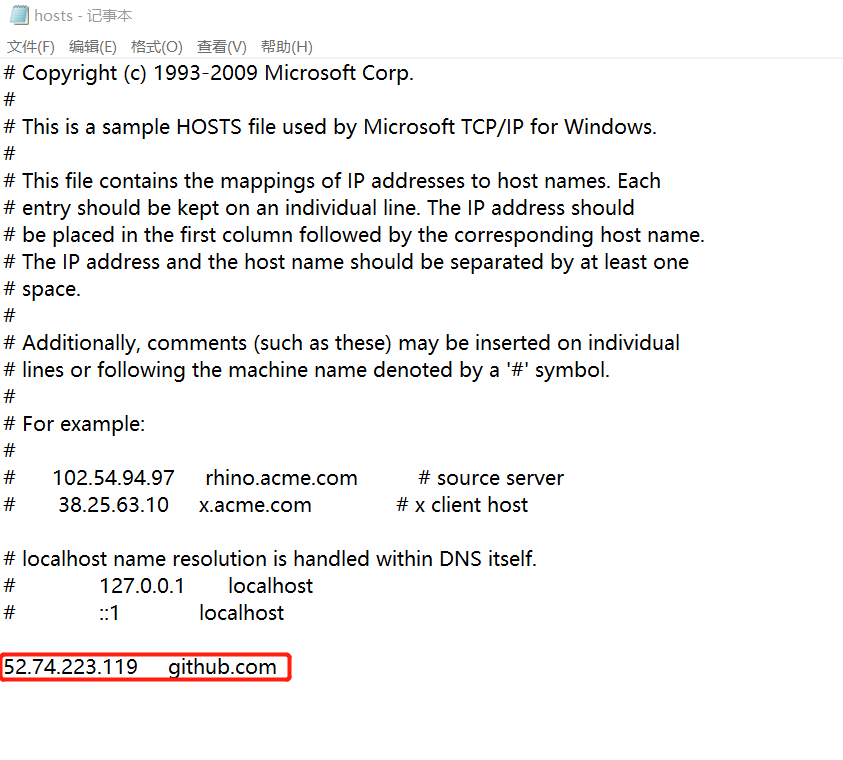
方法二:改成ssh方式
1.进入项目目录,右键
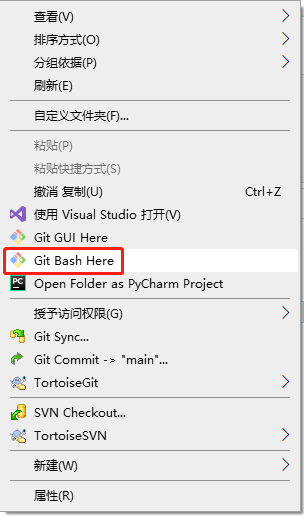
2.设置git的user name和email
git config --global user.name "XXX"
git config --global user.email "xxx@xxx.com"
3.检查是否存在SSH Key
cd ~/.ssh
ls
或者
ll
//看是否存在 id_rsa 和 id_rsa.pub文件,如果存在,说明已经有SSH Key
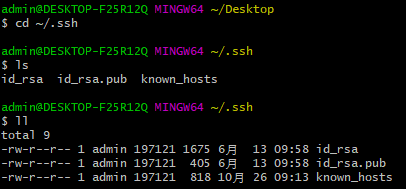
4.如果没有SSH Key,则需要先生成一下
ssh-keygen -t rsa -C "xxx@xxx.com"
5.获取SSH Key
cat id_rsa.pub
//拷贝秘钥 ssh-rsa开头
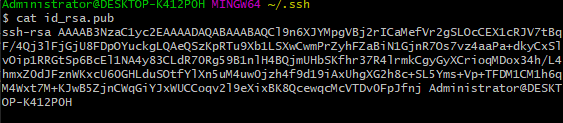
6.登录GitHub添加SSH Key
右键头像
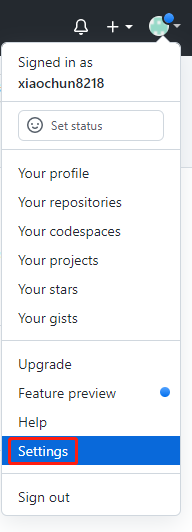
新建一个SSH Key
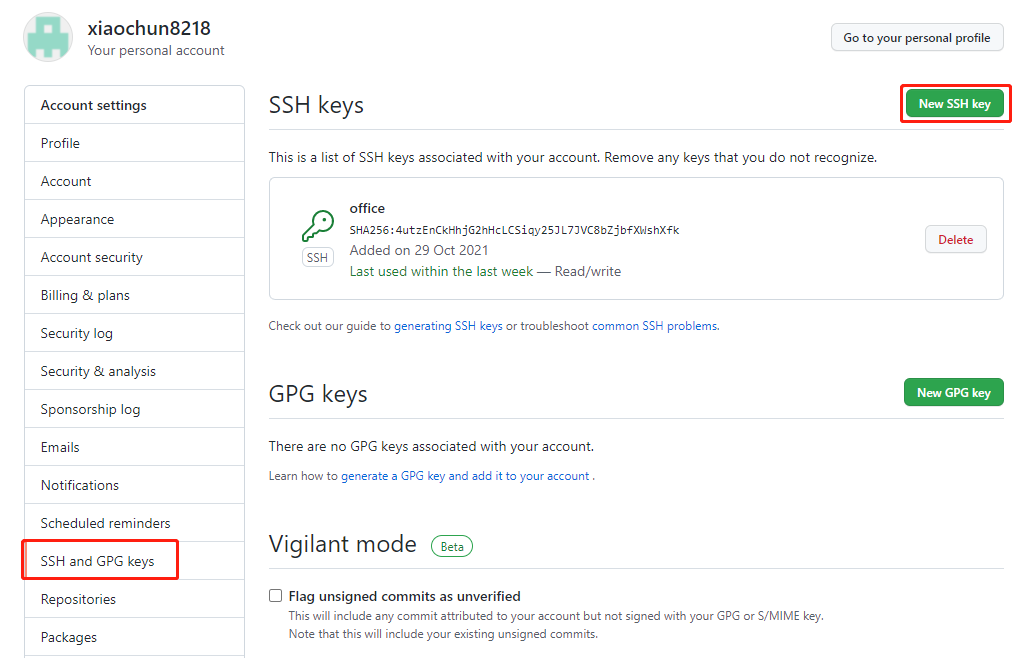
取个名字,把之前拷贝的秘钥复制进去。
7.测试是否成功配置SSH Key
ssh -T git@github.com
Hi xiaochun8218! You've successfully authenticated, but GitHub does not provideshell access.
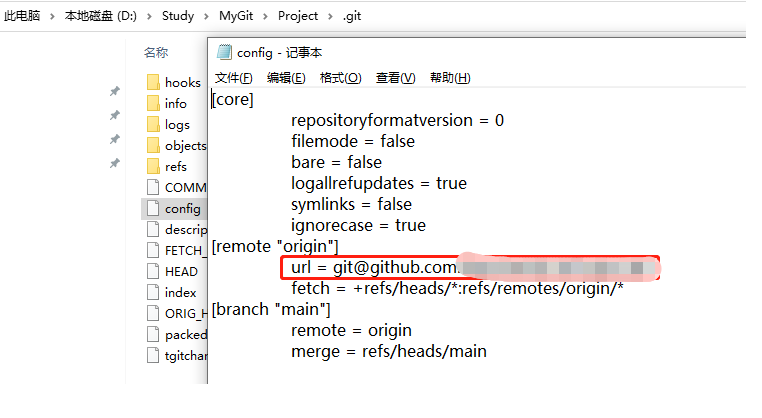
之前已经是https的链接,现在想要用SSH提交:
直接修改项目目录下 .git文件夹下的config文件,修改一下地址:
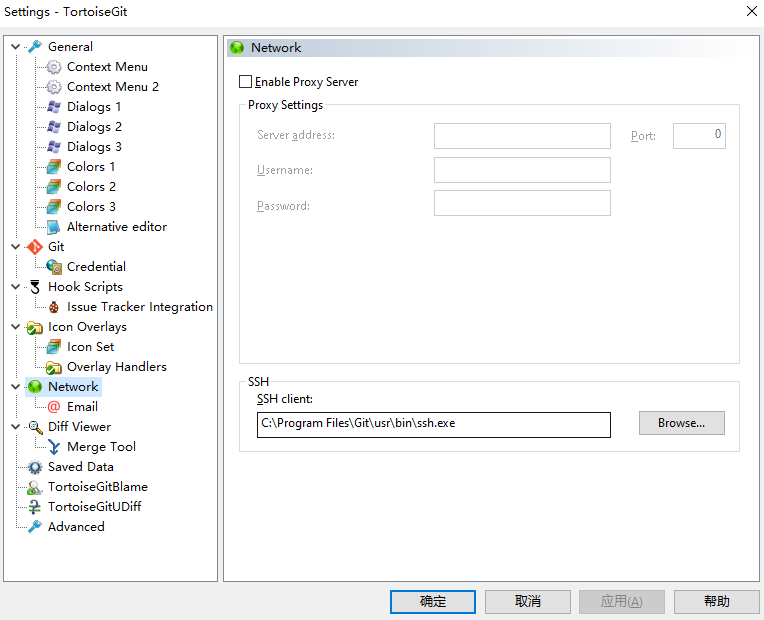
8.解决no supported authentication methods avaiable
a) 找到TortoiseGit--》Settings(设置)--》Network(网络)
b) 将SSH client指向C:\Program Files\Git\usr\bin\ssh.exe(git安装目录中的ssh.exe)

 浙公网安备 33010602011771号