

修复tomcat9.0中文乱码问题
本文转载自:https://blog.csdn.net/boywcx/article/details/100770171
以下操作均要在tomcat关闭的情况下进行修改,如果tomcat在运行,请先关闭
1:控制台乱码
定位apache-tomcat-9.0.24\conf\logging文件,将里面的UTF-8全部改成GBK即可

2:web页面乱码
(1):定位apache-tomcat-9.0.24\bin\catalina文件,打开并在最上方@echo off的下面加上以下代码
set "JAVA_OPTS=%JAVA_OPTS% %JSSE_OPTS% -Dfile.encoding=UTF-8"
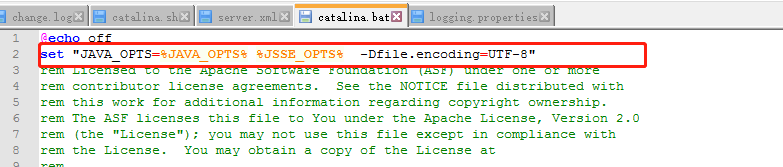
(2):定位apache-tomcat-9.0.24\conf\server文件,在下图位置加上
useBodyEncodingForURI="true" URIEncoding="UTF-8"代码即可

(3):页面清除缓存(ctrl+shift+del),重新刷新即可

 浙公网安备 33010602011771号