GitHub 图片显示问题
ipconfig /displaydns # 显示dns缓存

ipconfig /flushdns # 刷新DNS记录

ipconfig /renew # 重请从DHCP服务器获得IP
上面的 CMD 命令可以让头像等恢复,但是有时候照片还是显示不了。
所以需要修改 hosts 文件:
C:\Windows\System32\drivers\etc\hosts
在 hosts 里修改,例如:
#GitHub Start
192.30.253.112 Build software better, together
192.30.253.119 gist.github.com
151.101.184.133 assets-cdn.github.com
151.101.184.133 raw.githubusercontent.com
151.101.184.133 gist.githubusercontent.com
151.101.184.133 cloud.githubusercontent.com
151.101.184.133 camo.githubusercontent.com
151.101.184.133 avatars0.githubusercontent.com
151.101.184.133 avatars1.githubusercontent.com
151.101.184.133 avatars2.githubusercontent.com
151.101.184.133 avatars3.githubusercontent.com
151.101.184.133 avatars4.githubusercontent.com
151.101.184.133 avatars5.githubusercontent.com
151.101.184.133 avatars6.githubusercontent.com
151.101.184.133 avatars7.githubusercontent.com
151.101.184.133 avatars8.githubusercontent.com
#GitHub End
到了这里可能会显示没有权限修改该文件,所以需要进入文件属性里修改你的用户权限。
(1)
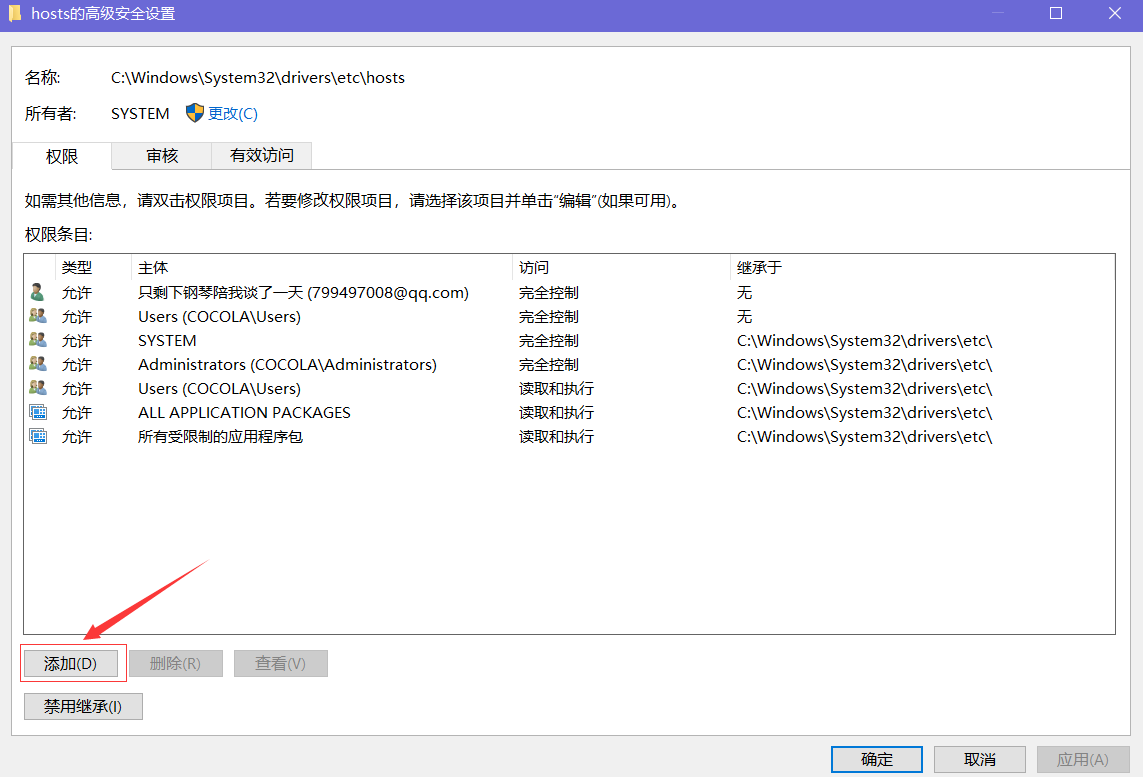
(2)

(3)
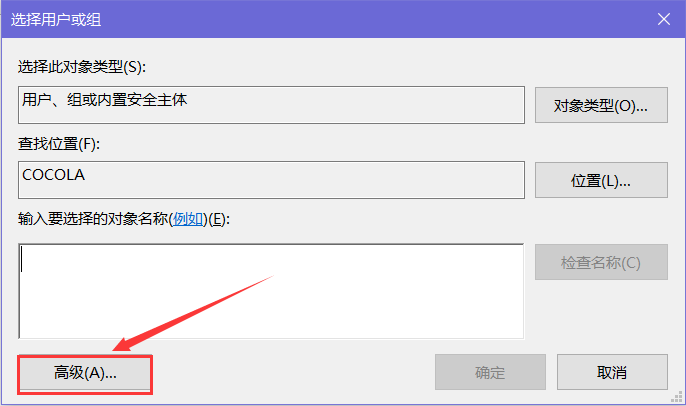
(4)
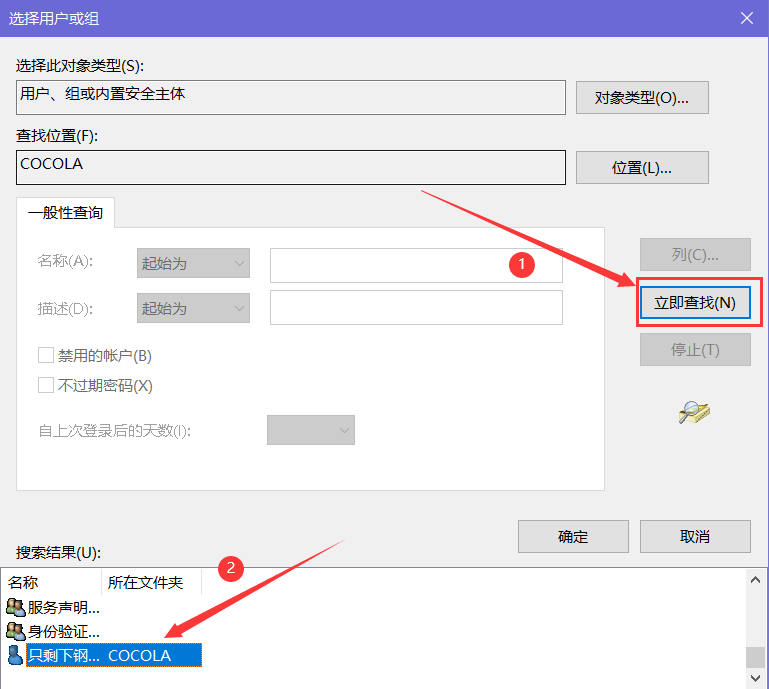
这样就完成了......................................

 浙公网安备 33010602011771号