

当前AD 账户中如何浏览器登录另一个AD 账户的解决方法
Running a Browser Window as Admin User
This magically provides all the access tokens needed for SSO. However, you might need to convice your browser first...
Basically:
- On your Windows PC, select "run as different user" from the alternate context menu (obtaind by shift + right click) for your browser icon
- Caveat: Effort to specify user details each time
- Use the "runas" command for the same purpose
- Pitfall: ensure to be in a generally readable directory when calling from cmd / power shell to avoid permission issues
For Firefox
Copy or create a program shortcut, specifying as target (Right Click Desktop, New, Shortcut):
Type the location of the item:
CN Collegues: C:\Windows\System32\runas.exe /user:apac\%username%_admin "\"C:\Program Files (x86)\Mozilla Firefox\firefox.exe\" --no-remote"
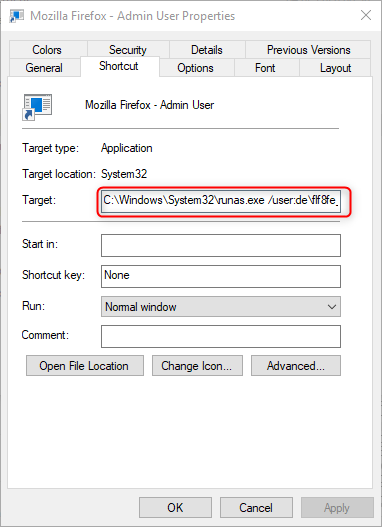
When executing, a cmd window will open prompting your password (as usual on a shell, no characters will show as you type). After some moment, a Firefox window will open (initially without personalized bookmarks etc. as it uses the Admin Users's profile).
The "--no-remote" swith is required to run several Firefox windows as separate processes (and thus under different users) at the same time. If omitted, the runas command would result in another Firefox window for the normal, logged-on user (if it already executes Firefox).

 浙公网安备 33010602011771号