
npm、pnpm、yarn 镜像源设置指南
npm、pnpm、yarn 镜像源设置指南
npm
查询源
npm get registry
设置源
# 国内 淘宝 镜像源
npm config set registry https://registry.npmmirror.com/

# 官方镜像源
npm config set registry https://registry.npmjs.org/
pnpm
pnpm 的镜像源默认与 npm 一致,无需额外设置。
查询源
pnpm get registry
设置源
# 国内 淘宝 镜像源
pnpm config set registry https://registry.npmmirror.com/

# 官方镜像源
pnpm config set registry https://registry.npmjs.org/
yarn
查询源
yarn config get registry
设置源
# 国内 淘宝 镜像源
yarn config set registry https://registry.npmmirror.com/

# 官方镜像源
yarn config set registry https://registry.yarnpkg.com/
镜像源集合
新增 华为、清华、网易 等镜像地址,请根据当前网络选择最佳镜像。
{
  "npm": "https://registry.npmjs.org/",
  "yarn": "https://registry.yarnpkg.com/",
  "tencent": "https://mirrors.cloud.tencent.com/npm/",
  "taobao": "https://registry.npmmirror.com/",
  "cnpm": "https://r.cnpmjs.org/",
  "npmMirror": "https://skimdb.npmjs.com/registry/",
  "ali": "https://registry.npm.alibaba-inc.com/",
  "huawei": "https://mirrors.huaweicloud.com/repository/npm/",
  "163": "https://mirrors.163.com/npm/",
  "ustc": "https://mirrors.ustc.edu.cn/",
  "tsinghua": "https://mirrors.tuna.tsinghua.edu.cn/"
}
使用 nrm 切换镜像源
安装
npm install nrm -g
# or
sudo npm install nrm -g
使用
nrm ls- 列出所有的镜像源或查看当前使用的源
nrm ls
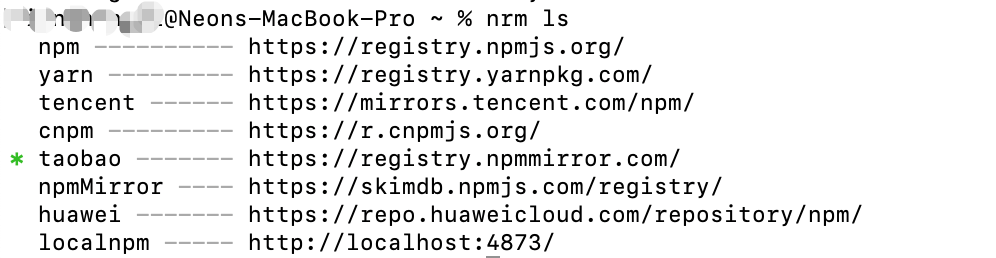
nrm <add | del> <registry-name> [registry url]- 添加或删除镜像源
# 添加源
nrm add testRegistry https://baidu.com/
# 删除源
nrm del testRegistry
nrm use <registry-name>- 使用源
nrm use taobao
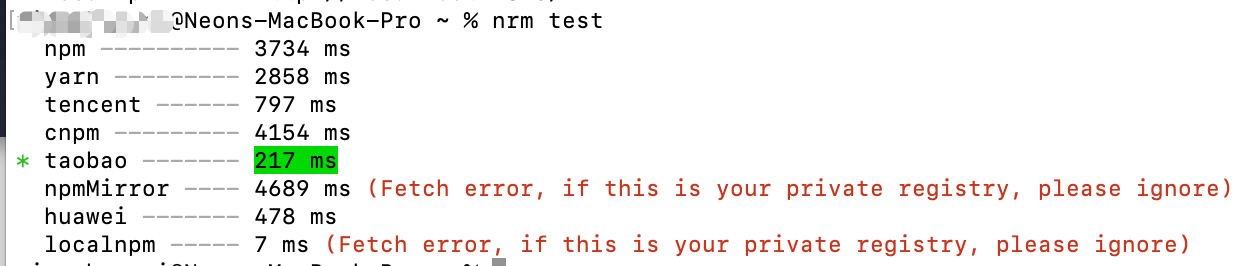
nrm test- 测试所有镜像源的速度
nrm test
总结
清除缓存
npm cache clean --force
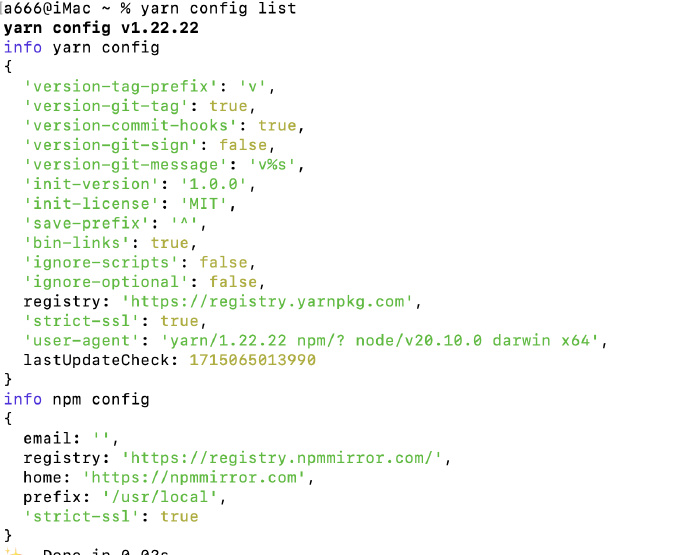
设置后 yarn 不生效?
yarn 版本 1.22.22,yarn 并未读取当前 项目目录 或用户(~/.npmrc)目录下的 .npmrc 文件的 registry 字段。在查询 yarn v1 官网和相关 issue( https://github.com/yarnpkg/yarn/issues/2118 )未发现相关描述。
yarn v1.x 版本中仍会读取 .npmrc 的相关字段,但会优先使用 .yarnrc 中的值。由于 yarn config 中的 registry 字段无法删除(delete 后仍有默认值),在项目外只能使用命令更改,或修改 .yarnrc。至于未读取当前项目下的 .npmrc 中的 registry 暂未知。
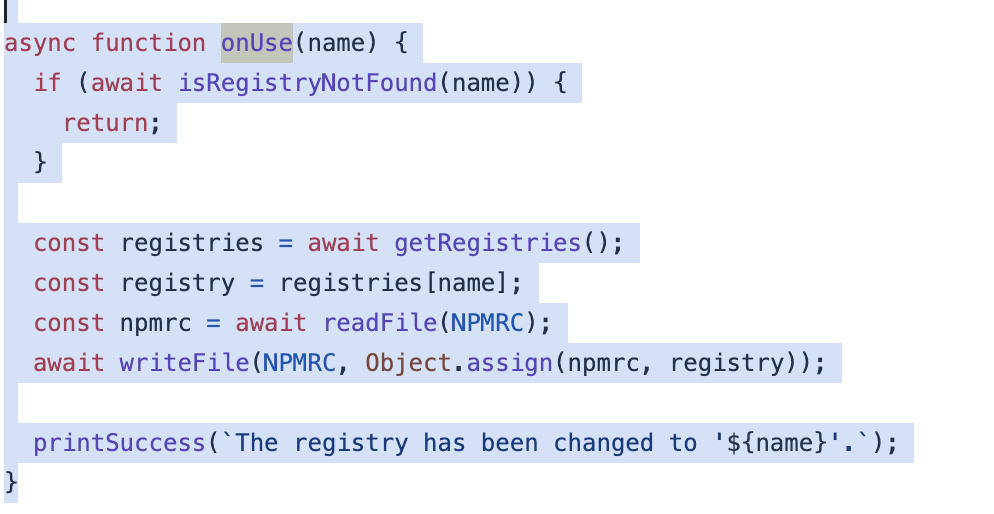
nrm use 时做了什么?
可以看出 nrm 更改的是 ~/.npmrc 文件

 浙公网安备 33010602011771号