
整合Echarts5
-
下载echarts 默认就是echarts5
-
npm install echarts -s -
新建Test1.vue
-
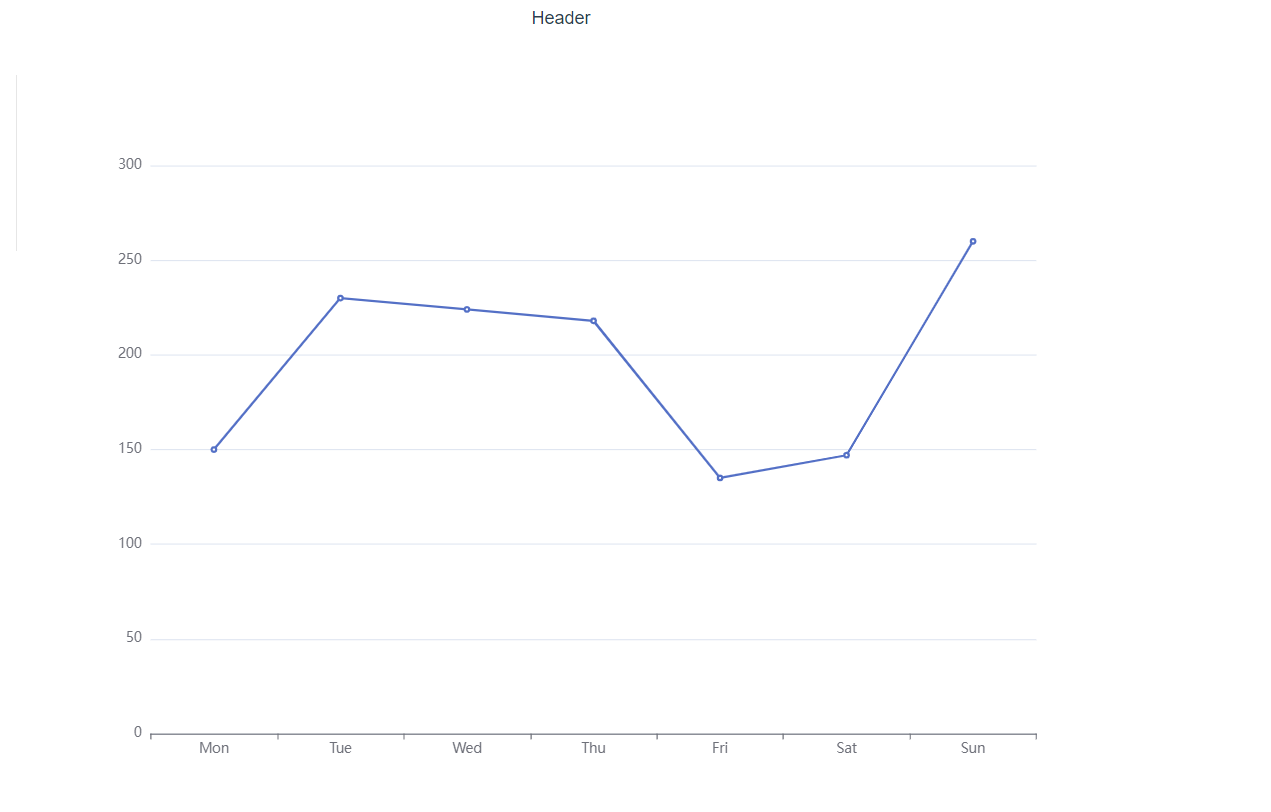
<template> <div id="a" style="height:80vh;width:100%"></div> <!--<div id="a" style="height:80vh;width:100%" ref='b'></div>--> </template> <script> // Echarts5 导入方式 import * as echarts from 'echarts' export default { mounted() { //调用methods中的init方法 this.init() }, methods: { init() { //使用 ref 的方式 //一定要分清楚ref 和 id的关系 ,l两者使用一个即可 //let mychart = this.$echarts.init(this.$refs.b) let chartDom = document.getElementById('a'); let myChart = echarts.init(chartDom); let option; option = { xAxis: { type: 'category', data: ['Mon', 'Tue', 'Wed', 'Thu', 'Fri', 'Sat', 'Sun'] }, yAxis: { type: 'value' }, series: [ { data: [150, 230, 224, 218, 135, 147, 260], type: 'line' } ] }; option && myChart.setOption(option); } } } </script> -
打开浏览器访问就能看到一个折线图了
-
-
Vue整合Echarts5就是这么简单 !!!
一定要分清楚id 和 ref 的关系 !!!

 浙公网安备 33010602011771号