pathon爬虫实战——爬取某网站的多页番剧内容
(本博客只为技术分学习,无其他用途)
前言:
本次实战我们主要是利用多线程爬取动漫网站的数据,如番剧名字、集数、创作人员、播出日期、连接网址、封面图片,且将数据存入数据库中。
1.准备
涉及的第三方库如下:
import time
import random
import requests
import os
from lxml import etree
import pymysql
import urllib3
from concurrent.futures import ThreadPoolExecutor, as_completed

urllib3.disable_warnings()  # 忽略验证ca证书的警告
html的基础架构:
推荐阅读 HTML(超文本标记语言) | MDN (mozilla.org)
2.网页分析
2.1 检验网页
1. 运行浏览器,打开网页,按快捷键F12打开开发者工具,F5刷新页面
2. 在右侧点击Network,打开browser?sort=rank&page=1 文件,可以看到各种信息,查看表头
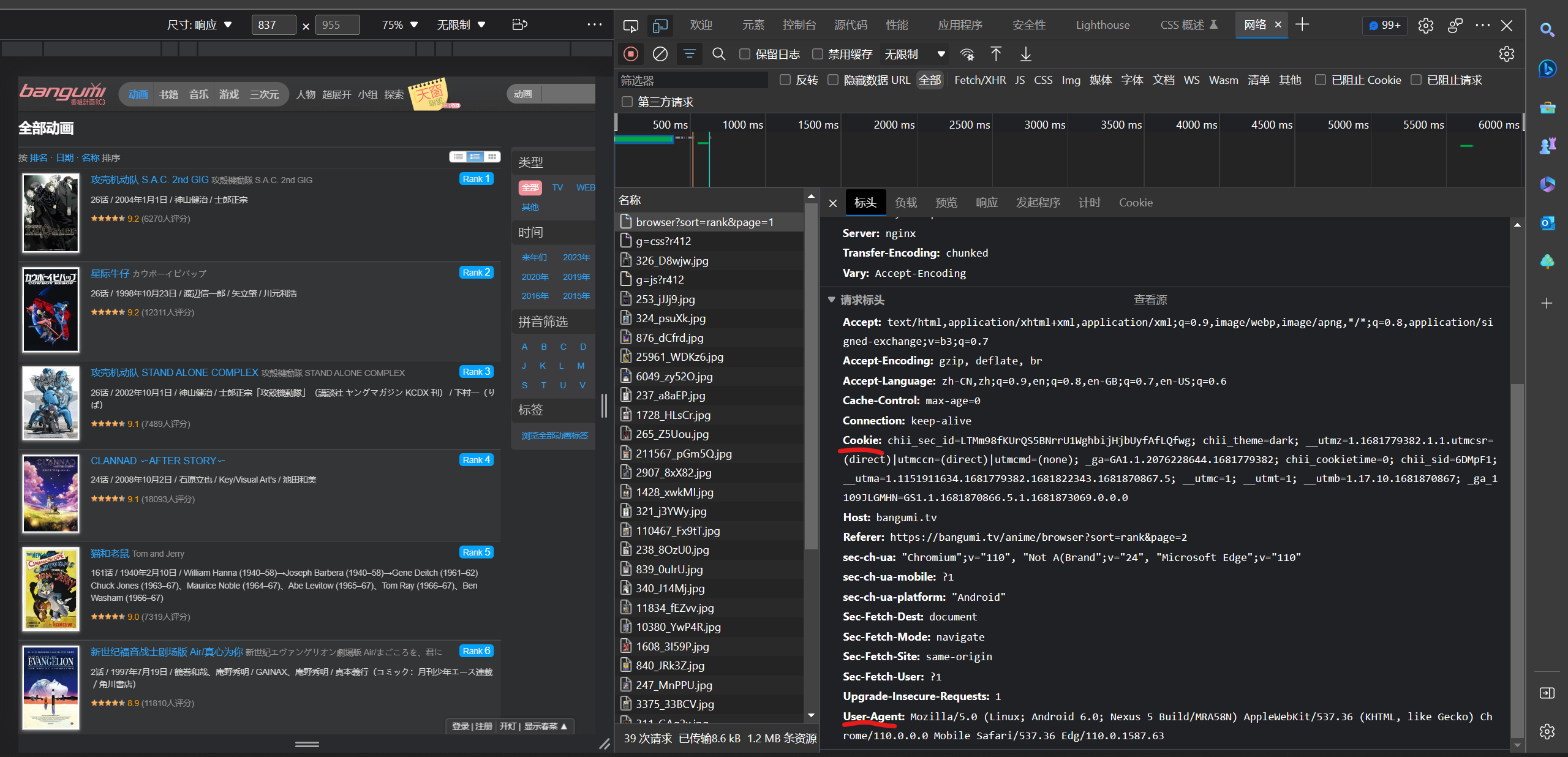
3. 获取Cooki 和User-Agnet,准备伪装浏览器
cooki = {
    'Cooki':'chii_sid=9d93vQ; chii_sec_id=A56jP7ywgsTIyHVgRdkNaKLWSr78u1GyIrwvbA; chii_theme=light; __utma=1.22392930.1681741390.1681741390.1681741390.1; __utmc=1; __utmz=1.1681741390.1.1.utmcsr=(direct)|utmccn=(direct)|utmcmd=(none); __utmt=1; _ga=GA1.1.1822559156.1681741390; chii_cookietime=0; chii_auth=U8%2Bgbe6%2BiJDdyyVqQNkHI%2FuCHsKf8GWIQb8JdwidsW7q0xwNW5HYfQLMVqJYAGl9SZsfA5o4RYtgWU0SpRtCYczS5gmQSyu%2FitIq; __utmb=1.11.10.1681741390; _ga_1109JLGMHN=GS1.1.1681741390.1.1.1681741903.0.0.0'
}
head = {
    'User-Agent': 'Mozilla/5.0 (Windows NT 10.0; Win64; x64) AppleWebKit/537.36 (KHTML, like Gecko) Chrome/92.0.4515.131 Safari/537.36 SLBrowser/8.0.1.4031 SLBChan/25 ',
    'Connection': 'close'}  # 当前正在使用的tcp链接在当天请求处理完毕后会被断掉
4.使用Requests发送GET请求
定义function:
# 获取网址请求
def get_url(url):
    response = requests.get(url=url, timeout=700, cookies=cooki, headers=head,
                            verify=False)  # 用verify关键字参数,在请求的时候不验证网站的ca证书
    data = response.text.encode('ISO-8859-1').decode(
        'utf-8')  # Python 终端的编码方式是 UTF-8 ,而 HTML 编码方式并不是 UTF-8 (可通过 response.encoding 查询页面编码格式),为了避免在匹配标题时中文产生了乱码
    html = etree.HTML(data)  # 解析字符串格式的HTML文档对象,将传进去的字符串转变成_Element对象

    return html
5.xpath语法
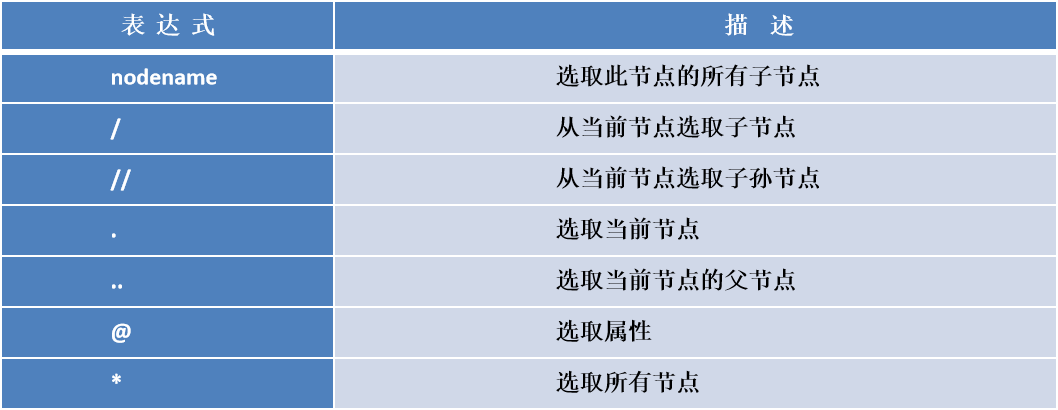
推荐这个博主的讲解
史上最全的xpath定位方法 全在这了!_七月的小尾巴的博客-CSDN博客
2.2 网址页面分析
第一页:

第二页:

由此可知页面的切换与 page 有关,第N页的网址只要修改为 https://--------------------page = N
由此获取100条网址的列表:
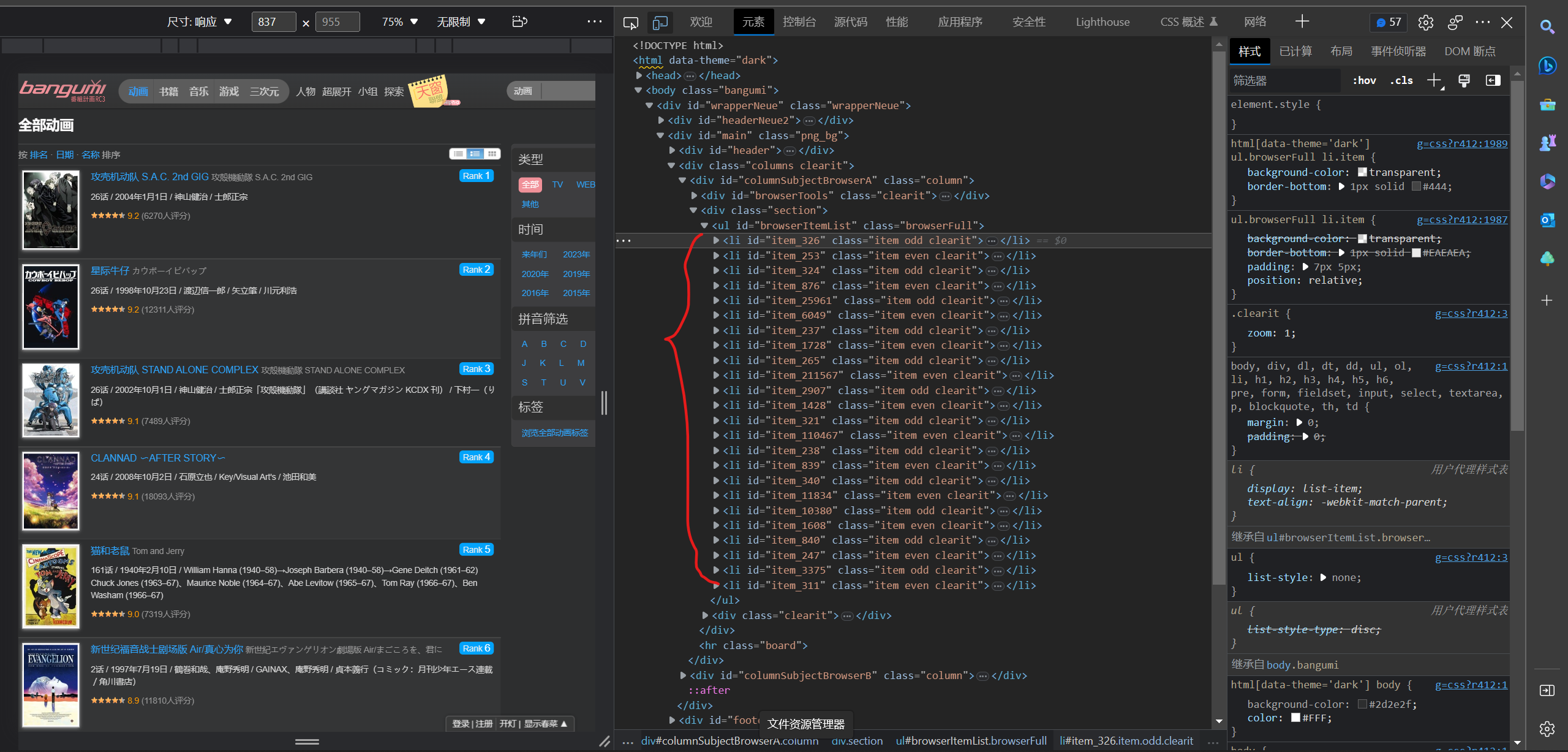
定位标签,xpath语句:
id_content = html.xpath('//div[@class = "section"]/ul/li/@id')
定义function:
# 匹配id
def get_id(html):
    id_content = html.xpath('//div[@class = "section"]/ul/li/@id')
    for i in id_content:
        if i:  # 判断是否为空
            id.append(i)
        else:
            id.append('None')
2. 链接分析
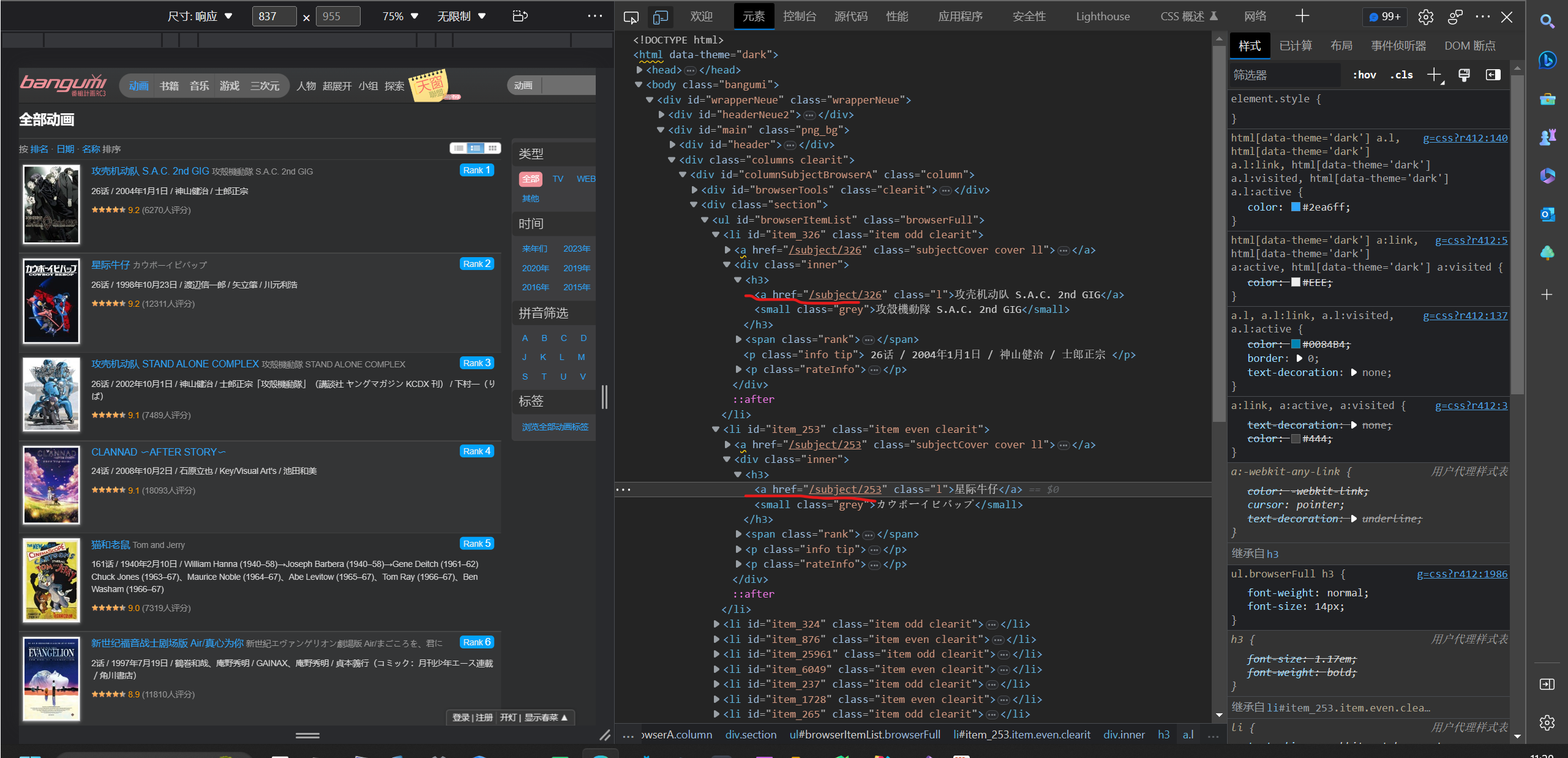
定位标签,xpath语句:
link_content = html.xpath('//div[@class = "section"]/ul/li/a/@href')
获取的网址还是残缺的,要加上前缀
定义function:
# 匹配链接
def get_link(html):
    link_content = html.xpath('//div[@class = "section"]/ul/li/a/@href')
    for lk in link_content:
        link.append('https://bangumi.tv/' + lk)  # 组合链接网址并存储
3.图片分析
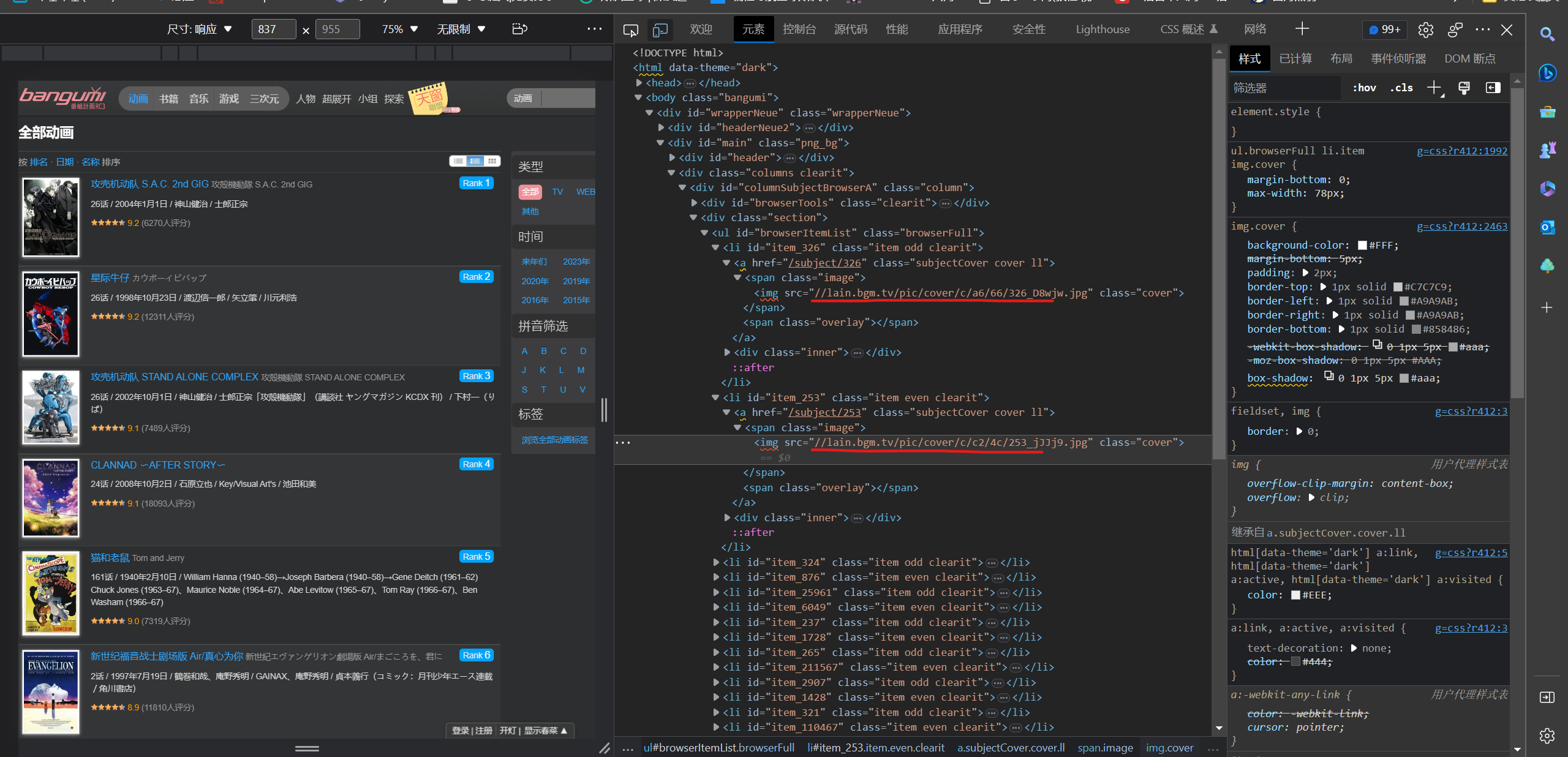
定位标签,xpath语句:
img_content = html.xpath('//span[@class ="image"]/img/@src')
图片有两种类型jpg和png,用split分割获取图片类型,地址还是残缺的,根据图片类型加上不同的前缀
定义function:
# 获取图片地址
def get_img_link(html):
    img_content = html.xpath('//span[@class ="image"]/img/@src')
    for i in img_content:
        if i:
            tile = str(i).split('.')[-1]  # 获取图片类型
            if tile == 'jpg':  # 如果为jpg图片
                img.append('https:' + str(i))  # 组合图片网址并存储
            if tile == 'png':  # 如果为png图片
                img.append('https://bangumi.tv' + str(i))  # 组合图片网址并存储
4.排名分析
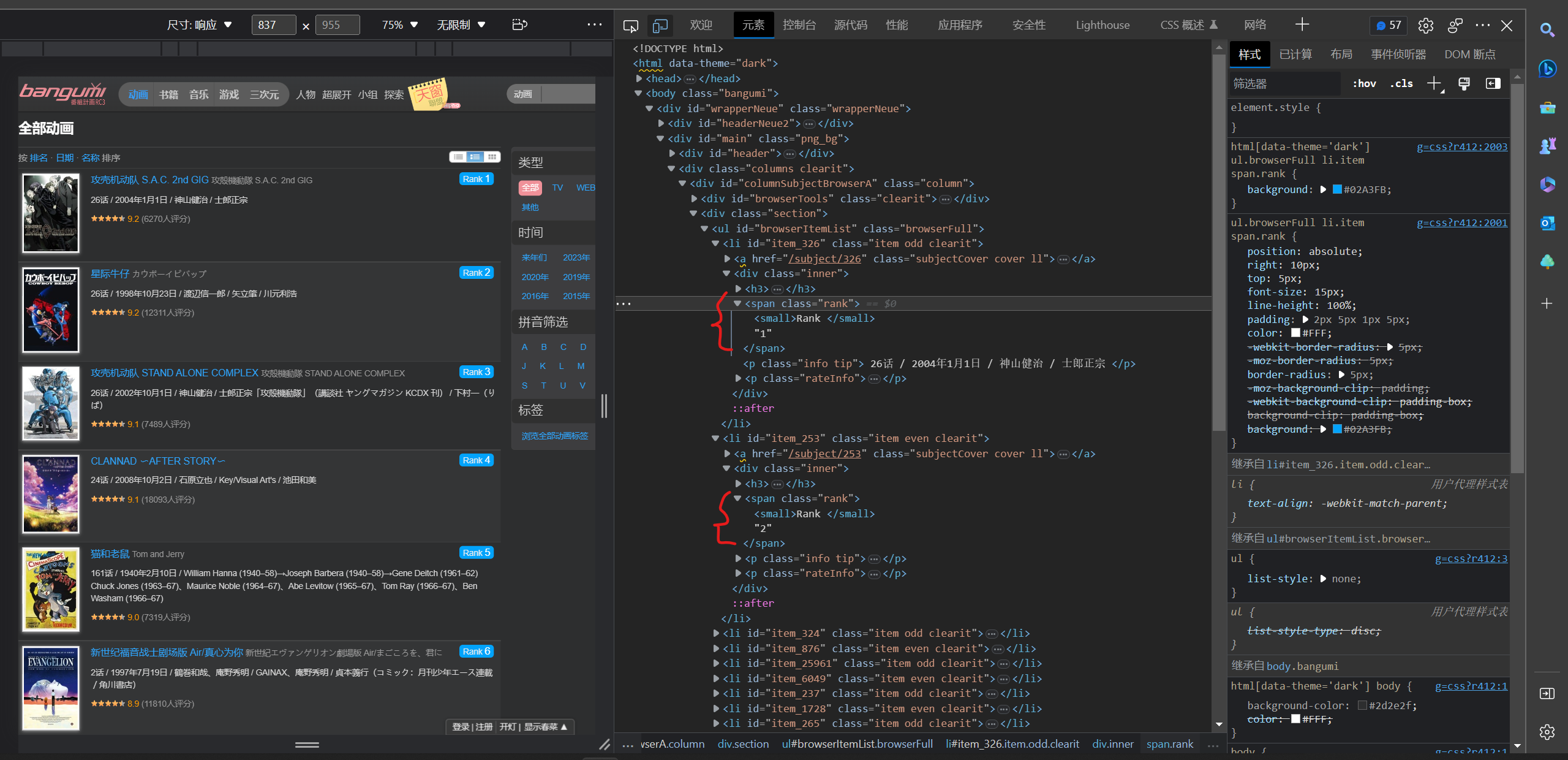
定位标签,xpath语句:
rank_content = html.xpath('//span[@ class ="rank"]/text()')
有时候会返回空字符串,所以要判断处理以下再存入列表
定义function:
# 匹配排名
def get_rank(html):
    rank_content = html.xpath('//span[@ class ="rank"]/text()')
    for r in rank_content:
        if r:  # 判断是否为空
            rank.append(r)
        else:
            rank.append('None')
5.番名分析
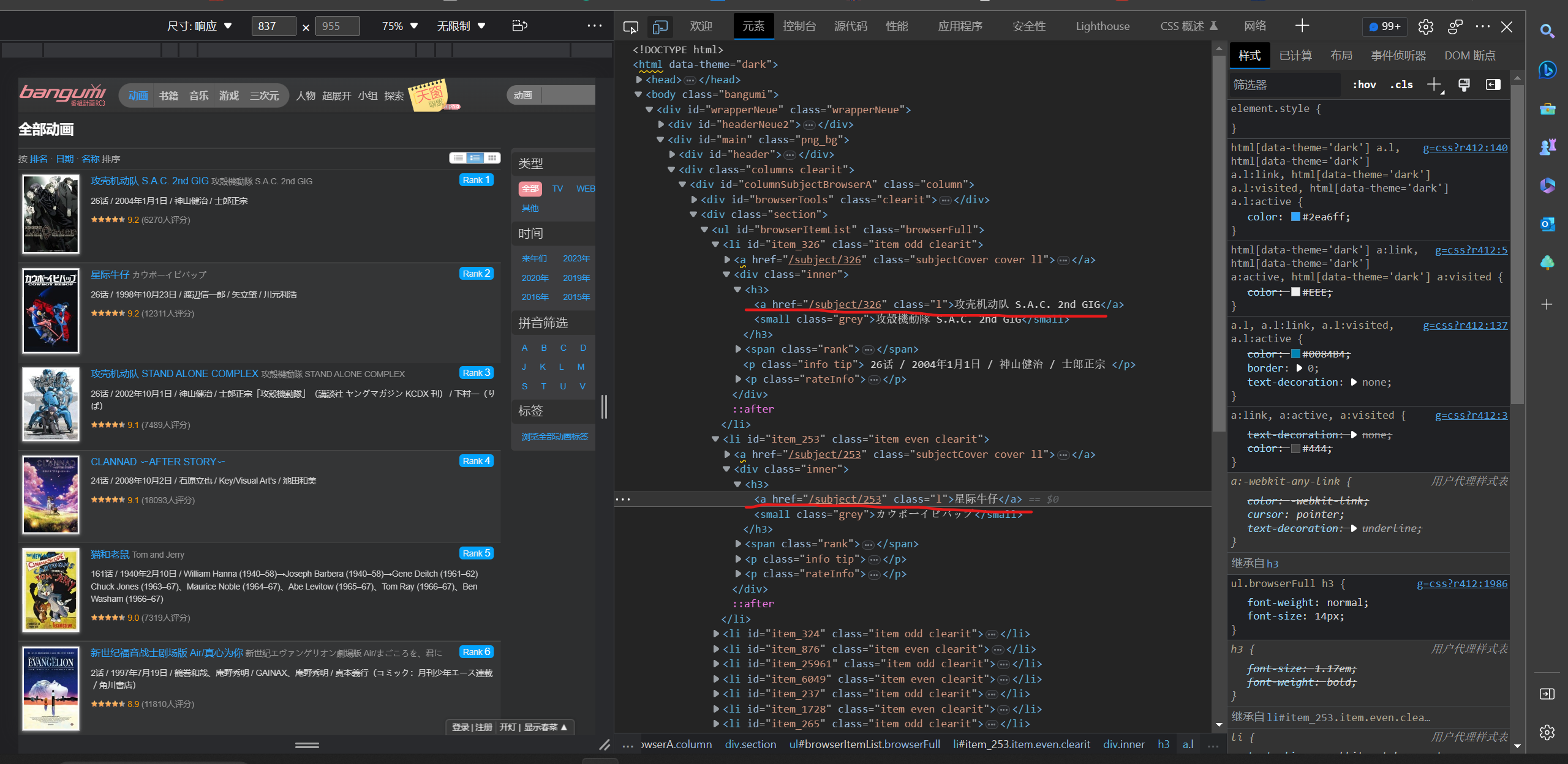
定位标签,xpath语句:
name_content = html.xpath('//h3/a[@class = "l"]/text()')
有时候会返回空字符串,所以要判断处理以下再存入列表
定义function:
# 匹配番名
def get_name(html):
    name_content = html.xpath('//h3/a[@class = "l"]/text()')
    for n in name_content:
        if n:  # 判断是否为空
            name.append(n)
        else:
            name.append('None')
6.信息分析(包括集数,日期,创作人员)
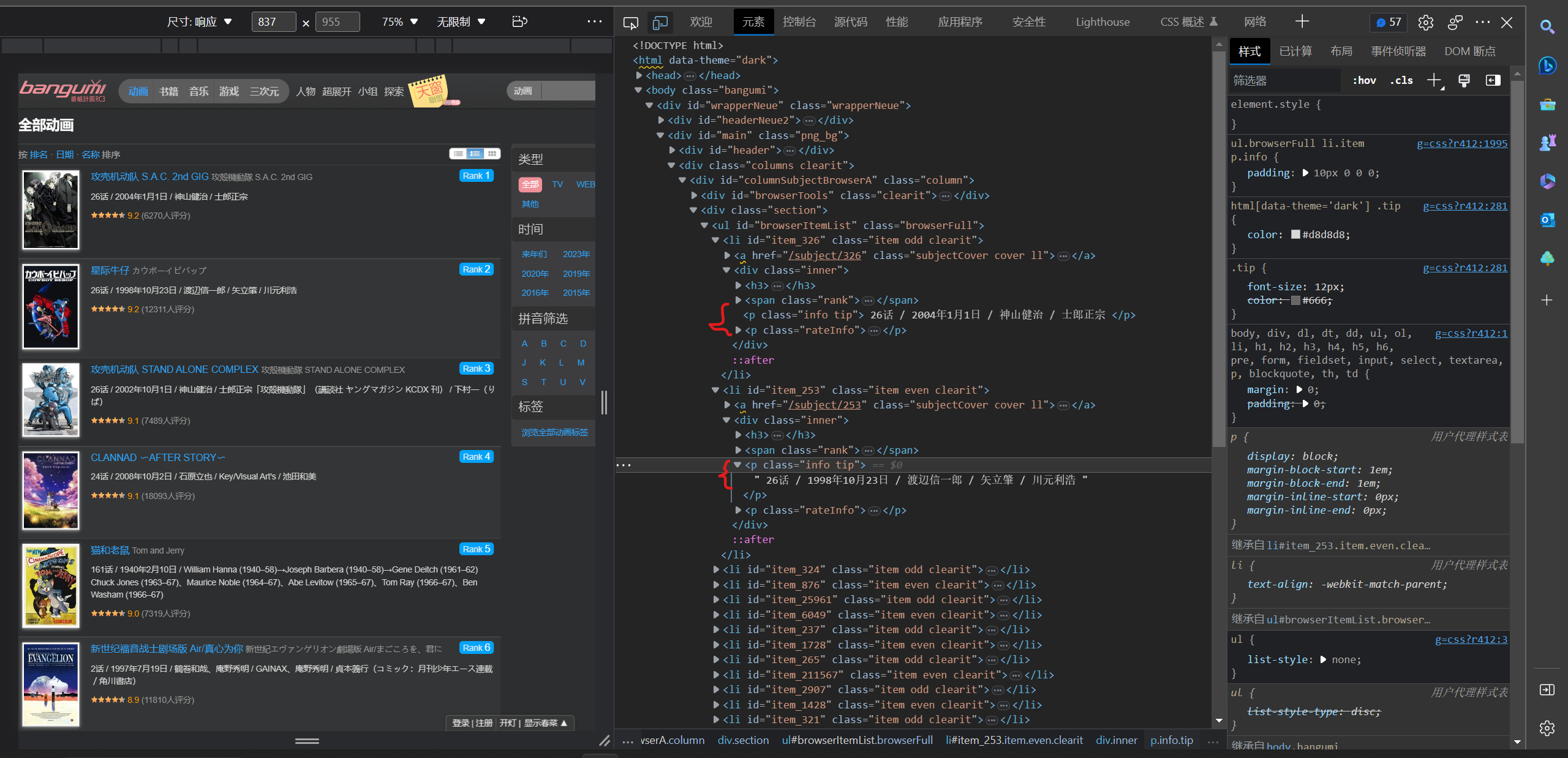
定位标签,xpath语句:
information_content = html.xpath('//p[@ class ="info tip"]/text()')
返回的信息以split以‘/’分割两次,获取三段数据,分别为集数、日期、制作人员,判断是否空分再别存入对应的列表
定义function:
# 匹配信息
def get_infor(html):
    information_content = html.xpath('//p[@ class ="info tip"]/text()')
    for i in information_content:
        i = str(i).split('/', 2)  # 将数据类型转换为字符串且以‘/’分割两次

        # 某些数据有残缺,要判断元素个数
        if len(i) == 1:
            episode.append(i[0].strip())  # 提取集数即列表的第一个元素,去除空格
            date.append('未知')
            creator.append('未知')

        if len(i) == 2:
            episode.append(i[0].strip())  # 提取集数即列表的第一个元素,去除空格
            date.append(i[1].strip())  # 不为空则提取日期即列表的第二个元素,去除空格
            creator.append('未知')

        if len(i) == 3:
            episode.append(i[0].strip())  # 提取集数即列表的第一个元素,去除空格
            date.append(i[1].strip())  # 提取日期即列表的第二个元素,去除空格
            creator.append(i[-1].strip())  # 提取创作人员即列表的最后一个元素,去除空格
7. 评分分析
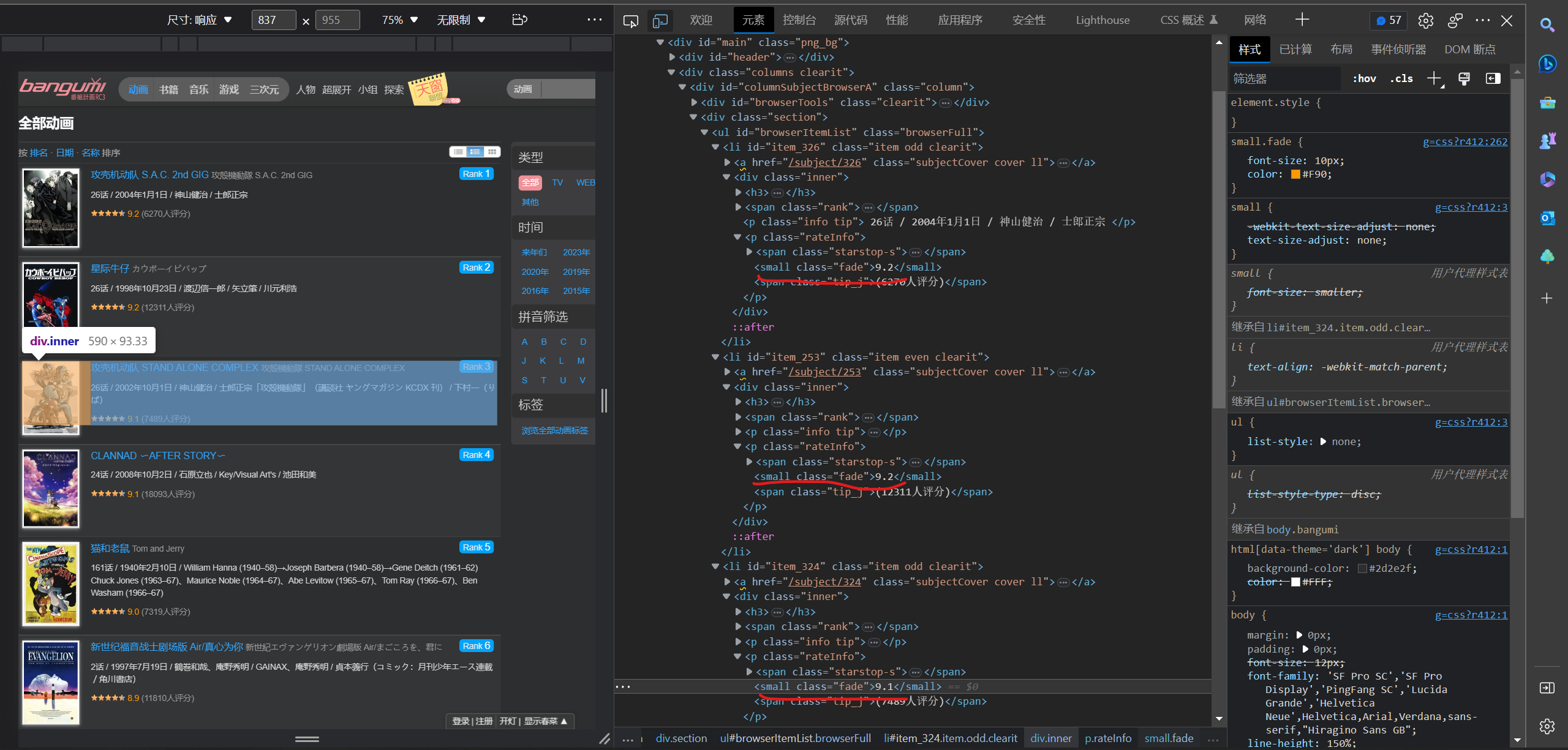
定位标签,xpath语句:
rating_content = html.xpath('//small[@ class ="fade"]/text()')
定义function:
# 匹配评分
def get_rating(html):
    rating_content = html.xpath('//small[@ class ="fade"]/text()')
    for r in rating_content:
        if r:  # 判断是否为空
            rating.append(r)
        else:
            rating.append("None")
8. 评价人数分析
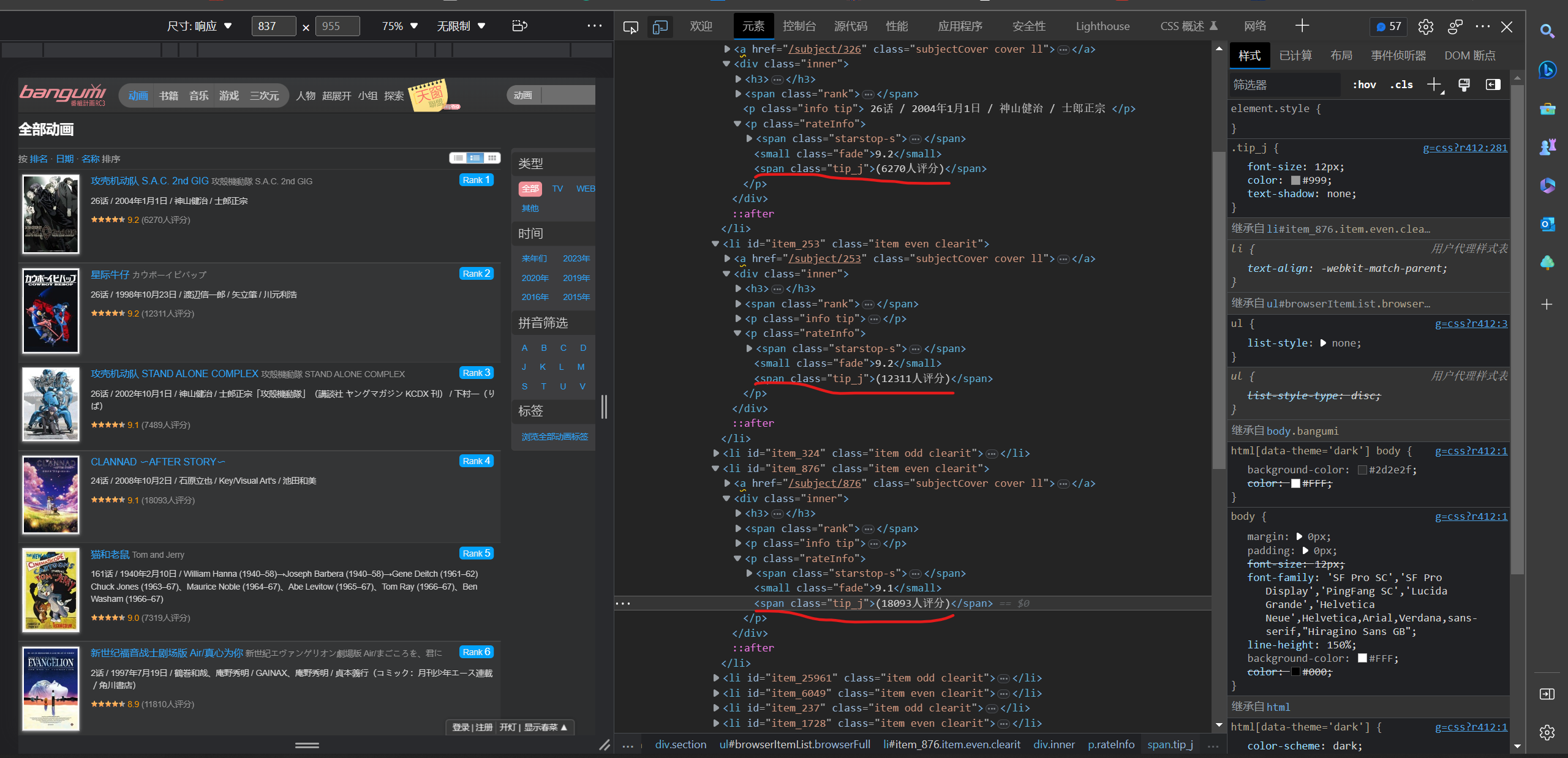
定位标签,xpath语句:
person_content = html.xpath('//span[@class ="tip_j"]/text()')
定义function:
# 匹配评价人数
def get_person(html):
    person_content = html.xpath('//span[@class ="tip_j"]/text()')
    for p in person_content:
        if p:  # 判断是否为空
            person.append(p)
        else:
            person.append('None')
9.下载单个图片
先判断图片类型再以不同方式命名图片,将图片以二进制模式写入到到目标文件目录下
定义function:
# 下载单个图片
def download_img(address):
    path = os.path.abspath('Image')  # 获取文件夹当前绝对路径
    t = address.split('.')[-1]  # 获取图片类型
    if t == 'jpg':
        picture_name = 'item_' + address.split('/')[-1].split('_')[0]  # 获取id数字
        file_name = path + '\{name}.jpg'.format(name =picture_name)  # 设置文件名
        t = random.uniform(2, 8)  # 定义随机暂停时间
        img_response = requests.get(address)
        time.sleep(t)
        with open(file_name, 'wb') as f:
            f.write(img_response.content)  # 以二进制格式写入图片
            print('图片下载完成')
    if t == 'png':
        file_name = path + r'\None.png'  # 设置文件名
        t = random.uniform(2, 8)  # 定义随机暂停时间
        img_response = requests.get(url = address,cookies=cooki,headers=head)
        time.sleep(t)
        if not os.path.exists(file_name):
            with open(file_name, 'wb') as f:
                f.write(img_response.content)  # 以二进制格式写入图片
                print('图片下载完成')
3.线程池
推荐这位博主的讲解
python并发编程之多线程和线程池 - 掘金 (juejin.cn)
Exectuor 主要方法:
- submit(fn, *args, **kwargs):将 fn 函数提交给线程池。*args 代表传给 fn 函数的参数,*kwargs 代表以关键字参数的形式为 fn 函数传入参数。
推荐这位博主的讲解:
python线程池 ThreadPoolExecutor 使用详解_生活不允许普通人内向的博客-CSDN博客
定义function:
# 线程池
def thread_pool():
    thread_results = []
    urls = [('https://bangumi.tv/anime/browser?sort=rank&page=' + f'{x}') for x in range(1, 101)]  # 网址列表
    with ThreadPoolExecutor() as pool:  # 创建线程池
        futures = [pool.submit(get_url, url) for url in urls]   # 将get_url函数递交给线程池,传入参数为url
    for future in as_completed(futures):  # 按线程完成顺序返回,先完成先返回
        thread_results.append(future.result())  # 获取任务返回值

    return thread_results
4. 执行函数
# 执行函数
if __name__ == "__main__":
    spider_start = time.time() # 计时爬虫开始
    results = thread_pool()  # 接收函数返回值
    for result in results:  # 调用函数
        get_id(result)
        get_link(result)
        get_rank(result)
        get_name(result)
        get_img_link(result)
        get_infor(result)
        get_rating(result)
        get_person(result)
    spider_end = time.time() #计时爬虫结束
    print(f'爬取数据消耗了{spider_end-spider_start}')
    print(id, '\n', len(id))  # 打印爬取结果
    print(link, '\n', len(link))
    print(img, '\n', len(img))
    print(rank, '\n', len(rank))
    print(name, '\n', len(name))
    print(episode, '\n', len(episode))
    print(date, '\n', len(date))
    print(creator, '\n', len(creator))
    print(rating, '\n', len(rating))
    print(person, '\n', len(person))
5. 数据库操作
1. 创建表
CREATE TABLE Anime (
	Id VARCHAR (100 ) NOT NULL PRIMARY KEY,
	Link VARCHAR ( 100 ),
	Name_anime VARCHAR ( 100 ),
	Rank_anime CHAR ( 50 )  ,
	Episode VARCHAR ( 100 ) ,
	Date_time VARCHAR ( 300 ),
	Creator VARCHAR ( 200 ) ,
	Rating FLOAT ( 10 ) ,
	Person_num CHAR ( 40 ) ,
	Mark CHAR ( 10 )
);
2.执行sql语句,插入数据
    # 创建数据库连接
    sql_start = time.time()  # 计时数据插入开始
    db = pymysql.connect(host='localhost',
                         user='root',
                         password='318427',
                         database='animeplan')

    # 使用cursor()方法获取操作游标
    cursor = db.cursor()
    sql = """
    insert into anime(Id,Link,Name_anime,Rank_anime,Episode,Date_time,Creator,Rating,Person_num)
    values (%s,%s,%s,%s,%s,%s,%s,%s,%s)
    """
    # 循环插入数据
    for num in range(len(id)):
        try:
            cursor.execute(sql, (
                id[num], link[num], name[num], rank[num], episode[num], date[num], creator[num], rating[num],
                person[num]))

            db.commit()
            print('数据插入成功')
        except Exception as e:
            print(e)
            print('数据插入错误')

    db.close()
    sql_end = time.time()  # 计时数据插入结束
    print(f'插入数据消耗了{sql_end-sql_start}')
6. 启用线程池爬取图片
   # 下载图片
    try:
        img_start = time.time()
        if os.path.exists('Image'):  # 判断路径存在
            print('Image文件夹已经创建,开始下载图片')
            with ThreadPoolExecutor() as image_poll:  # 创建线程池
                image_futures = [image_poll.submit(download_img, address) for address in img]  # 递交download_img函数,传入address图片地址
            for im_future in image_futures:
                print(f'{im_future.done()}')  # 返回任务执行状态,判断该任务是否结束

        else:
            print('建立Image文件夹,开始下载图片')
            os.mkdir('Image')  # 创建文件夹来存储图片文件
            with ThreadPoolExecutor() as image_poll:
                image_futures = [image_poll.submit(download_img, address) for address in img]
            for im_future in image_futures:
                print(f'{im_future.done()}')
        img_end = time.time()
        print(f'花费了{img_end - img_start}')
    except Exception as e:
        print(e, '\n', '图片下载失败')
7.结果展示
打印部分展示
id:
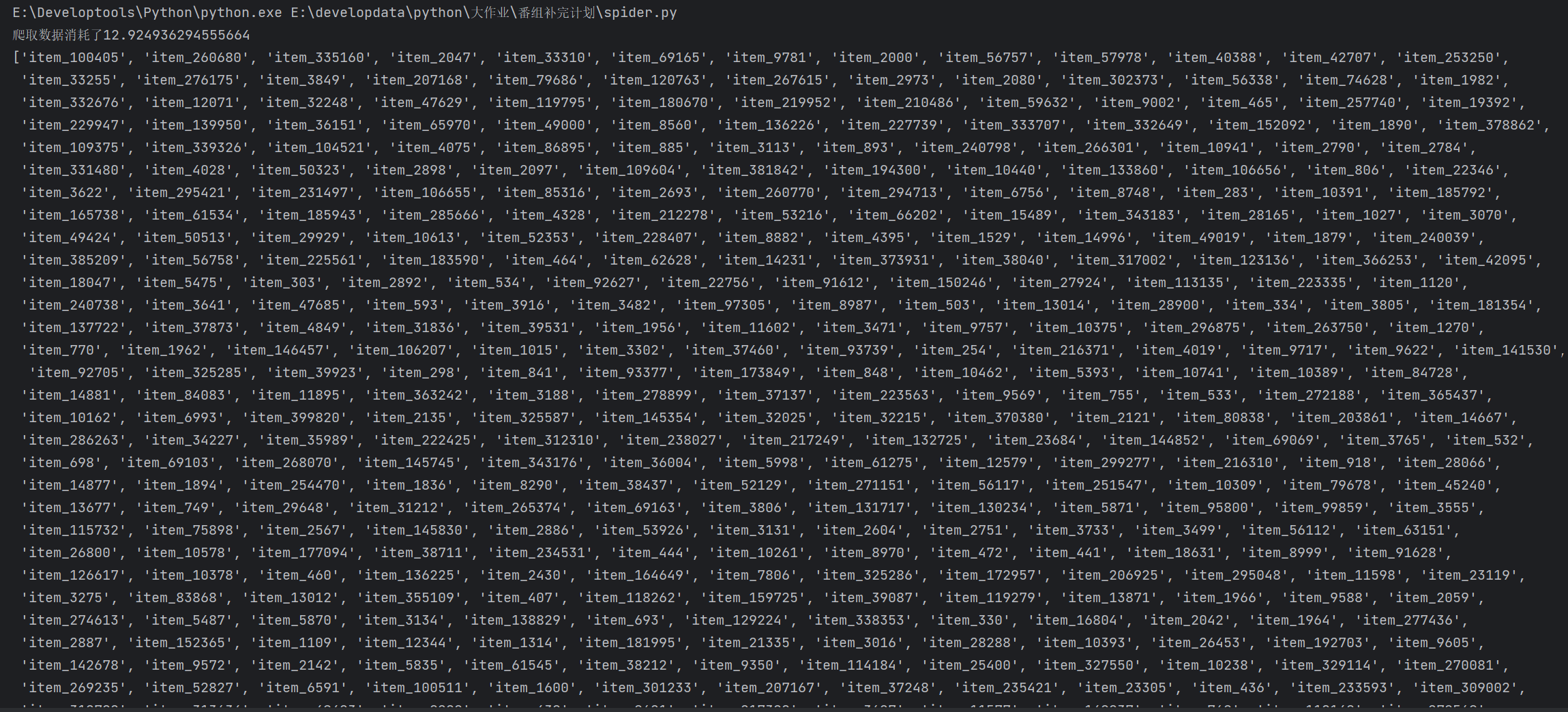
连接网址:
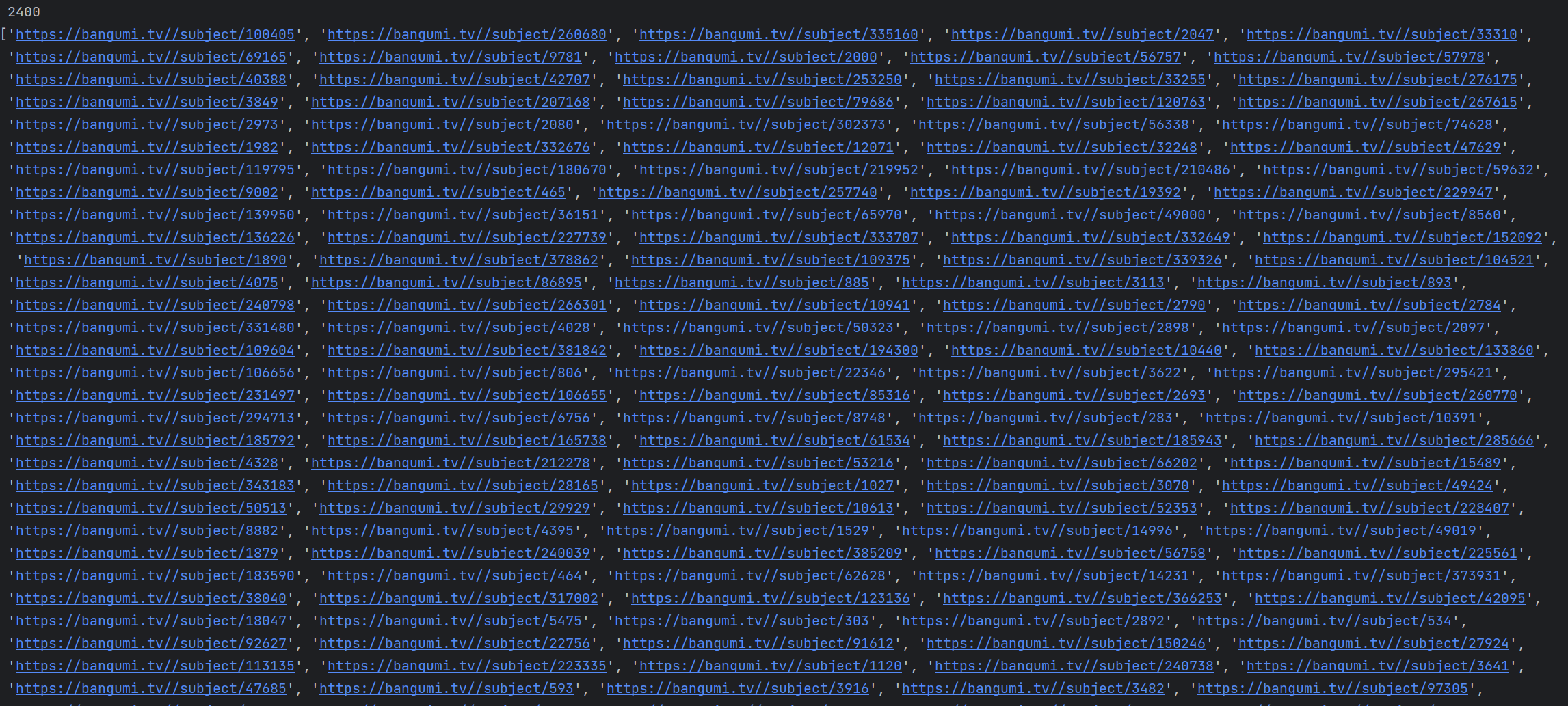
图片地址:
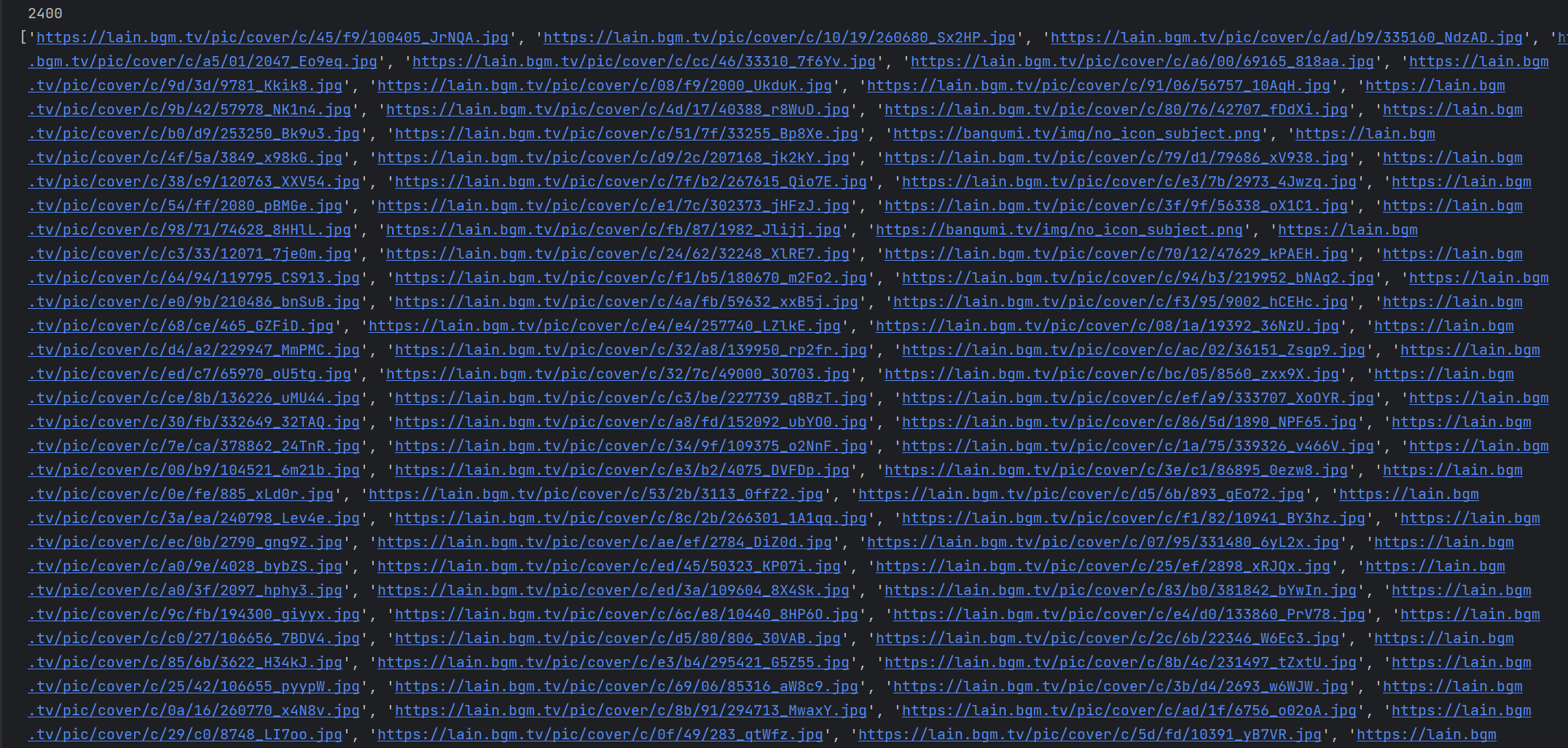
排名:
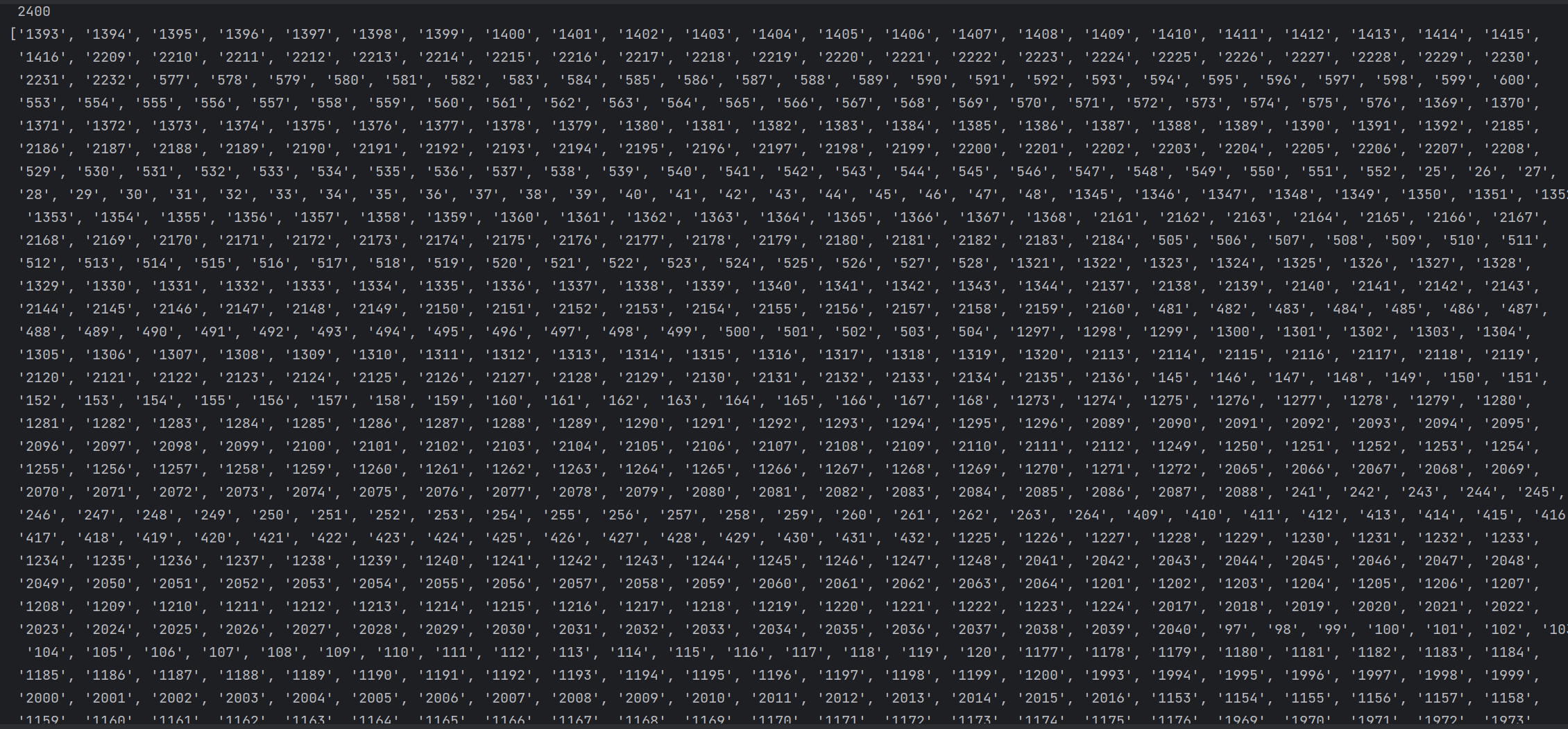
动漫名字:
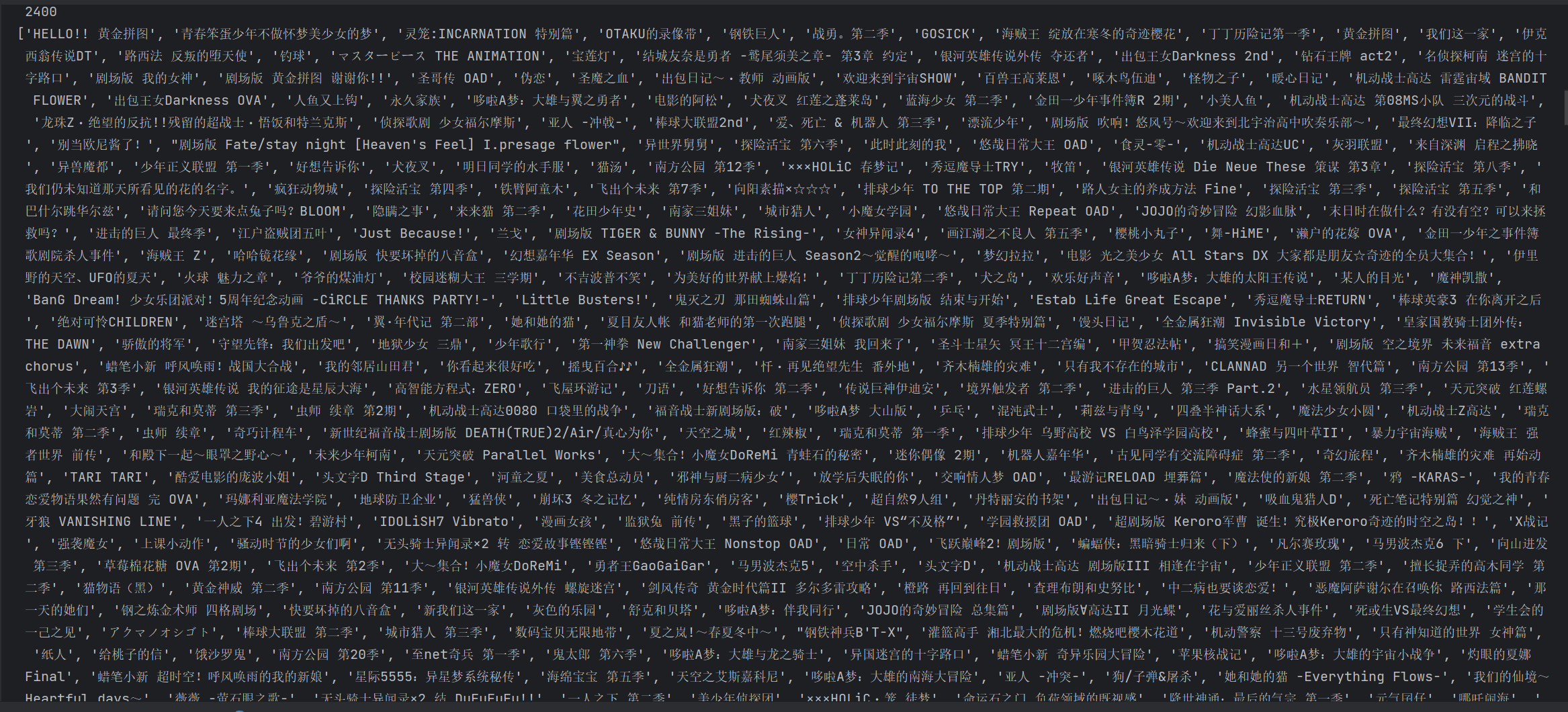
集数:
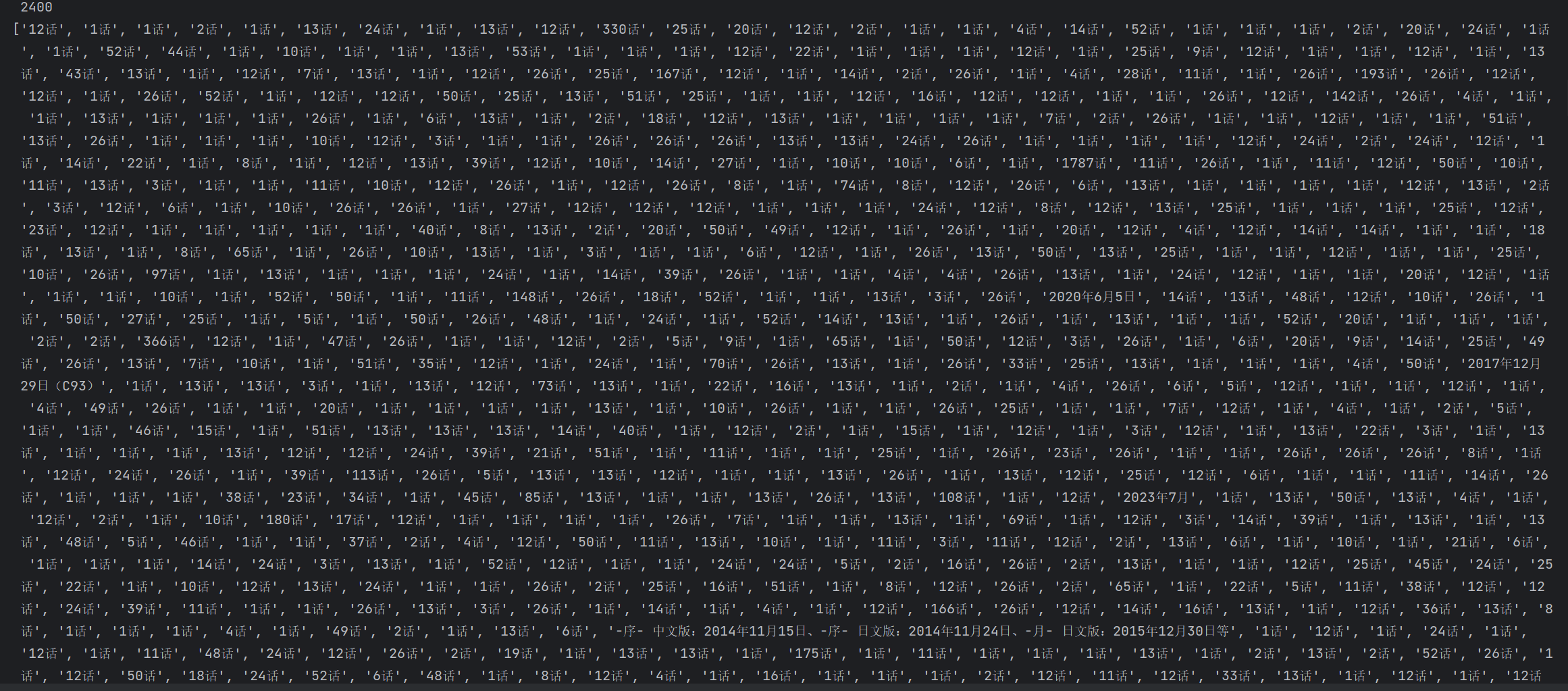
日期:
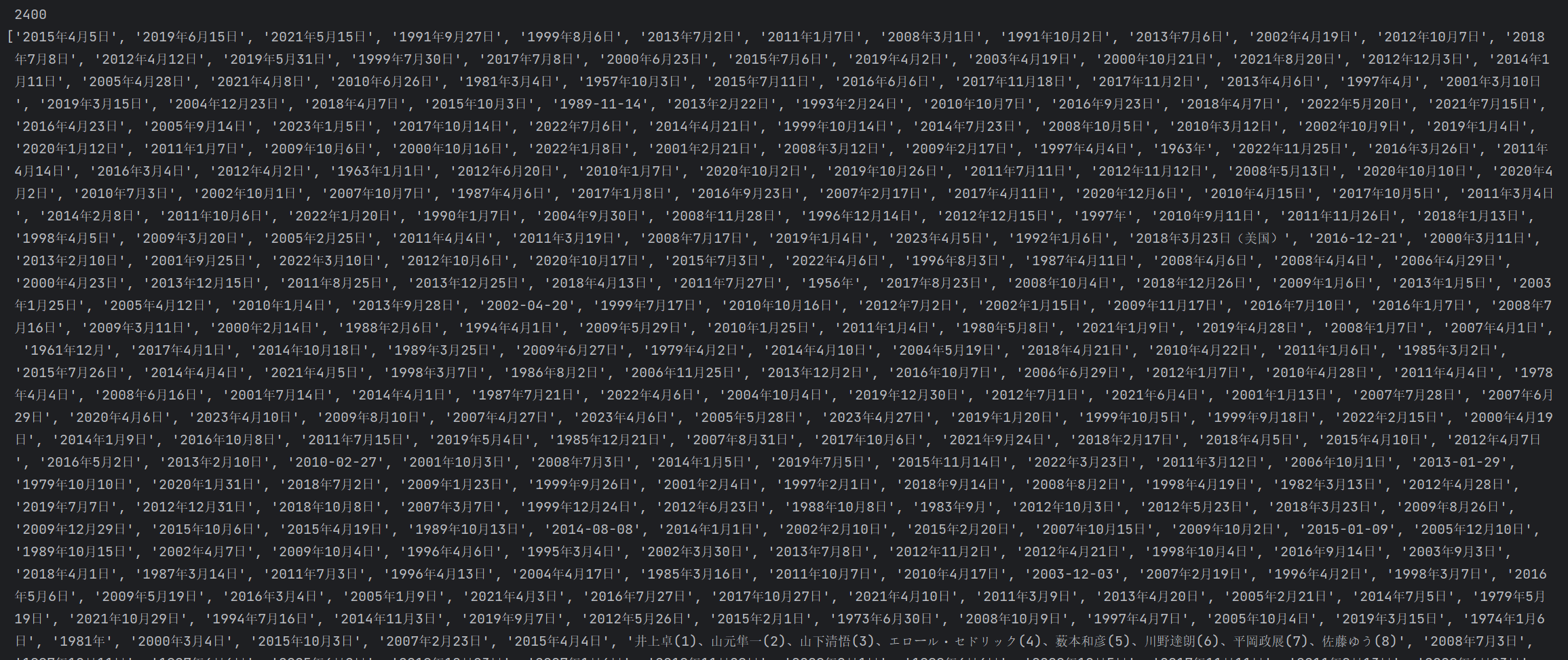
创作人员:
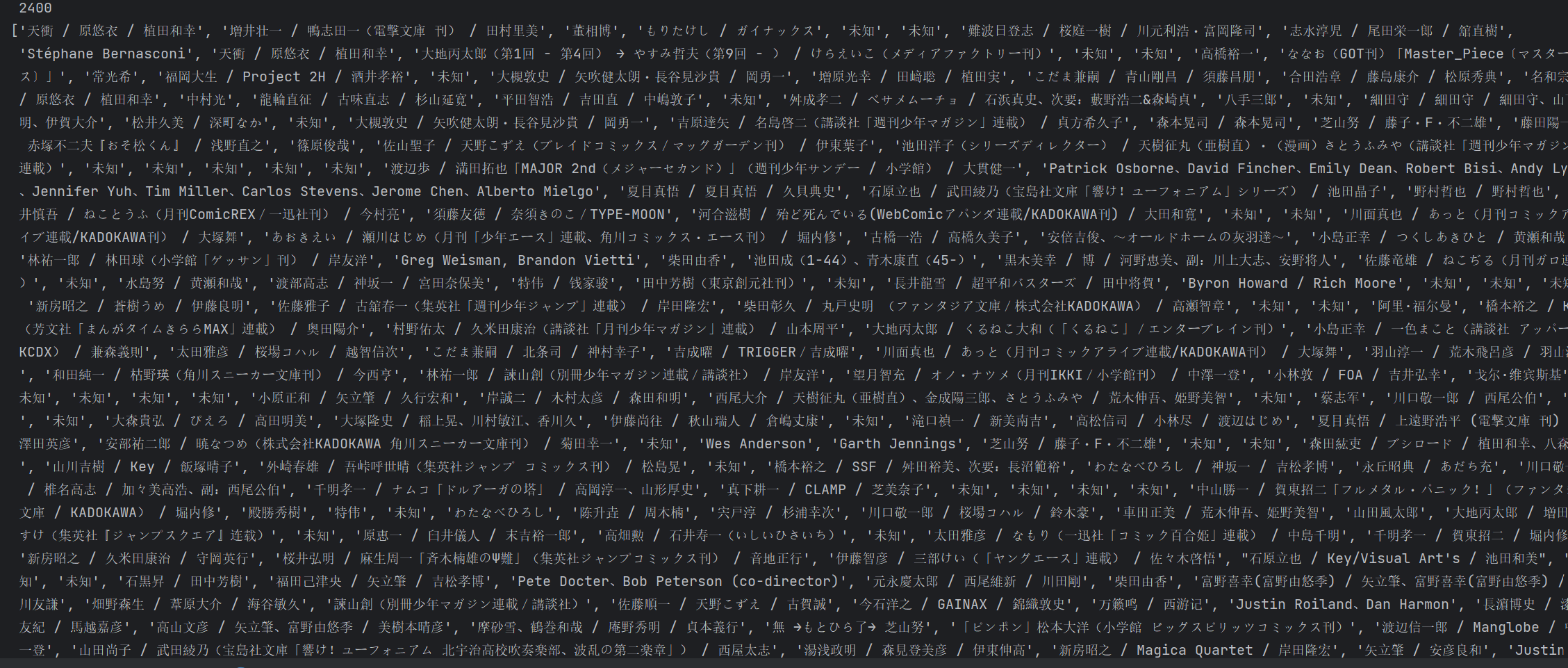
评分:
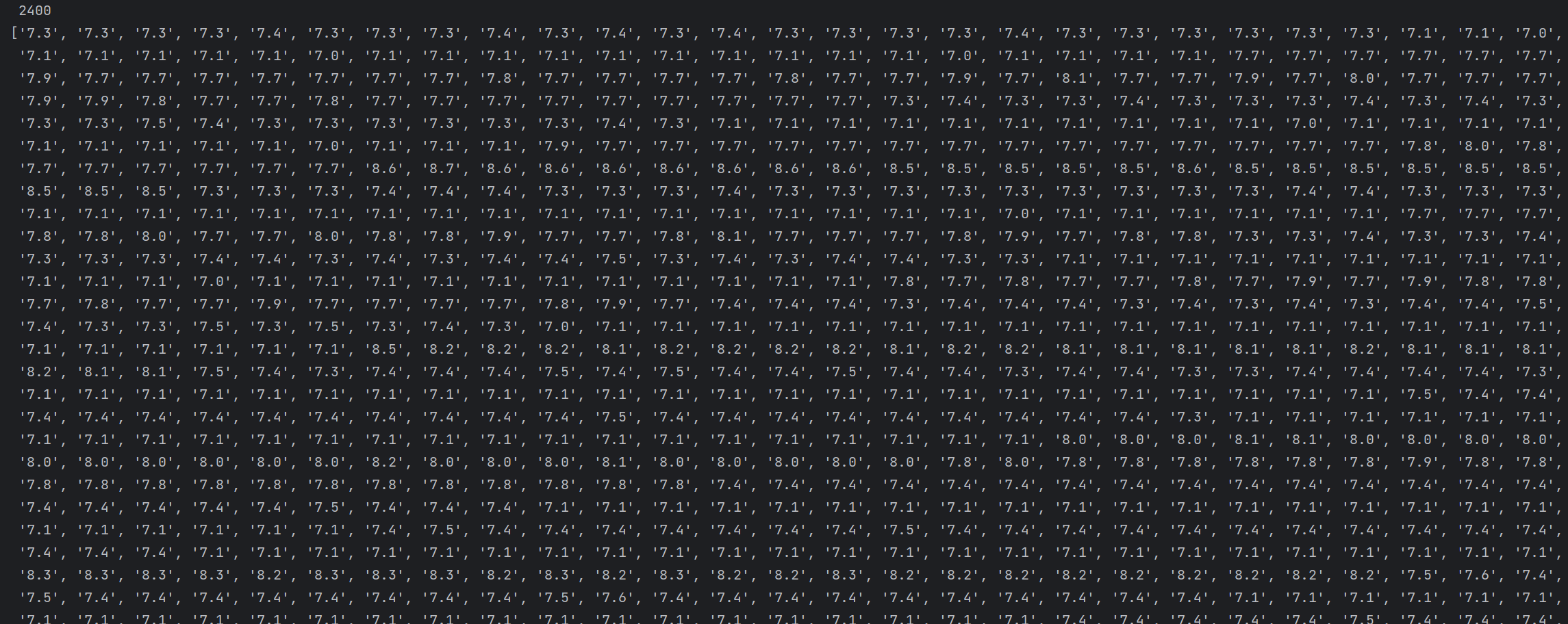
评分人数:
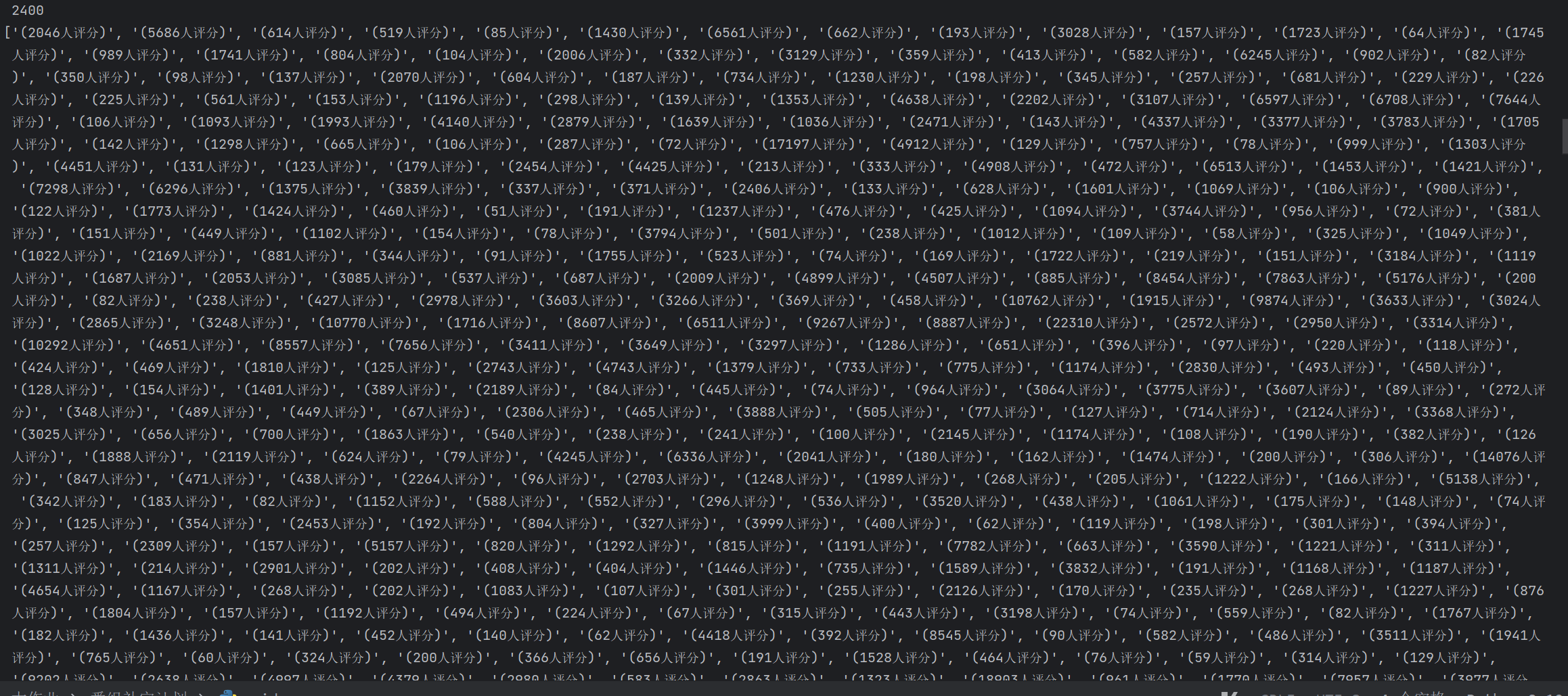
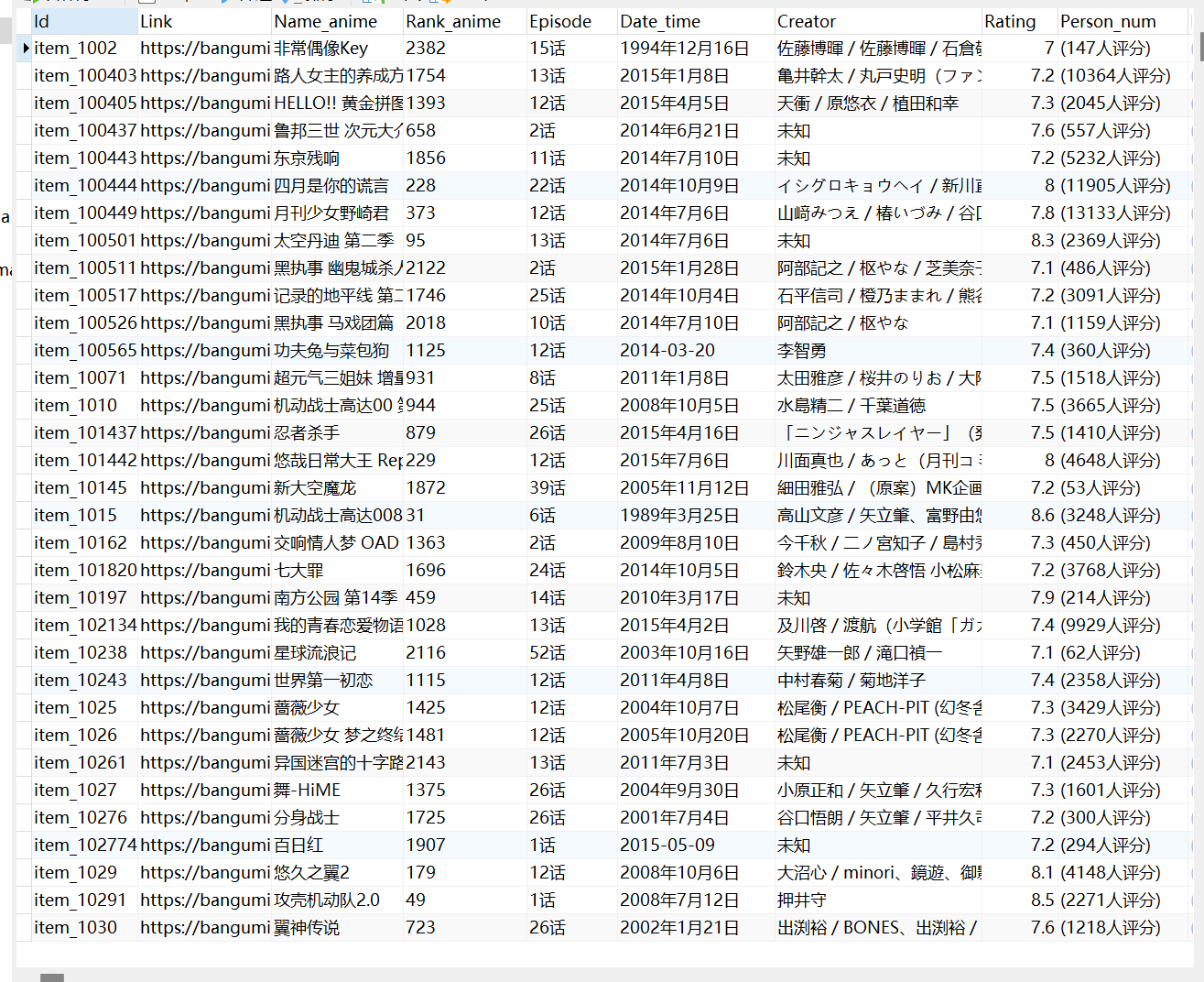
数据库:
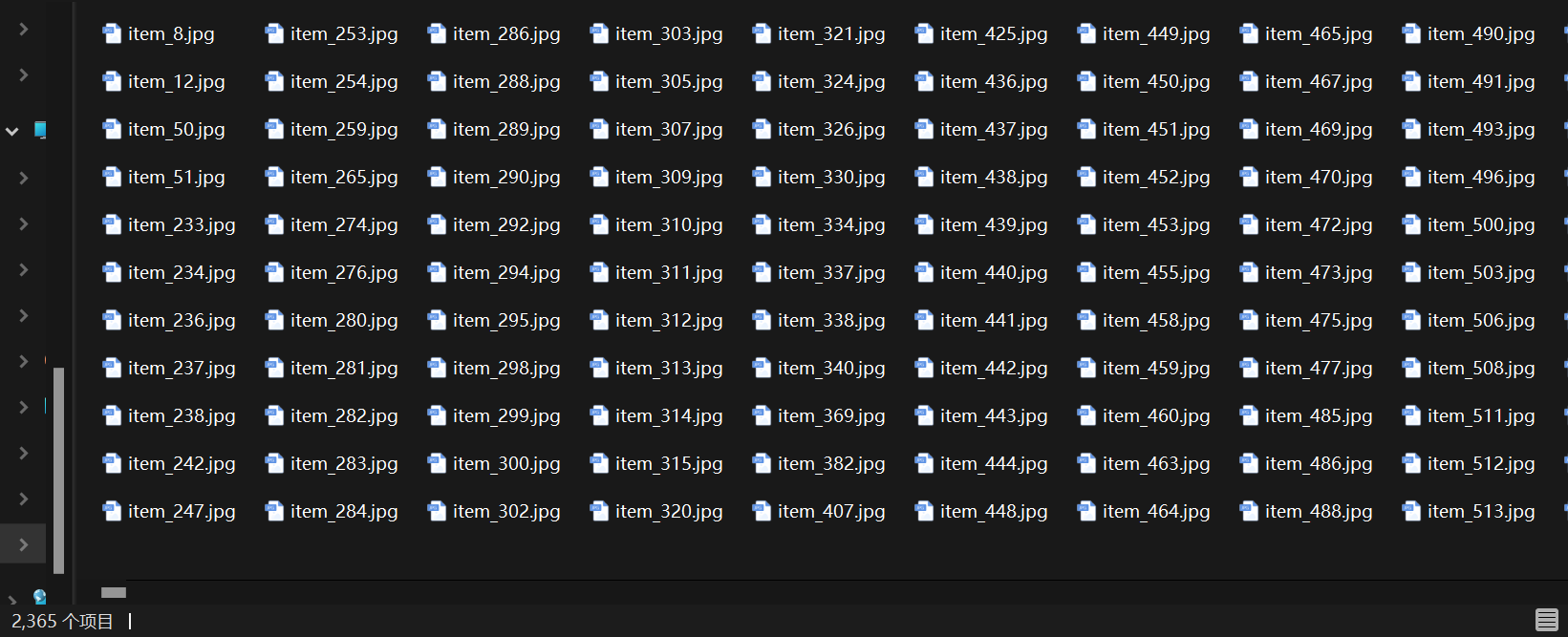
因为某些动漫没有封面图片,所以下载的图片只有2365张
ps:
频繁的爬取同一个网站的数据,这个网站会把我们的ip加入黑名单,一段时间内或者永久限制你的访问,我当时就被限制了,程序进入假死,可以利用IP代理隐藏用户的真实IP地址
以下是使用IP代理的一般步骤:
- 选择一个可靠的IP代理服务商,购买代理服务。
- 将代理服务器的IP地址和端口号设置为爬虫程序的IP地址和端口号。
- 将爬虫程序的请求发送到代理服务器上,并将返回的IP地址和端口号记录下来。
- 将返回的IP地址和端口号替换为你自己的IP地址和端口号,并将请求重定向到爬虫无法访问的IP地址上。
以下是源码:
# _*_ coding: utf-8 _*_
"""
Time:     2023.4.19
Author:    Mokirito
File:     spider.py
Describe: 爬取 https://bangumi.tv网站的番剧数据
"""

import time
import random
import requests
import os
from lxml import etree
import pymysql
import urllib3
from concurrent.futures import ThreadPoolExecutor, as_completed

urllib3.disable_warnings()  # 忽略验证ca证书的警告


cooki = {
    'Cookie': 'chii_sec_id=LTMm98fKUrQS5BNrrU1WghbijHjbUyfAfLQfwg; chii_theme=dark; __utmz=1.1681779382.1.1.utmcsr=(direct)|utmccn=(direct)|utmcmd=(none); _ga=GA1.1.2076228644.1681779382; chii_cookietime=0; chii_sid=jjRr22; __utma=1.1151911634.1681779382.1681949185.1681951406.8; __utmc=1; __utmt=1; chii_auth=KGYqopTPBrIH50NhqE1cyU%2B22Aa9GCTRJLRi7mKL6sDmrrj5%2FZo%2FPDC%2BSv8wOnYgh7ASG7LzroWPBRP%2FWU%2BAMFtmBLf3PaUNrgqQ; __utmb=1.5.10.1681951406; _ga_1109JLGMHN=GS1.1.1681949184.8.1.1681951433.0.0.0'
}
head = {
    'User-Agent': 'Mozilla/5.0 (Linux; Android 6.0; Nexus 5 Build/MRA58N) AppleWebKit/537.36 (KHTML, like Gecko) Chrome/110.0.0.0 Mobile Safari/537.36 Edg/110.0.1587.63',
    'Connection': 'close'} # 当前正在使用的tcp链接在当天请求处理完毕后会被断掉
id = []  # 存储番剧id
link = []  # 存储番剧链接
img = []  # 存储番剧图片地址
rank = []  # 存储番剧排名
name = []  # 存储番剧名字
episode = []  # 存储番剧集数
date = []  # 存储番剧播放日期
creator = []  # 存储番剧创作人员
rating = []  # 存储番剧评分
person = []  # 存储番剧点评人数


# 匹配id
def get_id(html):
    id_content = html.xpath('//div[@class = "section"]/ul/li/@id')
    for i in id_content:
        if i:
            id.append(i)
        else:
            id.append('None')


# 匹配链接
def get_link(html):
    link_content = html.xpath('//div[@class = "section"]/ul/li/a/@href')
    for lk in link_content:
        link.append('https://bangumi.tv/' + lk)  # 组合链接网址并存储


# 获取图片地址
def get_img_link(html):
    img_content = html.xpath('//span[@class ="image"]/img/@src')
    for i in img_content:
        if i:
            tile = str(i).split('.')[-1]  # 获取图片类型
            if tile == 'jpg':  # 如果为jpg图片
                img.append('https:' + str(i))  # 组合图片网址并存储
            if tile == 'png':  # 如果为png图片
                img.append('https://bangumi.tv' + str(i))  # 组合图片网址并存储


# 下载单个图片
def download_img(address):
    path = os.path.abspath('Image')  # 获取文件夹当前绝对路径
    t = address.split('.')[-1]  # 获取图片类型
    if t == 'jpg':
        picture_name = 'item_' + address.split('/')[-1].split('_')[0]  # 获取id数字
        file_name = path + '\{name}.jpg'.format(name =picture_name)  # 设置文件名
        t = random.uniform(2, 8)  # 定义随机暂停时间
        img_response = requests.get(address)
        time.sleep(t)
        with open(file_name, 'wb') as f:
            f.write(img_response.content)  # 以二进制格式写入图片
            print('图片下载完成')
    if t == 'png':
        file_name = path + r'\None.png'  # 设置文件名
        t = random.uniform(2, 8)  # 定义随机暂停时间
        img_response = requests.get(url = address,cookies=cooki,headers=head)
        time.sleep(t)
        if not os.path.exists(file_name):
            with open(file_name, 'wb') as f:
                f.write(img_response.content)  # 以二进制格式写入图片
                print('图片下载完成')


# 匹配排名
def get_rank(html):
    rank_content = html.xpath('//span[@ class ="rank"]/text()')
    for r in rank_content:
        if r:
            rank.append(r)
        else:
            rank.append('None')


# 匹配番名
def get_name(html):
    name_content = html.xpath('//h3/a[@class = "l"]/text()')
    for n in name_content:
        if n:
            name.append(n)
        else:
            name.append('None')


# 匹配信息
def get_infor(html):
    information_content = html.xpath('//p[@ class ="info tip"]/text()')
    for i in information_content:
        i = str(i).split('/', 2)  # 将数据类型转换为字符串且以‘/’分割两次

        # 某些数据有残缺,要判断元素个数
        if len(i) == 1:
            episode.append(i[0].strip())  # 提取集数即列表的第一个元素,去除空格
            date.append('未知')
            creator.append('未知')

        if len(i) == 2:
            episode.append(i[0].strip())  # 提取集数即列表的第一个元素,去除空格
            date.append(i[1].strip())  # 不为空则提取日期即列表的第二个元素,去除空格
            creator.append('未知')

        if len(i) == 3:
            episode.append(i[0].strip())  # 提取集数即列表的第一个元素,去除空格
            date.append(i[1].strip())  # 提取日期即列表的第二个元素,去除空格
            creator.append(i[-1].strip())  # 提取创作人员即列表的最后一个元素,去除空格


# 匹配评分
def get_rating(html):
    rating_content = html.xpath('//small[@ class ="fade"]/text()')
    for r in rating_content:
        if r:
            rating.append(r)
        else:
            rating.append("None")


# 匹配评价人数
def get_person(html):
    person_content = html.xpath('//span[@class ="tip_j"]/text()')
    for p in person_content:
        if p:
            person.append(p)
        else:
            person.append('None')


# 获取网址请求
def get_url(url):
    response = requests.get(url=url, timeout=700, cookies=cooki, headers=head,
                            verify=False)  # 用verify关键字参数,在请求的时候不验证网站的ca证书
    data = response.text.encode('ISO-8859-1').decode(
        'utf-8')  # Python 终端的编码方式是 UTF-8 ,而 HTML 编码方式并不是 UTF-8 (可通过 response.encoding 查询页面编码格式),为了避免在匹配标题时中文产生了乱码
    html = etree.HTML(data)  # 解析字符串格式的HTML文档对象,将传进去的字符串转变成_Element对象

    return html


# 线程池
def thread_pool():
    thread_results = []
    urls = [('https://bangumi.tv/anime/browser?sort=rank&page=' + f'{x}') for x in range(1, 101)]  # 网址列表
    with ThreadPoolExecutor() as pool:  # 创建线程池
        futures = [pool.submit(get_url, url) for url in urls]   # 将get_url函数递交给线程池,传入参数为url
    for future in as_completed(futures):  # 按线程完成顺序返回,先完成先返回
        thread_results.append(future.result())  # 获取任务返回值

    return thread_results


# 执行函数
if __name__ == "__main__":
    spider_start = time.time()  # 计时爬虫开始
    results = thread_pool()  # 接收函数返回值
    for result in results:  # 调用函数
        get_id(result)
        get_link(result)
        get_rank(result)
        get_name(result)
        get_img_link(result)
        get_infor(result)
        get_rating(result)
        get_person(result)
    spider_end = time.time()  # 计时爬虫结束
    print(f'爬取数据消耗了{spider_end-spider_start}')
    print(id, '\n', len(id))
    print(link, '\n', len(link))
    print(img, '\n', len(img))
    print(rank, '\n', len(rank))
    print(name, '\n', len(name))
    print(episode, '\n', len(episode))
    print(date, '\n', len(date))
    print(creator, '\n', len(creator))
    print(rating, '\n', len(rating))
    print(person, '\n', len(person))


    # 创建数据库连接
    sql_start = time.time()  # 计时数据插入开始
    db = pymysql.connect(host='localhost',
                         user='root',
                         password='318427',
                         database='animeplan')

    # 使用cursor()方法获取操作游标
    cursor = db.cursor()
    sql = """
    insert into anime(Id,Link,Name_anime,Rank_anime,Episode,Date_time,Creator,Rating,Person_num)
    values (%s,%s,%s,%s,%s,%s,%s,%s,%s)
    """
    # 循环插入数据
    for num in range(len(id)):
        try:
            cursor.execute(sql, (
                id[num], link[num], name[num], rank[num], episode[num], date[num], creator[num], rating[num],
                person[num]))

            db.commit()
            print('数据插入成功')
        except Exception as e:
            print(e)
            print('数据插入错误')

    db.close()
    sql_end = time.time()  # 计时数据插入结束
    print(f'插入数据消耗了{sql_end-sql_start}')


    # 下载图片
    try:
        img_start = time.time()
        if os.path.exists('Image'):  # 判断路径存在
            print('Image文件夹已经创建,开始下载图片')
            with ThreadPoolExecutor() as image_poll:  # 创建线程池
                image_futures = [image_poll.submit(download_img, address) for address in img]  # 递交download_img函数,传入address图片地址
            for im_future in image_futures:
                print(f'{im_future.done()}')  # 返回任务执行状态,判断该任务是否结束

        else:
            print('建立Image文件夹,开始下载图片')
            os.mkdir('Image')  # 创建文件夹来存储图片文件
            with ThreadPoolExecutor() as image_poll:
                image_futures = [image_poll.submit(download_img, address) for address in img]
            for im_future in image_futures:
                print(f'{im_future.done()}')
        img_end = time.time()
        print(f'花费了{img_end - img_start}')
    except Exception as e:
        print(e, '\n', '图片下载失败')
警告:
本文只是用于技术学习,绝无其他用途!
读者不可用于其他用途,后果自负!


 浙公网安备 33010602011771号