
MySQL在C#中实现”查”
一、使用SQL SELECT 语句
1.SQL SELECT 语法
下面的 SQL 语句从 “表”中选取指定 "列" :
SELECT 列名称 FROM 表名称
以及从 "表" 中选取所有列:
SELECT * FROM 表名称
2.使用WHERE 子句和LIKE 操作符实现绝对查找和模糊查找
绝对查找:
WHERE 子句用于提取那些满足指定条件的记录;文本值单引号 ,如果是数值字段,请不要使用引号。
下面的语句从 "Persons" 表中选取name为 "张三" 的
SELECT*FROM Persons WHERE name='张三'
| = | 等于 |
|---|---|
| <> | 不等于。注释:在 SQL 的一些版本中,该操作符可被写成 != |
| > | 大于 |
| < | 小于 |
| >= | 大于等于 |
| <= | 小于等于 |
| BETWEEN | 在某个范围内 |
| LIKE | 搜索某种模式 |
| IN | 指定针对某个列的多个可能值 |
模糊查找:
下面的语句从 "Persons" 表中选取name所有为姓为 "张"
SELECT * FROM Persons WHERE name LIKE '张%';
二、在C#中实现查找并在窗口绘制表格
1.使用dataGridView控件显示表格 设计界面如下
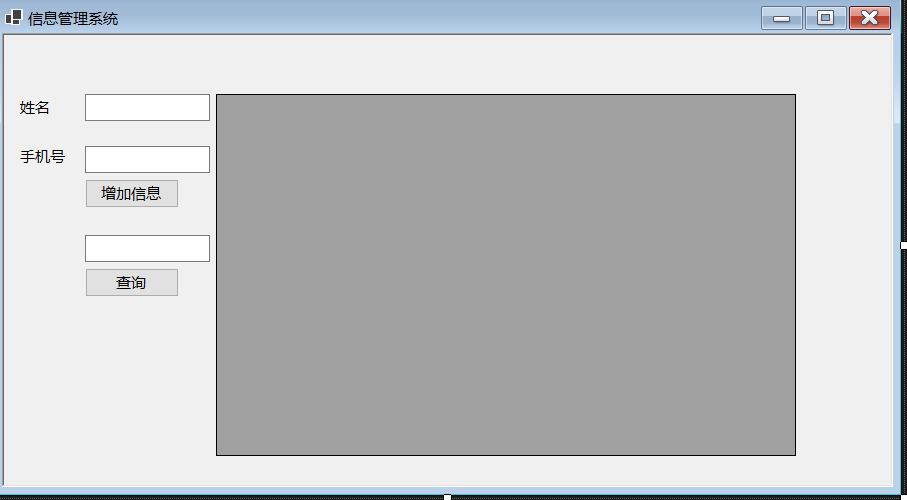
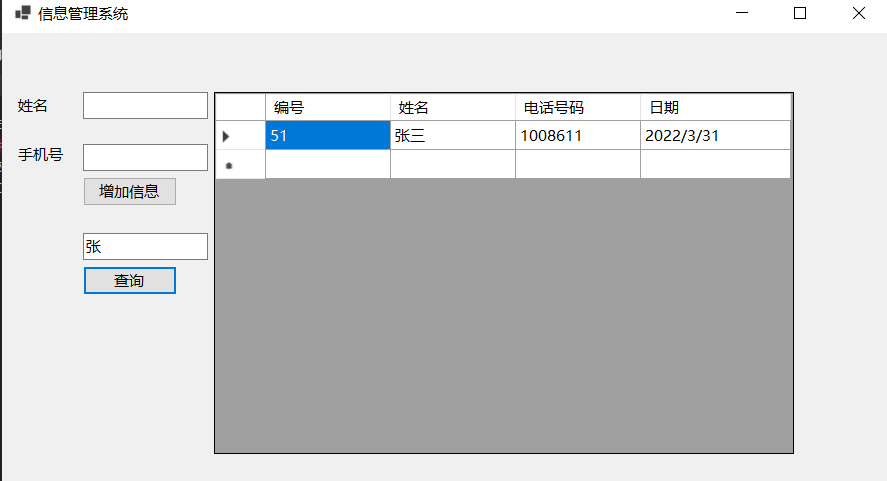
2.在查询按钮事件下代码如下
先在头部空间申明
using MySql.Data.MySqlClient;
            //1.声明连接字符串
            string connectsql = string.Format("server=127.0.0.1;port=3306;user=root;password=admin; database=school;");
            //2.创建MySqlConnection连接对象
            MySqlConnection connection = new MySqlConnection(connectsql);
            string vane = txtinput.Text;
            //绝对查找
            // string sql = string.Format("SELECT * FROM class WHERE name='{0}'", vane);
            //模糊查询
            string sql = string.Format("select * from class where name like '%{0}%'", vane);
            //创建SqlDataAdapter类的对象
            MySqlDataAdapter sda = new MySqlDataAdapter(sql, connectsql);
            //3.打开连接
            connection.Open();
            //描述连接状态
            ConnectionState state = connection.State;
            MessageBox.Show(state.ToString());

            DataTable Table = new DataTable();
            sda.Fill(Table);
            dataGridView1.DataSource = Table;
            //设置数据表格上显示的列标题
            dataGridView1.Columns[0].HeaderText = "编号";
            dataGridView1.Columns[1].HeaderText = "姓名";
            dataGridView1.Columns[2].HeaderText = "电话号码";
            dataGridView1.Columns[3].HeaderText = "日期";
            //设置列宽
            dataGridView1.Columns[2].MinimumWidth = 120;
            dataGridView1.Columns[3].MinimumWidth = 150;
            connection.Close();

 浙公网安备 33010602011771号