
Ubuntu 18.04 安装Nginx及部署Vue配置
-
更新软件包
sudo apt update
sudo apt install nginx
查看状态
sudo systemctl status nginx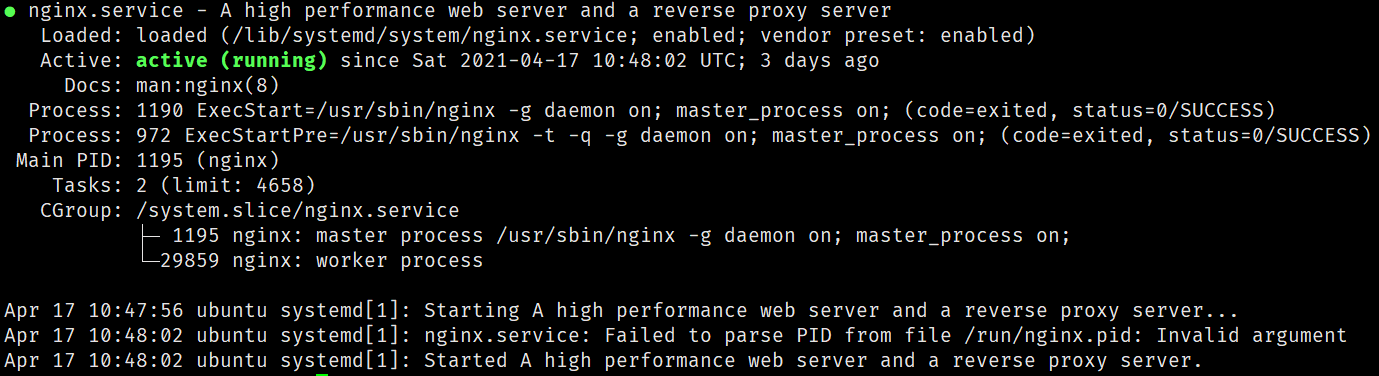
状态显示绿色
active表示正常运行 -
防火墙开放相关端口
sudo ufw allow 'Nginx Full'重新加载规则
sudo ufw reload查看防火墙端口状态
sudo ufw status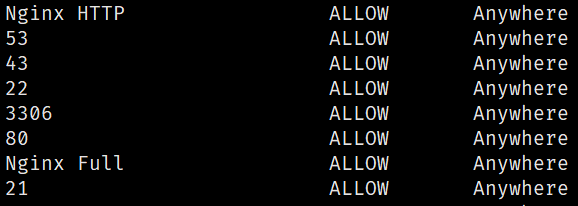
出现
Nginx Full说明状态中已更新规则 -
测试安装
远程访问:http://x.x.x.x
本地访问http://localhost或者http://127.0.0.1
-
nginx 相关命令
sudo systemctl stop nginx #停止 sudo systemctl start nginx #启动 sudo systemctl restart nginx #重启 sudo systemctl reload nginx #重新加载 sudo systemctl disable nginx #禁用Nginx sudo systemctl enable nginx #启用 -
配置nginx部署Vue
编译打包vue
npm run build将dist中文件拷贝到ubuntu文件系统中
vim /etc/nginx/sites-enabled/defaultserver { listen 80; listen [::]:80; server_name xxx.com; # 这里是网站的域名 root /var/www/xxx.com; # /vue/dist/ 打包后的dist目录 location / { try_files $uri $uri/ @router; # 指向下面的 @router否则会出现 404 index index.html index.htm; } # 对应上面的 @router,主要Vue请求并不是真实路径,无法找到文件,需要重定向到 index.html 中,然后交给路由处理 location @router { rewrite ^.*$ /index.html last; } }重新加载 nginx 配置文件:
nginx -s reload

 浙公网安备 33010602011771号