
Ubuntu 22.04 Desktop 截图工具flameshot
一、安装
sudo apt update
sudo apt install -y flameshot
开源地址: https://github.com/flameshot-org/flameshot
支持截图后即时编辑;应用设置内无法修改截图键,需要到系统设置内修改:设置 > 键盘 > 查看及自定义快捷键 > 自定义快捷键 > + > 命令:flameshot gui。
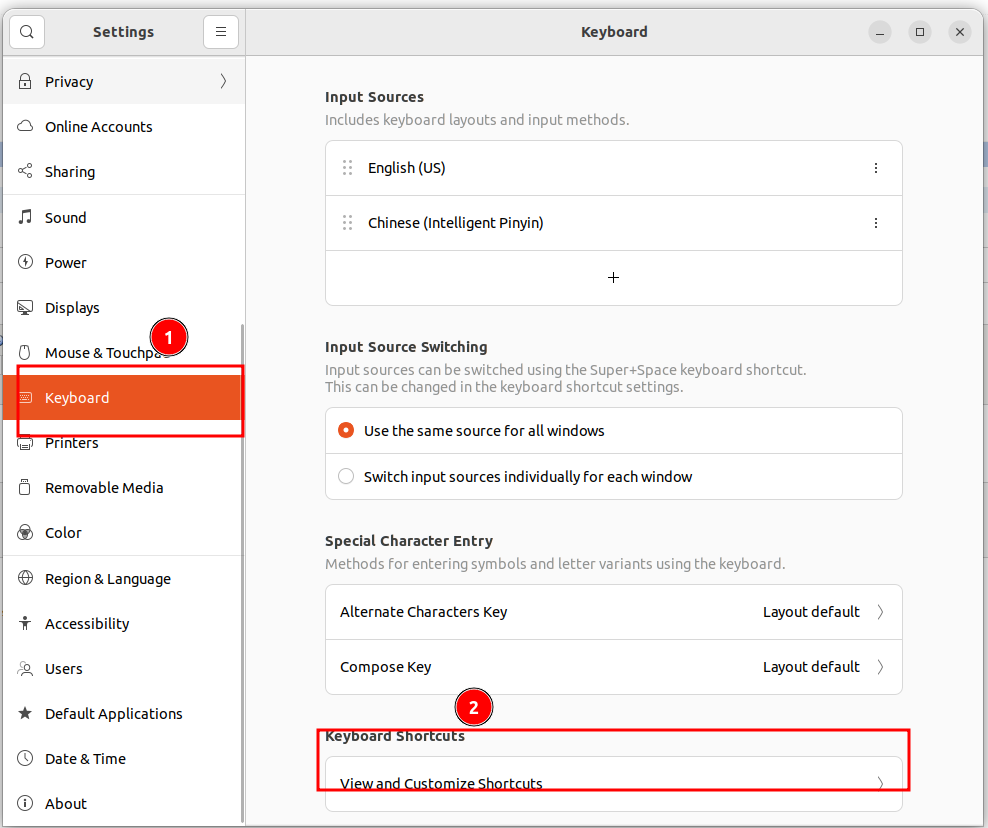
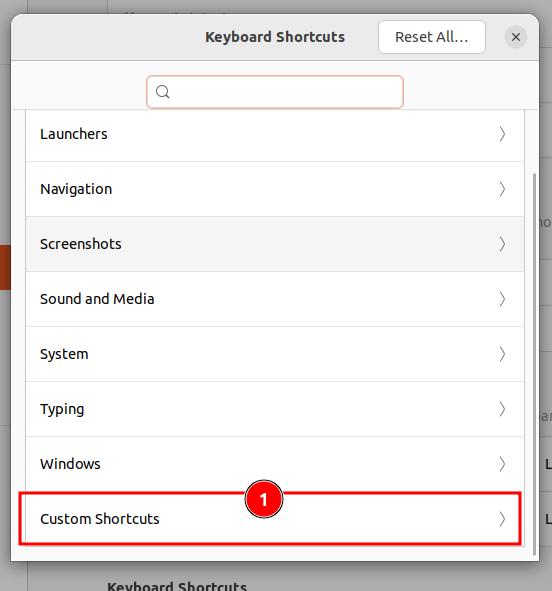
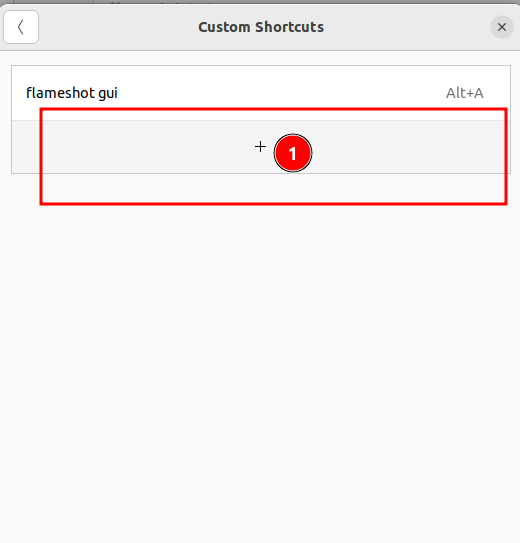
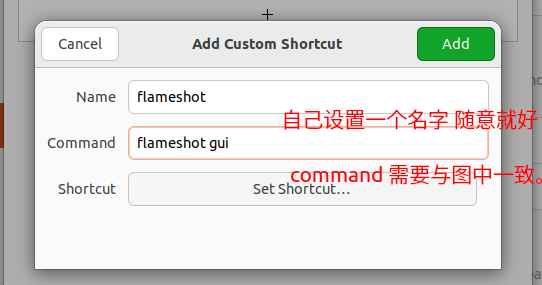
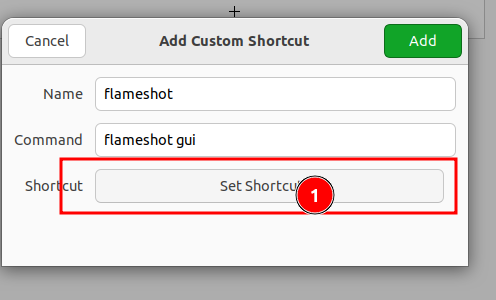
点击上图中的按钮,然后在键盘上输入你的快捷键就可以了。到此设置就完成了。

 浙公网安备 33010602011771号