
awescnb博客园自定义主题工具
本文导读
本文主要介绍了awescnb博客园自定义主题的快速生成工具的介绍与使用(以作者博客效果为例)。
本文所使用的资源或文档或视频教程 都会附在本文章的最后。
引入
在一次偶然的日常刷哔站的时候发现一位大佬发布的一条视频(视频链接会附在文章最后),主要就是介绍这款博客园自定义主题的工具,当时也正有要自己搭建博客的想法。现在主流的博客搭建一般都是用hexo框架,部署方式上也是大同小异,有的是自己购买云服务器来部署,亦或是直接部署在Gitee或是GitHub这类的代码托管平台上,这种部署就是搭建者可以对这个博客有极大的自主管理的权限,页面主题设置上也可以近最大程度上去贴合搭建者的个人喜好。但是在上传博客比较麻烦(具体步骤如下所示)(以后的文章也会详细的讲述这类博客的搭建步骤)
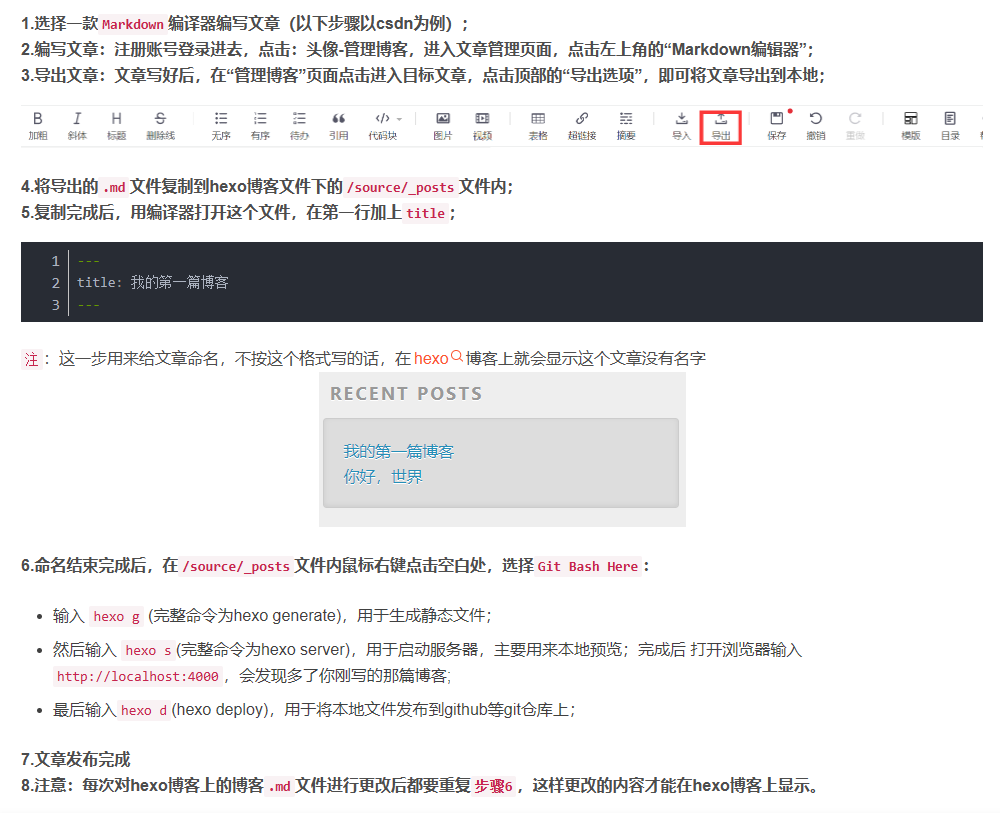
市面上比较成熟的博客平台(比如:CSDN,简书,掘金,51CTO,知乎等等)在发布和编写文章时都非常方便,但是一些平台的广告,会员行为实在是令人不太舒服。权衡之后还是觉的博客园的生态会比较好一些,而且相对于其他平台的自定义程度更加大一些。
awescnb的介绍
awescnb是一个博客园主题快速切换的开源工具,你可以使用已经制作好的主题,对于制作好的主题,可以快速的部署应用到自己的博客中,如果对于内置的主题都不感兴趣的话,也可以使用这个工具自定义构建皮肤,对于小白和追求美观的博客园用户来说,可以是不二之选。
工具使用
效果图
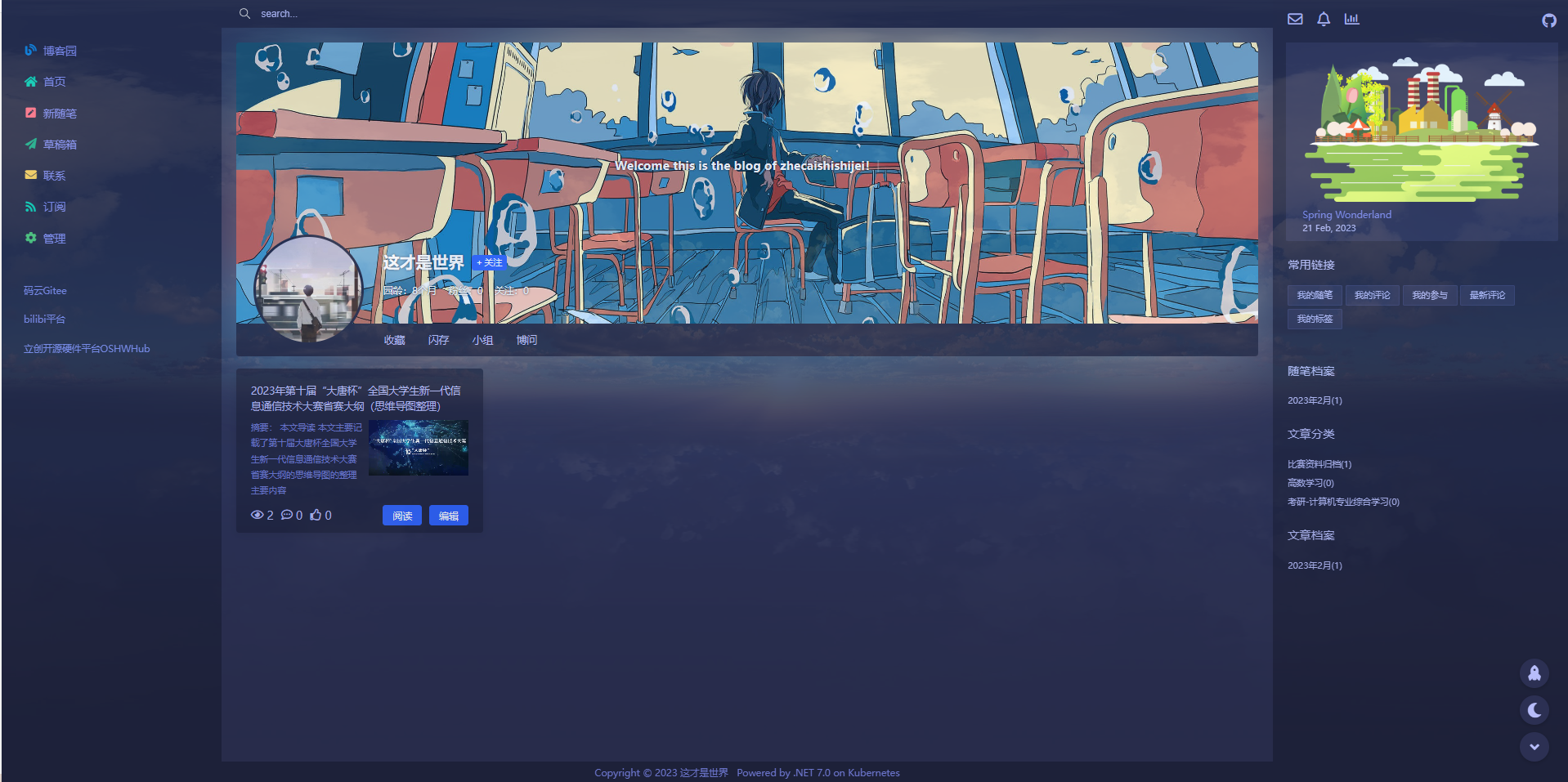
使用工具安装皮肤
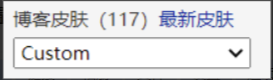
- 打开你的博客首页 -> 管理 -> 设置

- 设置博客皮肤为“Custom”
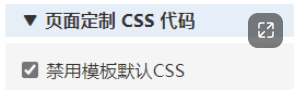
- 勾选禁用默认 CSS 样式
到这里是做完前面的准备工作然后我们接着开始粘贴代码 - 添加 loading
什么是loading 就是访问你的博客切换页面时出现的过度动画
awescnb内置了几款过度动画分别是
绚丽的彩虹
跳动的方块
动态星系
跳动的文字
抖音风格
welcome
在项目文档的Loading部分里面。点击这里直达Loading
每个 loading 都包含一段 CSS 和一段 HTML,使用方法: - 复制 html 并替换 页首 HTML 中的内容
- 复制 css 并替换 页面定制 CSS 中的内容
我的博客是选用的 第二个过度动画 跳动的方块,大家可以去参考一下效果 然后自行选用。 - 选择皮肤
awescnb内置的皮肤如下(供大家参考)
reacg
geek
bilibili
view
simple
csdn
element
bilibiliv1
silence
acg
在项目文档的所有皮肤部分有每个皮肤的效果图,兼容性和支持功能等的说明 点击这里直达皮肤
然后大家把文档中喜欢皮肤的这部分代码复制粘贴在自己博客设置中的页脚HTML框中即可 - 配置选项
在配置选项里为自己的主题添加一些实用的部件或是功能大家参照项目文档手册步骤进行即可
点击这里直达配置选项 - 点击最下方的保存按钮,重新进入你的博客或是刷新网页查看效果
8.这里提供一参考的写法
页面定制CSS代码点击查看代码
#loading{position:fixed;width:100%;height:100%;background-color:#fff;z-index:999}.boxLoading{width:50px;height:50px;margin:auto;position:absolute;left:0;right:0;top:0;bottom:0}.boxLoading:before{content:'';width:50px;height:5px;background:#000;opacity:.1;position:absolute;top:59px;left:0;border-radius:50%;animation:shadow .5s linear infinite}.boxLoading:after{content:'';width:50px;height:50px;background:#ffb3cc;animation:animate .5s linear infinite;position:absolute;top:0;left:0;border-radius:3px}@keyframes animate{17%{border-bottom-right-radius:3px}25%{transform:translateY(9px) rotate(22.5deg)}50%{transform:translateY(18px) scale(1,0.9) rotate(45deg);border-bottom-right-radius:40px}75%{transform:translateY(9px) rotate(67.5deg)}100%{transform:translateY(0) rotate(90deg)}}@keyframes shadow{0%,100%{transform:scale(1,1)}50%{transform:scale(1.2,1)}}
首页HTML代码点击查看代码
<div id="loading"><div class="boxLoading"></div></div>
页脚HTML代码点击查看代码
<script src="https://guangzan.gitee.io/awescnb/index.js"></script>
<script>
  const opts = {
    //主题基础设置
    theme:
   {
    name: 'geek',
    avatar: 'https://pic.cnblogs.com/avatar/2892905/20220530135940.png',
    headerBackground: 'https://img2023.cnblogs.com/blog/2892905/202302/2892905-20230220101432285-1212205663.jpg'
    },
    //表情包
    emoji: {
    enable: true,
    buttonIcon: "🥳",
    emojiList: [
        {
          value: 'https://images.cnblogs.com/cnblogs_com/gshang/1626876/o_2001050555139.png',
          label: '',
        },
        {
            value: '🤣',
            label: '笑哭',
        },
        {
            value: '😃',
            label: '大笑',
        },
        {
            value: '😅',
            label: '苦笑',
        },
        {
            value: '😆',
            label: '斜眼笑',
        },
        {
            value: '😏',
            label: '得意',
        },
        {
            value: '😊',
            label: '微笑',
        },
        {
            value: '😎',
            label: '酷!',
        },
        {
            value: '😍',
            label: '花痴',
        },
        {
            value: '🙂',
            label: '呵呵',
        },
        {
            value: '🤩',
            label: '好崇拜哦',
        },
        {
            value: '🤔',
            label: '思考',
        },
        {
            value: '🙄',
            label: '白眼',
        },
        {
            value: '😜',
            label: '略略略',
        },
        {
            value: '😲',
            label: '呆住',
        },
        {
            value: '😭',
            label: '大哭',
        },
        {
            value: '🤯',
            label: '头炸了',
        },
        {
            value: '😰',
            label: '冷汗',
        },
        {
            value: '😱',
            label: '吓死了',
        },
        {
            value: '🤪',
            label: '略略略',
        },
        {
            value: '😵',
            label: '晕',
        },
        {
            value: '😡',
            label: '愤怒',
        },
        {
            value: '🥳',
            label: '祝贺',
        },
        {
            value: '🤡',
            label: '小丑竟是我',
        },
        {
            value: '🤫',
            label: '嘘~',
        },
        {
            value: '🐒',
            label: '猴',
        },
        {
            value: '🤭',
            label: '笑笑不说话',
        },
        {
            value: '🐂',
            label: '牛',
        },
        {
            value: '🍺',
            label: '啤酒',
        },
        {
            value: '(=・ω・=)',
            label: '',
        },
        {
            value: '(`・ω・´)',
            label: '',
        },
        {
            value: '(°∀°)ノ',
            label: '',
        },
        {
            value: '←_←',
            label: '',
        },
        {
            value: '→_→',
            label: '',
        },
        {
            value: 'Σ(゚д゚;)',
            label: '',
        },
        {
            value: '(。・ω・。)',
            label: '',
        },
         {
             value: '(-_-#)',
             label: '',
         },
    ]
},
    //github
    github: {
        enable: true,
        color: '#ffb3cc',
        url: 'https://github.com/HLJBXMHR',
},
    //个性签名
    signature: {
        enable: true,
        contents: [
        "<b style='color:#ff6b81'>欢迎来到这才是世界的博客!</b>",
        "<b>Welcome this is the blog of zhecaishishijei!</b>",
        ],
},
    //照片灯箱
    imagebox: {
        enable: true,
},
    //公告二维码
    qrcode: {
        enable: true,
        img: '',
        desc: '',
},
    //图标
    charts: {
    enable: true,
    labels: [
      'Vue',
      'React',
      'Flutter',
      'Java',
      'NodeJs',
      'TypeScript',
      'CSS',
    ],
    datasets: [
      {
        label: 'My First Chart',
        data: [65, 59, 90, 81, 56, 55, 40],
        fill: true,
        backgroundColor: 'rgba(255, 99, 132, 0.2)',
        borderColor: 'rgb(255, 99, 132)',
        pointBackgroundColor: 'rgb(255, 99, 132)',
        pointBorderColor: '#fff',
        pointHoverBackgroundColor: '#fff',
        pointHoverBorderColor: 'rgb(255, 99, 132)',
      },
      {
        label: 'My Second Dataset',
        data: [28, 48, 40, 19, 96, 27, 100],
        fill: true,
        backgroundColor: 'rgba(54, 162, 235, 0.2)',
        borderColor: 'rgb(54, 162, 235)',
        pointBackgroundColor: 'rgb(54, 162, 235)',
        pointBorderColor: '#fff',
        pointHoverBackgroundColor: '#fff',
        pointHoverBorderColor: 'rgb(54, 162, 235)',
      },
     ],
},
    //博客背景图
    bodyBackground: {
    enable: true,
    value:
        'https://img2023.cnblogs.com/blog/2892905/202302/2892905-20230220102729761-40160417.jpg',
    opacity: 0.85,
    repeat: false,
},
    //通知
    notice:{
    enable:true,
    text:['欢迎阅读本条内容,有问题欢迎私信作者留言'],
},
    //码云Gitee
    gitee: {
    enable: true,
    color: '#C71D23',
    url: 'https://gitee.com/ma-haoran1314',
},
    //博文签名
    postSignature: {
    enable: true,
    enableLicense: true,
    licenseName: '',
    licenseLink: '',
    content: ['@这才是世界'],
},
    //博文目录
    catalog: {
    enable: true,
    position: 'left',
},
    //按钮工具
    catalog: {
    enable: true,
    position: 'left',
},
    //打赏二维码 ,可添加四个二维码
    donation: {
    enable: true,
    qrcodes: [],
},

    //自定义链接
    links: [
    {
        name: '码云Gitee',
        link: 'https://gitee.com/ma-haoran1314',
    },
    {
        name: 'bilibi平台',
        link: 'https://space.bilibili.com/572118097?spm_id_from=333.1007.0.0',
    },
    {
        name: '立创开源硬件平台OSHWHub',
        link: 'https://oshwhub.com/mhrlm',
    },
],
    //画笔
    notation: {
    enable: true,
},
    //博文头图
    postTopimage: {
    enable: true,
    imgs: [],
},
    //博文尾图
    postBottomimage: {
    enable: true,
    img: '',
    height: ''
},
    //首页列表图片
    indexListImg: {
    enable: true,
    imgs: [],
},
    //头部进度条
    topProgress: {
    enable: true,
    page: 'all',
    agent: 'pc',
    background: '#FFB3CC',
    height: '5px',
},


  }
  $.awesCnb(opts)
</script>
这里就不详细介绍了,大家感兴趣的话可以点击这里直达项目文档
附件
本文来自这才是世界的博客,转载请注明原文链接:https://www.cnblogs.com/MHRLM/articles/17140508.html
如本文内容侵犯了您的权利,请私信作者进行删除
欢迎关注作者,评论作者文章,您的支持是作者最大的动力!

 浙公网安备 33010602011771号