

第二次作业
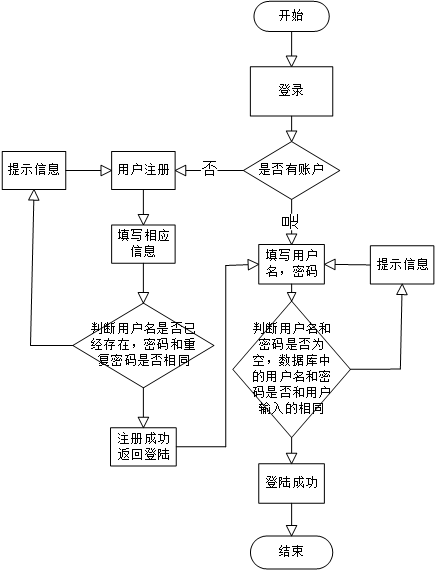
登录界面流程图
页面登陆代码
<!doctype html>
<html lang="en">
<head>
<meta charset="UTF-8">
<title>测试登录页面</title>
<style>
body{
width: 100%;
background-image:url("./back2.jpg");
background-repeat:no-repeat;
background-size:100% ;
}
.login{
float:right;
margin-right:20vh;
margin-top:15vh;
opacity:0.7;
height: 35vh;
width:50vh;
background:#CCFF80;
border-radius: 20px;
}
.title{
font-size:30px;
text-align:center;
}
.biao{
margin-top:20px;
font-size:20px;
text-align:center;
}
</style>
</head>
<body>
<div>
<div class='login'>
<div class='title'>欢迎登录</div>
<div class='biao'>
<form action="/login" method='post'>
<label>用户:</label><input type="text" name='user'><br><br>
<label>密码:</label><input type="password" name='pwd'><br>
<input type="submit" value='登录' style='width:240px;height:30px;margin-top:25px;background:#B7FF4A'>
</form>
</div>
</div>
</div>
</body>
</html>
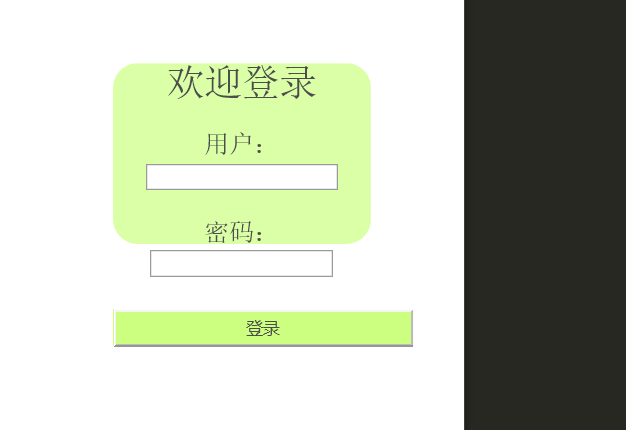
用户登录界面
连接界面与计算器
<!DOCTYPE html>
<html>
<head>
<title>Login Page</title>
</head>
<body>
<h1>Login Page</h1>
<form action="calculator.html">
<label for="username">Username:</label>
<input type="text" id="username" name="username"><br><br>
<label for="password">Password:</label>
<input type="password" id="password" name="password"><br><br>
<input type="submit" value="Login">
</form>
</body>
</html>
<!DOCTYPE html>
<html>
<head>
<title>jsss</title>
<style type="text/css">
table{
margin:0 auto;
}
.but_ac{
width: 80px;
height: 60px;
background-color : lightgray;
font-size: 1.2em;
}
.but{
width: 80px;
height: 60px;
background-color : lightgray;
font-size: 1.2em;
}
.screen{
width: 350px;
height: 70px;
font-size: 1.5em;
color: white;
background-color: black;
text-align:right;
}
</style>
<script type="text/javascript">
window.onload=function(){
var result;
var str=[];
var num=document.getElementsByClassName("but");
var scr=document.getElementsByClassName("screen")[0];
for(var i=0;i<num.length;i++)
{
num[i].onclick=function(){
if(this.value=="AC"){
scr.value="";
}
else if( this.value=="+/-"){
if(scr.value=="")
{
scr.value="";
}
else if(isNaN(scr.value.charAt(scr.value.length-1))==false&&isNaN(scr.value.charAt(scr.value.length-2))==true)
{
scr.value=scr.value.substr(0,scr.value.length-1)+"("+"-"+scr.value.charAt(scr.value.length-1)+")";
}
}
else if (this.value=="<—"&&this.value!=""){
scr.value=scr.value.substr(0,scr.value.length-1);
}
else if(scr.value==""&&this.value=="."){
scr.value="0.";
}
else if(this.value=="="){
scr.value=eval(scr.value);
}
else if(scr.value==""&&(this.value=="+"||this.value=="-"||this.value=="*"||this.value=="/"))
{
scr.value=="";
}
else
{
scr.value+=this.value;
}
}
}
}
</script>
</head>
<body>
<table>
<tr>
<td colspan="4"><input class="screen" type="text" disabled /></td>
</tr>
<tr>
<td><input class="but_ac but" type="button" value="AC" style="color: orange"></td>
<td><input class="but_ac but" type="button" value="<—" style="color: orange"></td>
<td><input class="but" type="button" value="+/-"></td>
<td><input class="but" type="button" value="/"></td>
</tr>
<tr>
<td><input class="but" type="button" value="7"></td>
<td><input class="but" type="button" value="8"></td>
<td><input class="but" type="button" value="9"></td>
<td><input class="but" type="button" value="*"></td>
</tr>
<tr>
<td><input class="but" type="button" value="4"></td>
<td><input class="but" type="button" value="5"></td>
<td><input class="but" type="button" value="6"></td>
<td><input class="but" type="button" value="-"></td>
</tr>
<tr>
<td><input class="but" type="button" value="1"></td>
<td><input class="but" type="button" value="2"></td>
<td><input class="but" type="button" value="3"></td>
<td><input class="but" type="button" value="+"></td>
</tr>
<tr>
<td colspan="2"><input class="but" type="button" value="0" style="width: 180px"></td>
<td><input class="but" type="button" value="."></td>
<td><input class="but" type="button" value="=" style="background-color:orange ;color:white"></td>
</tr>
</table>
</body>
</html>
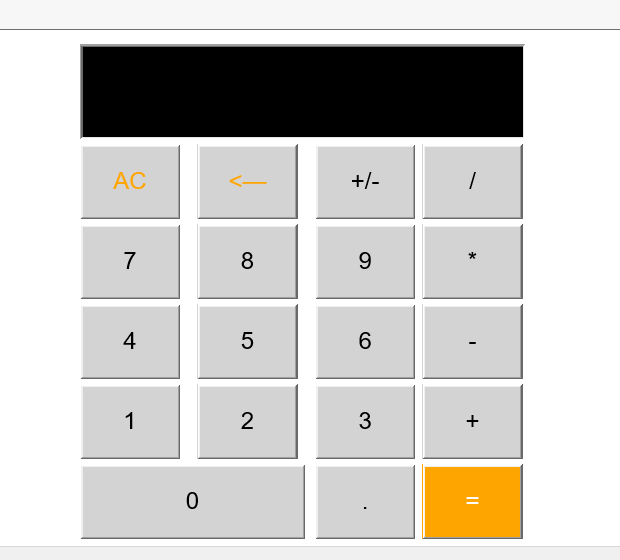
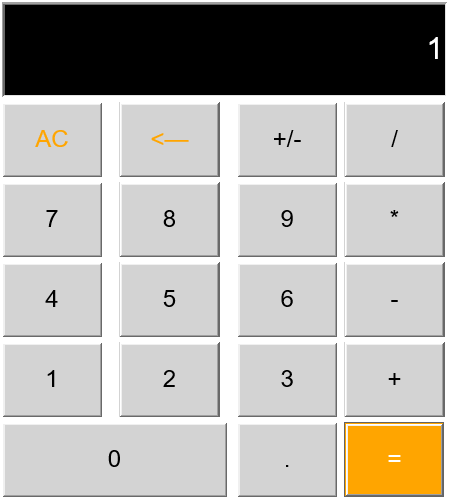
计算器显示
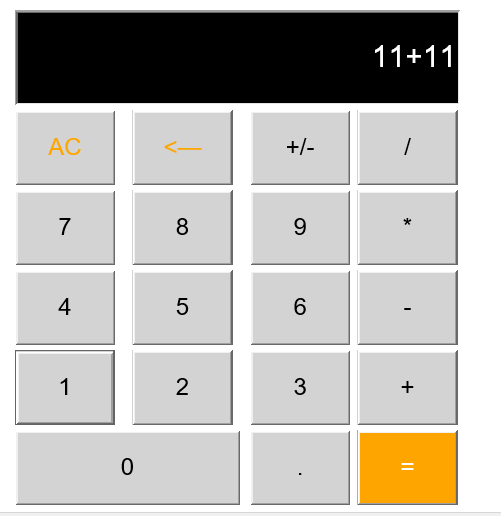
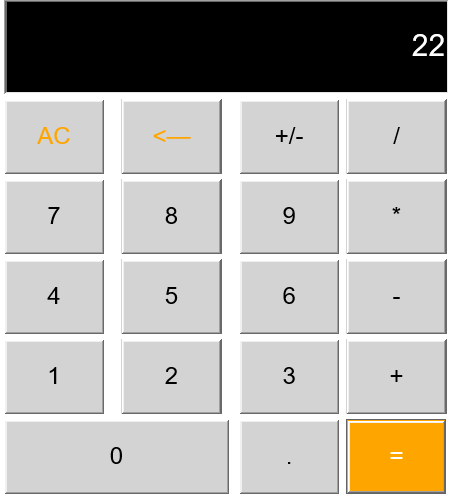
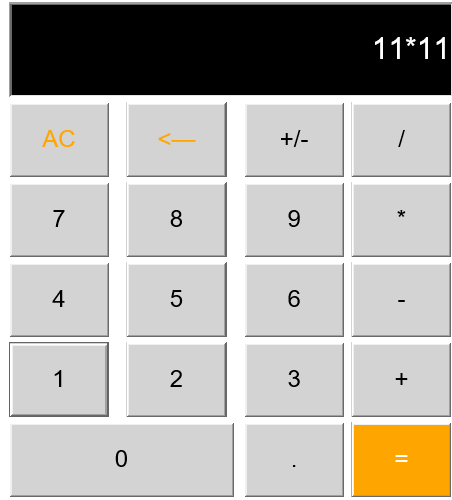
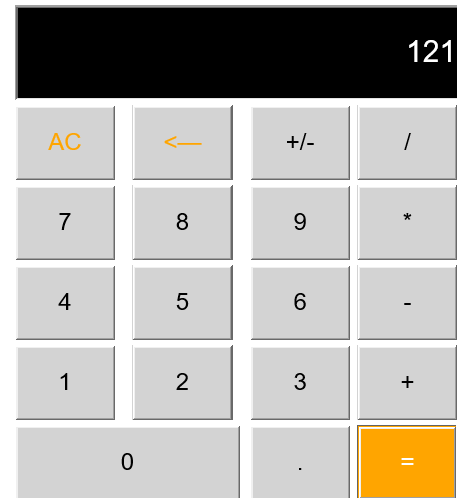
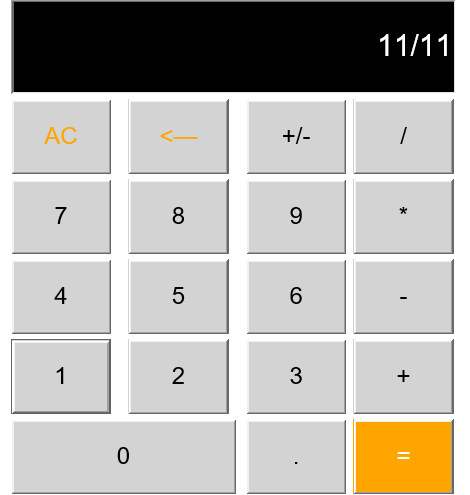
计算器运行
11+11
11*11
11/11
数据库连接
const express=require('express');//引入express方法
const app=express();
const mysql=require('mysql');
const pool=mysql.createPool({
host:'127.0.0.1',
port:'3306',
user:'root',
password:'',
database:'login',
connectionLimit:15
});//数据库池连接数据库
app.listen(8080);//建立服务器
app.use(express.static('./'));//获取到html网页
app.use(express.urlencoded({
extended:false
}));//将获取到的数据转化成对象
app.post('/login',(req,res,next)=>{
console.log(req.body);//获取到我们输入数据对象,在控制台中可以得到我们输入的数据
//pool.query方法中写查询的数据库语句
pool.query('select * from laptop where user=?',[req.body.user],(err,result)=>{
if(err){
next(err);
return
}
if(result.length===0){
console.log('用户名错误!')
res.send('<h1>用户名错误!<h1>')
}else{
if(result[0].password==req.body.pwd){
console.log('登录成功!')
res.send('<h1>登录成功!</h1><br>'+'欢迎用户:'+result[0].user)
}else if(result[0].password!==req.body.pwd){
console.log('密码错误!')
console.log(result[0].password)
res.send('<h1>密码错误!<h1>')
}}
})
})
//错误排出
app.use((err,req,res,next)=>{
console.log(err);
res.status(404).send({code:404,msg:'糟糕!出错了!'})
})

 浙公网安备 33010602011771号