
ONNXRuntime_C++安装教程
1 打开Visual Studio2017,新建空项目helloworld
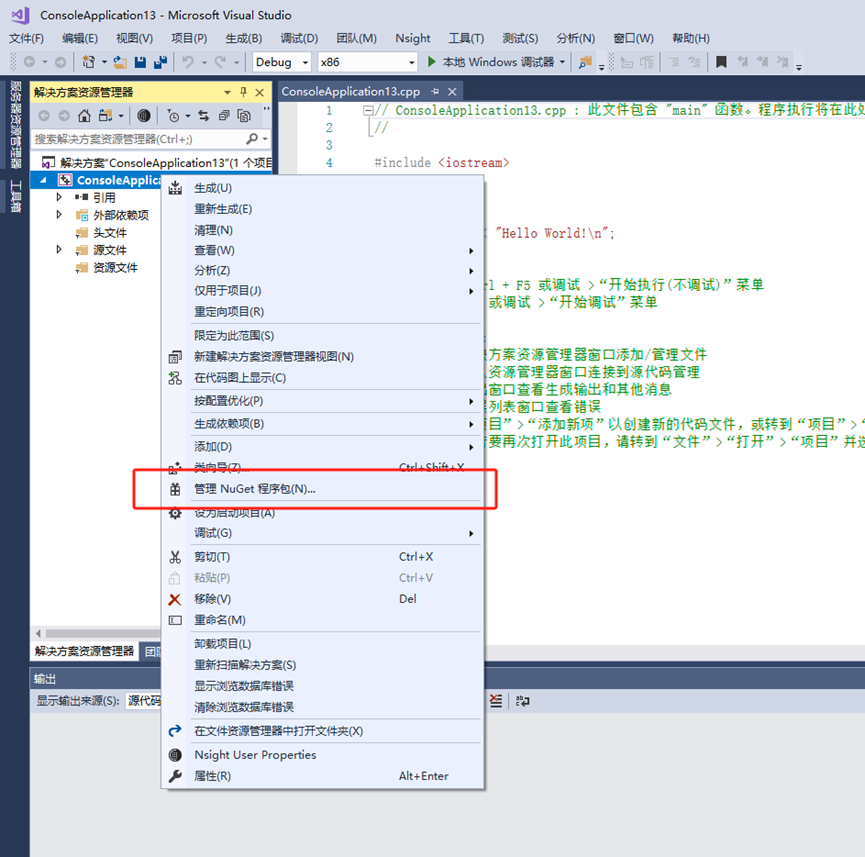
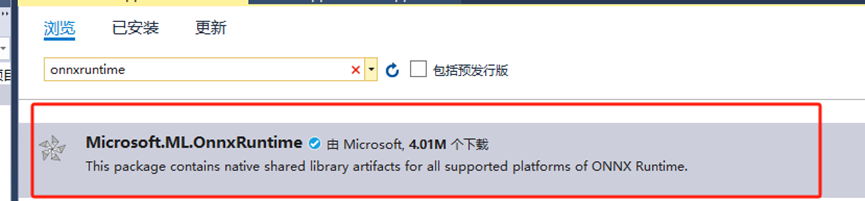
2 浏览输入onnxruntime,安装第一个,版本选择1.18.1
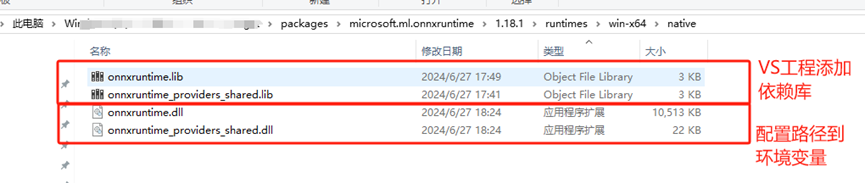
3 配置PATH环境变量
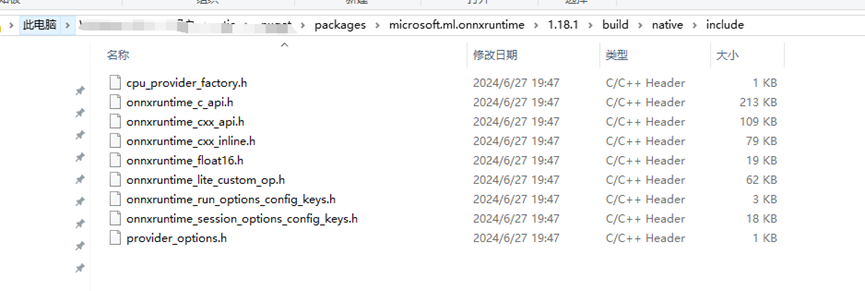
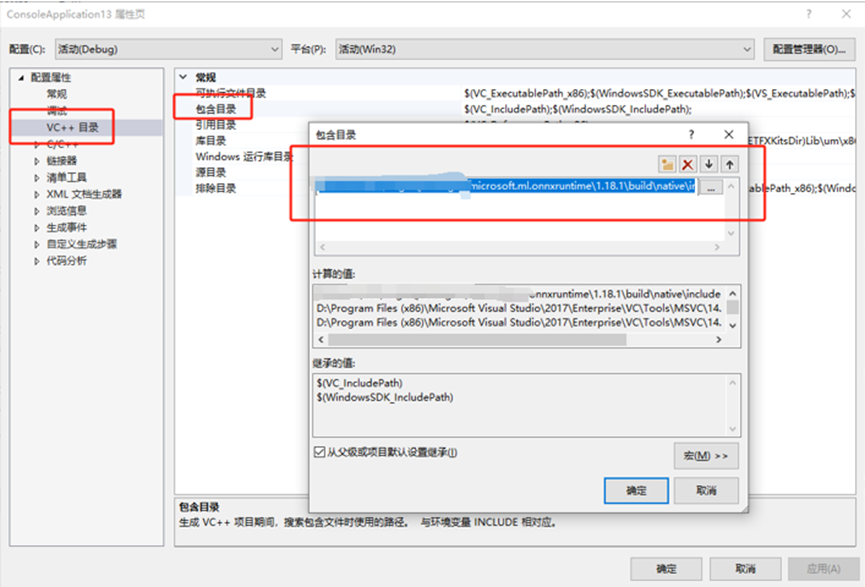
4 配置项目包含目录
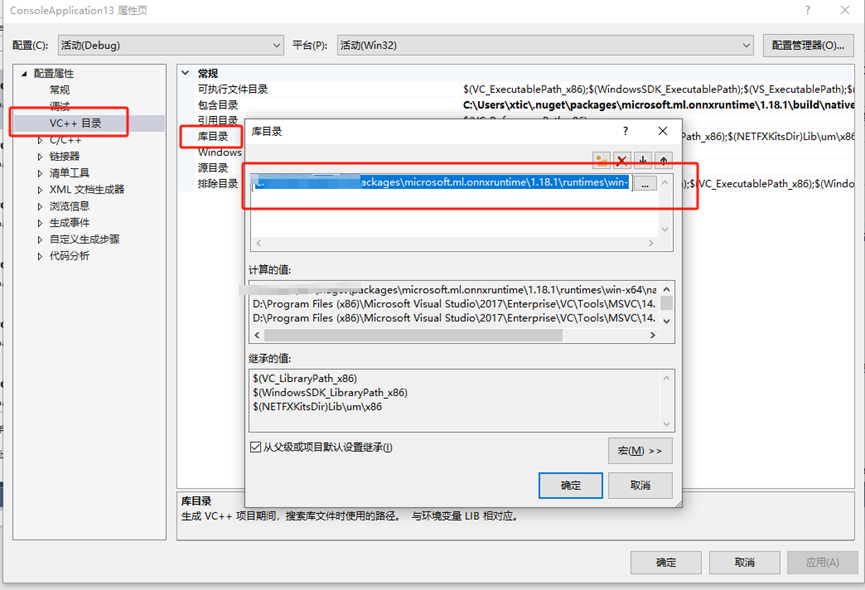
5 配置库目录
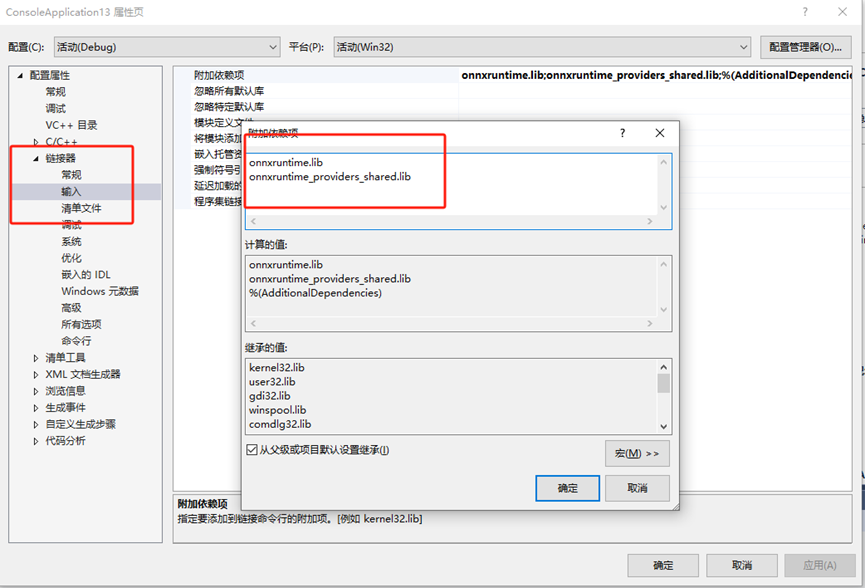
6 配置链接器
配置opencV
https://blog.csdn.net/qq_27825451/article/details/103036687
无法启动应用程序
将onnxruntime动态库和exe放到同一目录下
https://blog.csdn.net/qq_42181775/article/details/132360605

 浙公网安备 33010602011771号