
一、事件背景介绍
1.功能简述:
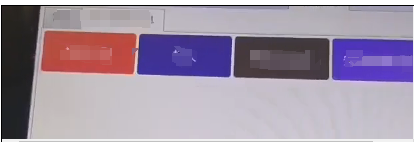
主页面是一个DataGrid列表,点击DataGrid行,弹出子页面;子页面根据数据加载多个Button按钮,如下图,就是这个页面中的按钮,在触摸屏上触摸点击,需要点击十次才能成功,使用鼠标点击一下就能成功。
主要代码如下:
//WPF前端
<DataGrid x:Name="scanDtlGrid" ItemsSource="{Binding ScanDetail}" AutoGenerateColumns="False"
                          SelectedItem="{Binding SelectedScanned}" CanUserAddRows="False" CanUserDeleteRows="False"
                          CanUserSortColumns="False" IsReadOnly="True" DataGridCell.GotFocus="DataGrid_CellGotFocus">

</DataGrid> //单元格点击事件(聚焦Focus事件)
private void DataGrid_CellGotFocus(object sender, RoutedEventArgs e)
{
       try
       {
            var p = e.OriginalSource as System.Windows.DependencyObject;
            while (!(p == null || p is DataGridRow))
            {
                 p = VisualTreeHelper.GetParent(p);
            }
            var row = p as DataGridRow;
            if (row != null && row.GetIndex() >= 0)
            {
this.scanDtlGrid.SelectedItem = row.Item; this.btnInput.Focus();if (this.btnInput.Command != null && this.btnInput.Command.CanExecute(null))
{
//调用业务方法}
            }
       }
       catch (Exception ex)
       {
            //打印错误信息
       }
}
//子页面前端
<DataTemplate>
      <Grid>
           <cc:PagingListBox x:Name="itemList" Grid.Row="0" Rows="8" Columns="5" DataSource="{Binding TestItems}" ItemClickCommand="{Binding Path=DataContext.CmdSelectTest,ElementName=dialog}"></cc:PagingListBox>
      </Grid>
</DataTemplate>

//PagingListBox是一个自定义的UserControl,主要代码如下
<ListBox Name="lbPageItems" SelectionMode="Single">
     <ListBox.Template>
          <ControlTemplate>
                <Border CornerRadius="1" BorderBrush="RoyalBlue" BorderThickness="0">
                      <ItemsPresenter />
                </Border>
          </ControlTemplate>
     </ListBox.Template>
     <ListBox.ItemsPanel>
          <ItemsPanelTemplate>
               <UniformGrid IsItemsHost="True" Rows="{DynamicResource rows}" Columns="{DynamicResource cols}"></UniformGrid>
          </ItemsPanelTemplate>
     </ListBox.ItemsPanel>
     <ListBox.ItemContainerStyle>
            <Style TargetType="{x:Type ListBoxItem}">
                 <Setter Property="Template">
                      <Setter.Value>
                           <ControlTemplate TargetType="{x:Type ListBoxItem}">
                                <Button Command="{Binding ItemClickCommand,ElementName=ucRoot}" CommandParameter="{Binding}">
                                      <Button.Template>
                                           <ControlTemplate>
                                               <Border x:Name="border" CornerRadius="5" Margin="2" Background="{Binding Path=background}" BorderThickness="1" BorderBrush="Green">
                                                   <Label x:Name="txt" VerticalContentAlignment="Center" HorizontalContentAlignment="Center" Foreground="White">
                                                        <Label.Content>
                                                            <TextBlock TextWrapping="Wrap" Text="{Binding Path=ModelTitle}"></TextBlock>
                                                        </Label.Content>
                                                    </Label>
                                                </Border>
                                               //一些Triggers设置
                                            </ControlTemplate>
                                      </Button.Template>
                                 </Button>
                           </ControlTemplate>
                      </Setter.Value>
                </Setter>
           </Style>
     </ListBox.ItemContainerStyle>
</ListBox>
即,触摸屏中,弹出子页面中,Button的ItemClickCommand方法不能立即点击生效。
二、原因分析
分析代码,可能的原因:
1.主页的行聚焦点击事件发生后,弹出子页面,焦点由于某种原因没有在子页面上
2.子页面中层级太多,在触摸屏上解析出现某种问题,导致需要点击多次才能生效
三、解决方案
解决措施:不使用焦点事件 DataGridCell.GotFocus ,改用单元格点击事件,修改部分的代码如下,经测试验证,在触摸屏下也能正常点击按钮,实现功能。
//主页前端
<DataGrid x:Name="scanDtlGrid" ItemsSource="{Binding ScanDetail}" AutoGenerateColumns="False"
                          SelectedItem="{Binding SelectedScanned}" CanUserAddRows="False" CanUserDeleteRows="False"
                          CanUserSortColumns="False" IsReadOnly="True" >
   ...
    <DataGrid.RowStyle>
             <Style TargetType="{x:Type DataGridRow}">
                    <EventSetter Event="MouseLeftButtonUp" Handler="DataGridRow_MouseLeftButtonUp" />
             </Style>
     </DataGrid.RowStyle>
</DataGrid>
//点击事件
private void DataGridRow_MouseLeftButtonUp(object sender, MouseButtonEventArgs e)
{
     if (sender is DataGridRow row && DataContext is PCCMainMicrowaveOvenVM viewModel)
     {
            //调用业务方法
     }
}

 浙公网安备 33010602011771号