flutter 出现黄色栅栏解决方式
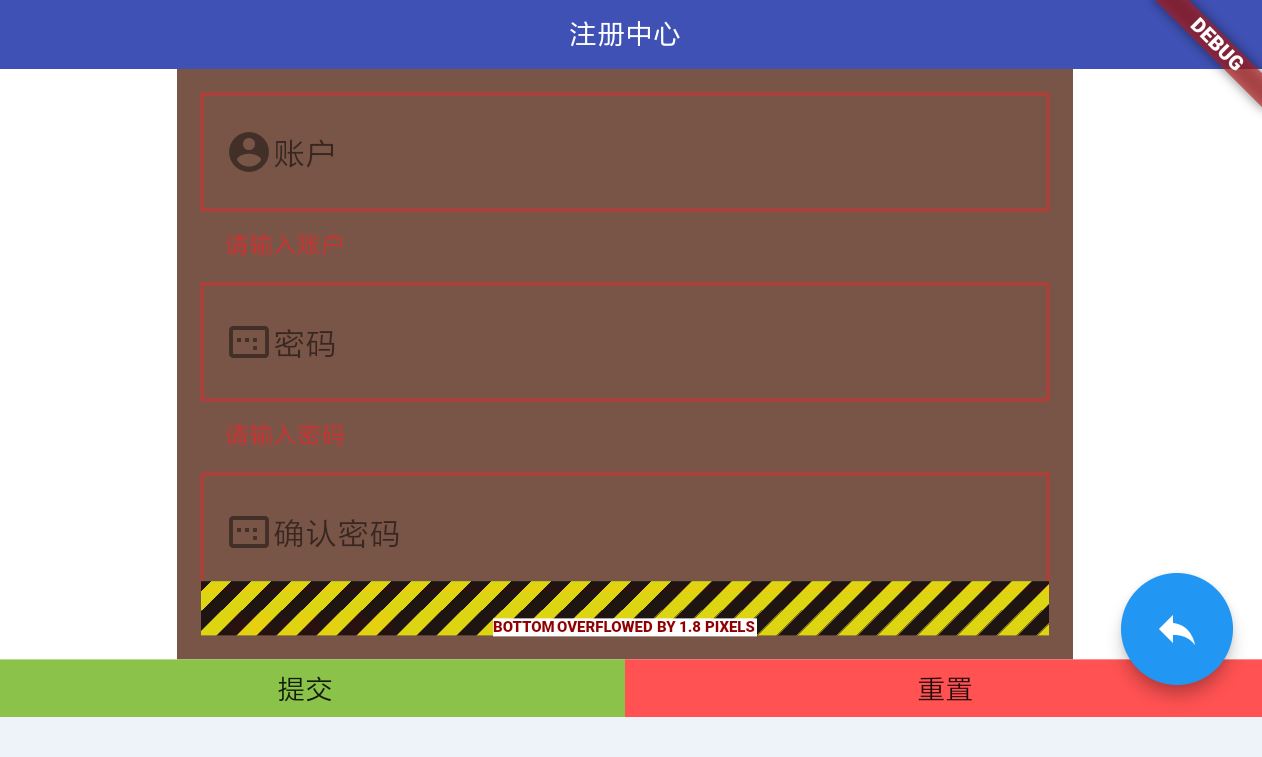
问题:
解决提示:
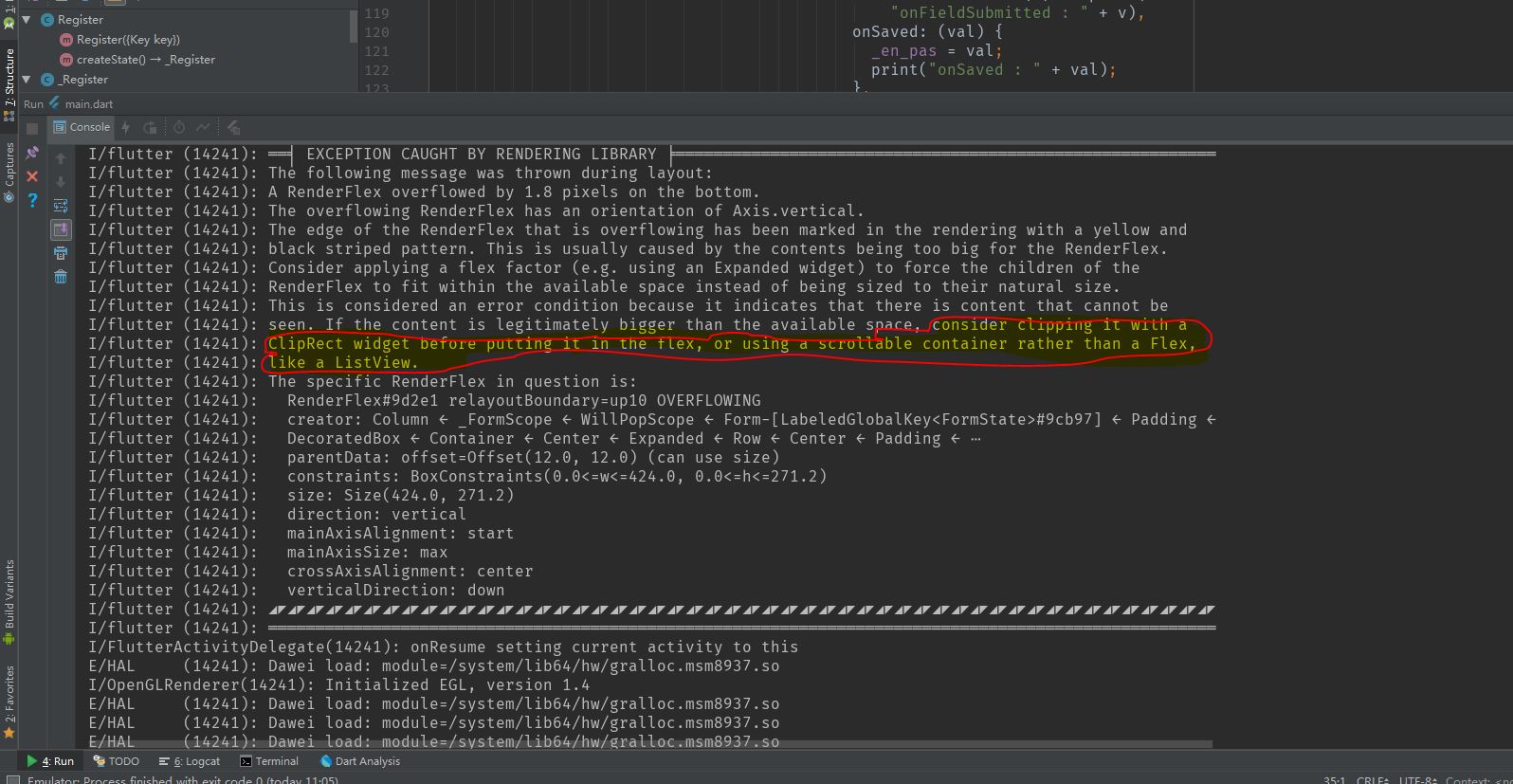
解决:(以下显示用的是ListView,包一下就可以了)
                              child:
                              new ListView(
                                children: <Widget>[
                                  new Form(
                                    key: _formKey,
                                    child: new Column(
                                      children: <Widget>[
                                        new Container(
                                          child: new TextFormField(
                                            onFieldSubmitted: (v) => print(
                                                "onFieldSubmitted : " + v),
                                            onSaved: (val) {
                                              _account = val;
                                              print("onSaved : " + val);
                                            },
                                            validator: (val) =>
                                            (val == null || val.isEmpty)
                                                ? "请输入账户"
                                                : null,
                                            decoration: new InputDecoration(
                                                prefixIcon: new Icon(
                                                    Icons.account_circle),
                                                labelText: '账户',
                                                border:
                                                new OutlineInputBorder(
                                                    borderRadius:
                                                    new BorderRadius
                                                        .circular(
                                                        0.0))),
                                          ),
                                        ),
                                        new Container(
                                          padding: EdgeInsets.only(top: 12.0),
                                          child: new TextFormField(
                                            onFieldSubmitted: (v) => print(
                                                "onFieldSubmitted : " + v),
                                            onSaved: (val) {
                                              _pas = val;
                                              print("onSaved : " + val);
                                            },
                                            validator: (val) =>
                                            (val == null || val.isEmpty)
                                                ? "请输入密码"
                                                : null,
                                            decoration: new InputDecoration(
                                                prefixIcon: new Icon(
                                                    Icons.image_aspect_ratio),
                                                labelText: '密码',
                                                border:
                                                new OutlineInputBorder(
                                                    borderRadius:
                                                    new BorderRadius
                                                        .circular(
                                                        0.0))),
                                          ),
                                        ),
                                        new Container(
                                          padding: EdgeInsets.only(top: 12.0),
                                          child: new TextFormField(
                                            onFieldSubmitted: (v) => print(
                                                "onFieldSubmitted : " + v),
                                            onSaved: (val) {
                                              _en_pas = val;
                                              print("onSaved : " + val);
                                            },
                                            validator: (val) =>
                                            (val == null || val.isEmpty)
                                                ? "请输入确认密码"
                                                : null,
                                            decoration: new InputDecoration(
                                                prefixIcon: new Icon(
                                                    Icons.image_aspect_ratio),
                                                labelText: '确认密码',
                                                border:
                                                new OutlineInputBorder(
                                                    borderRadius:
                                                    new BorderRadius
                                                        .circular(
                                                        0.0))),
                                          ),
                                        ),
                                      ],
                                    ),
                                  )
                                ],
                              )

 浙公网安备 33010602011771号