webview_flutter 与js简单交互
import 'dart:io';

import 'package:flutter/material.dart';
import 'package:webview_flutter/webview_flutter.dart';

void main() {
  runApp(MyApp());
}
class MyApp extends StatelessWidget {
  @override
  Widget build(BuildContext context) {
    return MaterialApp(
      title: 'Flutter Demo',
      theme: ThemeData(
        primarySwatch: Colors.blue,
      ),
      home: MyHomePage(title: 'Flutter Demo Home Page'),
    );
  }
}
class MyHomePage extends StatefulWidget {
  MyHomePage({Key key, this.title}) : super(key: key);
  final String title;

  @override
  _MyHomePageState createState() => _MyHomePageState();
}
class _MyHomePageState extends State<MyHomePage> {
  WebViewController _controller;

  @override
  void initState() {
    super.initState();
    if (Platform.isAndroid) WebView.platform = SurfaceAndroidWebView();
  }

  @override
  Widget build(BuildContext context) {
    // var webUrl ="http://www.baidu.com";
    var webUrl ="http://192.168.148.27:8080/index.html";
    // var webUrl ="http://www.qq.com";
    return Scaffold(
        appBar: AppBar(title: Text('WebView')),
        body: Builder(builder: (BuildContext context) {
          return Stack(
            children: [
              WebView(
                javascriptMode: JavascriptMode.unrestricted,
                javascriptChannels: <JavascriptChannel>[
                  _alertJavascriptChannel(context),
                ].toSet(),
                initialUrl: webUrl,
                onWebViewCreated: (WebViewController controller) {
                  _controller = controller;
                },
                onPageStarted: (String url) {},
                onPageFinished: (String url) {},
              ),

              GestureDetector(
                child: SizedBox(
                  width: 50,
                  height: 50,
                  child: ColoredBox(
                    color: Colors.amber,
                  ),
                ),
                onTap: (){
                  _controller.evaluateJavascript('hhhe()');
                },
              )
            ],
          );
        }));
  }

  JavascriptChannel _alertJavascriptChannel(BuildContext context) {
    return JavascriptChannel(
        name: 'kWWWWWWW',
        onMessageReceived: (JavascriptMessage message) {

          print("---------------------------------------------------");

          showModalBottomSheet(context: context, builder: (ctx){
            return Text(message.message);
          });
        });
  }

}
   <application
        android:label="flutter_app_js_flutter"
        android:usesCleartextTraffic="true"
        android:icon="@mipmap/ic_launcher">
        <activity
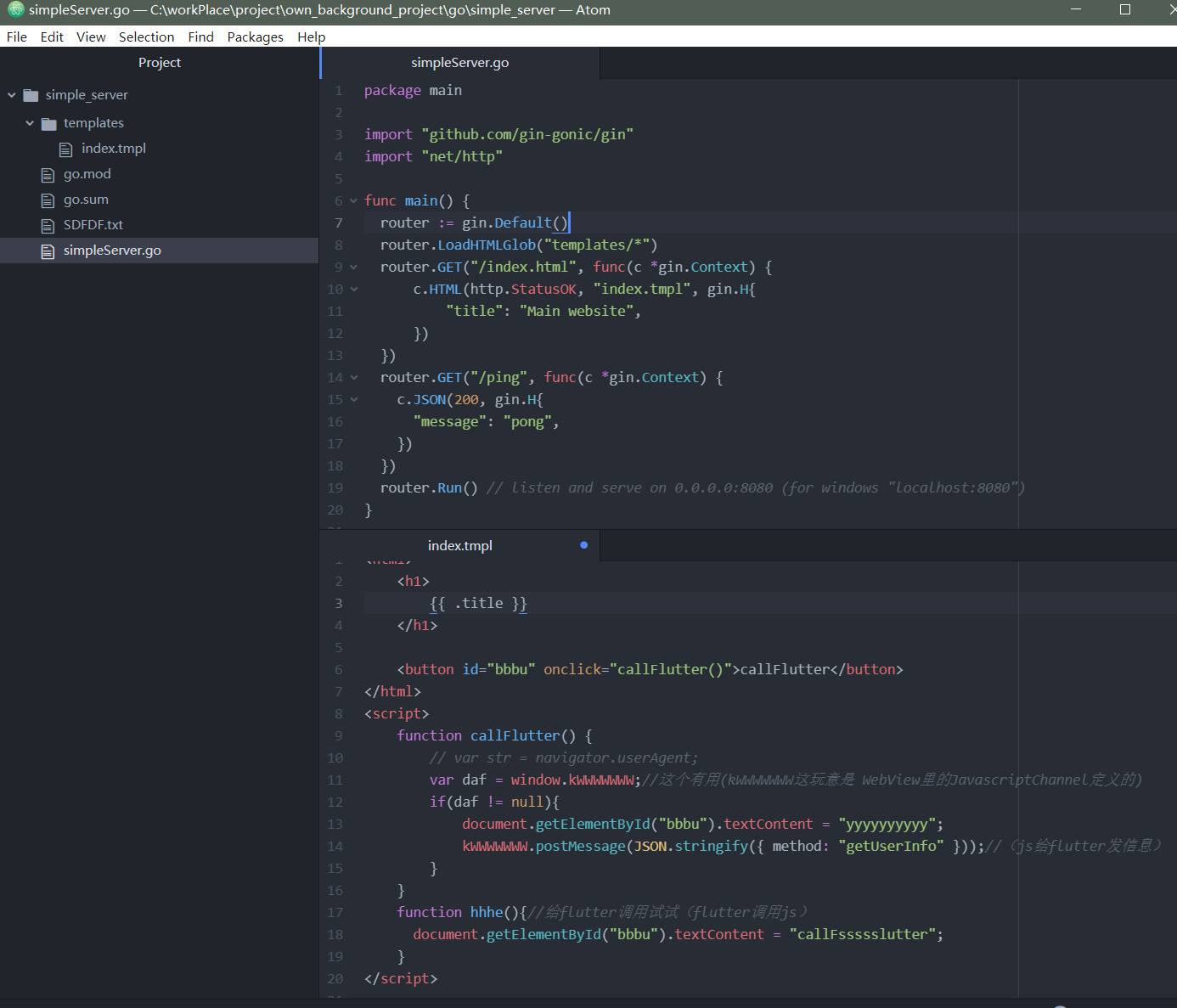
简单服务端:

 浙公网安备 33010602011771号