
使用版本
- OS and Version: Windows 22H2 19045.4894
- VS Code Version: 1.88.1
- C/C++ Extension Version: v1.22.9
适用背景
遵循Vscode自身的跑通C++的教程的时候,生成tasks.json文件之后,运行C++程序时,调试控制台会显示ERROR: Unable to start debugging. Unexpected GDB output from command "-exec-run". During startup program exited with code 0xc0000135.
按照文章 https://blog.csdn.net/wq3095435422/article/details/125167835 操作,将环境变量D:\msys64\ucrt64\bin设置优先之后,其并不能解决报错的问题。
解决方法
经过比对,发现“3. Choose C/C++: g++.exe build and debug active file from the list of detected compilers on your system.”这一步的时候,生成的tasks.json中有一项"command": "D:\\msys64\\ucrt64\\bin\\g++.exe",
将其路径中的反斜杠改为正斜杠,例如"command": "D:/msys64/ucrt64/bin/g++.exe",之后,即可解决运行程序时报错ERROR: Unable to start debugging. Unexpected GDB output from command "-exec-run". During startup program exited with code 0xc0000135.的问题。
解决问题前后的截图:
前:
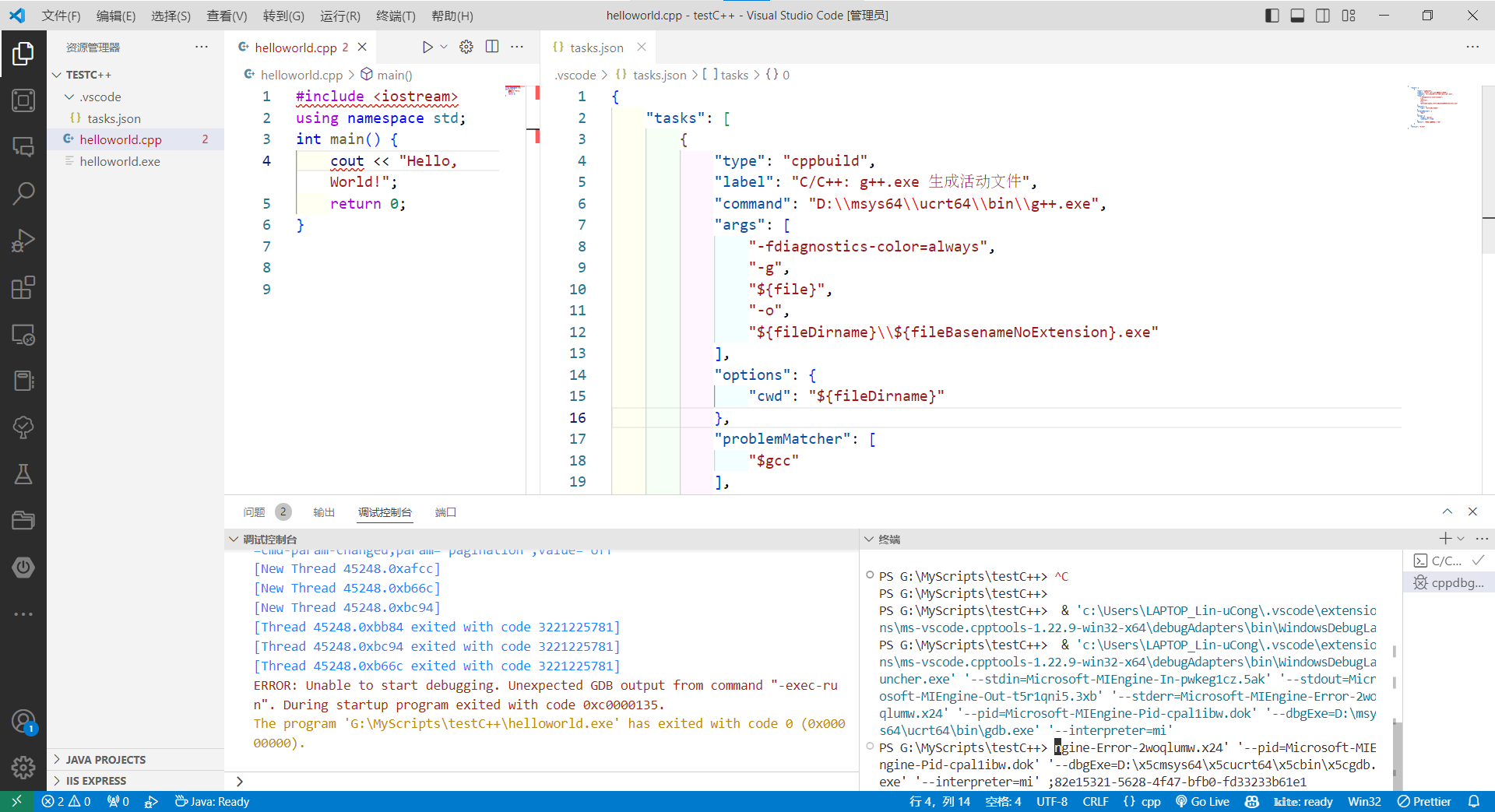
后:

 posted on

 浙公网安备 33010602011771号