
Chrome中无法显示Vue的Devtools问题
1.1 vue2 / vue3 使用了对应版本的扩展插件

1.2 扩展插件设置正确

1.3 main.js中配置了正确的启用devtools
Vue.config.devtools = true
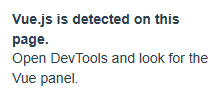
这个解决了插件异常:Devtools inspection is not available because it's in production mode or explicitly disabled by the author.
以上还是不行的话:
1.4 修改vue.config.js
configureWebpack: {
devtool: 'true',
// provide the app's title in webpack's name field, so that
// it can be accessed in index.html to inject the correct title.
// name: name,
resolve: {
alias: {
'@': resolve('src')
}
}
},
就行了

本文来自博客园,作者:你啊347,转载请注明原文链接:https://www.cnblogs.com/LinKinSJ/p/18983992

 浙公网安备 33010602011771号