
Linux-宝塔安装
一、什么是宝塔?
官网的详细安装教程:
宝塔的简介:
宝塔Linux面板是提升运维效率的服务器管理软件,支持一键LAMP/LNMP/集群/监控/网站/FTP/数据库/JAVA等100多项服务器管·理功能。
安装要求
系统要求:最好是centos7以上
硬盘:最好大于300M
架构:x86_64位系统
系统中需要没有LNMP环境;
二、安装
1、下载好宝塔安装脚本
[root@RHEL8-Master ~]# wget http://download.bt.cn/install/install_6.0.sh
2、运行脚本
#sh调用运行脚本
[root@RHEL8-Master ~]# sh install_6.0.sh
###########
#是否安装?-->选择yes
Do you want to install Bt-Panel to the /www directory now?(y/n): y
#等待安装下载完成,出现以下信息代表安装完成
Congratulations! Installed successfully!
==================================================================
外网面板地址: http://61.140.184.103:8888/9ba0dc39
内网面板地址: http://192.168.75.21:8888/9ba0dc39
username: taq148xf
password: 9ec86db9
If you cannot access the panel,
release the following panel port [8888] in the security group
若无法访问面板,请检查防火墙/安全组是否有放行面板[8888]端口
==================================================================
Time consumed: 3 Minute!

#上面就有面板地址:
账户:
密码:
#注意关闭防火墙,
#关闭selinux最好
3、测试是否能够登陆
打开浏览器-->输入网址: http://192.168.75.21:8888/9ba0dc39

输入账号与密码
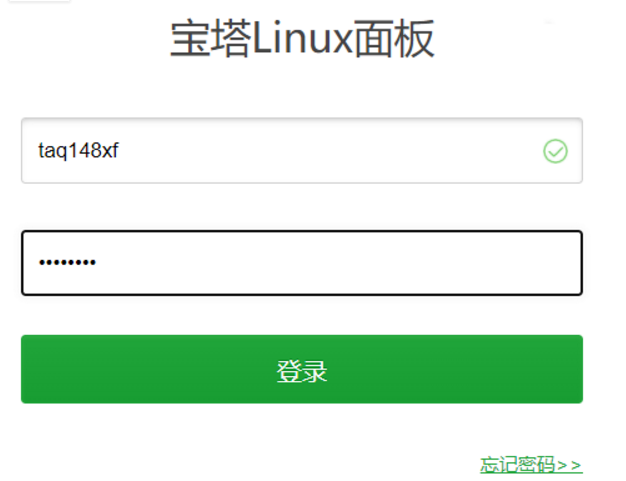
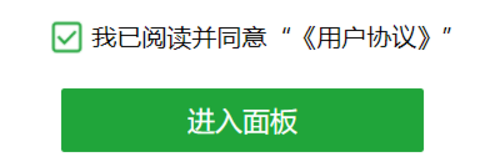
然后下一步-->点击同意

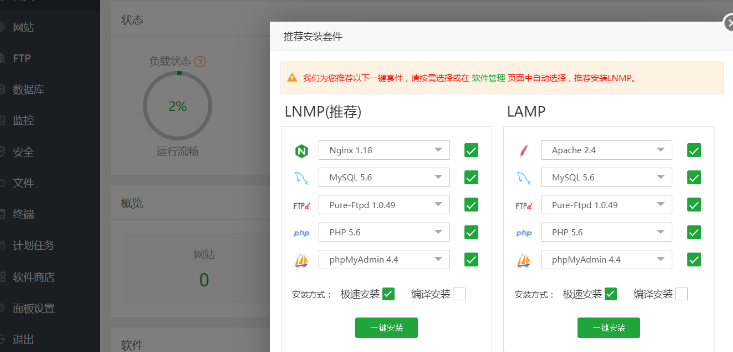
看到这个界面代表安装成功
持之以恒&静心定性

 浙公网安备 33010602011771号