
前端JS-Day20
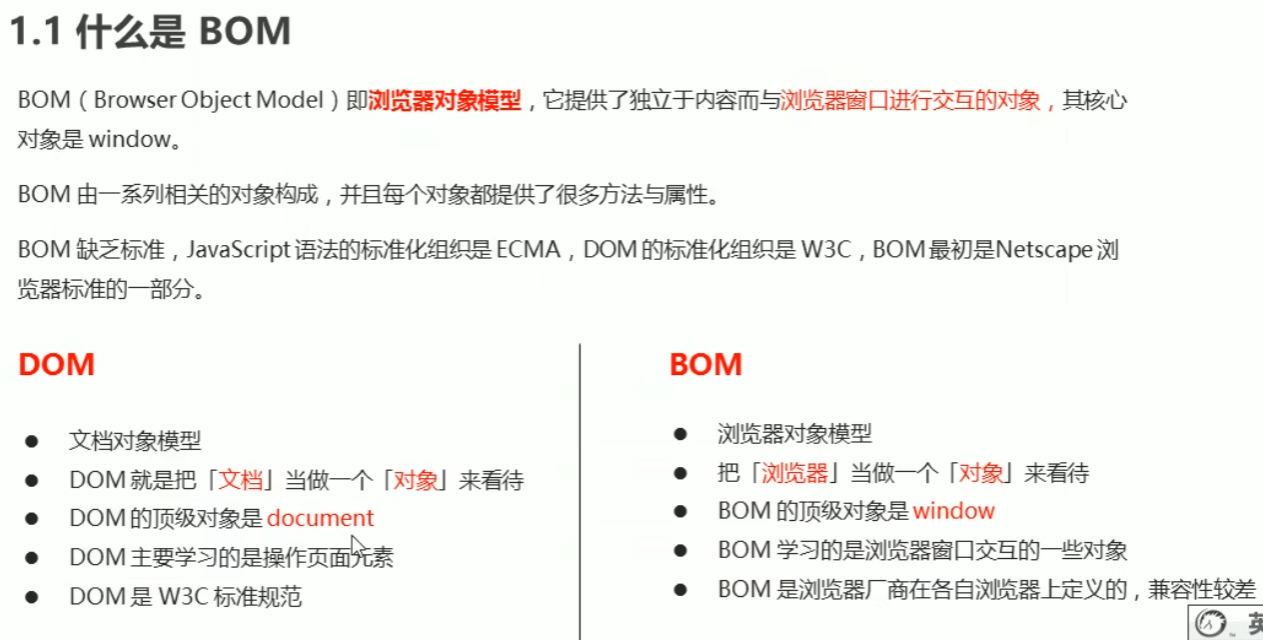
BOM:浏览器对象模型,核心对象为Window
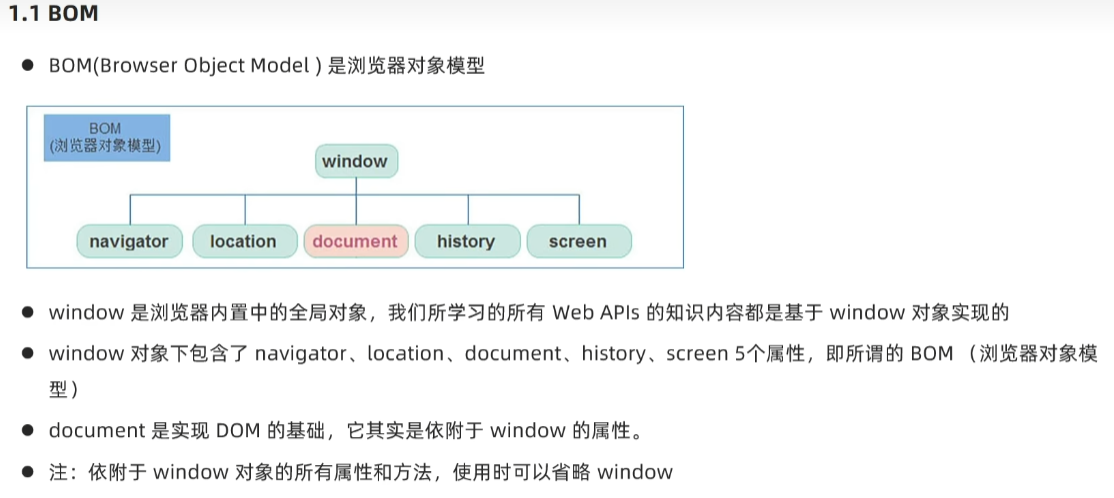
通过var声明的所有全局变量和函数都会变成window对象的属性和方法,let或const则不行。
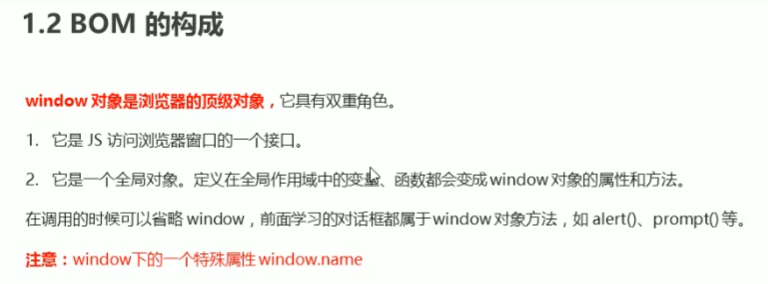
窗口加载事件:addEventListener('load' fuction(){})
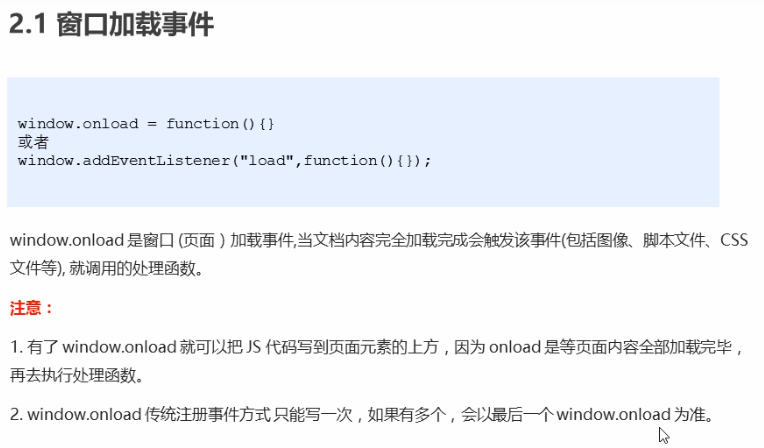
DOMContentLoaded事件,仅当DOM加载完成才运行js函数

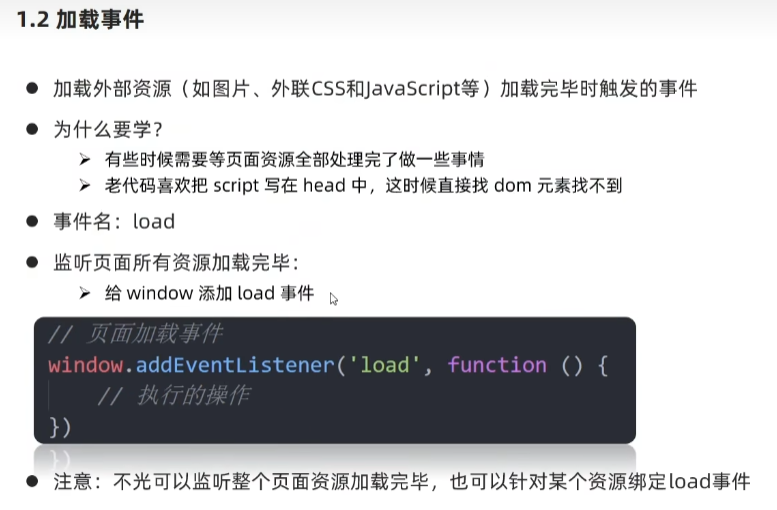
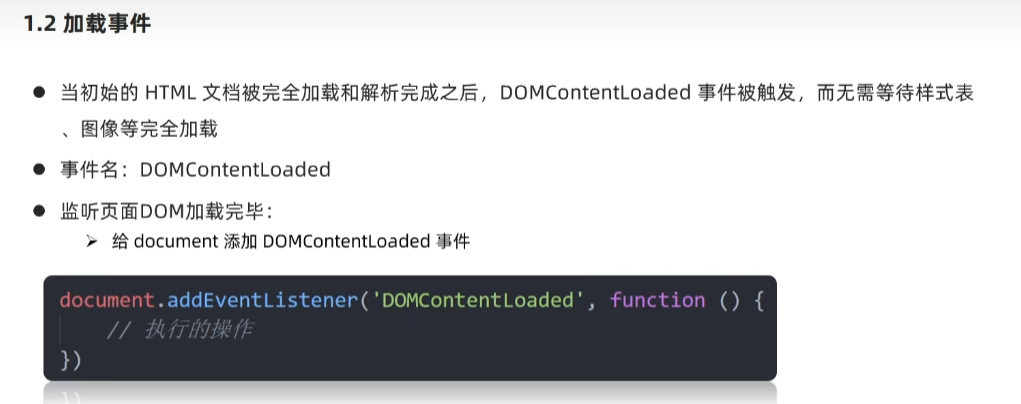
DOMContentLoaded 比 onload运行快,等DOM加载完毕即执行,不等待flash和css解析完毕。
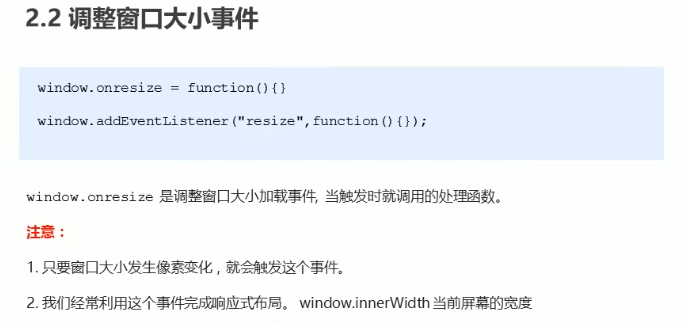
窗口大小事件:addEventListener("resize", fuction(){})
定时器:回调函数callback
setTimeout(调用函数,[延迟毫秒数]);即延迟执行函数仅一次。
setInterval(调用函数,[间隔毫秒数]);各个间隔重复执行函数。
clearTimeout(函数名)、clearInterval(函数名):停止定时器函数。
定时器函数前window方法名可以省略。
this指向:
1.在全局作用域或者普通函数中this指向全局对象window,定时器同样。
2.方法中谁调用this指向谁。
3.构造函数中this指向构造函数的实例。
JS执行机制:
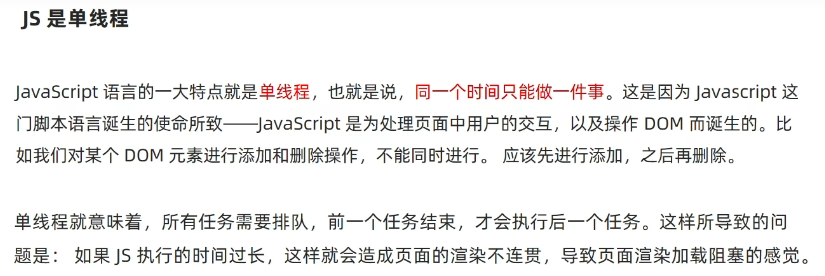
同步和异步:
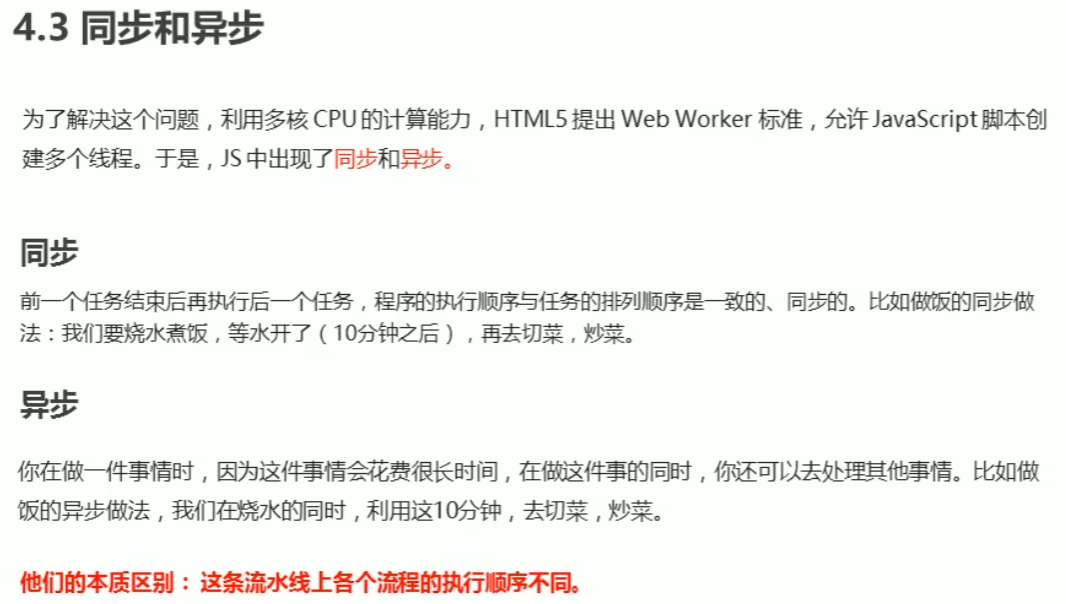
同步任务:同步任务都在主线程上执行,形成一个执行栈。
异步任务:JS异步是通过回调函数实现。
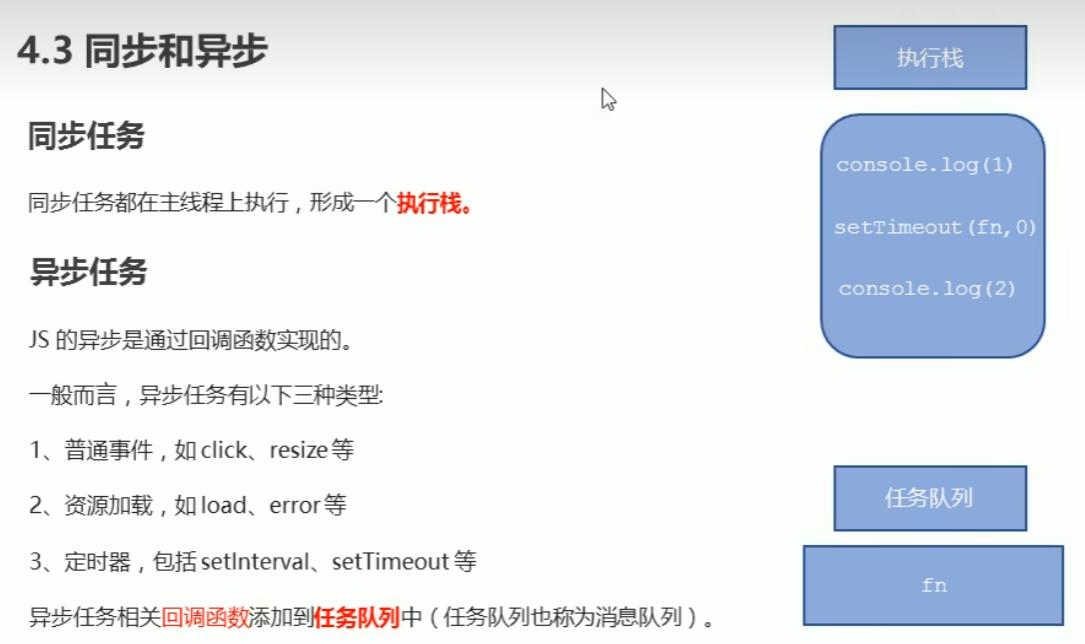
执行机制:
1.先执行执行栈中的同步任务。
2.将异步任务(回调函数)放入任务队列中。
3.一旦执行栈中的所有同步任务执行完毕,系统则按次序读取任务队列中的异步任务,被读取的异步任务结束等待状态,进入执行栈,开始执行。
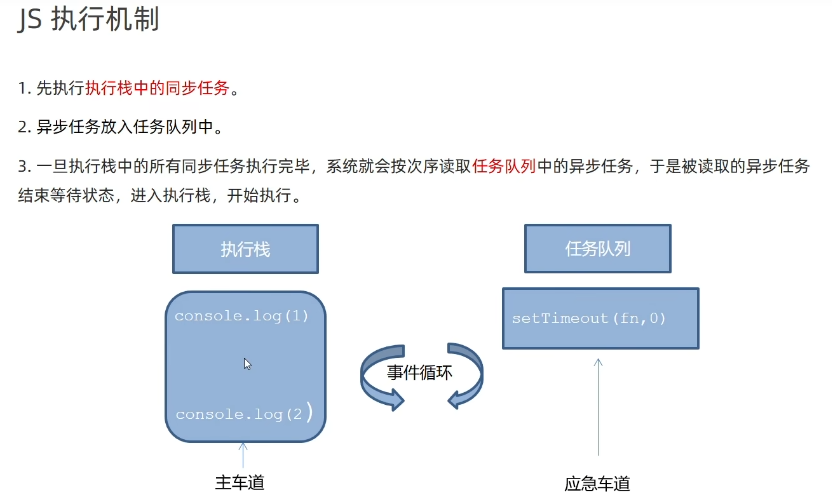
事件循环:即主线程在获取任务和执行任务间不断循环的过程。

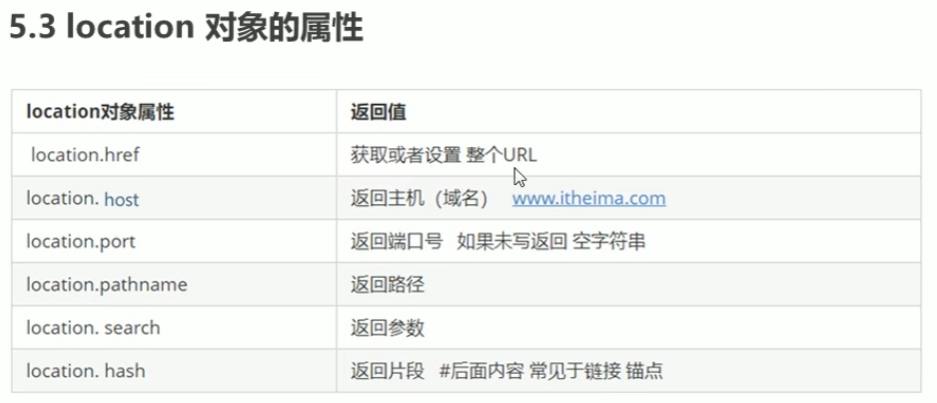
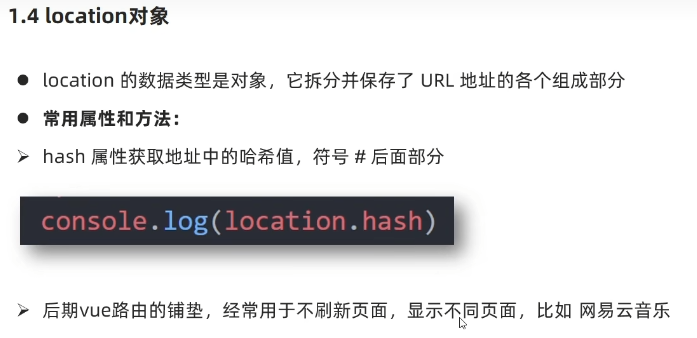
location对象:解析url

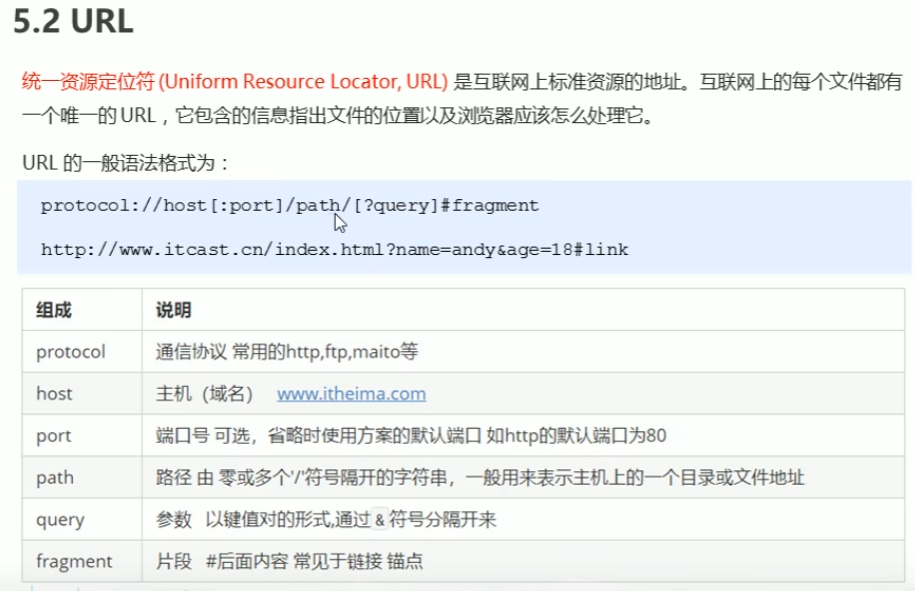
location属性:
location方法:
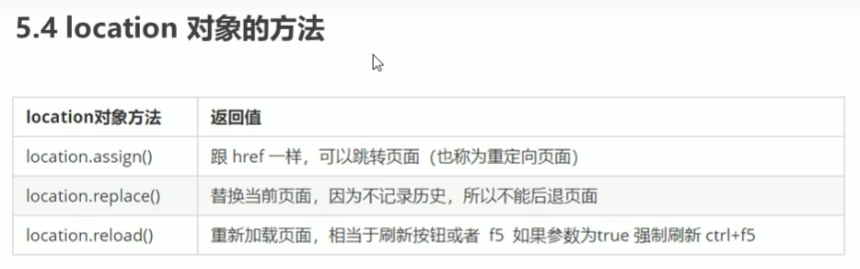
location.assign()可以返回之前的页面,记录历史。
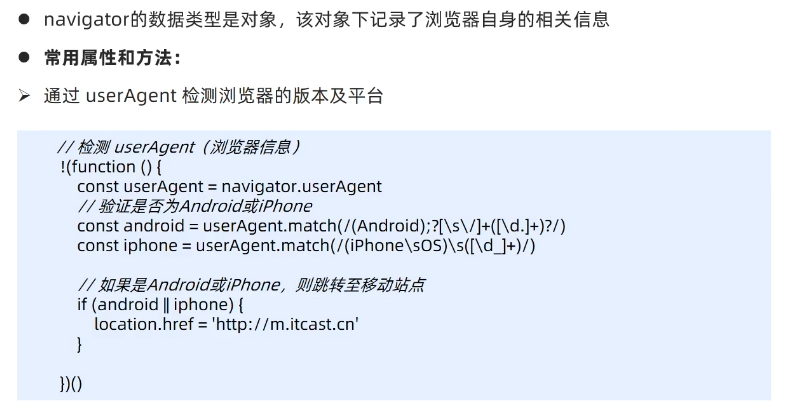
navigator对象:利用userAgent方法判断用户终端设备
history对象:即前进后退功能的实现
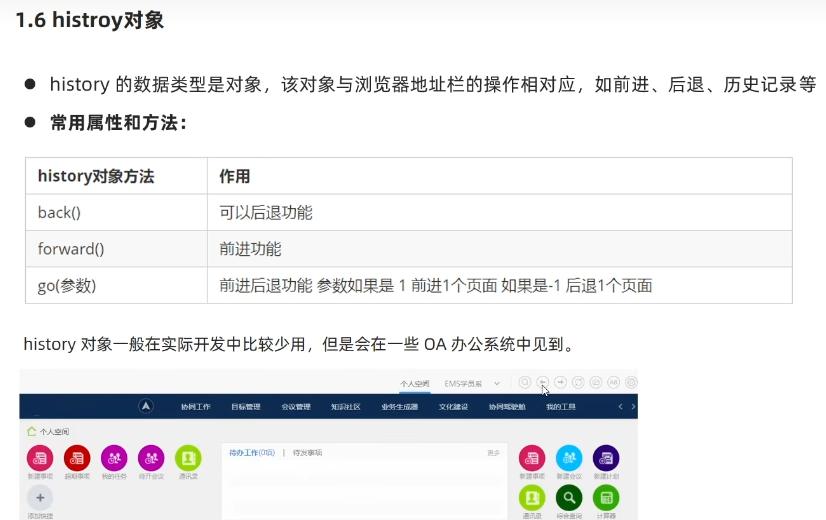
一般在OA办公系统中会用到history对象。
元素偏移量
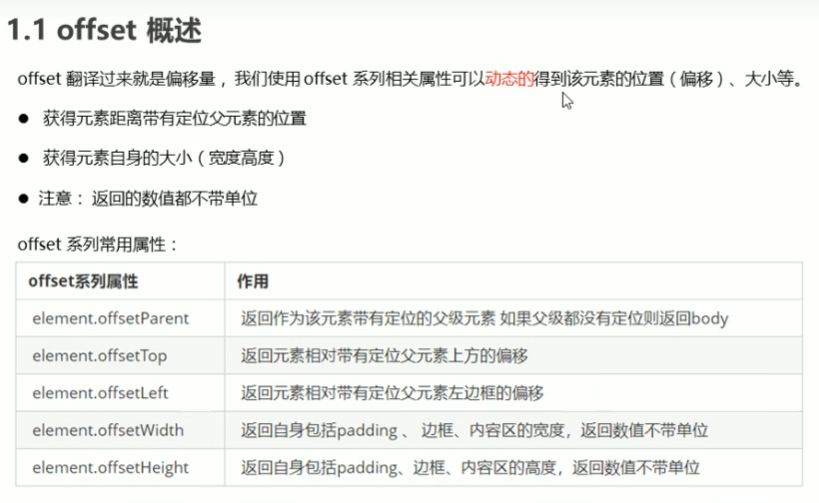
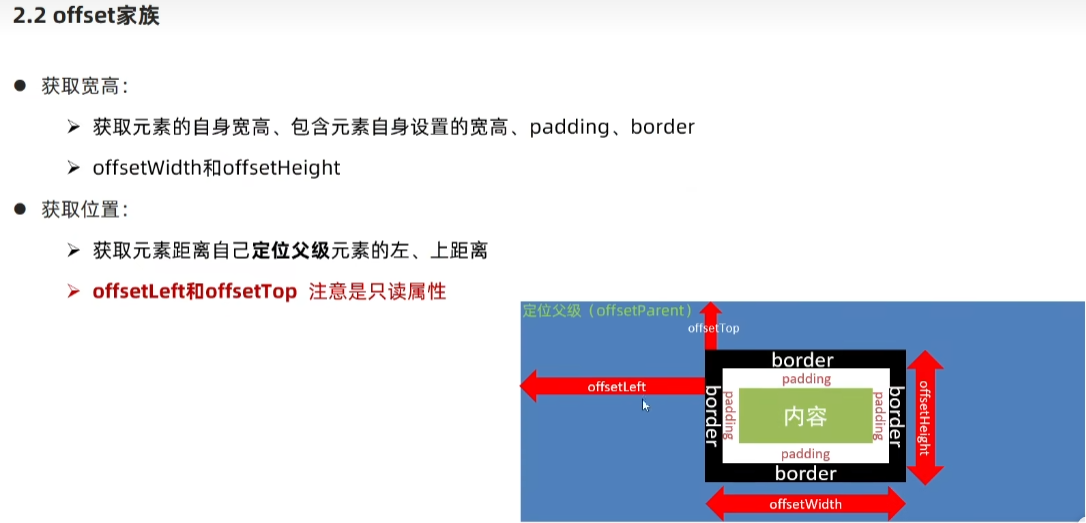
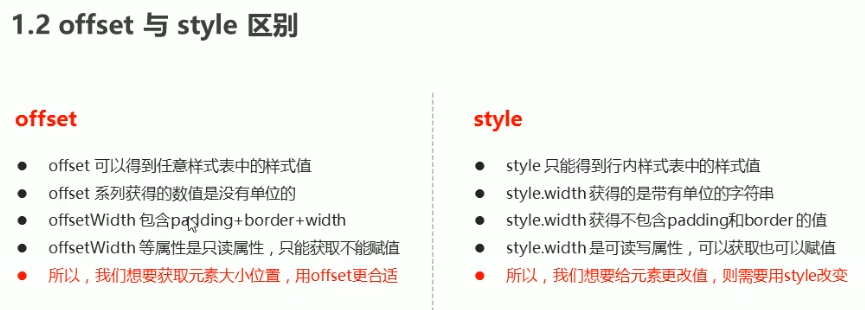
offset:获取元素偏移量
图片放大镜例子:
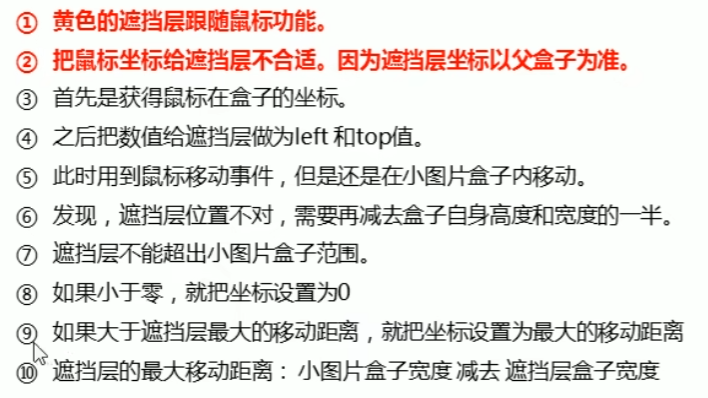
<script>
        let bigger = document.querySelector('.bigger');
        let mask = document.querySelector('.mask');
        let section = document.querySelector('section');
        let move = function (e) {
            let x = e.pageX - section.offsetLeft;
            let y = e.pageY - section.offsetTop;
            let widths = x - mask.offsetWidth / 2;
            let heights = y - mask.offsetHeight / 2;
            if (widths <= 0) {
                widths = '0px'
            } else if (widths >= section.offsetWidth - mask.offsetWidth) {
                widths = section.offsetWidth - mask.offsetWidth;
            }
            if (heights <= 0) {
                heights = '0px'
            } else if (heights >= section.offsetHeight - mask.offsetHeight) {
                heights = section.offsetHeight - mask.offsetHeight;
            }
            mask.style.left = widths + 'px';
            mask.style.top = heights + 'px';
        }
        section.addEventListener('mouseover', () => {
            mask.style.display = 'block';
            bigger.style.display = 'block';
        });
        section.addEventListener('mousemove', move);
        section.addEventListener('mouseout', () => {
            mask.style.display = 'none';
            bigger.style.display = 'none';
            this.removeEventListener('mousemove', move);
        });
</script>
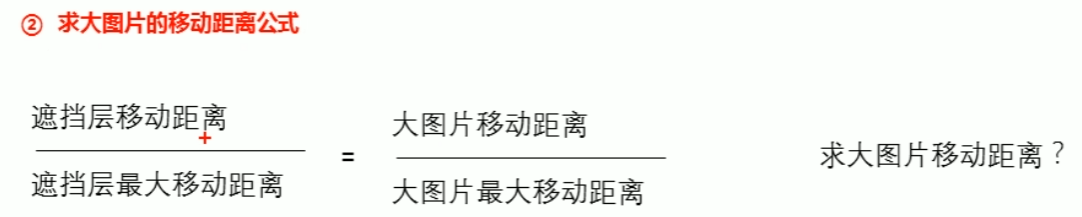
  let bigImg = document.querySelector('.bigImg');
  let bigMax_w = bigImg.offsetWidth - bigger.offsetWidth;
  let bigMax_h = bigImg.offsetHeight - bigger.offsetWidth;
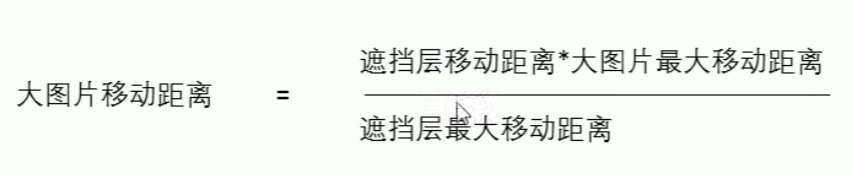
  let bigX = widths * bigMax_w / maxWidth;
  let bigY = heights * bigMax_h / maxHeight;
  bigImg.style.left = -bigX + 'px';
  bigImg.style.top = -bigY + 'px';

 浙公网安备 33010602011771号