表格的列点击变换
简单实例代码:
<!DOCTYPE html>
<html>

<head>
    <meta http-equiv="Content-Type" content="text/html;charset=UTF-8">
    <title></title>
    <style>
        table {
            border: 1px red solid;
        }

        tr {
            width: 100%;
            height: 40px;
        }

        td {
            width: 100px;
            border: 1px darkred solid;
        }
    </style>
</head>

<body>

    <table id="tb" cellspacing='0'>
        <tr class='tr1'>
            <td>1</td>
            <td>1</td>
        </tr>
        <tr class='tr1'>
            <td>2</td>
            <td>2</td>
        </tr>
        <tr class='tr1'>
            <td>3</td>
            <td>3</td>
        </tr>
        <tr class='tr1'>
            <td>4</td>
            <td>4</td>
        </tr>
    </table>
    <script>
        Object.prototype.indexof = function () {
            var arr = this.parentElement.children;
            for (let j = 0; j < arr.length; j++) {
                if (arr[j] == this) {
                    return j;
                }
            }
        }

        var tr = document.querySelectorAll('.tr1');
        var td = document.querySelectorAll('td');
        var table = document.querySelectorAll('#tb')

        for (let i = 0; i < td.length; i++) {
            td[i].onclick = function () {
                td.forEach((el) => {
                    el.style.backgroundColor = 'white';
                })
                let x = td[i].indexof()
                tr.forEach((el) => {
                    el.children[x].style.backgroundColor = 'blue';
                })

            }
        }
    </script>
</body>

</html>
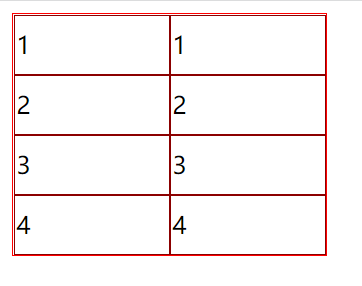
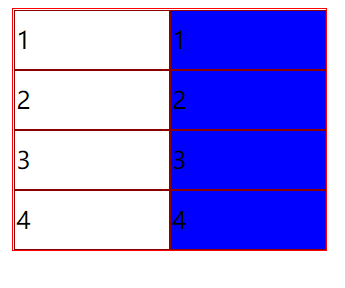
效果图
点击前:
![]()
点击后:
![]()


 浙公网安备 33010602011771号