

WPF使用Winform、ActiveX(OCX)控件
一、调用Winform控件
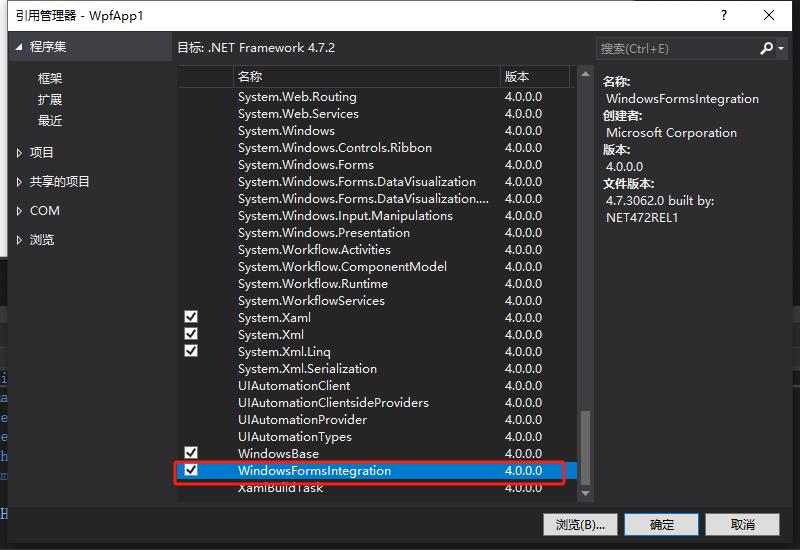
1、添加 “WindowsFormsIntegration” 程序集引用
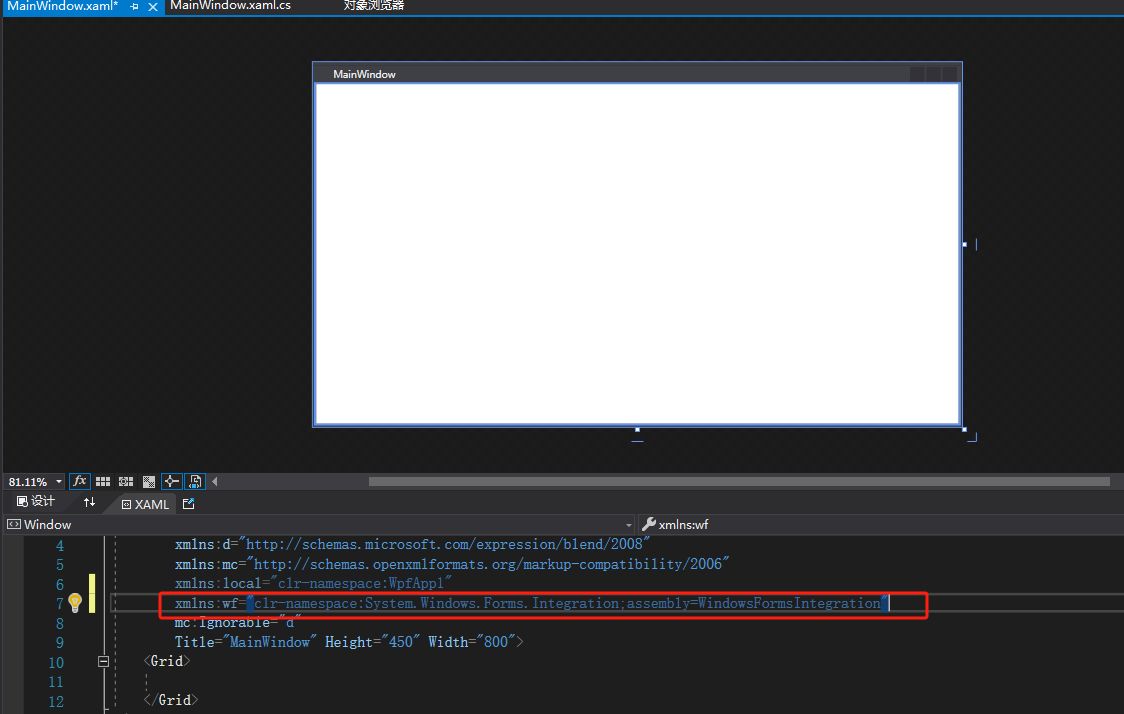
2、在前端代码设计处使用命名空间
代码:
xmlns:wf="clr-namespace:System.Windows.Forms.Integration;assembly=WindowsFormsIntegration"
示例图:
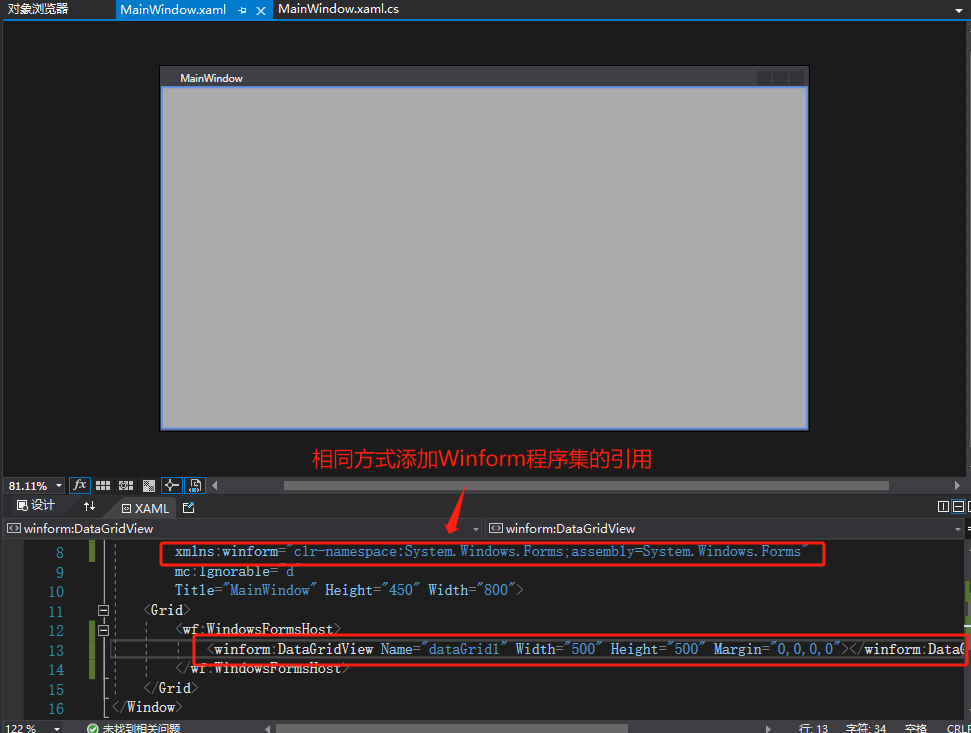
3、然后,就可以在XAML文件中这样使用WindowsFormsHost控件:
代码:
<wf:WindowsFormsHost>
  <!-- Windows Forms控件在此处 -->
</wf:WindowsFormsHost>
示例图:使用Winform的DataGridView控件
二、WPF使用ActiveX(OCX)控件
1、注册OCX控件(此处不赘述)
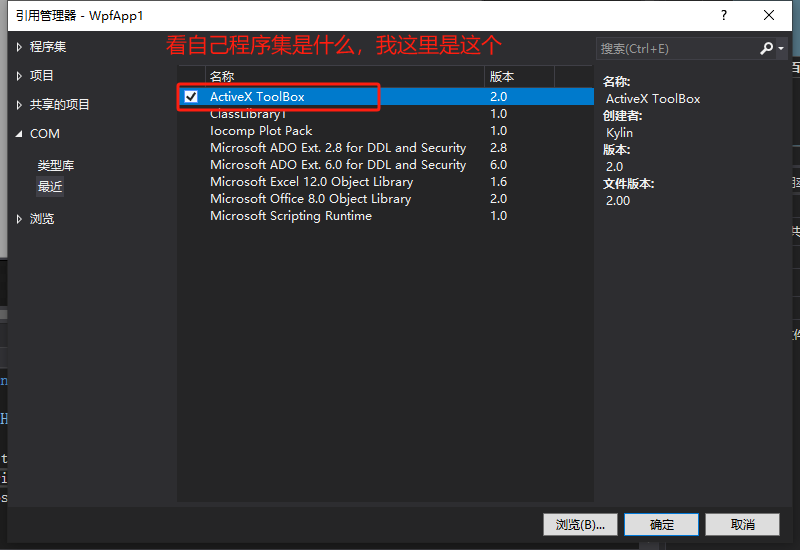
2、添加OCX控件程序集的引用
3、创建一个Winform程序,载入控件后在Winform使用一次该控件
注:Winform在注册了OCX后在工具栏可直接添加相关控件
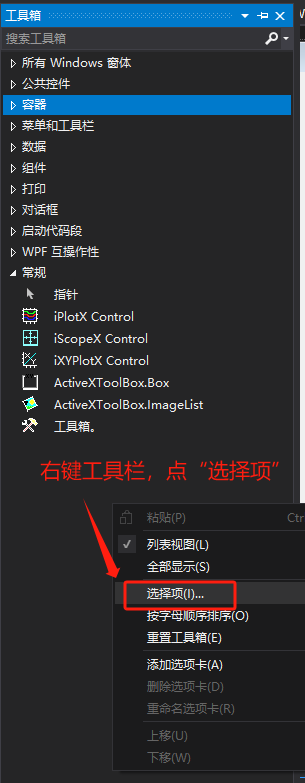
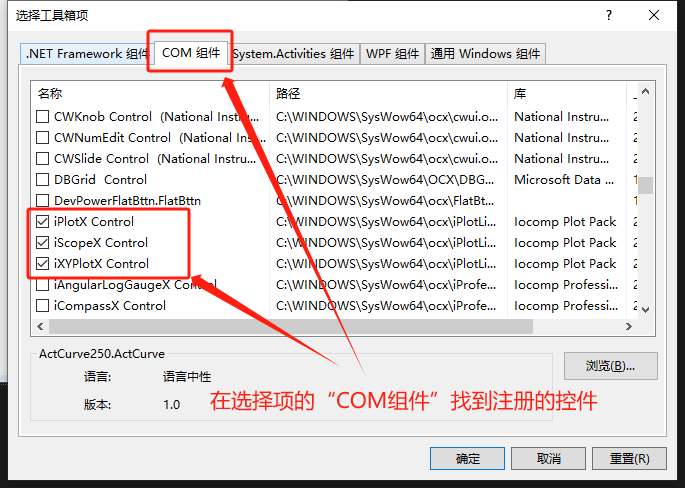
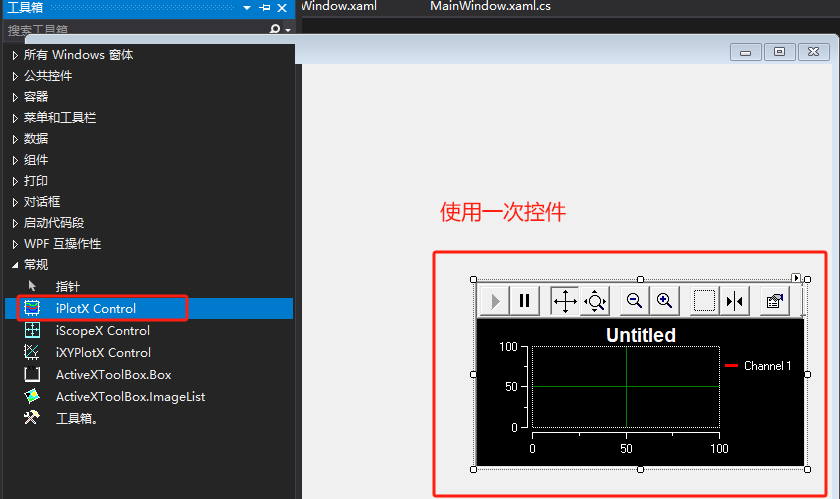
4、此时会生成相关控件的引用,我这里是iPlitLibray
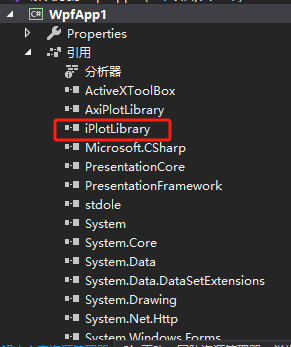
5、接下来和第一步使用Winform控件一下,前端添加引用然后直接调用即可
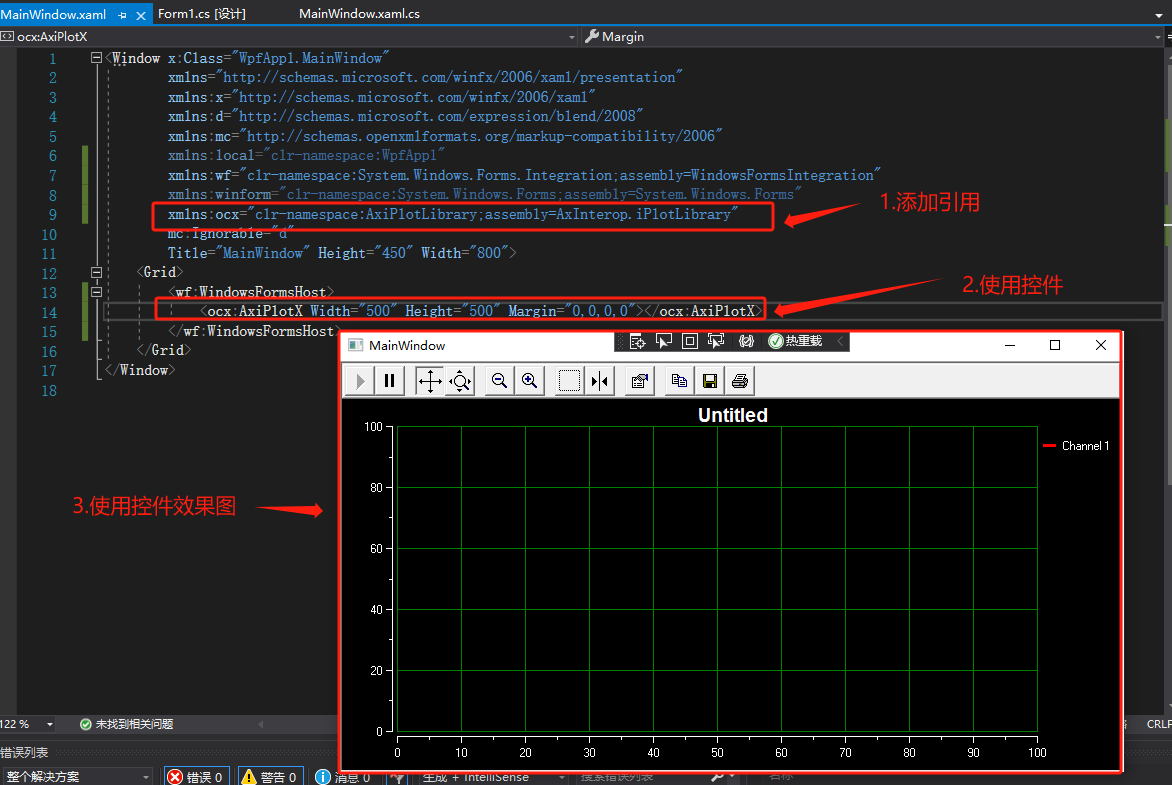
附:后台调用法,代码如下(前端不写由后台代码生成控件):
            // 创建 host 对象
            var host = new System.Windows.Forms.Integration.WindowsFormsHost();
            host.Margin = new Thickness(400, 0, 0, 0);//设置属性

            //创建ocx对象
            AxiPlotLibrary.AxiPlotX ax = new AxiPlotLibrary.AxiPlotX();

            //开始初始化ocx对象
            ((System.ComponentModel.ISupportInitialize)ax).BeginInit();

            host.Child = ax;
            // 将对象加入到面板中
            dockPan.Children.Add(host);

            ((System.ComponentModel.ISupportInitialize)ax).EndInit();// 结束初始化

            //.......(后续对Ocx控件的操作)

 浙公网安备 33010602011771号