
Vue 列表渲染
Vue 列表渲染
v-for
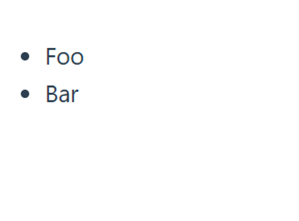
我们可以使用 v-for 指令基于一个数组来渲染一个列表。v-for 指令的值需要使用 item in items 形式的特殊语法,其中 items 是源数据的数组,而 item 是迭代项的别名。
<template>
  <li v-for="item in items">
    {{ item.message }}
  </li>
</template>

<style scoped></style>

<script setup>
import { ref } from 'vue'

const items = ref([{ message: 'Foo' }, { message: 'Bar' }])
</script>
渲染结果:
访问父作用域属性与索引
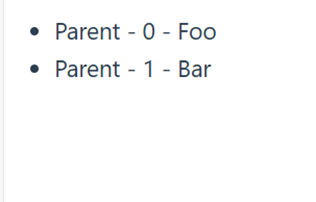
在 v-for 块中可以完整地访问父作用域内的属性和变量。v-for 也支持使用可选的第二个参数表示当前项的位置索引。
<template>
  <li v-for="(item, index) in items">
    {{ parentMessage }} - {{ index }} - {{ item.message }}
  </li>
</template>

<style scoped></style>

<script setup>
import { ref } from 'vue'

const parentMessage = ref('Parent')
const items = ref([{ message: 'Foo' }, { message: 'Bar' }])
</script>
渲染结果:
变量作用域
v-for 变量的作用域和下面的 JavaScript 代码很类似:
const parentMessage = 'Parent'
const items = [
  /* ... */
]

items.forEach((item, index) => {
  // 可以访问外层的 `parentMessage`
  // 而 `item` 和 `index` 只在这个作用域可用
  console.log(parentMessage, item.message, index)
})
注意 v-for 是如何对应 forEach 回调的函数签名的。实际上,你也可以在定义 v-for 的变量别名时使用解构,和解构函数参数类似:
<!-- 解构单个属性 -->
<li v-for="{ message } in items">
  {{ message }}
</li>

<!-- 有 index 索引时 -->
<li v-for="({ message }, index) in items">
  {{ message }} {{ index }}
</li>
多层嵌套 v-for
对于多层嵌套的 v-for,作用域的工作方式和函数的作用域很类似。每个 v-for 作用域都可以访问到父级作用域:
<li v-for="item in items">
  <span v-for="childItem in item.children">
    {{ item.message }} {{ childItem }}
  </span>
</li>
使用 of 分隔符
也可以使用 of 作为分隔符来替代 in,这更接近 JavaScript 的迭代器语法:
<template>
  <div v-for="item of items"></div>
</template>
v-for 与对象
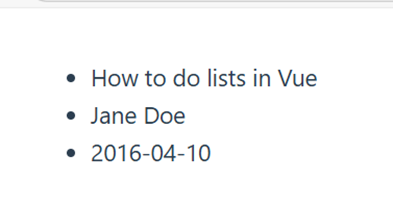
可以使用 v-for 来遍历一个对象的所有属性。遍历的顺序会基于对该对象调用 Object.values() 的返回值来决定。
遍历对象属性值
<template>
  <ul>
    <li v-for="value in myObject">
      {{ value }}
    </li>
  </ul>
</template>

<style scoped></style>

<script setup>
import { reactive } from 'vue'

const myObject = reactive({
  title: 'How to do lists in Vue',
  author: 'Jane Doe',
  publishedAt: '2016-04-10'
})
</script>
渲染结果:
访问属性名(key)
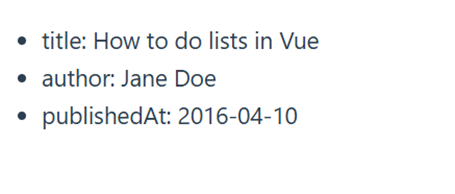
可以通过提供第二个参数表示属性名 (例如 key):
<template>
  <ul>
    <li v-for="(value, key) in myObject">
      {{ key }}: {{ value }}
    </li>
  </ul>
</template>
渲染结果:
访问位置索引
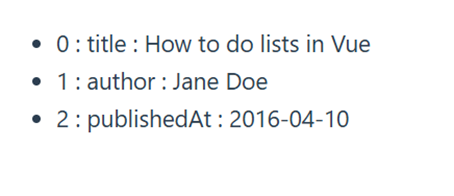
第三个参数表示位置索引:
<template>
  <ul>
    <li v-for="(value, key, index) in myObject">
      {{ index }} : {{ key }} : {{ value }}
    </li>
  </ul>
</template>
渲染结果:
在 v-for 里使用范围值
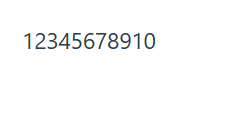
v-for 可以直接接受一个整数值。在这种用例中,会将该模板基于 1...n 的取值范围重复多次。
<template>
  <span v-for="n in 10">{{ n }}</span>
</template>
注意:此处 n 的初值是从 1 开始而非 0。
渲染结果:

 浙公网安备 33010602011771号