
【Unity】多线程下的网格生成及性能分析
前言
概述
-
通过多线程方式实现上千个对象的网格生成,并观察运行效率。
-
多线程通过Thread来进行,每个线程中执行GenerateMeshData方法,在方法中对不同种类的网格进行顶点和三角面序列的计算。首先设置简单立方体,之后改为柏林噪声下生成的复杂地形。
主线程限制
Unity设计之初就是依靠单线程执行所有对象的生命周期的,所以有些地方无法支持多线程,此处大致进行举例:
-
Unity API调用:许多Unity的功能和API只能在主线程上调用,例如实例化、销毁、修改游戏对象、修改组件属性等。
-
渲染相关操作:与渲染相关的操作,例如修改材质、设置渲染目标、更新纹理等,通常需要在主线程上执行。
-
用户界面操作:与用户界面相关的操作,例如处理输入事件、更新UI元素等,也需要在主线程上执行。
因为这篇文章中,需要对网格进行生成,所以会通过mesh.vertices和mesh.triangles进行赋值,然而mesh的获取也是必须在主线程下进行的,所以每个线程中执行的GenerateMeshData方法实际上是计算所有顶点,存放到公共数组中。最后到主线程中,再对每个网格进行点和三角形的赋值,并对所有的网格进行合批,通过一个MeshRenderer来显示(见实现思路图)
运行效果
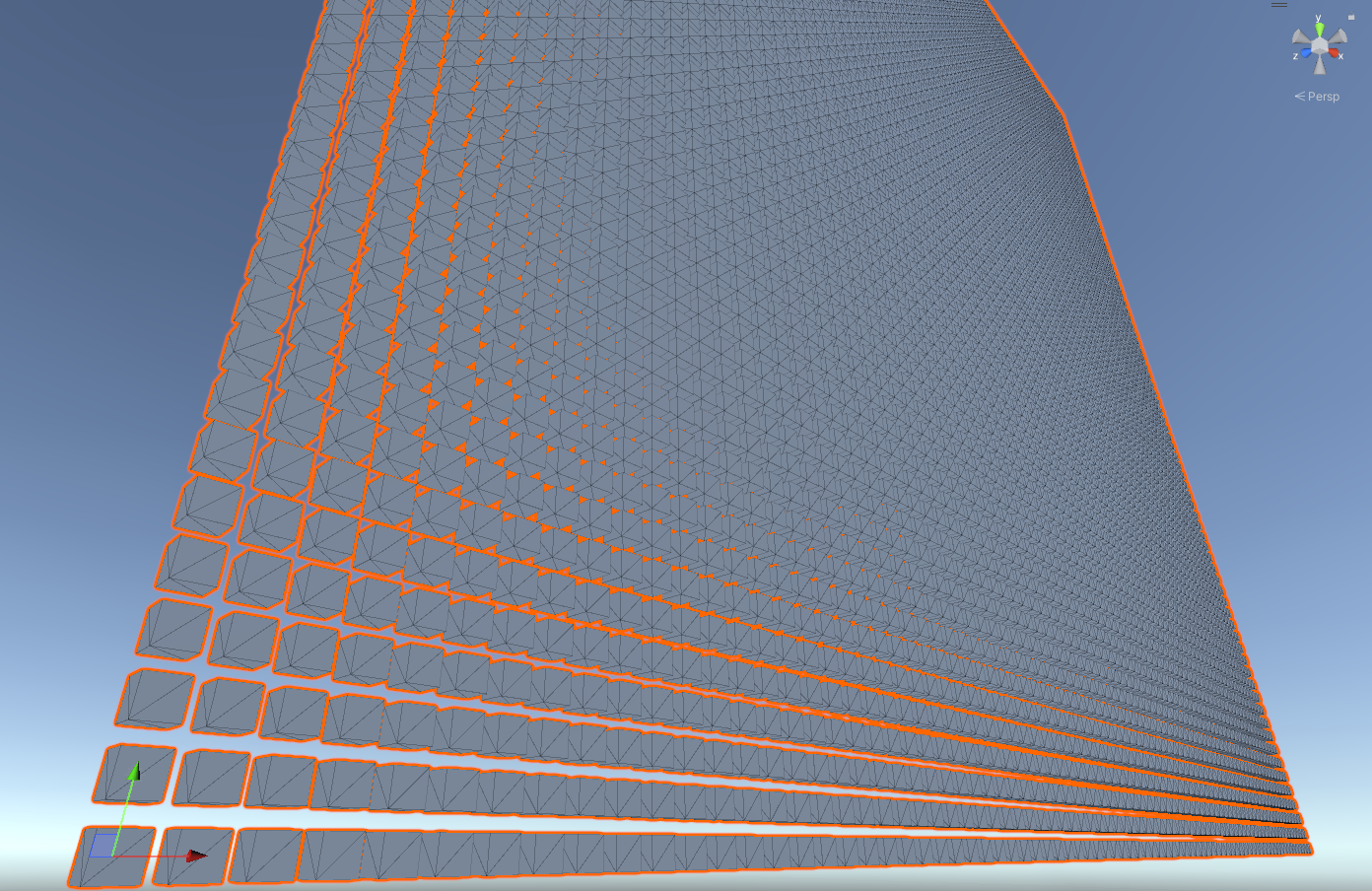
实现过程
实现思路

完整代码
using System.Collections.Generic;
using System.Diagnostics;
using System.Threading;
using UnityEngine;

public class MeshGeneratorMultiThreading : MonoBehaviour
{
    public int numThreads = 4;

    private List<Thread> threads;
    private List<Mesh> meshes;
    private MeshFilter meshFilter;
    private List<Vector3[]> verticesList;
    private List<int[]> trianglesList;

    private Stopwatch stopwatch;
    private string elapsedTime;
    private void Start()
    {

        stopwatch = new Stopwatch();
        stopwatch.Start();

        threads = new List<Thread>(numThreads);
        meshes = new List<Mesh>(numThreads);
        verticesList = new List<Vector3[]>(numThreads);
        trianglesList = new List<int[]>(numThreads);

        meshFilter = GetComponent<MeshFilter>();
        meshFilter.mesh = new Mesh();

        // 创建多个线程,开始计算生成网格数据
        for (int i = 0; i < numThreads; i++)
        {
            meshes.Add(new Mesh());

            int threadIndex = i;
            Thread thread = new Thread(() => { GenerateMeshData(threadIndex); });
            threads.Add(thread);
            thread.Start();
        }

        // 阻塞等待所有的网格数据计算完成
        foreach (Thread thread in threads)
        {
            thread.Join();
        }

        // 计算完成后应用于所有网格
        for (int i = 0; i < numThreads; i++)
        {
            meshes[i].vertices = verticesList[i];
            meshes[i].triangles = trianglesList[i];
        }
        // 合并
        CombineMeshes();

        stopwatch.Stop();
        elapsedTime = $"Elapsed time: {stopwatch.Elapsed.TotalSeconds} seconds";
    }

    private void GenerateMeshData(int threadIndex)
    {
        //生成立方体网格
        var (vs, ts) = GenerateCubeMeshData(threadIndex);

        // 将生成的网格数据添加到列表中
        lock (verticesList)
        {
            verticesList.Add(vs);
            trianglesList.Add(ts);
        }
    }

    private (Vector3[] vertices, int[] triangles) GenerateCubeMeshData(int threadIndex)
    {
        Vector3[] vertices = new Vector3[8];
        vertices[0] = new Vector3(-1, -1, -1);
        vertices[1] = new Vector3(1, -1, -1);
        vertices[2] = new Vector3(1, 1, -1);
        vertices[3] = new Vector3(-1, 1, -1);
        vertices[4] = new Vector3(-1, -1, 1);
        vertices[5] = new Vector3(1, -1, 1);
        vertices[6] = new Vector3(1, 1, 1);
        vertices[7] = new Vector3(-1, 1, 1);

        int sqrThreadNum = (int)Mathf.Sqrt(numThreads);
        for (var i = 0; i < vertices.Length; i++)
        {
            vertices[i] += new Vector3((threadIndex / sqrThreadNum) * 3, (threadIndex % sqrThreadNum) * 3, 0);
        }

        int[] triangles = new int[36]
        {
        0, 2, 1, 0, 3, 2, // Front face
        1, 2, 5, 5, 2, 6, // Right face
        4, 5, 6, 4, 6, 7, // Back face
        0, 7, 3, 0, 4, 7, // Left face
        0, 5, 4, 0, 1, 5, // Bottom face
        2, 3, 6, 6, 3, 7  // Top face
        };

        return (vertices, triangles);
    }


    private void CombineMeshes()
    {
        // 合并所有生成的网格
        CombineInstance[] combine = new CombineInstance[meshes.Count];

        for (int i = 0; i < meshes.Count; i++)
        {
            combine[i].mesh = meshes[i];
            combine[i].transform = Matrix4x4.identity;
        }
        meshFilter.mesh.CombineMeshes(combine, true, true);
    }


    private void OnGUI()
    {
        GUI.Label(new Rect(10, 10, 500, 20), elapsedTime);
    }
}
性能对比
通过StopWatch记录运行时间,分为多种对比情况:
(1)一个线程只绘制一个立方体,总共绘制6400个立方
多线程下,花费1.3s; 单线程下花费0.03s。反而多线程花费的更多了,因为开了6400个线程,线程开启的开销远远大于每个线程计算所花费的开销。
(2)一个线程只绘制一片地形(1000*1000 Unit),总共绘制100个地形
多线程下,花费3.4s; 单线程下花费8.9s。这里可以看出差距,但是差距只有常数倍。
这是正常的,原因分析:
理想情况下,N核CPU在多线程下的效率应该是 1/N,N本身就是常数,所以差距是常数倍也是正常的。
但是我的电脑是8核的,为什么结果比8要小很多。因为通常情况下,线程数都是大于CPU核心数的,那一个核心就会(并发)处理多个线程,每个线程在切换的时候就要同时保存加载上下文,这是主要耗时的地方。
注:由于Unity的一个Mesh最多只支持65000个顶点,所以(2)未对网格进行设置、合批和渲染。
其他
MainThreadDispatcher(在子线程中将方法发送到主线程执行)
概述
编写过程中,写了一些其他的脚本,最终虽未用到,但是还是记录下来。MainThreadDispatcher主要是用于在子线程中能够方便调用主线程代码的(Unity API等)。
但是,都知道子线程是无法调用大多Unity API的,所以只能寻求别的方法。这里就是将这些方法作为委托对象存放到一个队列中,等待MainThreadDispatcher的主线程的Update生命周期时,对这些委托进行执行。
完整代码
using System.Collections.Generic;
using System.Threading;
using UnityEngine;

namespace JimDevPack.Common.MultiThread
{
    public class MainThreadDispatcher : MonoBehaviour
    {
        private static MainThreadDispatcher instance;
        private static readonly Queue<System.Action> actions = new Queue<System.Action>();

        // 运行开始时,就执行的方法
        [RuntimeInitializeOnLoadMethod]
        private static void Initialize()
        {
            if (instance == null)
            {
                GameObject dispatcherObject = new GameObject("MainThreadDispatcher");
                instance = dispatcherObject.AddComponent<MainThreadDispatcher>();
                DontDestroyOnLoad(dispatcherObject);
            }
        }

        void Update()
        {
            while (actions.Count > 0)
            {
                actions.Dequeue()?.Invoke();
            }
        }

        public static void RunOnMainThread(System.Action action)
        {
            if (action == null)
            {
                throw new System.ArgumentNullException(nameof(action));
            }

            actions.Enqueue(action);
        }
    }
}

 浙公网安备 33010602011771号