Windows批处理实现带时间戳ping
windows环境 ,
将以下代码保存为 .bat文件
@echo off
@echo.----------------------------------------------------------
@echo.-----------------------------------------------------------
@echo off
set /p host=please input your destination ip  :
set logfile=Log_%host%.log
echo Target Host = %host% >%logfile%
for /f "tokens=*" %%A in ('ping %host% -n 1 ') do (echo %%A>>%logfile% && GOTO Ping)
:Ping
for /f "tokens=* skip=2" %%A in ('ping %host% -n 1 ') do (
    echo %date% %time:~0,2%:%time:~3,2%:%time:~6,2% %%A>>%logfile%
    echo %date% %time:~0,2%:%time:~3,2%:%time:~6,2% %%A
    timeout 1 >NUL
    GOTO Ping)
双击后,
会跳出窗口提示输入要ping的Ip地址
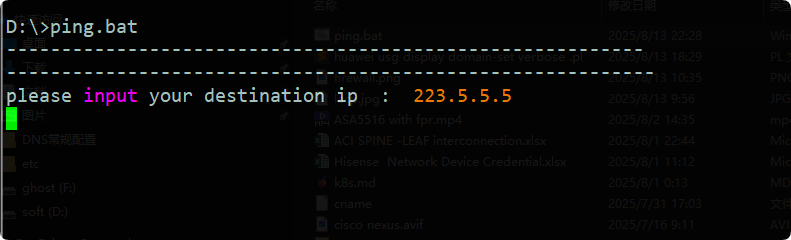
输入目标IP,这里我们要ping 的是 223.5.5.5,
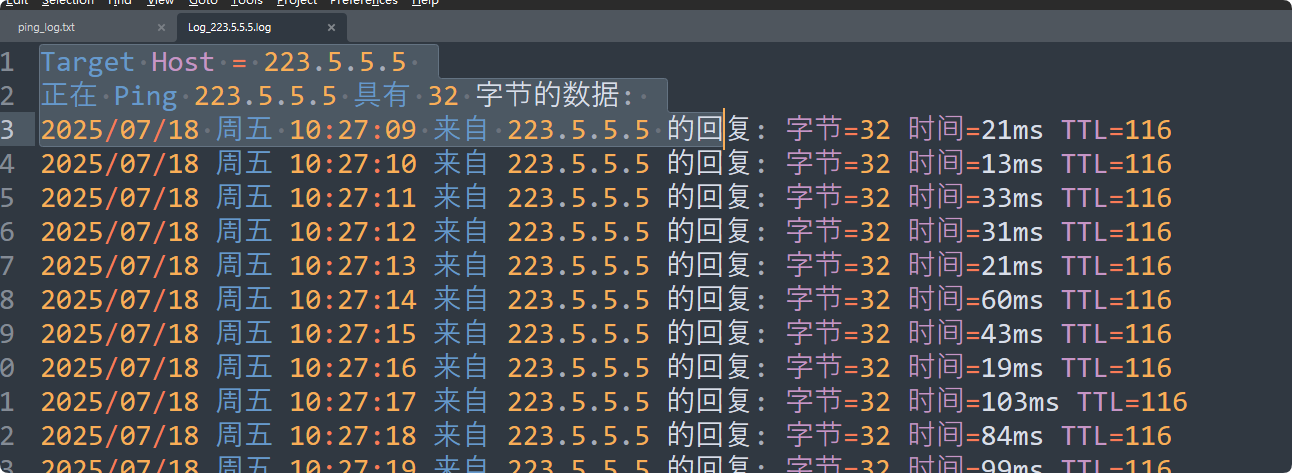
输入完成后,回车,即开始执行长ping,会将输出写入到当前目录下的log_IP文件中。
如下图

 浙公网安备 33010602011771号