
每日总结2023/3/10
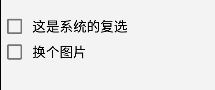
今天学习了AS中的复选框按钮
效果如下
tv_text = findViewById(R.id.tv_text);
        bt_fa = findViewById(R.id.bt_fa);
        cb_sing = findViewById(R.id.cb_main_sing);
        cb_tiao = findViewById(R.id.cb_main_tiao);
        cb_rap = findViewById(R.id.cb_main_rap);

        bt_fa.setOnClickListener(new View.OnClickListener() {
            @Override
            public void onClick(View v) {
                Intent intent = new Intent(MainActivity.this, MainActivity2.class);
                Bundle bundle = new Bundle();
                bundle.putString("request_time", Time_now.getNowTime());
                bundle.putString("request_content", tv_text.getText().toString());
                intent.putExtras(bundle);
                startActivity(intent);
            }
        });
        cb_sing.setOnCheckedChangeListener(new CompoundButton.OnCheckedChangeListener() {
            @Override
            public void onCheckedChanged(CompoundButton buttonView, boolean isChecked) {
                checkedArray[0] = isChecked;
            }
        });

        cb_tiao.setOnCheckedChangeListener(new CompoundButton.OnCheckedChangeListener() {
            @Override
            public void onCheckedChanged(CompoundButton buttonView, boolean isChecked) {
                checkedArray[1] = isChecked;
            }
        });
        cb_rap.setOnCheckedChangeListener(new CompoundButton.OnCheckedChangeListener() {
            @Override
            public void onCheckedChanged(CompoundButton buttonView, boolean isChecked) {
                checkedArray[2] = isChecked;
            }
        });
界面代码
<CheckBox
        android:id="@+id/cb_main_sing"
        android:layout_width="wrap_content"
        android:layout_height="wrap_content"
        android:layout_marginTop="20dp"
        android:text="唱"
        android:textSize="16dp" />


    <CheckBox
        android:id="@+id/cb_main_tiao"
        android:layout_width="wrap_content"
        android:layout_height="wrap_content"
        android:text="跳"
        android:textSize="16dp" />

    <CheckBox
        android:id="@+id/cb_main_rap"
        android:layout_width="wrap_content"
        android:layout_height="wrap_content"
        android:text="rap"
        android:textSize="16dp" />

 浙公网安备 33010602011771号