
鸿蒙-Stage模式-UIAbility组件
UIAbility组件
每一个UIAbility实例,都对应一个最近任务列表中的任务
UIAbility是一种包含用户界面的应用组件,主要用于和用户进行交互
一个应用可以有一个 UIAbility 也可以有多个 UIAbility
单 UIAbility:任务列表只有一个任务。
多 UIAbility:在任务列表中会有多个任务。

应用,模块,UIAbility,page它们直接的关系

从这一张图我们可以可以看出来:
1个【应用】可以包含多个【模块】
1个【模块】可以包含多个【UIAbility】
1个【UIAbility】可以包含多个【page】

如何在项目中新增一个模块(运行模块要使用模拟器真机的哈)
点击项目》右点击》新建==》模块
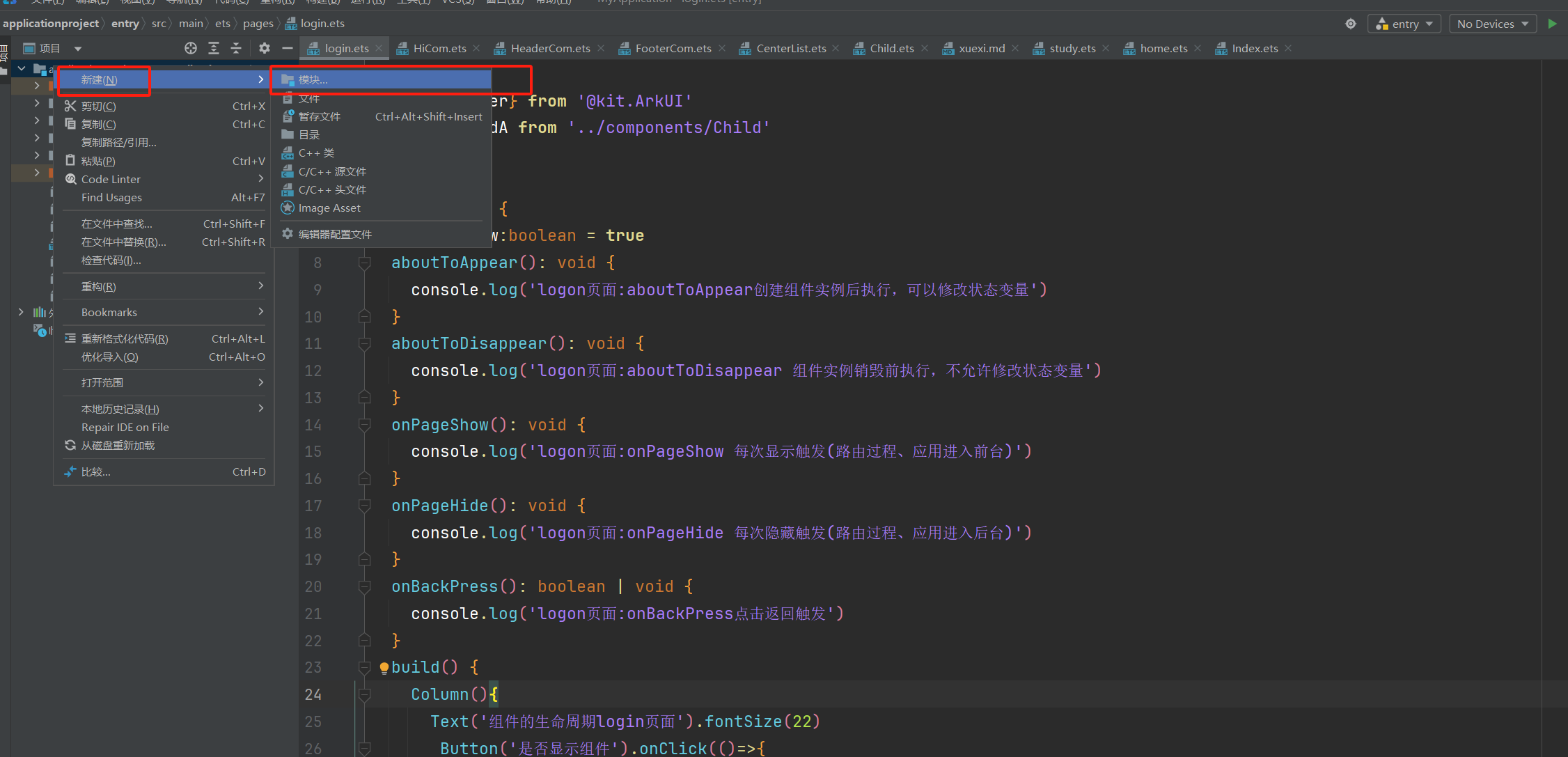
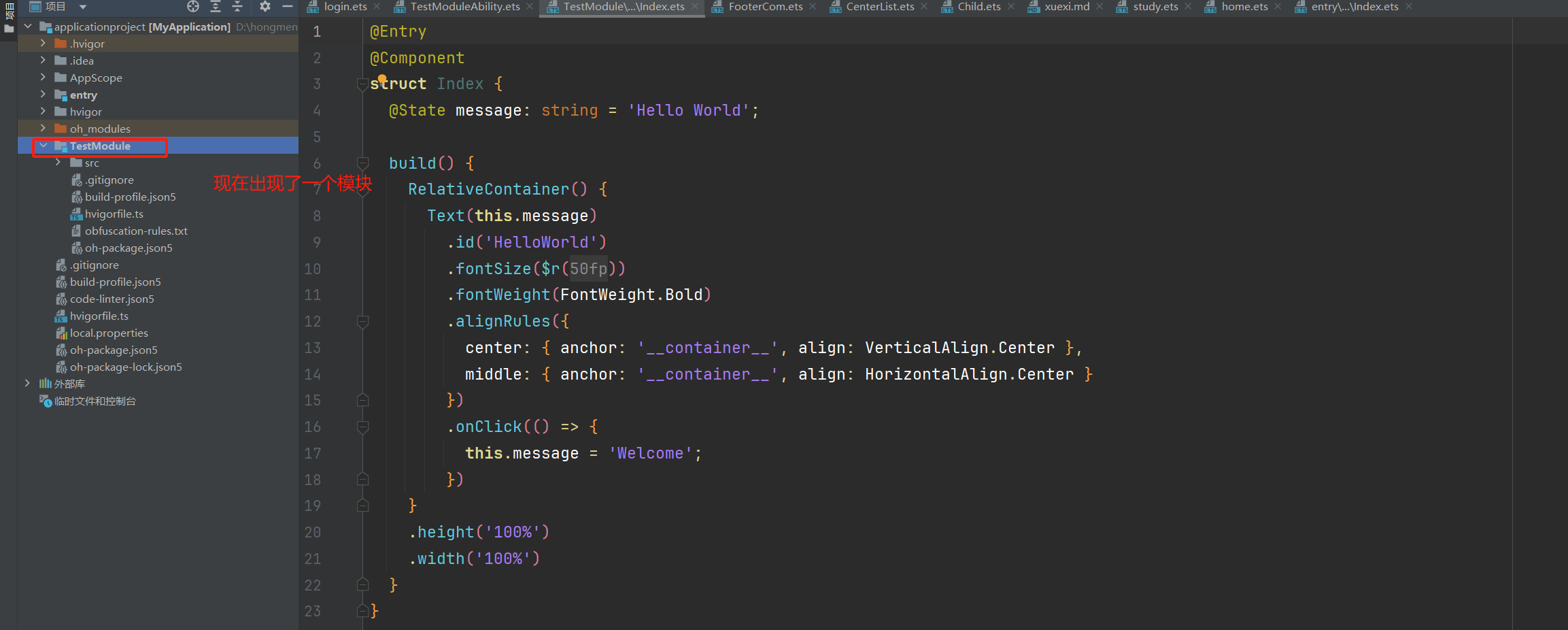
我们目前都知道:1个【应用】可以包含多个【模块】


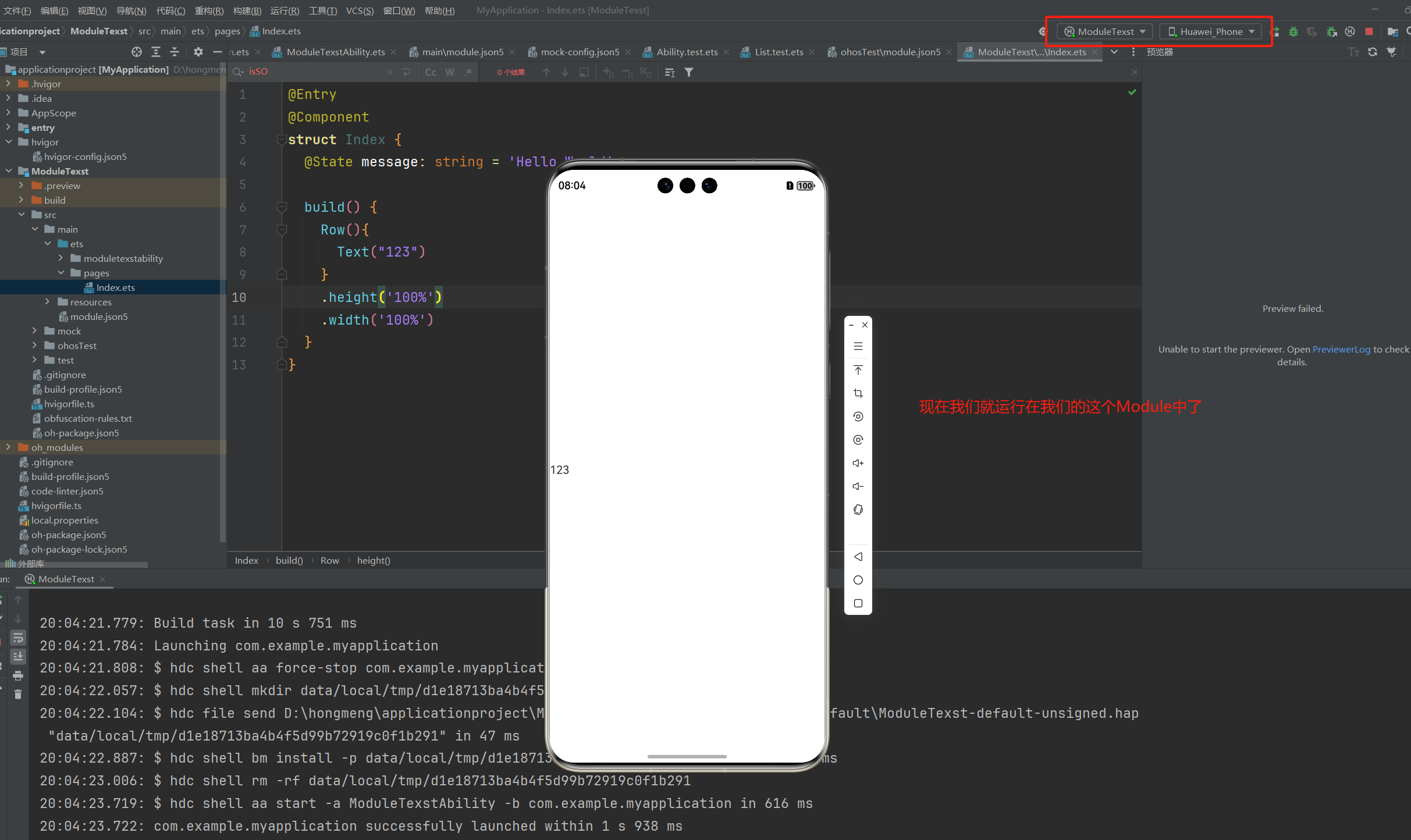
现在我们使用真机运行我们模块

如何在模块中找到UIAbility
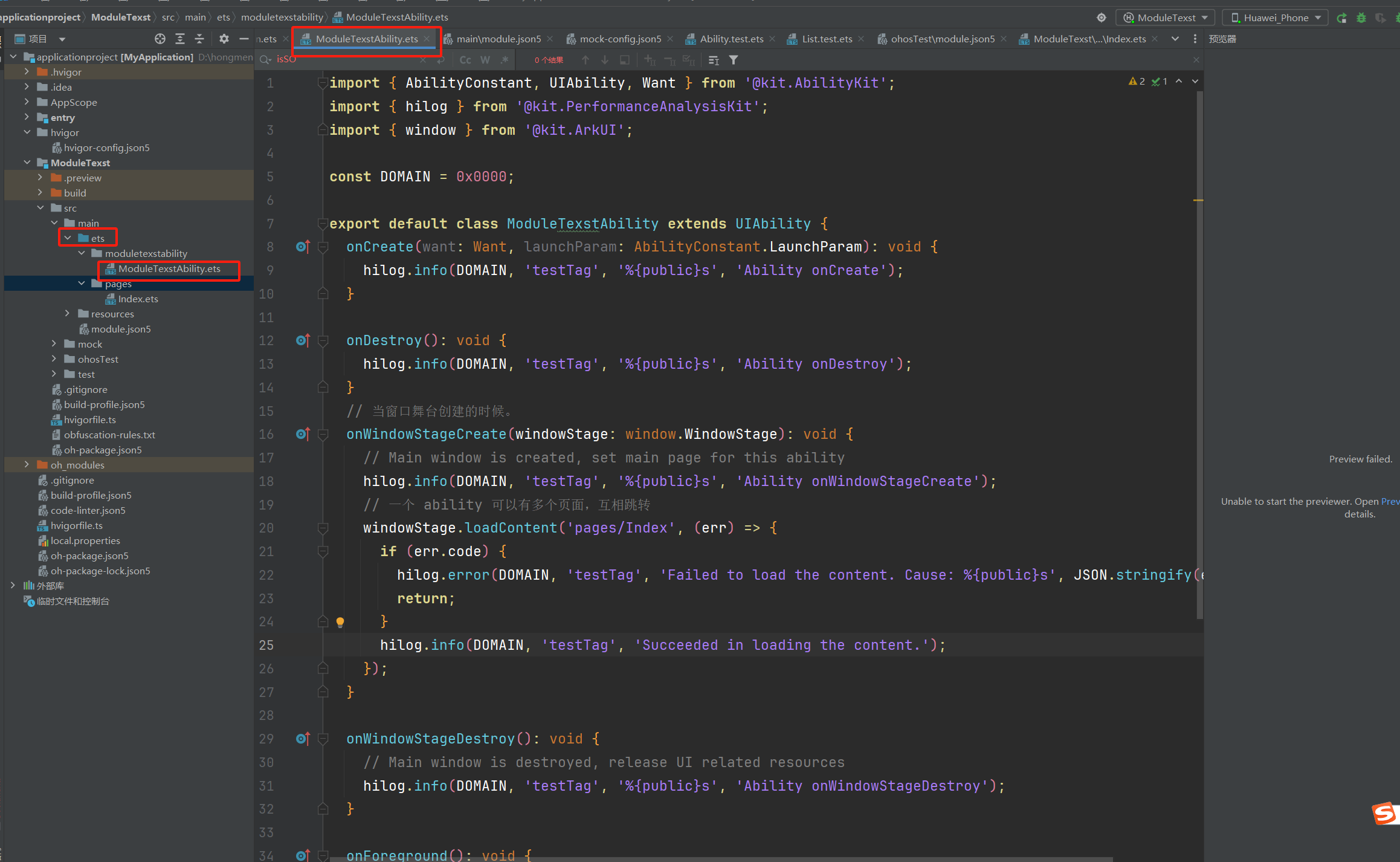
我们都知道:1个【模块】可以包含多个【UIAbility】
通过上面的图,我们只要目前只有一个UIAbility
1个UIAbility下的多个页面之间互相跳转
//D:\hongmeng\applicationproject\ModuleTexst\src\main\ets\pages\home.ets
import { router } from '@kit.ArkUI';

@Entry
@Component
struct Home {
  @State message: string = 'Hello World';

  build() {
    Column(){
      Row(){
        Text('我是首页哈哈').fontSize(22)
      }
      Row(){
        Button('需要登录').onClick(()=>{
          router.pushUrl({
            url:'pages/Index'
          })
        })
      }
    }
    .height('100%')
    .width('100%')
  }
}
//D:\hongmeng\applicationproject\ModuleTexst\src\main\ets\pages\Index.ets
import { router } from '@kit.ArkUI';

@Entry
@Component
struct Index {
  @State message: string = 'Hello World';

  build() {
    Column(){
      Row(){
        Text("123")
      }
      Row(){
        Button('需要登录').onClick(()=>{
          router.pushUrl({
            url:'pages/home'
          })
        })
      }
    }
    .height('100%')
    .width('100%')
  }
}
然后重新运行真机模拟器


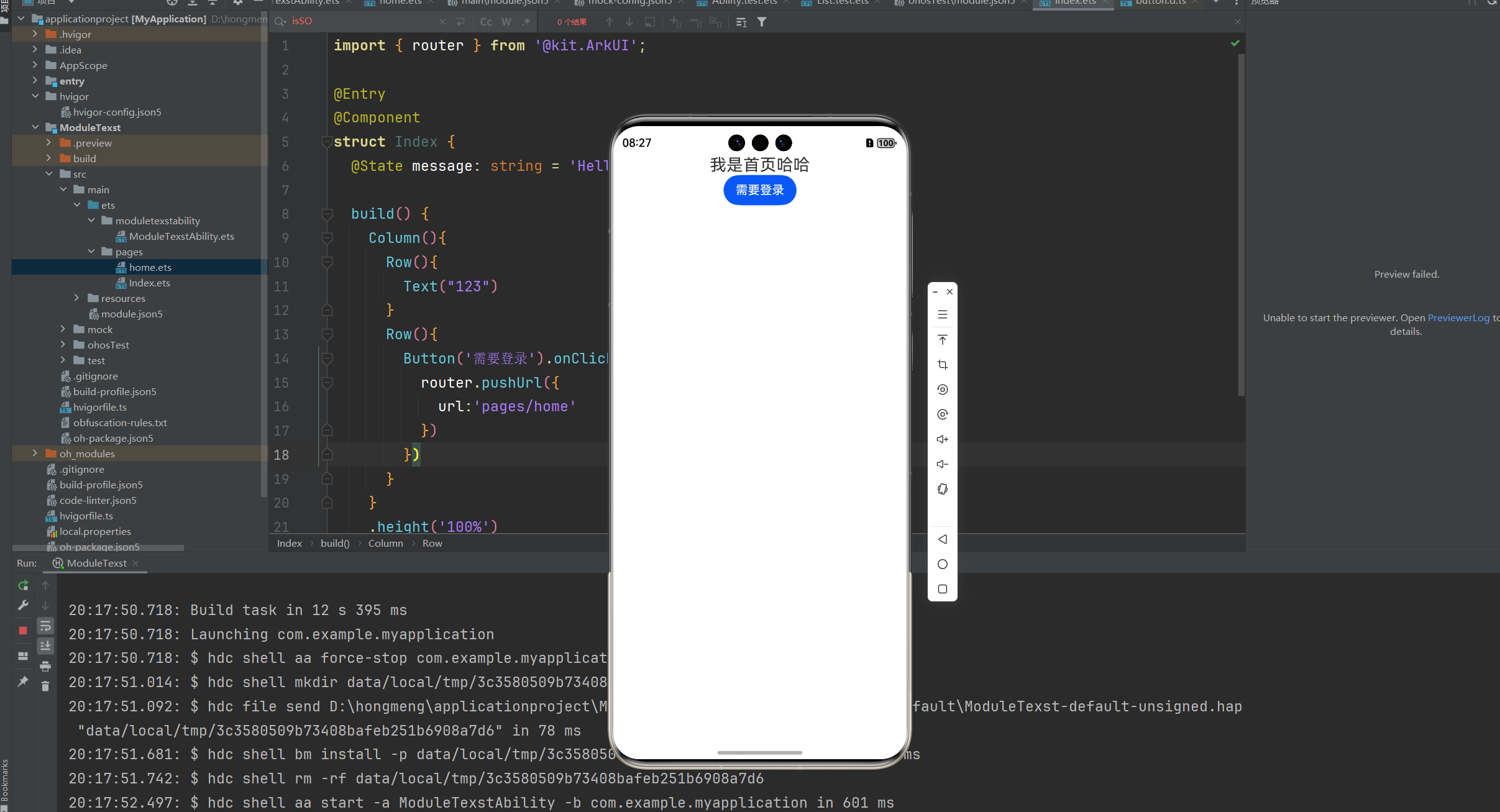
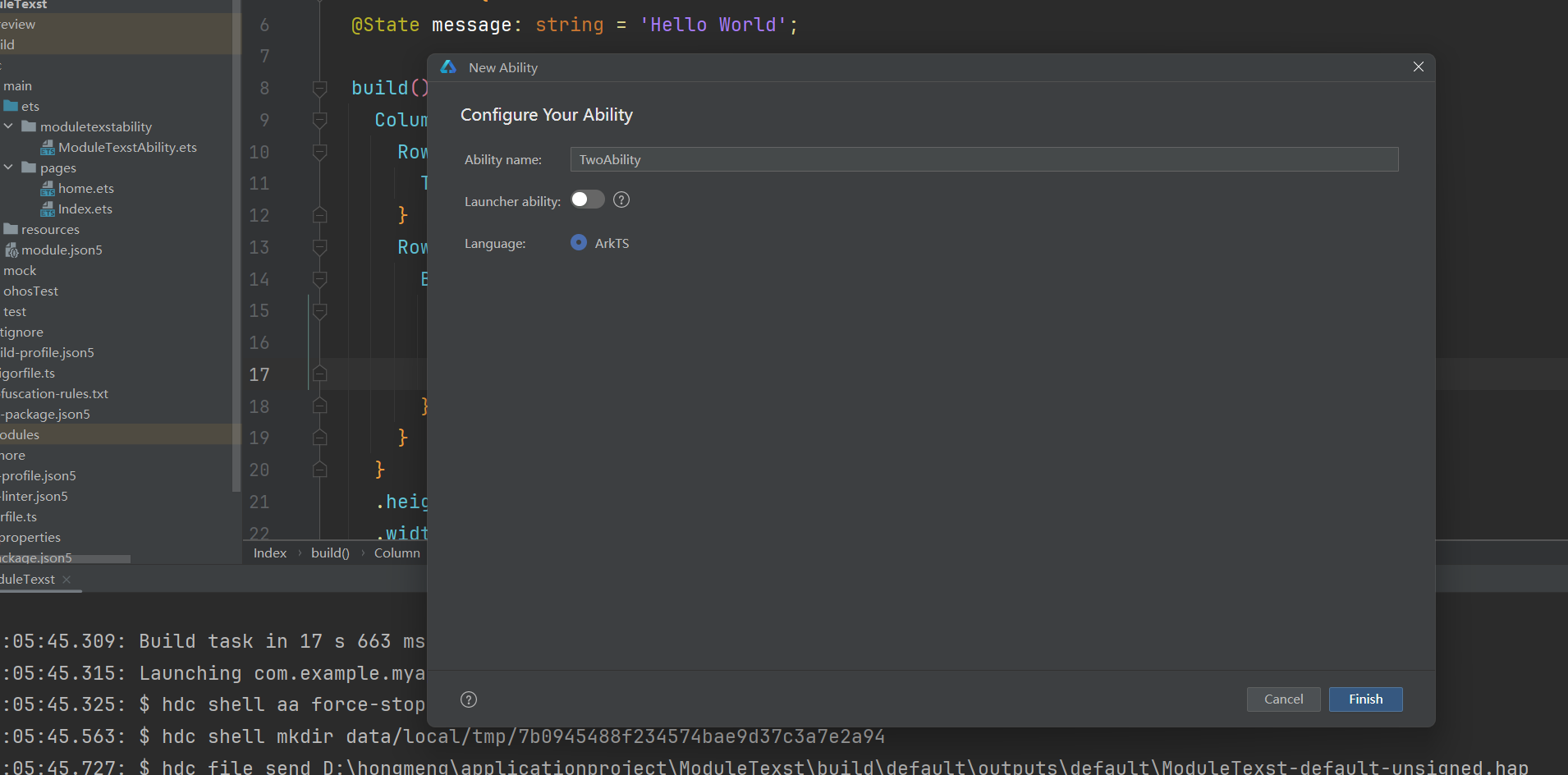
如何在【模块】中创建多个【UIAbility】
enrty>右击> 新建==>Ability

遇见问题,这是你成长的机会,如果你能够解决,这就是收获。
作者:晚来南风晚相识
出处:https://www.cnblogs.com/IwishIcould/

 本文版权归作者所有,欢迎转载,未经作者同意须保留此段声明,在文章页面明显位置给出原文连接
如果文中有什么错误,欢迎指出。以免更多的人被误导。
出处:https://www.cnblogs.com/IwishIcould/
想问问题,打赏了卑微的博主,求求你备注一下的扣扣或者微信;这样我好联系你;(っ•̀ω•́)っ✎⁾⁾!
如果觉得这篇文章对你有小小的帮助的话,记得在右下角点个“推荐”哦,或者关注博主,在此感谢!
万水千山总是情,打赏5毛买辣条行不行,所以如果你心情还比较高兴,也是可以扫码打赏博主(っ•̀ω•́)っ✎⁾⁾!
想问问题,打赏了卑微的博主,求求你备注一下的扣扣或者微信;这样我好联系你;(っ•̀ω•́)っ✎⁾⁾!

支付宝

微信
如果文中有什么错误,欢迎指出。以免更多的人被误导。

 浙公网安备 33010602011771号