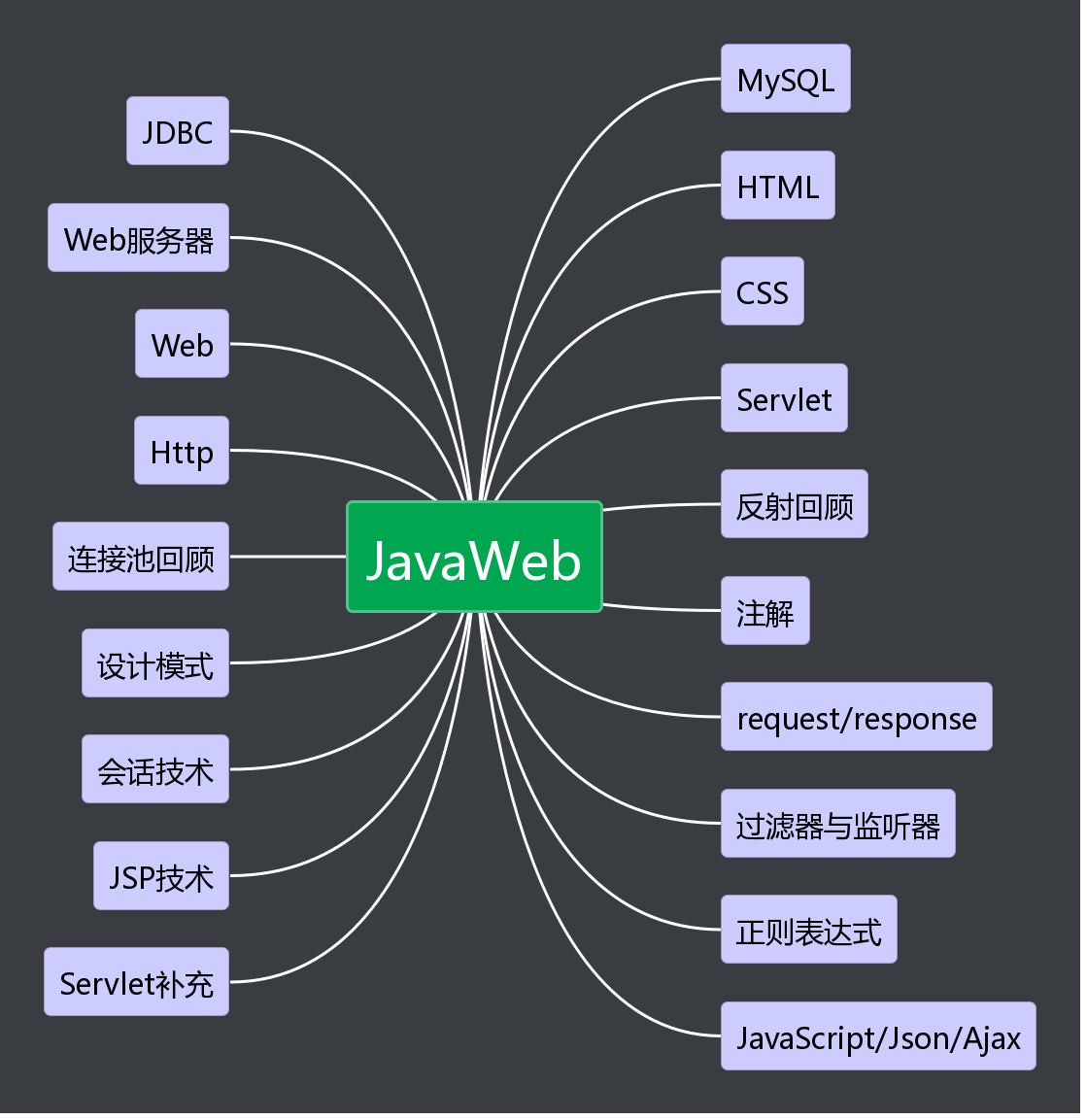
1.思维导图
 2.代码部分
ECMAScript
<head>
    <title>onfocus、onblur</title>
    <script>
        function fn1() {
            console.log("1获取焦点");
        }
        function fn2() {
            console.log("1失去焦点");
        }

        function fn3() {
            console.log("2获取焦点");
        }
        function fn4() {
            console.log("2失去焦点");
        }
    </script>
</head>
<body>
  <input type="text" onfocus="fn1()" onblur="fn2()"/>
  <input type="text" onfocus="fn3()" onblur="fn4()"/>
</body>
<head>
    <title>onkeydown、onkeyup</title>
    <script>
        function fn1() {
            console.log("键盘按下" + event.keyCode);
        }

        function fn2() {
            console.log("键盘松开" + event.keyCode);
        }
    </script>
</head>
<body>
<input type="text" onkeydown="fn1()" onkeyup="fn2()"/>
</body>
- onmousedown、onmousemove、onmouseup
<head>
    <title>onmousedown、onmousemove、onmouseup</title>
    <script>
        function fn1() {
            console.log("鼠标按下");
        }

        function fn2() {
            console.log("鼠标移动");
        }

        function fn3() {
            console.log("鼠标松开");
        }


    </script>

</head>
  <body onmousedown="fn1()" onmousemove="fn2()" onmouseup="fn3()">
</body>
<head>
    <title>onchange</title>
    <script>
        function fn1() {
            console.log("内容发生改变")
        }

        function fn2() {
            console.log("内容发生改变2")
        }
    </script>
</head>
<body>

<input type="text" onchange="fn1()"/>

<select onchange="fn2()">
    <option>选项一</option>
    <option>选项二</option>
</select>
<head>
    <title>onsubmit</title>
    <script>
        function fn1() {
            console.log("表单提交1");
            var num = 2;
            if (num == 1) {
                return true;
          //放行表单提交
            } else {
                return false;
          //拦截表单提交
            }
        }
    </script>
</head>
<body>

<form action="index.jsp" onsubmit="return fn1()">
    账户:<input type="text" name="username"/>
    <button type="submit">提交</button>
</form>
</body>
BOM对象:window
function fn1() {
    window.location = "${pageContext.request.contextPath}/index.jsp";
}
- alert、confirm、prompt、close方法
function fn1() {
    window.location = "${pageContext.request.contextPath}/index.jsp";
    var history = window.history;
}

function fn2() {
    window.alert("删除失败1!");
    alert("删除失败2!");
}

function fn3() {
    var flag = confirm("确认删除该用户吗?");
    console.log(flag);
}

function fn4() {
    var content = prompt("请求输入密码:","abc");
    console.log(content);
}

function fn4() {
    close();
}
<head>
    <title>setInterval方法</title>
    <script>
        var inter ;
        function fn1() {
            inter = setInterval("showNum()",1000);
        }

        var num = 1;

        function showNum() {
            console.log(num);
            num++;
            var currentTimeStr = new Date().toLocaleString();
            console.log(currentTimeStr);

        }

        function fn2() {
            if (inter != undefined) {
                clearInterval(inter);
            }
        }
    </script>
</head>
<body>
  <button onclick="fn1()">开始</button>
  <button onclick="fn2()">停止</button>
</body>
<head>
    <title>setTimeout方法</title>
    <script>
        var timeOut1 ;
        var timeOut2;

        function fn1() {
            timeOut1 = setTimeout("showNum()",1000);
        //只调用了一次showNum方法
        }

        var num = 1;
        function showNum() {
            console.log(num);
            num++;
            var currentTimeStr = new Date().toLocaleString();
            console.log(currentTimeStr);
            //每隔一秒调用showNum方法
            timeOut2 = setTimeout("showNum()",1000);
       //重复调用showNum方法
        }

        function fn2() {
            if (timeOut2 != undefined) {
                clearTimeout(timeOut2);
            }
        }
    </script>
</head>
<body>
  <button onclick="fn1()">开始</button>
  <button onclick="fn2()">停止</button>
</body>
BOM对象:Location
<head>
    <title>Location对象</title>
    <script>
        function fn1() {
            location.href = "index.jsp";
        }

        function fn2() {
            //刷新页面
            location.reload();
        }
    </script>
</head>
<body>
    <button onclick="fn1()">跳转</button>
    <button onclick="fn2()">刷新</button>
</body>
BOM对象:History
<head>
    <title>History对象</title>
    <script>

        function fn1() {
            //下一页
            history.forward();
        }

    </script>
</head>
<body>
    History对象<br>
    <a href="demo01.jsp">跳转到demo01</a><br>
    <button onclick="fn1()">下一页</button>
</body>
<head>
    <title>History对象</title>
    <script>

        function fn1() {
            // history.back();
            history.go(-1)
        }

        function fn2() {
            // history.forward();
            history.go(1)
        }
    </script>
</head>
<body>
    History对象 History对象<br>
    <button onclick="fn1()">上一页</button><br>
    <a href="demo02.jsp">跳转到demo02</a><br>
    <button onclick="fn2()">下一页</button><br>
</body>
<head>
    <title>History对象</title>
    <script>

        function fn1() {
            history.back();
        }

    </script>
</head>
<body>
    History对象 History对象 History对象<br>
    <button onclick="fn1()">上一页</button><br>
</body>
DOM:XMLDOM
        function fn1() {
            //创建元素节点
            var aEle = document.createElement("html");
            //创建文本节点
            var textEle = document.createTextNode("超链接");

            //获取元素节点
            //根据指定id获取元素对象
            var ele1 = document.getElementById("xml");
            //根据指定标签名称获取元素对象
            var ele2 = document.getElementsByTagName("html")[0];
        }
<head>
    <title>element对象</title>
    <script>

        function fn1() {
            //获取输入框中的name属性值
            var ele = document.getElementById("username");
            var value = ele.getAttribute("name");
            console.log(value)
        }

        function fn2() {
            //设置输入框中的name属性值
            var ele = document.getElementById("username");
            ele.setAttribute("name","myUsername");

        }

        function fn3() {
            // 移除输入框中的name属性
            var ele = document.getElementById("username");
            ele.removeAttribute("name");
        }

        function fn4() {
            var ele = document.getElementById("username");
            //注:通过getAttribute获取属性值,该属性值必须显示设置到标签上
            var value = ele.getAttribute("value");
            console.log(value)
        }
    </script>
</head>
<body>
    <input type="text" name="username" id="username" value="zhangsan"/>
    <button onclick="fn1()">获取</button>
    <button onclick="fn2()">设置</button>
    <button onclick="fn3()">移除</button>
    <button onclick="fn4()">获取value属性</button>
</body>



 浙公网安备 33010602011771号