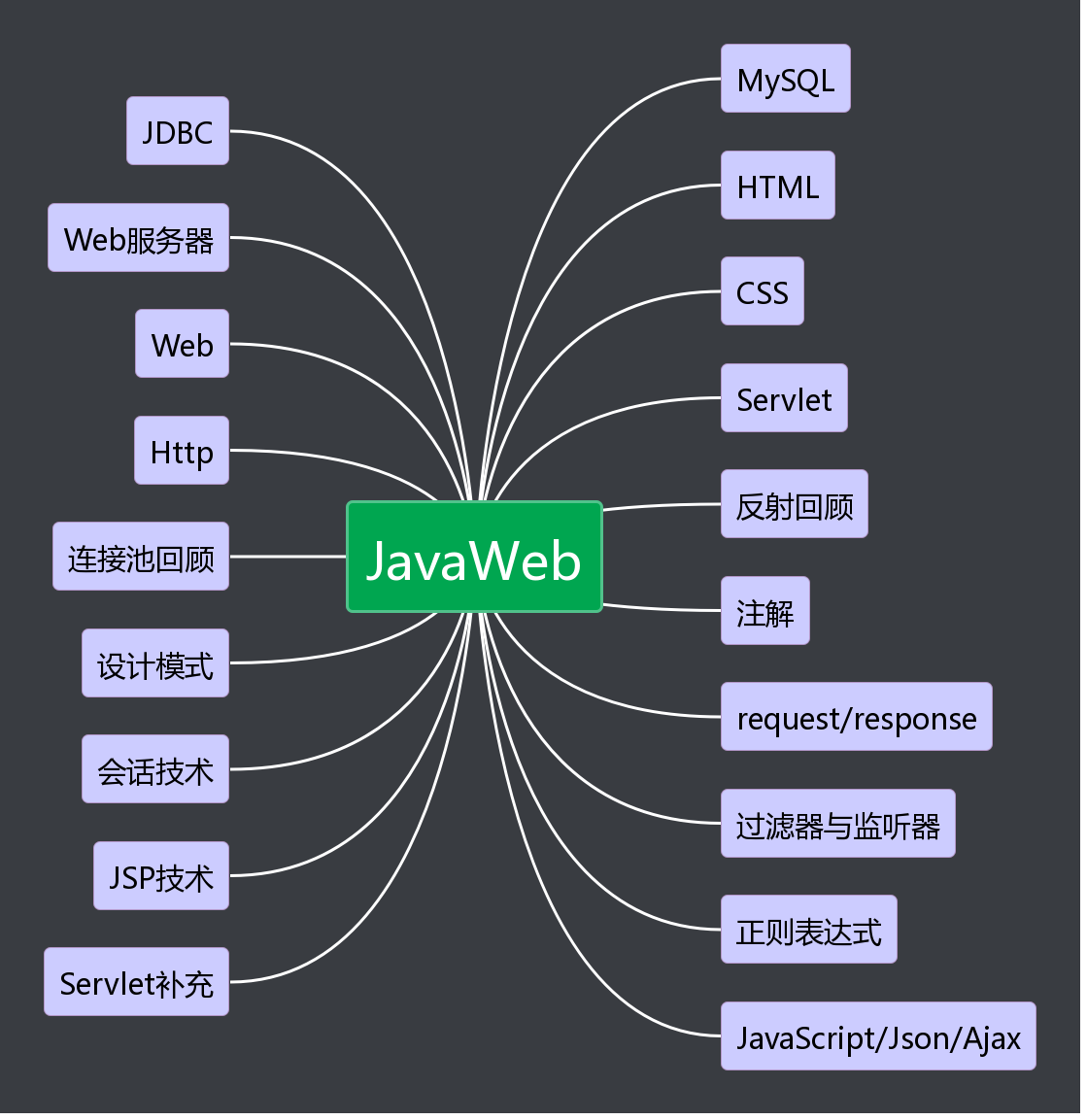
1.思维导图
2.代码部分
Jackson
     //将java对象转换为json字符串
        Province p1 = new Province(1,"咖啡");
        List<City> cityList1 = new ArrayList<>();
        cityList1.add(new City(11,"单品咖啡"));
        cityList1.add(new City(12,"速溶咖啡"));
        cityList1.add(new City(13,"混合咖啡"));
        p1.setCityList(cityList1);
        //p1 -> json字符串
        ObjectMapper objectMapper = new ObjectMapper();
        String jsonStr1 = objectMapper.writeValueAsString(p1);
        System.out.println(jsonStr1);

        Province p2 = new Province(2,"茶叶");
        List<City> cityList2 = new ArrayList<>();
        cityList2.add(new City(21,"青茶"));
        cityList2.add(new City(22,"绿茶"));
        cityList2.add(new City(23,"红茶"));
        p2.setCityList(cityList2);

        //provinceList -> json字符串
        List<Province> provinceList = new ArrayList<>();
        provinceList.add(p1);
        provinceList.add(p2);
        String jsonStr2 = objectMapper.writeValueAsString(provinceList);
        System.out.println(jsonStr2);

        //map -> json字符串
        Map<String,Province> map = new HashMap<>();
        map.put("p1",p1);
        map.put("p2",p2);
        String jsonStr3 = objectMapper.writeValueAsString(map);
        System.out.println(jsonStr3);
     //jsonStr1 -> Province对象
        Province province = objectMapper.readValue(jsonStr1, Province.class);
        System.out.println(province);

        //jsonStr2 -> List对象
        List<Province> list = objectMapper.readValue(jsonStr2, List.class);
        System.out.println(list);

        //jsonStr3 -> Map对象
        Map<String,Province> myMap = objectMapper.readValue(jsonStr3,Map.class);
        System.out.println(myMap);
AJAX入门案例
function createXMLHttpRequest(){
  var xmlHttp;
  try{ // Firefox, Opera 8.0+, Safari,Google Chrome
    xmlHttp=new XMLHttpRequest();
  } catch (e){
    try{// Internet Explorer
      xmlHttp=new ActiveXObject("Msxml2.XMLHTTP");
    }catch (e){
      try{
       xmlHttp=new ActiveXObject("Microsoft.XMLHTTP");
      }catch (e){}
      }
   }
   return xmlHttp;
}

  function ajax_get(){
  // * 1.创建异步的XMLHttpRequest对象.
  var xhr = createXMLHttpRequest();
  // * 2.设置监听:监听对象的状态的变化,触发一个函数.
  xhr.onreadystatechange = function(){
    if(xhr.readyState == 4){
      if(xhr.status == 200){
        var data = xhr.responseText;
        // 获得div:
        var div1 = document.getElementById("div1");
        div1.innerHTML = data;
      }
    }
  }
  // * 3.打开链接:
  xhr.open("GET","${pageContext.request.contextPath}/ajaxServletDemo1",true);
  // * 4.发送数据:
  xhr.send();
}
function ajax_post() {
  // * 1.创建异步的XMLHttpRequest对象.
  var xhr = createXMLHttpRequest();
  // * 2.设置监听:监听对象的状态的变化,触发一个函数.
  xhr.onreadystatechange = function(){
    if(xhr.readyState == 4){
      if(xhr.status == 200){
        // 获得响应的数据:
        var data = xhr.responseText;
        // 获得div1:
        var div1 = document.getElementById("div1");
        div1.innerHTML = data;
      }
    }
  }
  // * 3.打开链接:
  xhr.open("POST","${ pageContext.request.contextPath }/ajaxServletDemo1",true);
  // 设置请求头:
  xhr.setRequestHeader("Content‐Type","application/x‐www‐form‐urlencoded");
  // * 4.发送数据:
  //POST请求传递参数:需要将参数写到send方法中.
  xhr.send("id=3&name=张三");
}
ECMAScript:方法
     function method01(msg1, msg2, msg3) {
            // console.log(msg1 + " , " + msg2 + " , " + msg3);
            //arguments:属于方法的内置对象,包含是实际参数
            for (var i = 0; i < arguments.length; i++) {
                console.log(arguments[i]);
            }

            return "hello js function1";
        }
     var method02 = function (msg1, msg2, msg3) {
            // console.log(msg1 + " , " + msg2 + " , " + msg3);
            //arguments:属于方法的内置对象,包含是实际参数
            for (var i = 0; i < arguments.length; i++) {
                console.log(arguments[i]);
            }
            return "hello js function2";
        }
var method03 = new Function("msg1,msg2,msg3", "console.log(msg1+','+msg2+','+msg3);return 'hello js function3';");
ECMAScript:事件
<head>
    <meta charset="UTF‐8">
    <title>Title</title>
    <script>
            function fn1() {
                console.log("点击了");
            }
    </script>
<head>
  <meta charset="UTF‐8">
  <title>Title</title>
  <script>
    //监听页面加载完成
    window.onload = function () {
      document.getElementById("btn").onclick = function () {
         console.log("点击了");
      }
    }
  </script>
</head>
<body>
  <button id="btn" ></button>
</body>
ECMAScript常用事件:onload
<img id="girl" src="01.jpg" onload="fn1()">

  <script>
     function fn1() {
        console.log("这是一张图片~")
      }

  </script>
<head>
    <title>ECMAScript常用事件之onload</title>
    //如果使用dom分配事件,推荐使用这种方式
    <script>
        window.onload = function () {
            console.log("页面加载完成");
            var ele = document.getElementById("print");
            ele.onclick = function () {
                console.log("点击图片")
            }
        }
    </script>
</head>
<body>

<img src="01.jpg" id="print" >

</body>


 浙公网安备 33010602011771号