
WPF使用外部资源文件设置样式
1. 新建 Resource Dictionary
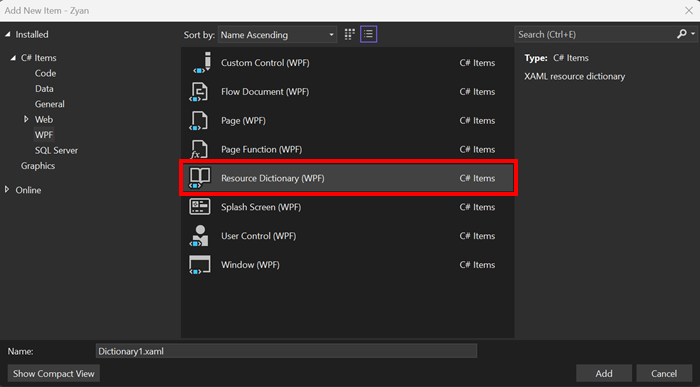
<ResourceDictionary xmlns="http://schemas.microsoft.com/winfx/2006/xaml/presentation"
                    xmlns:x="http://schemas.microsoft.com/winfx/2006/xaml">
    <Style TargetType="TextBlock" x:Key="StatisticStyle">
        <Setter Property="Cursor" Value="Hand"/>
        <Setter Property="Margin" Value="5"/>
    </Style>

</ResourceDictionary>
2. 引入资源文件
<Window.Resources>
    <ResourceDictionary>
        <ResourceDictionary.MergedDictionaries>
            <ResourceDictionary Source="./resources/statistic.xaml"/>
        </ResourceDictionary.MergedDictionaries>
    </ResourceDictionary>
</Window.Resources>
3. 调用处
Style="{StaticResource k值}"
<TextBlock Text="{Binding CurrentItem.TotalCount, StringFormat='Total {0}'}"
           Style="{StaticResource StatisticStyle}"
           Tag="Total" ToolTip="Click to show all"
           MouseLeftButtonDown="OnStatusFilterClicked"
           Foreground="Black"/>

 浙公网安备 33010602011771号