
【OpenCV】7 绘制图形
一、直线
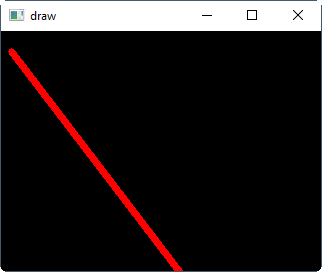
import cv2
import numpy as np

img = np.zeros((480, 640, 3), np.uint8)
start = (10,20)
end = (300, 400)
color = (0, 0, 255)
width = 5

cv2.line(img, start, end, color, width)

cv2.imshow('draw', img)
cv2.waitKey(0)
二、矩形
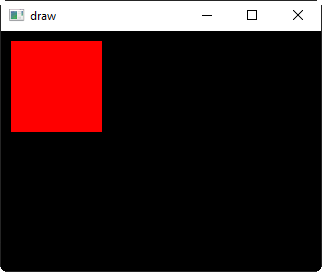
import cv2
import numpy as np

img = np.zeros((240, 320, 3), np.uint8)

start_point = (10, 10)
end_point = (100, 100)
color = (0, 0, 255)
cv2.rectangle(img, start_point, end_point, color, -1)


cv2.imshow('draw', img)
cv2.waitKey(0)
三、圆
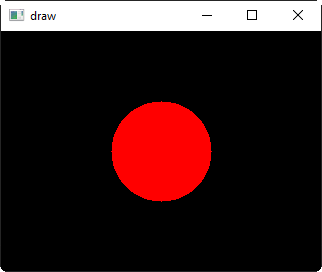
import cv2
import numpy as np

img = np.zeros((240, 320, 3), np.uint8)

point = (160, 120)
radis = 50
color = (0, 0, 255)

cv2.circle(img, point, radis, color, -1)

cv2.imshow('draw', img)
cv2.waitKey(0)
四、椭圆
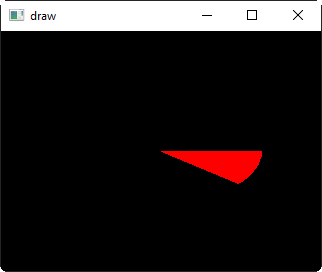
import cv2
import numpy as np

img = np.zeros((240, 320, 3), np.uint8)


# 度按顺时针计算
# 0度是从左侧开始的
point = (160, 120)
radis = (100, 50)
color = (0, 0, 255)
xy_angle = 0
angle_start = 0
angle_end = 40

cv2.ellipse(img, point, radis, xy_angle, angle_start, angle_end, color, -1)

cv2.imshow('draw', img)
cv2.waitKey(0)
五、多边形
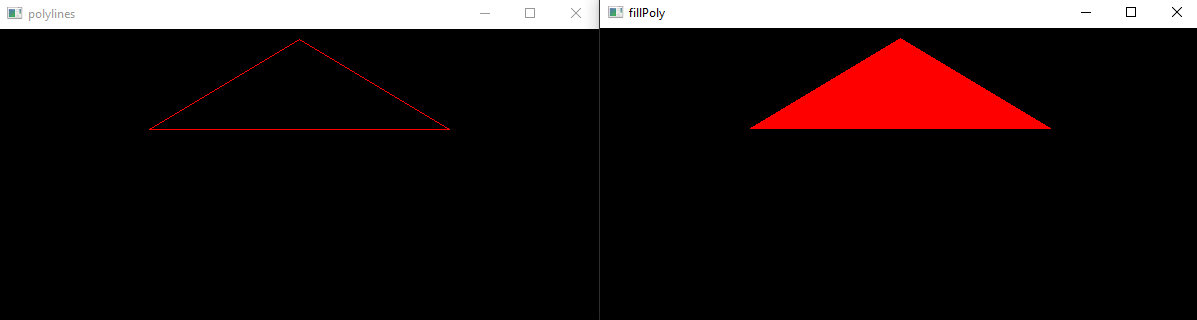
import cv2
import numpy as np

img1 = np.zeros((300, 600, 3), np.uint8)
img2 = np.zeros((300, 600, 3), np.uint8)

pts = np.array([(300, 10), (150, 100), (450, 100)], np.int32)
color = (0, 0, 255)

# 画多边形
cv2.polylines(img1, [pts], True, color)
# 填充
cv2.fillPoly(img2, [pts], color)

cv2.imshow('polylines', img1)
cv2.imshow('fillPoly', img2)
cv2.waitKey(0)
六、绘制文本
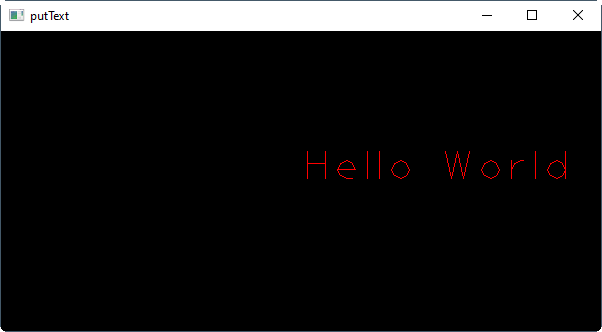
import cv2
import numpy as np

img = np.zeros((300, 600, 3), np.uint8)


text = "Hello World"
start = (300, 150)
font = cv2.FONT_HERSHEY_PLAIN
font_size = 3
color = (0, 0, 255)

cv2.putText(img, text, start, font, font_size, color)

cv2.imshow('putText', img)
cv2.waitKey(0)
实战 鼠标绘制
基本功能:
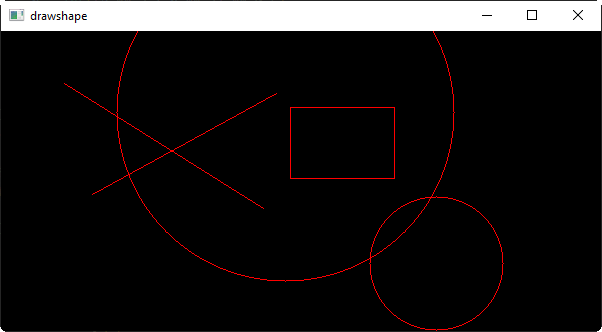
可以通过鼠标进行图形绘制
- 用户按下L键画线
- 用户按下R键画矩形
- 画圆按下C键画圆
![image]()
import cv2
import numpy as np


curshape = 0
startpos = (0, 0)
color = (0, 0, 255)

# 鼠标回调函数
def mouse_callback(event, x, y, flags, userdata):
    global curshape, startpos, color
    # print(event, x, y, flags, userdata)
    if (event & cv2.EVENT_LBUTTONDOWN == cv2.EVENT_LBUTTONDOWN):
        startpos = (x, y)
    elif (event & cv2.EVENT_LBUTTONUP == cv2.EVENT_LBUTTONUP):
        if curshape == 0: # 画线
            cv2.line(img, startpos, (x, y), color)
        elif curshape == 1: # 画矩形
            cv2.rectangle(img, startpos, (x, y), color)
        elif curshape == 2: # 画圆
            a = x - startpos[0]
            b = y - startpos[1]
            r = int((a ** 2 + b ** 2) ** 0.5)
            cv2.circle(img, startpos, r, color)
        else:
            print("ERROR")


# 创建窗口
cv2.namedWindow('drawshape', cv2.WINDOW_NORMAL)

# 设置鼠标回调
cv2.setMouseCallback('drawshape', mouse_callback)

# 显示窗口和背景
img = np.zeros((300, 600, 3), np.uint8)

while True:
    cv2.imshow('drawshape', img)
    key = cv2.waitKey(1) & 0xFF
    if (key == ord('q')):
        break
    elif key == ord('l'):
        curshape = 0
    elif key == ord('r'):
        curshape = 1
    elif key == ord('c'):
        curshape = 2

cv2.destroyAllWindows()

 浙公网安备 33010602011771号