


1.弹出层的多选框:
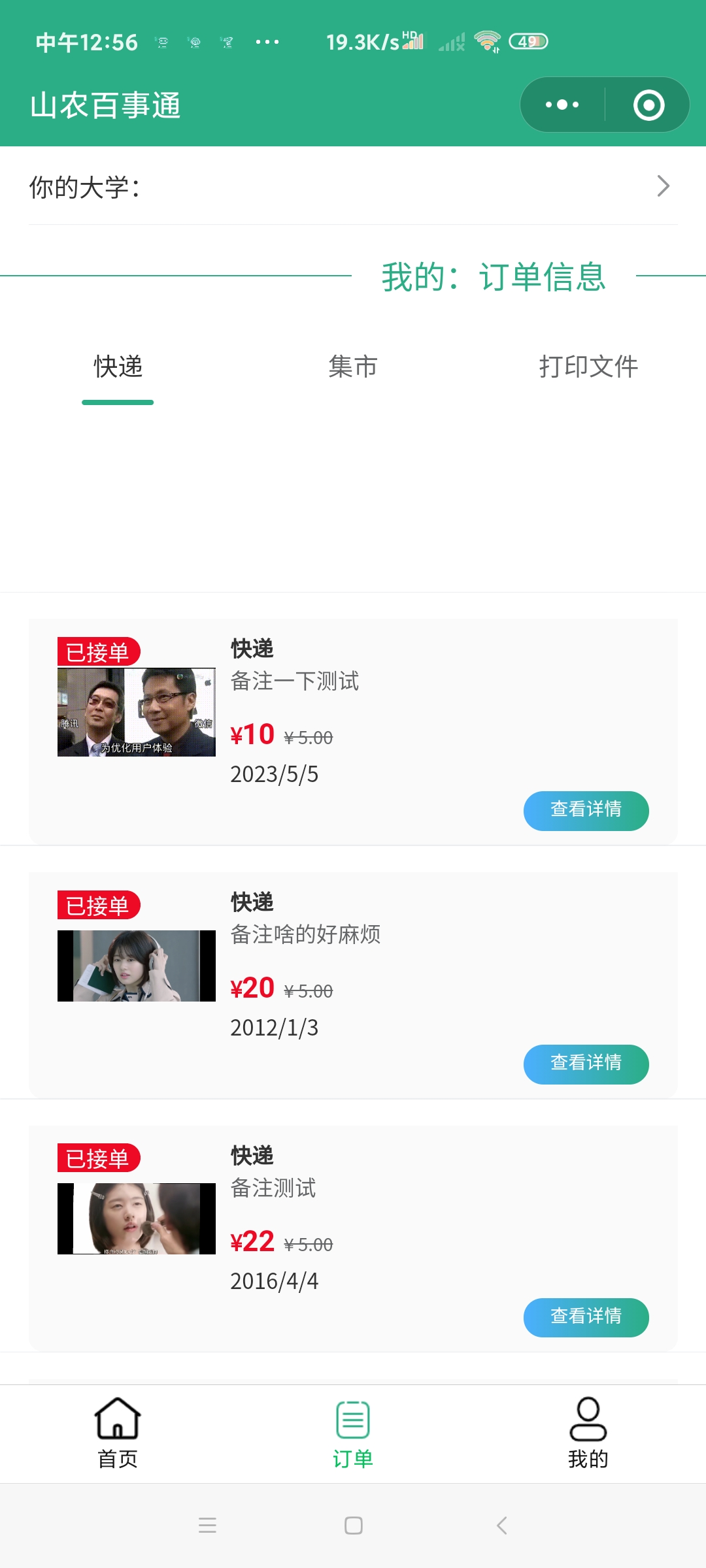
运用了Vant3的组件和van-cell、van-popup、van-pick,对于显示在页面中选择的信息采用微信的数据绑定this.setData()动态的修改数据。

<van-cell title="你的大学:{{daxue}}" is-link bind:click="showPopup" />

<van-popup  show="{{ show }}"
  position="bottom"
  custom-style="height: 60%;"
  bind:close="onClose">

  <van-picker
  show-toolbar
  title="你的大学"
  columns="{{ columns }}"
  bind:cancel="onCancel"
  bind:confirm="onConfirm"
/>
  </van-popup>


 columns: ['山西农业大学', '西安电子科技大学', '杭州电子科技大学', '北京电子科技大学', '电子科技大学'],
  show: false,
  daxue:""
  },
  //选着地区
  onChange(event) {
    const { picker, value, index } = event.detail;
    Toast(`当前值:${value}, 当前索引:${index}`);
  },
  showPopup() {
    this.setData({ show: true });
  },

  onClose() {
    this.setData({ show: false });
  },
  onConfirm(e){
    // console.log(e.detail.value)
    this.setData({
      daxue:e.detail.value
    })
    wx.showToast({
      title: '选择成功',
      icon:"success"
    })},
2.下方的得到对应的用户自己的订单信息:
复用了在主页中查找信息的部分代码并且运用微信的云函数的到每一个用户特有的_openid然后来区分信息,然后修改和添加原来主页的代码。
云函数的定义:
// 云函数入口文件
const cloud = require('wx-server-sdk')

cloud.init()

// 云函数入口函数
exports.main = async (event, context) => {
  const wxContext = cloud.getWXContext()

  return {
    event,
    openid: wxContext.OPENID,
    appid: wxContext.APPID,
    unionid: wxContext.UNIONID,
  }
}


//点击跳蚤集市
  jS_1(e ){
    var that = this;
    //调用云数据库
    //得到openID
    wx.cloud.callFunction({
      name:'getopenid',
      success(res){
        that.setData({
          openid:res.result.openid
        })
        console.log("获取openid",res.result.openid)
      },fail(err){
        console.log("获取失败",err)
      }
    })
    const DB= wx.cloud.database()
    //查询数据
    DB.collection("jishiData").where({
      _openid:that.data.openid
    }). get({
      success:res=>{
        // console.log(res.data)
        that.setData({
          css:"",
          ne:res.data,
          title:res.data[0].title,
          page:"show_2_2"
        })
      },fail:err=>{
        console.log("无法得到数据")
      }
    })
  }
3.滑动的删除:
原来的接单按钮变成了删除,改变了相应的bintap事件增加了相应的删除方法,然后区分类型用简单的if()判断类型来区分是删除哪个数据库。
<van-swipe-cell
  id="swipe-cell2"
  right-width="{{ 80}}"
  name="示例"
  bind:open="onOpen"
  wx:for="{{ne}}"
>
  <van-cell-group>
    <van-cell-group inset>
  <view class="goods">
    <van-card
  tag="{{item.zhuangtai}}接单"
  price="{{item.money}}"
  desc="{{item.beizhu}}"
  title="{{title}}"
  thumb="{{item.image_url}}"
  origin-price="5.00"


>
  <view slot="footer">
    <navigator url="/pages/{{page}}/{{page}}?id={{item._id}}">
    <van-button type="mini" round color="linear-gradient(to right, #4bb0ff, #2bae85)" bindtap="">查看详情</van-button>
  </navigator>
  </view>
  <view slot="bottom">
    <text>{{item.deadline}}</text>
  </view>
</van-card>
  </view>
</van-cell-group>
  </van-cell-group>
  <view slot="right" class="van-swipe-cell__right"><view class="font" bindtap="delete" data-id="{{item._id}}">删除</view></view>
</van-swipe-cell>


 //删除
  delete(e){
    const db = wx.cloud.database()
    let that = this
    wx.showModal({
      title: '提示',
      content: '确认删除订单',
      success: function (res) {
      if (res.confirm) {
      // console.log('用户点击确定')
    //找到id
        //删除订单
        let id1 = e.currentTarget.dataset.id
        console.log(id1)
        if(that.data.title=="快递"){
          db.collection('userData').doc(id1).remove({
            success(res){
              console.log("删除成功")
              wx.showToast({
                title: "删除成功",
                icon:"success"
               })
            },fail(res){
              console.log("删除失败")
            }
          })
        }else if(that.data.title=="集市"){
          db.collection('jishiData').doc(id1).remove({
            success(res){
              console.log("删除成功")
              wx.showToast({
                title: "删除成功",
                icon:"success"
               })
            },fail(res){
              console.log("删除失败")
            }
          })
        }else{
          db.collection('worldData').doc(id1).remove({
            success(res){
              console.log("删除成功")
              wx.showToast({
                title: "删除成功",
                icon:"success"
               })
            },fail(res){
              console.log("删除失败")
            }
          })
        }
      }
      }
      })
    // console.log(e)
  },

 浙公网安备 33010602011771号