

react-native 初探
最近公司打算做一个app 我们的android 打算采用新技术 ,所以我也投入了学习的大部队中
首先 学习react-native 他是干什么的 我们一直知道 安卓和IOS不能互通,所以在开发app的时候,需要一个人开发IOS,一个人开发安卓。而这个react-native 就是一个在安卓和IOS可以使用共通的js的前端框架
1.第一步 安装环境
对于没有开发过app的我来说 IOS和android的环境 都没有装过 包括一些编译工具 模拟器等
这是一个配置开发环境的过程 我也是按照这个步骤 配置的网址
https://reactnative.cn/docs/0.36/getting-started.html#content

要分别按照 步骤安装开发环境
ios的开发环境 比较好配置 编译工具 直接从appstore 下载即可 然后就可以运行 (模拟器第一次启动比较慢)
android 的开发环境配置就比较复杂了
按照步骤一步步配置 到安装android 工具 android studio 以后 按照 步骤 安装
<1.会报一个 sdk的错误 可以先跳过 这个 以后在进行配置
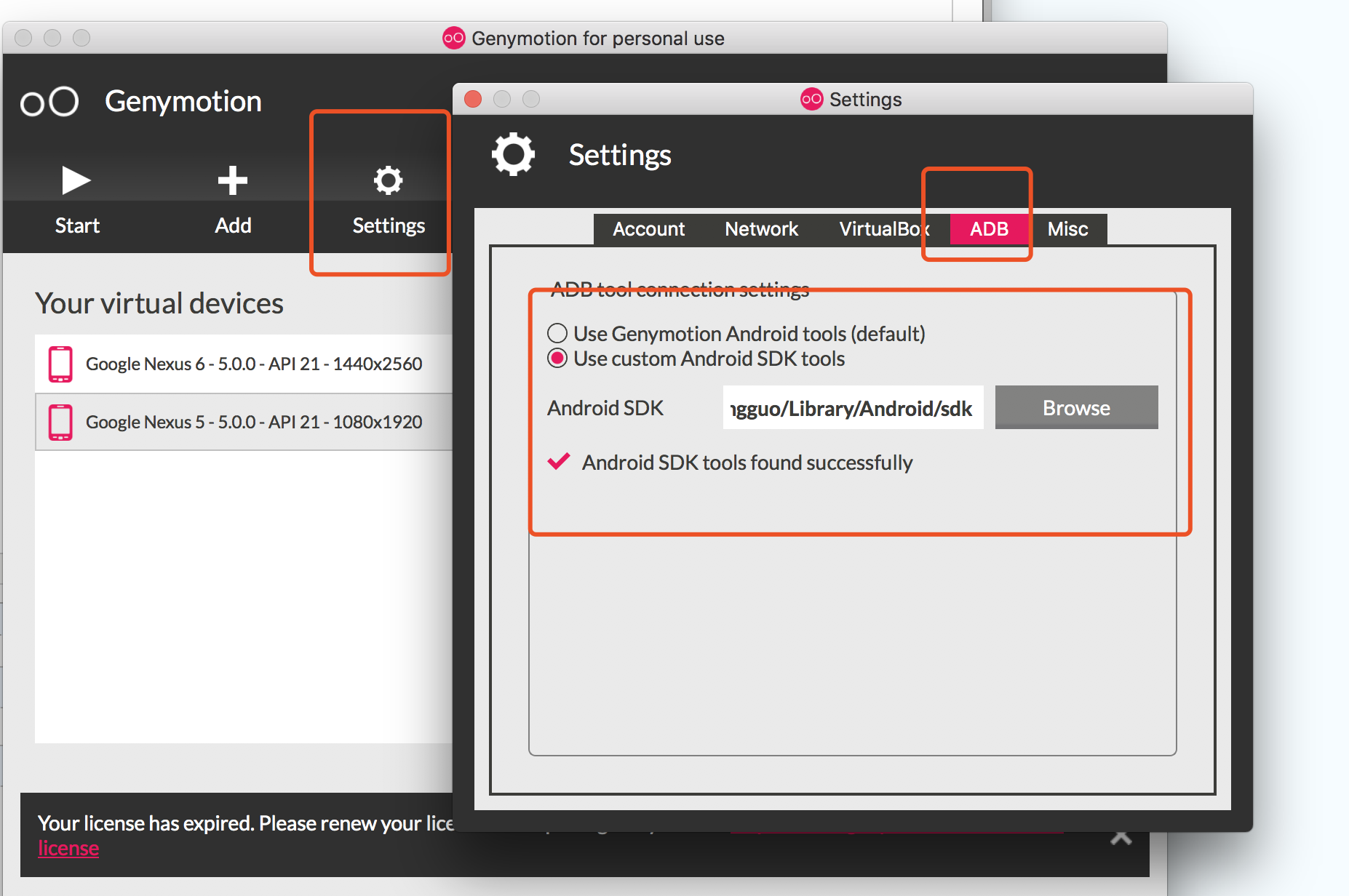
<2.当不使用studio的模拟器 使用 下图的模拟器 的时候
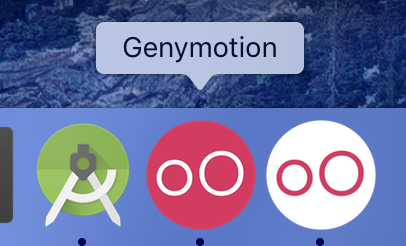
需要在进行一次配置
<3.ANDROID_HOME环境变量 配置环境变量的时候
.bash_profile
.bashrc
.zshrc
这三个 文件 需要配置
这几个文件 默认系统是隐藏的
可以通过 在命令行输入这段代码 来进行显示隐藏
显示隐藏文件
defaults write com.apple.finder AppleShowAllFiles -bool true
osascript -e 'tell application "Finder" to quit'

不显示隐藏文件
defaults write com.apple.finder AppleShowAllFiles -bool false
osascript -e 'tell application "Finder" to quit'
下面是我的三个文件的配置 并不适用于每个人的配置 写在这里 记录一下环境配置的步骤 以后配置的时候 参考错误
在 .bash_profile 中加入
# User configuration
source ~/.bash_profile
source ~/.bashrc
.bashrc 中
export ANDROID_HOME=~/Library/Android/sdk
#export PATH=${PATH}:~/Library/Android/sdk/platform-tools
export PATH=$PATH:$ANDROID_HOME/tools:$ANDROID_HOME/platform-tools
export PATH=/usr/local/bin/brew:$PATH
export PATH=/usr/local/opt/icu4c/bin:$PATH
.zshrc 中
# If you come from bash you might have to change your $PATH.
# export PATH=$HOME/bin:/usr/local/bin:$PATH

# Path to your oh-my-zsh installation.
export ZSH=$HOME/.oh-my-zsh

# Set name of the theme to load. Optionally, if you set this to "random"
# it'll load a random theme each time that oh-my-zsh is loaded.
# See https://github.com/robbyrussell/oh-my-zsh/wiki/Themes
ZSH_THEME="robbyrussell"

# Set list of themes to load
# Setting this variable when ZSH_THEME=random
# cause zsh load theme from this variable instead of
# looking in ~/.oh-my-zsh/themes/
# An empty array have no effect
# ZSH_THEME_RANDOM_CANDIDATES=( "robbyrussell" "agnoster" )

# Uncomment the following line to use case-sensitive completion.
# CASE_SENSITIVE="true"

# Uncomment the following line to use hyphen-insensitive completion. Case
# sensitive completion must be off. _ and - will be interchangeable.
# HYPHEN_INSENSITIVE="true"

# Uncomment the following line to disable bi-weekly auto-update checks.
# DISABLE_AUTO_UPDATE="true"

# Uncomment the following line to change how often to auto-update (in days).
# export UPDATE_ZSH_DAYS=13

# Uncomment the following line to disable colors in ls.
# DISABLE_LS_COLORS="true"

# Uncomment the following line to disable auto-setting terminal title.
# DISABLE_AUTO_TITLE="true"

# Uncomment the following line to enable command auto-correction.
# ENABLE_CORRECTION="true"

# Uncomment the following line to display red dots whilst waiting for completion.
# COMPLETION_WAITING_DOTS="true"

# Uncomment the following line if you want to disable marking untracked files
# under VCS as dirty. This makes repository status check for large repositories
# much, much faster.
# DISABLE_UNTRACKED_FILES_DIRTY="true"

# Uncomment the following line if you want to change the command execution time
# stamp shown in the history command output.
# The optional three formats: "mm/dd/yyyy"|"dd.mm.yyyy"|"yyyy-mm-dd"
# HIST_STAMPS="mm/dd/yyyy"

# Would you like to use another custom folder than $ZSH/custom?
# ZSH_CUSTOM=/path/to/new-custom-folder

# Which plugins would you like to load? (plugins can be found in ~/.oh-my-zsh/plugins/*)
# Custom plugins may be added to ~/.oh-my-zsh/custom/plugins/
# Example format: plugins=(rails git textmate ruby lighthouse)
# Add wisely, as too many plugins slow down shell startup.
plugins=(
  git
)

source $ZSH/oh-my-zsh.sh

# User configuration
source ~/.bash_profile
source ~/.bashrc

# export MANPATH="/usr/local/man:$MANPATH"

# You may need to manually set your language environment
# export LANG=en_US.UTF-8

# Preferred editor for local and remote sessions
# if [[ -n $SSH_CONNECTION ]]; then
#   export EDITOR='vim'
# else
#   export EDITOR='mvim'
# fi

# Compilation flags
# export ARCHFLAGS="-arch x86_64"

# ssh
# export SSH_KEY_PATH="~/.ssh/rsa_id"

#yarn
export PATH="$PATH:$HOME/.yarn/bin"
#electron
#ELECTRON_MIRROR="https://npm.taobao.org/mirrors/electron/"

# Set personal aliases, overriding those provided by oh-my-zsh libs,
# plugins, and themes. Aliases can be placed here, though oh-my-zsh
# users are encouraged to define aliases within the ZSH_CUSTOM folder.
# For a full list of active aliases, run `alias`.
#
# Example aliases
# alias zshconfig="mate ~/.zshrc"
# alias ohmyzsh="mate ~/.oh-my-zsh"
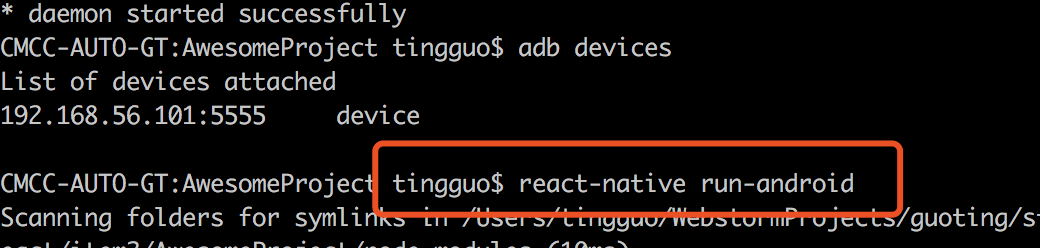
命令行 检查一下版本
CMCC-AUTO-GT:~ tingguo$ adb
Android Debug Bridge version 1.0.40
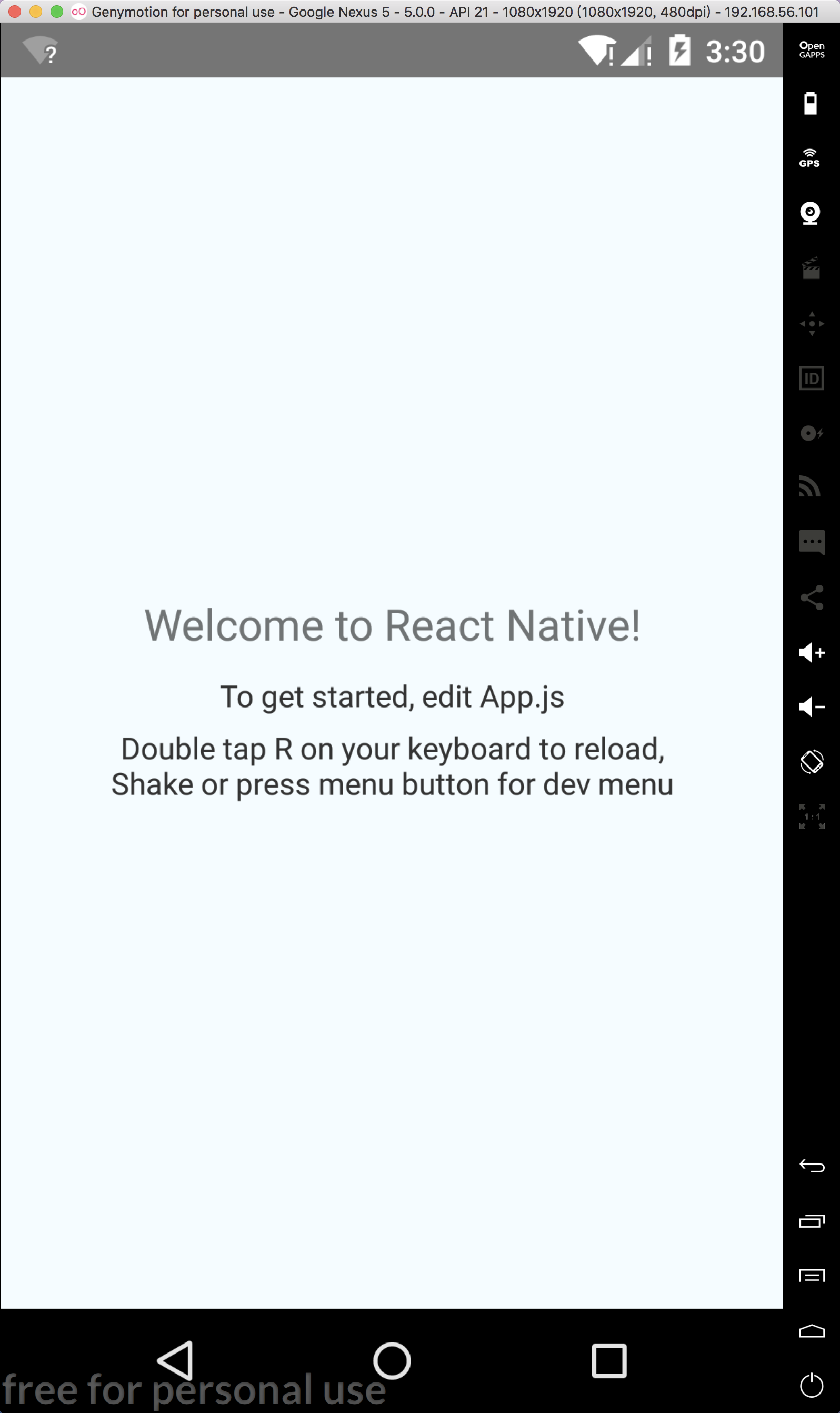
安卓的模拟器 开启效果 之后 在ws中修改代码以后 在模拟器中 r+r 即可 刷新 查看效果
未完。。。

 浙公网安备 33010602011771号