

项目脚手架之webpack
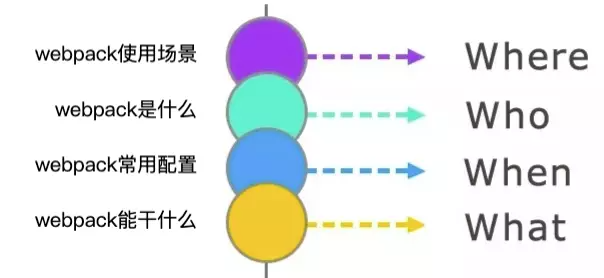
一问?


module.exports = {
  entry: {
    app: ['./src/main/index'],   // 企企项目入口配置
  },
};
1.1 单入口打包
const HtmlWebpackPlugin = require('html-webpack-plugin');
plugins:[
    new HtmlWebpackPlugin({
        filename:'index.html', // 打包出来的文件名
        template:path.resolve(__dirname,'./src/index.html'),
        hash:true, // 在引用资源的后面增加hash戳
    })
]
1.2 多入口打包
── src
    ├── entry-1.js
    └── entry-2.js
entry:{
    jquery:['jquery'], // 打包jquery
    entry1:path.resolve(__dirname,'../src/entry-1.js'),
    entry2:path.resolve(__dirname,'../src/entry-2.js')
},
output:{
    filename:'[name].js',
    path:path.resolve(__dirname,'../dist')
},
new HtmlWebpackPlugin({
    filename:'index.html',
    template:path.resolve(__dirname,'../public/template.html'),
    hash:true,
    chunks:['jquery','entry1'], // 引入的chunk 有jquery,entry
}),
new HtmlWebpackPlugin({
    filename:'login.html',
    template:path.resolve(__dirname,'../public/template.html'),
    hash:true,
    inject:false, // inject 为false表示不注入js文件
    chunksSortMode:'manual', // 手动配置代码块顺序
    chunks:['entry2','jquery']
})


inject有四个值: true body head false
- true 默认值,script标签位于html文件的 body 底部
- body script标签位于html文件的 body 底部
- head script标签位于html文件的 head中
- false 不插入生成的js文件,这个几乎不会用到的
let htmlPlugins = [
  {
    entry: "entry1",
    html: "index.html"
  },
  {
    entry: "entry2",
    html: "login.html"
  }
].map(
  item =>
    new HtmlWebpackPlugin({
      filename: item.html,
      template: path.resolve(__dirname, "../public/template.html"),
      hash: true,
      chunks: ["jquery", item.entry]
    })
);
plugins: [...htmlPlugins]
module.exports = {
  const ROOT_PATH = path.resolve(__dirname);
  const entryPointName = 'app';
  const version = require('./package.json').version; => "version": "1.0.0",

  output: {
    publicPath: '',
    filename: `[name].[chunkhash:8].min.js`,
    path: path.resolve(ROOT_PATH, dist),
    chunkFilename: `${entryPointName}-${version}-[name]-[chunkhash:8].min.js`,
    hashDigestLength: 8, // 散列摘要的前缀长度,默认为 20。 N.B: 缓存优化 chunkhash contenthash 不配置该属性的话,HashOutputWebpackPlugin无法生效;其需要用到hashDigestLength属性
  },
};
filenamechunkFilename
https://www.cnblogs.com/skychx/p/webpack-filename-chunkFilename.html
// webpack.dev.config.js
module.exports = env => {
  return resources.createServeConfig({
      ....
      mode: 'development',
      ....
   });
};

//webpack.config.js
module.exports = function (argv) {
    const configs = [];
    const prodConfig = resources.createServeConfig(
      ....
      mode: 'production',
      ....
    },
    isProduction,
  );
  configs.push(prodConfig);
  return configs;
};


// webpack.dev.resource.js
const path = require("path");
const merge = require("webpack-merge");
const argv = process.argv.slice(2);
const needSourceMap = argv.includes('--sourcemap');
const CODE_MINIFY = dist === 'dist';


module.exports = {
  createServeConfig(customConfig, isProduction) {
    const ret = merge(
     {
         devServer:{....},
         mode: 'development',
         output:{....},
         resolveLoader:{....},
         resolve:{....},
         module: {....},
         plugins: [....],
      },customConfig
    )

    /**
     * N.B: sourcemap 开启和关闭
     * 背景:web2 inte 等开发提测环境需要source-map,以方便调试。(souce-map开启后无法去除注释)
     * 线上环境需要关闭sourcemap以获得更好的压缩效果(会去除注释,减小更多的体积)。(等迭代或者产品稳定了,bug少了再去掉source-map)
     *
     * 设想1:用source-map模式,将.map文件独立出来,在线上的时候不上传.map文件,以保证测试环境和线上环境的代码是一致的。
     * 后果:额,source-map模式只要上到外网,其它人可访问,就会导致源码泄漏(可通过manifest拿到所有的js文件,进而得到.map文件,就拿到源码了)
     *
     * 设想2:用eval模式
     * 后果:代码体积大些,外网用户可看到被编译成es5的源码(应该是可以接受的)
     *
     * 所以只有内网环境才可以上source-map模式,外网环境要source-map的话,就只能用eval模式了(就是体积大些,等稳定了可以去掉eval)(不会泄漏源码,代码为es5的source-map)
     *
     * 结论: 只能选择用与不用eval模式。
     */
    let config = ret;
    if (needSourceMap) {
      config = Object.assign(
        {
          // 自动化测试使用eval模式
          devtool: CODE_MINIFY ? 'source-map' : 'eval',
        },
        ret,
      );
    }

    /**
     * N.B: eval also belongs to cheap-source-map, 导致无法去掉注释
     * issues => [Removing comments does not work when setting devtool to eval](https://github.com/webpack-contrib/uglifyjs-webpack-plugin/issues/180)
     */
    config = merge(
      isProduction ? {}: {devtool: 'eval'},
      config,
    );
    console.log('config.devtool', config.devtool);
    return config;
  },
};

[package.json]
"scripts":{
  "dev":"webpack-dev-server --env.development --config ./build/webpack.base.js"
  "build":"webpack --env.production --config ./build/webpack.base.js"
}
二问?
// loader
module: {
    rules: [
        {
            test: /\.css/,
            loader:['style-loader','css-loader']
        }
    ]
}


// use
module: {
    rules: [
        {
            test: /\.css/,
            use:['style-loader','css-loader']
        }
    ]
}


// use + loader
module: {
    rules: [
        {
            test: /\.css/,
            include: path.resolve(__dirname,'src'),
            exclude: /node_modules/,
            use: [{
                loader: 'style-loader',
                options: {
                    insert:'top'
                }
            },{
            	loader:'css-loader',
                options:{
                  // 如果css文件引入其他文件@import
                  simportLoaders:2
                }
            },'postcss-loader','sass-loader']
        }
    ]
}
样式相关Loaders
module.exports = {
  module: {
    rules: [
      // css文件
      {
        test: /\.css$/,
        use: [
          'cache-loader',
          'thread-loader',
          'css-hot-loader',
           MiniCssExtractPlugin.loader, //=> 抽离CSS为独立的文件
           // 'style-loader',    //=>把CSS插入到HEAD中
           'css-loader',         //=>编译解析@import/URL()这种语法
          {
            loader: 'postcss-loader',
            options: {
              plugins: function () {
                return [
                  postcssPresetEnv({
                    stage: 0,
                  }),
                  require('autoprefixer'),
                ];
              },
            },
          },
        ],
      },
    ],
  },
}
// index.css
::placeholder {
    color: red;
}


// postcss.config.js
const autoprefixer = require('autoprefixer');
const mqpacker = require('css-mqpacker');
module.exports = (ctx) => ({
 plugins: [
  autoprefixer({
   browsers: [ '>0.5%', 'last 2 versions', 'not dead', 'not op_mini all' ]
  }),
  mqpacker()
 ]
});


// webpack.config.js
{
   test:/\.css$/,
   use:[MiniCssExtractPlugin.loader,'css-loader','postcss-loader'],
   include:path.join(__dirname,'./src'),
   exclude:/node_modules/
}
module: {
  rules: [
    {
      test: /\.less$/,
      use: [
        'style-loader',
        'css-loader',
        'less-loader'
      ]
    },
    {
    test: /[^(.g)]+\.scss$/,
    enforce: 'pre',  //=>强制在下面的loader之前执行
    use: [
      .....
      {
        loader: 'sass-loader',
      },
      {
        loader: 'sass-resources-loader', // 通过 sass-resources-loader 全局注册 Sass 变量
        options: {
          resources: ['./src/theme/custom-variables.scss'],
        },
      },
    ],
  },
}
图片相关loaders
module: {
  //=>模块规则:使用加载器(默认从右向左执行)
  rules: [
      {
        test: /\.(woff|woff2|eot|ttf)(\?.*$|$)/,
        use: ['url-loader'],
      },
      {
        test: /\.(svg)$/i,
        use: ['svg-sprite-loader'],
        include: svgDirs, // 把 svgDirs 路径下的所有 svg 文件交给 svg-sprite-loader 插件处理
      },
      {
        test: /\.(png|jpg|gif|svg)$/,
        use: ['url-loader?limit=8192&name=images/[contenthash:8].[name].[ext]'],
        exclude: svgDirs,
      },
      {
        test: /\.html$/,
        use: ['html-withimg-loader']
      }
  ]
}
https://blog.csdn.net/zc135565/article/details/104166781
脚本(JS、TS、TSX)相关loader
参考
{
  test: /\.js$/,
  use: [
    {
      loader: 'babel-loader',
      options: {
        babelrc: false,
        compact: false,
        sourceMap: false,
        comments: false,  // 布尔类型,表示打包编译之后不产生注释内容
      },
    },
  ],
  include: [/node_modules/, /\/packages\//],
},
{
  test: [/\.tsx?$/],
  use: [
    {
      loader: 'babel-loader',
      options: {
        babelrc: false,
        plugins: [require.resolve('@q7/build-scripts/lib/plugins/babel/babel-plugin-dynamic-router')]
      }
    },
    {
      loader: 'esbuild-loader',
      options: {
        tsconfigRaw: require('./tsconfig.json'), //=> 如果您有一个tsconfig.json文件,esbuild loader将自动检测它。或者也可以通过tsconfigRaw选项直接传递:
        loader: 'tsx',
        minify: false,
      },
    },
    {
      loader: 'ts-loader',
      options: {
        happyPackMode: true,
        experimentalWatchApi: true,
        transpileOnly: true, // IMPORTANT! use transpileOnly mode to speed-up compilation
      },
    },
  ],
  include: [/router-defines(\/|\\)index/],
  exclude: [/node_modules/, /\.scss.ts$/, /\.test.tsx?$/],
},
{
   "presets": ["@babel/preset-typescript"],
   "plugins": [
      "@babel/plugin-syntax-dynamic-import",
      "react-hot-loader/babel"
   ]
}
{
  "compilerOptions": {
    "experimentalDecorators": true,
    "inlineSources": true,
    "sourceRoot": "/",
    "target": "es5",
    "module": "esnext",
    "moduleResolution": "node",
    "downlevelIteration": true,
    "allowSyntheticDefaultImports": true,
    "sourceMap": true,
    "removeComments": false,
    "baseUrl": ".",
    "outDir": "lib",
    "allowJs": true,
    "checkJs": false,
    "paths": {
      "@axios": ["./src/axios"],
       ....
    },
    "plugins": [{ "transform": "ts-optchain/transform" }],
    "jsx": "react",
    "alwaysStrict": true,
    "noUnusedLocals": false,
    "importHelpers": true,
    "noImplicitThis": false,
    "emitDecoratorMetadata": true,
    "esModuleInterop": true,
    "lib": ["esnext", "es7", "es6", "es5", "es2015.promise", "es2015.generator", "dom"],
    "skipLibCheck": true,
    "typeRoots": ["node", "node_modules/@types", "global.d.ts"]
  },
  "exclude": ["**/node_modules", "staticLib", ".cache", ".idea", "dist", "jest"]
}
const HtmlWebpackPlugin = require('html-webpack-plugin');
const path = require('path');


module.exports = {
  entry: 'index.js',
  output: {
    path: path.resolve(__dirname, './dist'),
    filename: 'index_bundle.js'
  },
  plugins: [
    new HtmlWebpackPlugin({
      template: './src/index.html', //=> 指定自己的模板
      filename: 'index.html',   //=> 输出的文件名
      hash: true,
      minify: {//=> 压缩HTMl文件
          collapseWhitespace: true, //=> 删除空白符和换行符
          removeComments: true, //=> 去掉注释
          removeAttributeQuotes: true, //=> 去掉属性的双引号
          removeEmptyAttributes: true  //=> 去掉空属性
      },
      chunks:['common','index'],
      chunksSortMode:'manual'//对引入代码块进行排序的模式
    })
  ]
};
const {CleanWebpackPlugin} = require('clean-webpack-plugin');
const path = require('path');


module.exports = {
  plugins: [
    new CleanWebpackPlugin(['build/dll'], { root: path.resolve() })
  ],
};
const MiniCssExtractPlugin = require("mini-css-extract-plugin");
const path = require('path');


module.exports = {
  plugins: [new MiniCssExtractPlugin()],
  module: {
    rules: [
      {
        test: /\.css$/i,
        use: [MiniCssExtractPlugin.loader, "css-loader"],
      },
    ],
  },
};
const MiniCssExtractPlugin = require("mini-css-extract-plugin");
const OptimizeCSSAssetsPlugin = require("optimize-css-assets-webpack-plugin");
const TerserWebpackPlugin = require('terser-webpack-plugin');
const path = require('path');


module.exports = {
    mode: 'production',
    optimization: {
        minimizer: [ // 压缩JS资源的
          new TerserWebpackPlugin({
               parallel: true,
          }),
          new OptimizeCSSAssetsPlugin({  //压缩css资源的
               assetNameRegExp:/\.css$/g,
               cssProcessor:require('cssnano') //cssnano是PostCSS的CSS优化和分解插件。cssnano采用格式很好的CSS,并通过许多优化,以确保最终的生产环境尽可能小。
          })
        ]
    },
},
const CopyWebpackPlugin = require('copy-webpack-plugin');
module.exports = {
  plugins: [
    new RetryChunkLoadPlugin({
      retryDelay: 10000, // 间隔多久重启一次
      maxRetries: 5,   // 最多重启次数
    }),
  ]
}
const CopyWebpackPlugin = require('copy-webpack-plugin');
const path = require('path');


module.exports = {
  plugins: [
    new CopyWebpackPlugin([{
      from: path.resolve(__dirname,'src/assets'), // 静态资源目录源地址
      to:path.resolve(__dirname,'dist/assets')  // 目标地址,相对于output的path目录
    }])
  ]
}
const BundleAnalyzerPlugin = require('webpack-bundle-analyzer').BundleAnalyzerPlugin;
module.exports = {
  plugins: [
     new BundleAnalyzerPlugin({
       analyzerMode: 'disabled', // 不启动展示打包报告的http服务器
       generateStatsFile: true,  // 是否生成stats.json文件
     })
  ]
}

const { WebpackManifestPlugin } = require('webpack-manifest-plugin');
module.exports = {
  plugins: [
    new WebpackManifestPlugin({
        fileName: 'manifest.json',
    }),
  ]
}
const { WebpackManifestPlugin } = require('webpack-manifest-plugin');
module.exports = {
  plugins: [
    /**
   * HashOutputWebpackPlugin
   * N.B: 缓存优化:contentHash [chunkhash][contenthash] 用真实的基于内容的contenthash来替换webpack自带的contenthash(自带的在每次打包时,有几个chunk的contenthash会变化(尽管chunk里的内容没变))
   * issues => [Webpack 4 chunkhash/contenthash can vary between builds](https://github.com/webpack/webpack/issues/7179)
   * HashOutput必须放在首位
   * 必须设置 output.hashDigestLength 为[chunkhash:8]这里所保留的hash长度(8)
   */
    new HashOutputWebpackPlugin(),
  ]
}
const webpack = require('webpack');


module.exports = {
  plugins: [
    new webpack.ProgressPlugin(), // 构建进度条
    new webpack.WatchIgnorePlugin([/\.js$/, /\.d\.ts$/]), // 忽略掉 d.ts 文件,避免因为编译生成 d.ts 文件导致又重新检查。
    new webpack.HashedModuleIdsPlugin(), // N.B: 缓存优化: moduleId 用hashId来替换数字id索引(用数字id来当作manifest里的索引,可能会因为顺序变化而变化,导致缓存失效)
    new webpack.DefinePlugin({
      'process.env.HMR': `"none"`,
      'process.env.isProd': `"${isProduction}"`,
      'process.env.publicPath': `"${publicPath}"`,
      'process.env.sp_pro_path': `"${SP_PRO_PATH}"`,
    }),
    new webpack.IgnorePlugin(/^\.\/locale/,/moment$/)
  ]
}
resolve: {
  alias: Object.assign({
    'react': path.resolve(path.join(__dirname, './node_modules/react')),
    'react-dom': path.resolve(path.join(__dirname, './node_modules/react-dom')),
    'react-hot-loader': path.resolve(path.join(__dirname, './node_modules/react-hot-loader')),
    ......
  },
    createKaledioAlias({
      '@q7/athena': (project, p) => {
        Object.assign(p, {
          '@athena-ui': path.resolve(ROOT_PATH, './node_modules/@q7/athena/src'),
          '@grid': path.resolve(ROOT_PATH, './node_modules/@q7/athena/src/components/Grid'),
          '@ag-grid': path.resolve(ROOT_PATH, './node_modules/@q7/athena/src/components/ag-grid'),
          '@q7/athena/lib': path.resolve(ROOT_PATH, './node_modules/@q7/athena/src'),
        })
      }
    })
  ),
  plugins: [
    new TsconfigPathsPlugin({
      configFile: './tsconfig.json',
      logLevel: 'info',
      extensions: ['.ts', '.tsx'],
      mainFields: ['main', 'browser'],
      // baseUrl: "/foo"
    }),
  ],
},
resolve: {
  extensions: [".js",".jsx",".json",".css"]
},
resolve: {
  alias: {
    'react': path.resolve(path.join(__dirname, './node_modules/react')),
    'react-dom': path.resolve(path.join(__dirname, './node_modules/react-dom')),
    'react-hot-loader': path.resolve(path.join(__dirname, './node_modules/react-hot-loader')),
    '@mobx': path.resolve(ROOT_PATH, 'node_modules/mobx'),
    '@q7/athena/src': path.join(__dirname, 'src'),
    '@q7/athena/lib': path.join(__dirname, 'lib'),
    .....
  },
}
resolve: {
  mainFields: ['browser', 'module', 'main'],  // 配置 target === "web" 或者 target === "webworker" 时 mainFields 默认值是:
  mainFields: ["module", "main"], // target 的值为其他时,mainFields 默认值为:
}
resolve.resolveLoader
module.exports = {
  resolveLoader: {
    modules: [
      path.resolve(__dirname, '../node_modules'),
      path.resolve(process.cwd(), 'node_modules'),
    ],
  },
};
三问?
//=> 从 os.cpu 获取并行数量,如果取不到,默认按照4核(需要和运维确认)
const cpuNumber = 1;


optimization: {
  usedExports: true, //=> 开启,只要导出的模块都tree shaking(摇树),意思是把没有使用到的文件删除,去除无效的代码,减小文件体积
  sideEffects: true, //=> 允许我们通过配置标识我们的代码是否有副作用,从而提供更大的压缩空间。(模块的副作用指的就是模块执行的时候除了导出成员,是否还做了其他的事情。)
  occurrenceOrder: false,   //=> 标记模块的加载顺序,使初始包更小
  removeEmptyChunks: false, //=> 检测或移除空的chunk,设置为 false 以禁用这项优化
  removeAvailableModules: true,  //=> 删除已可用模块
  minimizer: [ //=> 来最小化包
    new TerserWebpackPlugin({ //=> 该插件使用 terser 来压缩 JavaScript。
      exclude: [/^manifest\..*\.js/], //=> 匹配不需要压缩的文件。
      sourceMap: true,
      parallel: cpuNumber || true, //=> 使用多进程并发运行以提高构建速度。 并发运行的默认数量: os.cpus().length - 1 。
      extractComments: true,       //=> 是否将注释剥离到单独的文件中
    }),
    new OptimizeCSSAssetsPlugin({ //=> 主要是用来压缩css文件
      cssProcessor: require('cssnano'), //=> 用于优化\最小化CSS的CSS处理器,默认为cssnano
      cssProcessorPluginOptions: {  //=> 传递给cssProcessor的插件选项
        preset: ['advanced', {
          discardComments: { removeAll: true },
          reduceIdents: {
            gridTemplate: false,
          },
        }],
      },
    })
  ],
  runtimeChunk: { //=> 打包时生成一个体积很小runtime.xxx.js文件,用作映射其他chunk文件,目的是更新后,以较小的代价利用缓存,提升页面加载速度。
    name: 'manifest',
  },
  splitChunks: { /=> 代码分割
    cacheGroups: { //=> 设置缓存组用来抽取满足不同规则的chunk
      css: {
        name: 'initial-all-vendor',
        test: /\.s?css$/,
        chunks: 'all',
      },
    }
  },
},
const bodyParser = require('body-parser');
const devServerConfig = env => {
  const { DEPLOY_ENV = 'local' } = env;


  let isLocal = true;
  let host = DEPLOY_ENV;


  return {
    inline: true,      //=> 在dev-server的两种不同模式之间切换。默认情况下,应用程序启用内联模式(inline mode)
    hot: true,         //=> 启用webpack的模块热替换功能
    host: '0.0.0.0',   //=> 指定使用一个 host。默认是 localhost。
    publicPath: '/',   //=> 此路径下的打包文件可在浏览器中访问
    disableHostCheck: true, //=>设置为true时,此选项绕过主机检查。不建议这样做,因为不检查主机的应用程序容易受到DNS重新连接攻击。
    compress: false,   //=> 启用gzip压缩
    watch:true,        //=> 开启监听
    watchOptions: {    //=> 监控的选项,可以监听文件变化,当它们修改后会重新编译
      ignored: /node_modules\/(?!@q7)/,  //=> 不需要进行监控哪个文件,对于某些系统,监听大量文件系统会导致大量的 CPU 或内存占用。这个选项可以排除一些巨大的文件夹
      poll: 1233,   //=> 每x秒检查一次变动, 通过传递true开启polling,或者指定毫秒为单位进行轮询。
      aggregateTimeout:500, // 防抖 我一直输入代码
    },
    port: 3010,  //=> 指定要监听请求的端口号
    stats: { //=> 通过此选项,可以精确控制要显示的 bundle 信息。如果你想要显示一些打包信息,但又不是显示全部,这可能是一个不错的妥协
        ......
    },
  };
};


module.exports = {
  devServerConfig: devServerConfig,
};
const jQuery = require("jquery");
import jQuery from 'jquery'; // 通过下面externals配置,jQuery就不会被打包


<script src="https://cdn.bootcss.com/jquery/3.4.1/jquery.js"></script>


externals: {
  jquery: 'jQuery'//如果要在浏览器中运行,那么不用添加什么前缀,默认设置就是global
},
module: {}
|
|
|
|
|
|
|
|
|
|
|
|
|
|
|
|
|
|
|
|
|
|
|
|
module.exports = {
  //...
  stats: 'verbose'   //=> 全部输出
  // stats: 'errors-only' //=> 只在错误时输出
};


stats:{
  progress: true, // 显示打包进度
  colors: true,   // 打包日志显示颜色
  assets: true,   // 添加资源信息
  version: true,  // 添加 webpack 版本信息
  hash: true,     // 添加 compilation 的哈希值
  timings: true,  // 添加时间信息
  chunks: false,  // 添加 chunk 信息(设置为 `false` 能允许较少的冗长输出)
  chunkModules: false, // 将构建模块信息添加到 chunk 信息
  warnings: false,  // 添加警告
}
|
|
|
|
|
|
|
|
|
|
|
|
|
|
|
|
|
|
|
|
|
|
|
|
|
|
|
|
|
|
|
|
|
|
|
|
|
|
|
|
|
|
下次分享主题:source-map的使用以及如何调式打包后/线上的代码?
与webpack类似的工具还有哪些? 谈谈你为什么选择使用或放弃webpack?
1.grunt
2.gulp
3.webpack
4.rollup
5.parcel
|
|
|
|
|
|
|
|
|
|
|
|
|
|
|
|
|
|
|
|
|
|
|
|
|
|
|
|
|
|
|
|
|
|
|
|
|
|
|
|
|
|
|
|
|
|
|
|
|
|
|
|
|
|
|
|
|
|
|
|
|
|
|
|
|
|
|
|
|
|
|
|
const OptimizeCSSAssetsPlugin = require("optimize-css-assets-webpack-plugin");
optimization: {
  minimize: true,
  minimizer: [
    //压缩CSS
    new OptimizeCSSAssetsPlugin({}),
  ]
},
const TerserWebpackPlugin = require('terser-webpack-plugin');
optimization: {
  minimize: true,
  minimizer: [
    //压缩JS
    new TerserWebpackPlugin({})
  ]
}
{
  test: /\.(png|svg|jpg|gif|jpeg|ico)$/,
  use: [
    "file-loader",
    {
      loader: "image-webpack-loader",
      options: {
        mozjpeg: {
          progressive: true,
          quality: 65,
        },
        optipng: {
          enabled: false,
        },
        pngquant: {
          quality: "65-90",
          speed: 4,
        },
        gifsicle: {
          interlaced: false,
        },
        webp: {
          quality: 75,
        }
      }
    }
  ]
}
const path = require("path");
const MiniCssExtractPlugin = require("mini-css-extract-plugin");
const PurgecssPlugin = require("purgecss-webpack-plugin");


module.exports = {
  module: {
    rules: [
       {
        test: /\.css$/,
        include: path.resolve(__dirname, "src"),
        exclude: /node_modules/,
        use: [
          {
            loader: MiniCssExtractPlugin.loader,
          },
          "css-loader",
        ],
      }
    ]
  },
  plugins: [
    new MiniCssExtractPlugin({
      filename: "[name].css",
    }),
    new PurgecssPlugin({
      paths: glob.sync(`${PATHS.src}/**/*`,  { nodir: true }),
    })
  ]
  devServer: {},
};
module.exports = {
    mode:'production',
    devtool:false,
     module: {
        rules: [
            {
                test: /\.js/,
                include: path.resolve(__dirname, "src"),
                use: [
                    {
                        loader: "babel-loader",
                        options: {
                            presets: [["@babel/preset-env", { "modules": false }]],
                        },
                    },
                ],
            }
        ],
     }
}
export default 'Hello';
import str from './hello.js';
console.log(str);
var hello = ('hello');
console.log(hello);
entry: {
        index: "./src/index.js",
        login: "./src/login.js"
}
<link rel="preload" as="script" href="utils.js">
import(
  `./utils.js`
  /* webpackPreload: true */
  /* webpackChunkName: "utils" */
)
<link rel="prefetch" href="utils.js" as="script">
button.addEventListener('click', () => {
  import(
    `./utils.js`
    /* webpackPrefetch: true */
    /* webpackChunkName: "utils" */
  ).then(result => {
    result.default.log('hello');
  })
});
entry: {
    page1: "./src/page1.js",
    page2: "./src/page2.js",
    page3: "./src/page3.js",
  },
 optimization: {
  splitChunks: {
      chunks: "all", //默认作用于异步chunk,值为all/initial/async
      minSize: 0, //默认值是30kb,代码块的最小尺寸
      minChunks: 1, //被多少模块共享,在分割之前模块的被引用次数
      maxAsyncRequests: 2, //限制异步模块内部的并行最大请求数的,说白了你可以理解为是每个import()它里面的最大并行请求数量
      maxInitialRequests: 4, //限制入口的拆分数量
      name: true, //打包后的名称,默认是chunk的名字通过分隔符(默认是~)分隔开,如vendor~
      automaticNameDelimiter: "~", //默认webpack将会使用入口名和代码块的名称生成命名,比如 'vendors~main.js'
      cacheGroups: {
        //设置缓存组用来抽取满足不同规则的chunk,下面以生成common为例
        vendors: {
          chunks: "all",
          test: /node_modules/, //条件
          priority: -10, ///优先级,一个chunk很可能满足多个缓存组,会被抽取到优先级高的缓存组中,为了能够让自定义缓存组有更高的优先级(默认0),默认缓存组的priority属性为负值.
        },
        commons: {
          chunks: "all",
          minSize: 0, //最小提取字节数
          minChunks: 2, //最少被几个chunk引用
          priority: -20
        }
      }
    }
}


 浙公网安备 33010602011771号