
Win10 环境下 vscode 没法在终端使用 conda activate 命令来更换 Python 环境的解决方案
在 vscode 上激活 conda 镜像如报下面错误:
CommandNotFoundError: Your shell has not been properly configured to use 'conda activate'.
If using 'conda activate' from a batch script, change your
invocation to 'CALL conda.bat activate'.

To initialize your shell, run

    $ conda init <SHELL_NAME>

Currently supported shells are:
  - bash
  - cmd.exe
  - fish
  - tcsh
  - xonsh
  - zsh
  - powershell

See 'conda init --help' for more information and options.

IMPORTANT: You may need to close and restart your shell after running 'conda init'.
则需在 vscode 中按如下图所示修改配置才能解决:
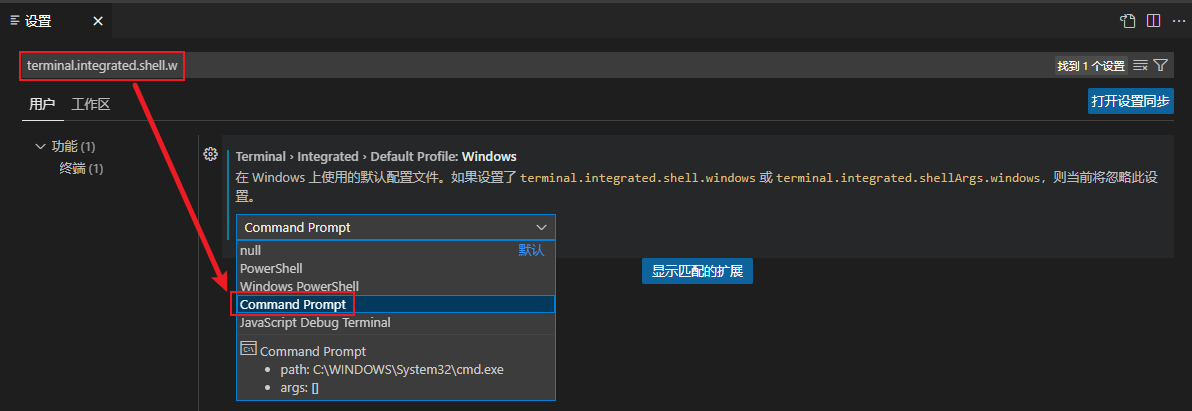
即在 vscode 设置页面的搜索框内输入
terminal.integrated.shell.w即可找到这一配置项,然后在 combox 切换到 Command Prompt 即可。

 浙公网安备 33010602011771号