//model book
using System;
using System.Collections.Generic;
using System.Linq;
using System.Text;
using System.Threading.Tasks;

namespace WpfApp158
{
    public class Book
    {
        public int Id { get; set; }
        public string Author { get; set; }
        public string ISBN { get; set; }
        public string ImgUrl { get; set; }
        public string Name { get; set; }
    }
}


//usercontrol.xaml
<UserControl x:Class="WpfApp158.DatagridImgControl"
             xmlns="http://schemas.microsoft.com/winfx/2006/xaml/presentation"
             xmlns:x="http://schemas.microsoft.com/winfx/2006/xaml"
             xmlns:mc="http://schemas.openxmlformats.org/markup-compatibility/2006"
             xmlns:d="http://schemas.microsoft.com/expression/blend/2008"
             xmlns:local="clr-namespace:WpfApp158"
             mc:Ignorable="d"
             d:DesignHeight="450" d:DesignWidth="800">
    <Grid>
        <Grid.RowDefinitions>
            <RowDefinition />
            <RowDefinition Height="200"/>
        </Grid.RowDefinitions>
        <Grid.ColumnDefinitions>
            <ColumnDefinition Width="200"/>
            <ColumnDefinition/>
        </Grid.ColumnDefinitions>
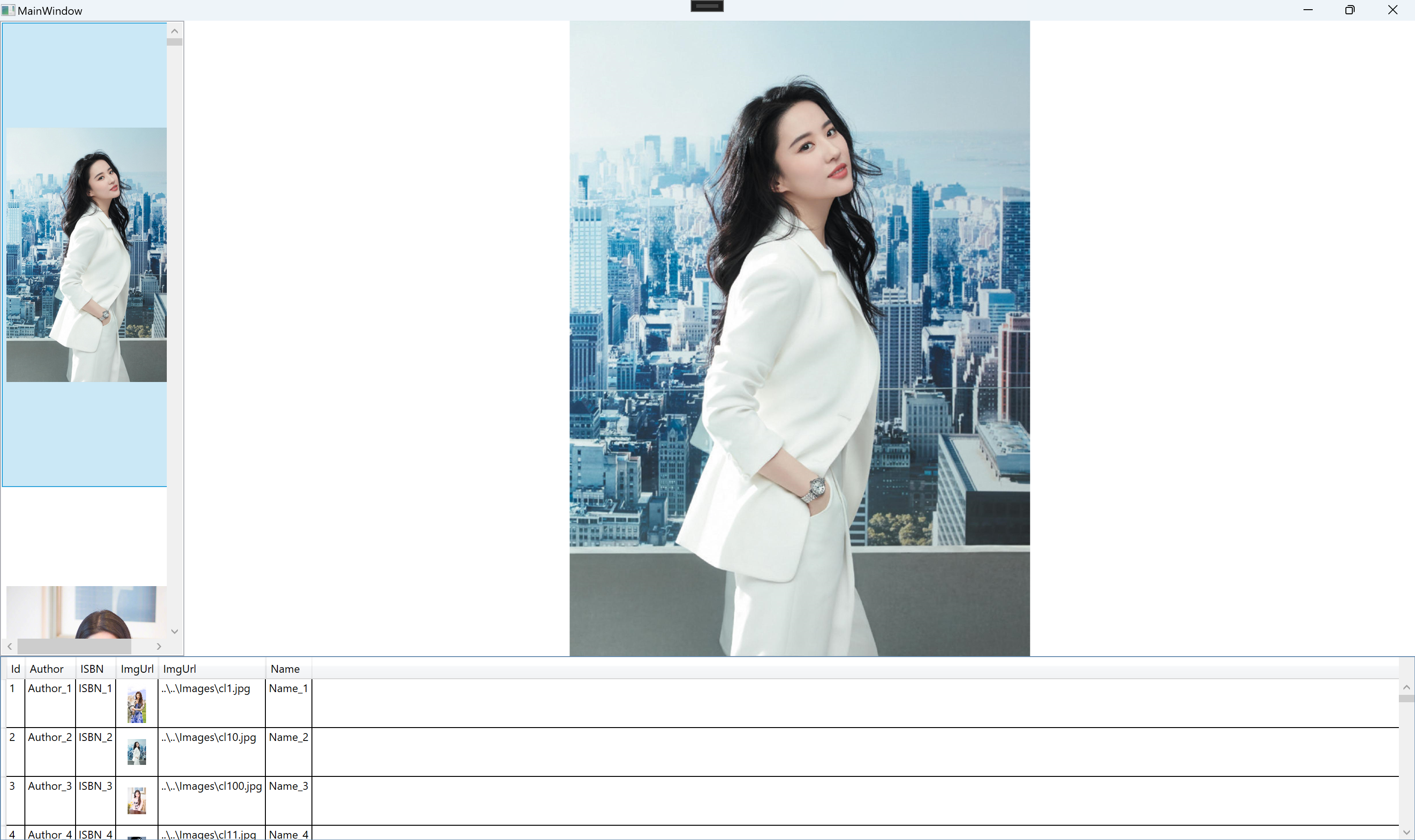
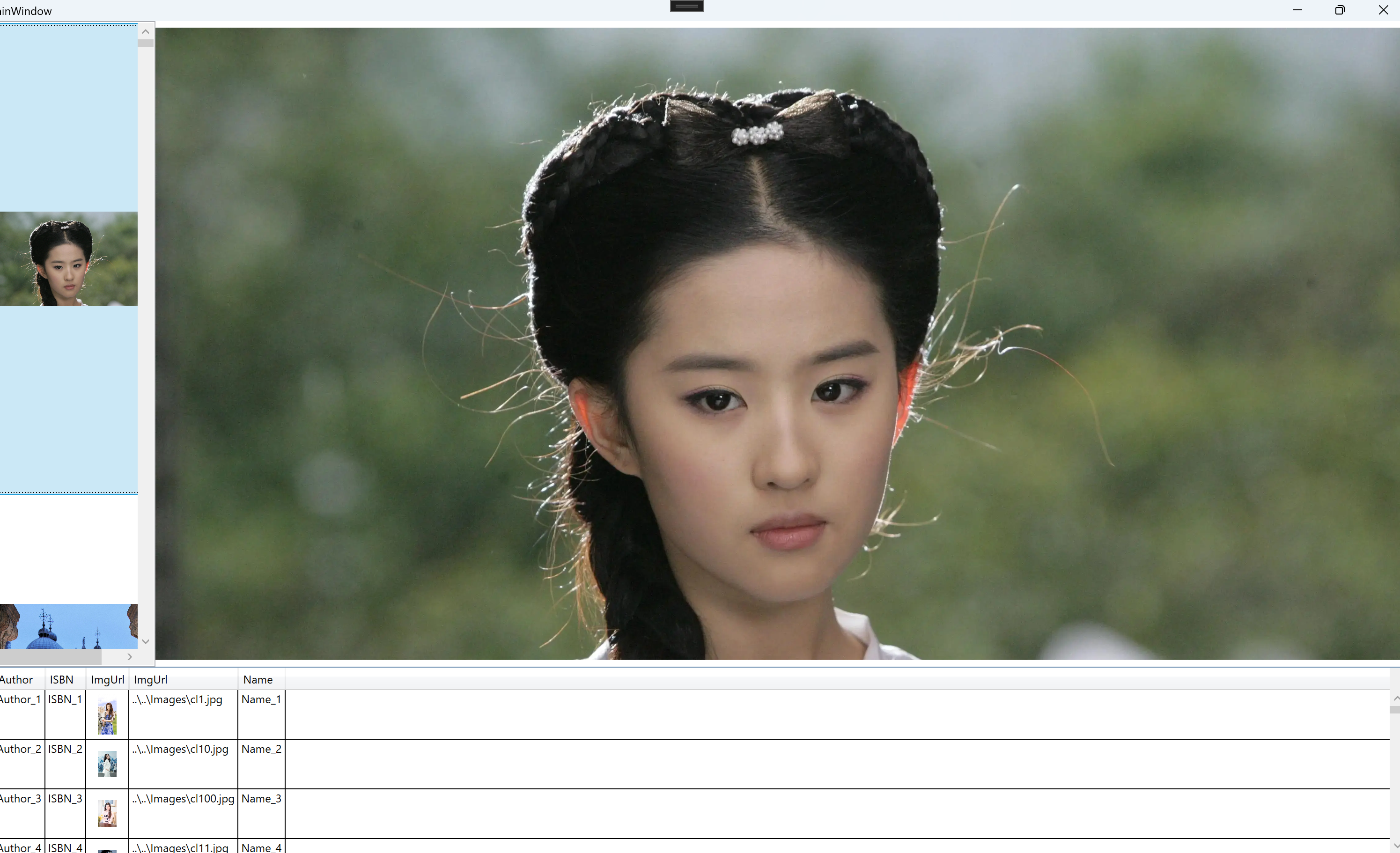
        <ListBox x:Name="lbx" Grid.Row="0" Grid.Column="0" SelectionChanged="lbx_SelectionChanged">
            <ListBox.ItemTemplate>
                <DataTemplate>
                    <Image Source="{Binding Content,RelativeSource={RelativeSource AncestorType=ListBoxItem}}"
                           Width="200" Height="500" />
                </DataTemplate>
            </ListBox.ItemTemplate>
        </ListBox>
        <Image x:Name="img" Grid.Row="0" Grid.Column="1" Source="{Binding SelectedItem,ElementName=lbx,
            UpdateSourceTrigger=PropertyChanged}" />
        <DataGrid x:Name="dg" Grid.Row="1" Grid.Column="0" Grid.ColumnSpan="2"
                  AutoGenerateColumns="False" SelectionChanged="dg_SelectionChanged" >
            <DataGrid.Columns>
                <DataGridTextColumn Header="Id" Binding="{Binding Id}"/>
                <DataGridTextColumn Header="Author" Binding="{Binding Author}"/>
                <DataGridTextColumn Header="ISBN" Binding="{Binding ISBN}"/>
                <DataGridTemplateColumn Header="ImgUrl">
                    <DataGridTemplateColumn.CellTemplate>
                        <DataTemplate>
                            <Image Source="{Binding ImgUrl}" Width="20" Height="50"/>
                        </DataTemplate>
                    </DataGridTemplateColumn.CellTemplate>
                </DataGridTemplateColumn>
                <DataGridTextColumn Header="ImgUrl"  Binding="{Binding ImgUrl}"/>
                <DataGridTextColumn Header="Name" Binding="{Binding Name}"/>
            </DataGrid.Columns>
        </DataGrid>
    </Grid>
</UserControl>


//usercontrol.xaml.cs
using System;
using System.Collections.Generic;
using System.Linq;
using System.Text;
using System.Threading.Tasks;
using System.Windows;
using System.Windows.Controls;
using System.Windows.Data;
using System.Windows.Documents;
using System.Windows.Input;
using System.Windows.Media;
using System.Windows.Media.Imaging;
using System.Windows.Navigation;
using System.Windows.Shapes;

namespace WpfApp158
{
    /// <summary>
    /// Interaction logic for DatagridImgControl.xaml
    /// </summary>
    public partial class DatagridImgControl : UserControl
    {
        public DatagridImgControl()
        {
            InitializeComponent();
        }

        public List<Book> BooksList
        {
            get { return (List<Book>)GetValue(BooksListProperty); }
            set { SetValue(BooksListProperty, value); }
        }

        // Using a DependencyProperty as the backing store for BooksList.  This enables animation, styling, binding, etc...
        public static readonly DependencyProperty BooksListProperty =
            DependencyProperty.Register("BooksList", typeof(List<Book>),
                typeof(DatagridImgControl), new PropertyMetadata(null, BooksListChangedCallback));

        private static void BooksListChangedCallback(DependencyObject d, DependencyPropertyChangedEventArgs e)
        {
            var dgImgControl = d as DatagridImgControl;
            if (dgImgControl == null)
            {
                return;
            }
            dgImgControl.dg.ItemsSource = e.NewValue as List<Book>;
            dgImgControl.lbx.ItemsSource=(e.NewValue as List<Book>).Select(x=>x.ImgUrl)?.ToList();
        }

        private void dg_SelectionChanged(object sender, SelectionChangedEventArgs e)
        {
            if(e.AddedItems!=null && e.AddedItems.Count>0)
            {
                var bk = e.AddedItems[0] as Book;
                if (bk != null)
                {
                    BitmapImage bmi = new BitmapImage();
                    bmi.BeginInit();
                    bmi.UriSource=new Uri(bk.ImgUrl,UriKind.Relative);
                    bmi.EndInit();
                    img.Source = bmi;
                }
            }
        }

        private void lbx_SelectionChanged(object sender, SelectionChangedEventArgs e)
        {
            if(e.AddedItems!=null && e.AddedItems.Count>0)
            {
                var imgUrl = e.AddedItems[0]?.ToString();
                if(!string.IsNullOrWhiteSpace(imgUrl))
                {
                    BitmapImage bmi = new BitmapImage();
                    bmi.BeginInit();
                    bmi.UriSource = new Uri(imgUrl, UriKind.Relative);
                    bmi.EndInit();
                    img.Source = bmi;
                }
            }
        }
    }
}
//main.xaml
<Window x:Class="WpfApp158.MainWindow"
        xmlns="http://schemas.microsoft.com/winfx/2006/xaml/presentation"
        xmlns:x="http://schemas.microsoft.com/winfx/2006/xaml"
        xmlns:d="http://schemas.microsoft.com/expression/blend/2008"
        xmlns:mc="http://schemas.openxmlformats.org/markup-compatibility/2006"
        xmlns:local="clr-namespace:WpfApp158"
        mc:Ignorable="d" WindowState="Maximized"
        Title="MainWindow" Height="450" Width="800">
    <Grid>
        <local:DatagridImgControl BooksList="{Binding DIBooksList,Mode=OneWay,UpdateSourceTrigger=PropertyChanged}">

        </local:DatagridImgControl>
    </Grid>
</Window>


//xaml.cs
using System;
using System.Collections.Generic;
using System.Linq;
using System.Text;
using System.Threading.Tasks;
using System.Windows;
using System.Windows.Controls;
using System.Windows.Data;
using System.Windows.Documents;
using System.Windows.Input;
using System.Windows.Media;
using System.Windows.Media.Imaging;
using System.Windows.Navigation;
using System.Windows.Shapes;
using System.IO;

namespace WpfApp158
{
    /// <summary>
    /// Interaction logic for MainWindow.xaml
    /// </summary>
    public partial class MainWindow : Window
    {
        public List<Book> DIBooksList { get; set; }
        public MainWindow()
        {
            InitializeComponent();
            InitData();
        }

        private void InitData()
        {
            var imgs = Directory.GetFiles(@"..\..\Images", "*");
            int imgsCount= imgs.Length;
            DIBooksList = new List<Book>();
            for (int i = 0; i < 100000; i++)
            {
                Book bk = new Book();
                bk.Id = i + 1;
                bk.Author = $"Author_{i + 1}";
                bk.ISBN = $"ISBN_{i + 1}";
                bk.ImgUrl = $"{imgs[(i+1)%imgsCount]}";
                bk.Name = $"Name_{i + 1}";
                DIBooksList.Add(bk);
            }
            this.DataContext = this;
        }
    }
![]()
![]()
}
![]()



 浙公网安备 33010602011771号