因为域名有限,所以想把vue项目部署在某个域名的二级路径上,例如:https://www.example.com/admin/下
nginx的配置如下:
server {
        listen       8095;       # Admin
        server_name  localhost;

        location / {
           #禁止浏览器缓存 index.html 和 version.json
            if ($request_filename ~* .*\.(htm|html|json)$)
            {
               expires -1;
               #add_header Cache-Control "no-store";
               add_header Cache-Control "private, no-store, no-cache, must-revalidate, proxy-revalidate";
            }

            client_max_body_size  1024m;
            client_body_buffer_size 1024m;

            root   "D:\operation\admin\dist";
            try_files $uri $uri/ @router;
            index  index.html index.htm;
            error_page 405 =200 http://$host$request_uri;
        }

        location @router {
            rewrite ^.*$ /index.html last;
        }
        error_page   500 502 503 504  /50x.html;
        location = /50x.html {
            root   html;
        }
    }
server {
        listen       8111;            #数字化平台
        server_name  localhost;


        location / {
             #禁止浏览器缓存 index.html 和 version.json
            if ($request_filename ~* .*\.(htm|html|json)$)
            {
               expires -1;
               #add_header Cache-Control "no-store";
               add_header Cache-Control "private, no-store, no-cache, must-revalidate, proxy-revalidate";
            }
            client_max_body_size  1024m;
            client_body_buffer_size 1024m;
            root   "D:\operation\Prototype_web\dist";

            try_files $uri $uri/ @router;
            index  index.html index.htm;
            error_page 405 =200 http://$host$request_uri;
        }

        location /api/ {
            client_max_body_size  1024m;
            client_body_buffer_size 1024m;

            proxy_set_header Host $http_host;
            proxy_set_header X-Real-IP $remote_addr;
            proxy_set_header REMOTE-HOST $remote_addr;
            proxy_set_header X-Forwarded-For $proxy_add_x_forwarded_for;
            proxy_pass http://localhost:8021/;
        }

        location /admin/ {
            proxy_pass http://localhost:8095/;
            proxy_set_header        Host            $host;
            proxy_set_header        X-Real-IP       $remote_addr;
            proxy_set_header        X-Forwarded-For $proxy_add_x_forwarded_for;
        }

        location @router {
            rewrite ^.*$ /index.html last;
        }
        error_page   500 502 503 504  /50x.html;
        location = /50x.html {
            root   html;
        }
    }
vue前端项目:
修改路由文件:router/index.js,主要是history那边需要修改
import {createRouter, createWebHistory, RouteRecordRaw} from "vue-router";

const routes: Array<RouteRecordRaw> = [
    {
        path: "/",
        redirect: "home",
    },
    {
        path: "/Test",
        name: "Test",
        component: () => import("../views/Test.vue"),
    },
];

const router = createRouter({
    history: createWebHistory('/admin/'), // 设置为二级路径
    routes,
});

export default router;
vite.config.js 内容如下(主要是base路径下修改)
import {defineConfig} from 'vite'
import vue from '@vitejs/plugin-vue'

// https://vitejs.dev/config/
export default defineConfig({
    base: '/admin/', // 设置为二级路径
    plugins: [vue()],
    server: {
        proxy: {
            '/api': {
                target: 'http://1.2.3.4:8080', // 实际请求地址
                changeOrigin: true,
                rewrite: (path) => path.replace(/^\/api/, ""),
            },
        },
    },
})
Google Chrome 调试:
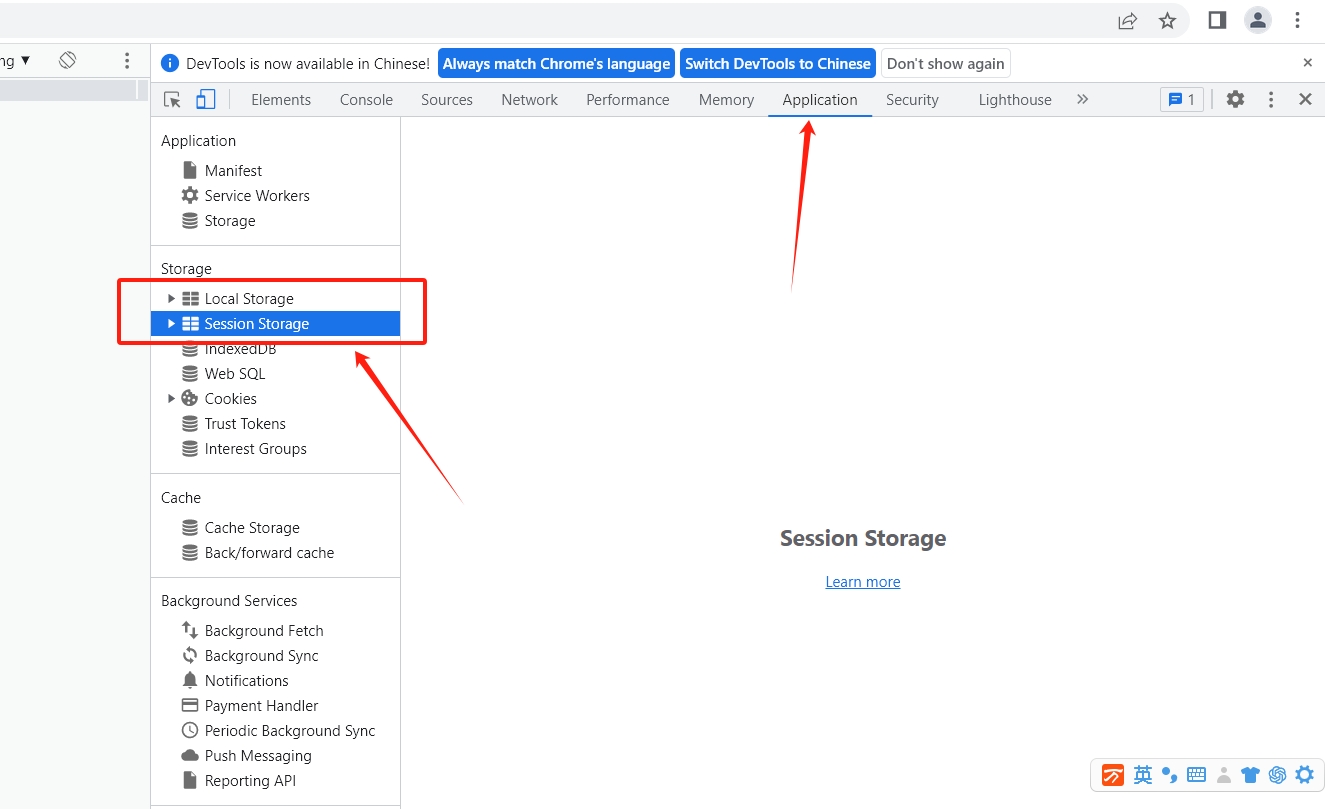
1、先确认 是否存在本地缓存,手工清除,如上图。
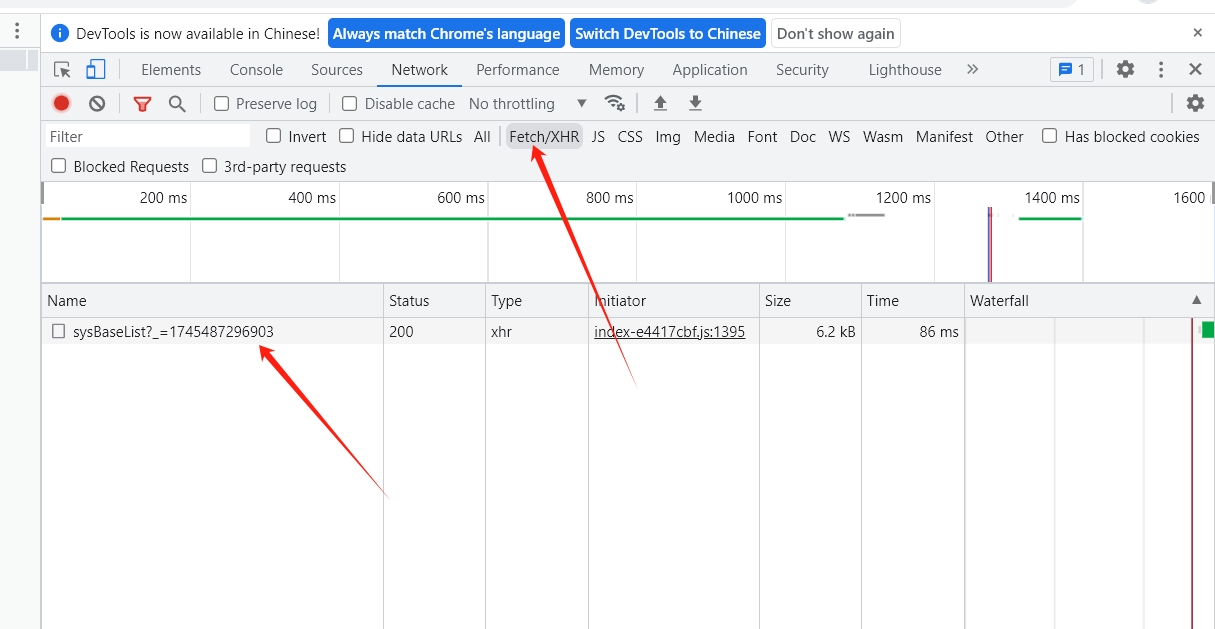
2、清除缓存后,再刷新,即可查看网络请求后台真实地址。

 浙公网安备 33010602011771号