第九次作业-KMeans图片压缩
把图片压缩的两种方法:1、降低分辨率2、颜色聚类
1、降低分辨率
image = china[::3,::3]//行的三行取一个,列的三行取一个
image.shape
plt.imshow(image)
pit.show()


x = image.reshape(-1,3)
model = KMeans(n_clusters = 64)
model.fit_predict(image)

#x=image.reshape(-1,3)
#print(china.shape,image.shape,x.shape)
2、颜色聚类
把一些相似颜色划为一类,减少存储,每一个通道有256种颜色,三通道颜色有256*3种
颜色聚类,颜色中心代替这一类的颜色,一千万总变成100种
n_colos = 64
model = KMeans(n_colors)
labels = model.fit_predict(X)
colors = model.cluster_centers_

new_image = colors[labels]
new_image = new_image.reshape(image.shape)
new_image
64位聚类
x = image.reshape(-1,3)#减少点
model = KMeans(n_clusters = 64)#一共有64种颜色,64个聚类中心
b = model.fit_predict(x)#每一个点的颜色类别,每一个类别的值
a = model.cluster_centers_#通过聚类中心看颜色
a[b]#所有的点的颜色
把颜色变成数组
a是颜色的数组,b是有5个元素的数组
import numpy as np
a = np.arange( 6).reshaoe(2,3)
a


b = fnp.random.randint(0,2,5)
b

a[b]
上机练习
from sklearn.datasets import load_sample_image
from sklearn.cluster import KMeans
import matplotlib.pyplot as plt
import sys
import numpy as np
import matplotlib.image as img

china = load_sample_image("china.jpg")
plt.imshow(china)
plt.show()

image = china[::3, ::3]
image.shape

plt.imshow(image)
plt.show()

x = image.reshape(-1,3)

model = KMeans(n_clusters=64)
b = model.fit_predict(x)
a = model.cluster_centers_
c = a[b]
c


sys.getsizeof(china)
sys.getsizeof(new_image)
img.imsave('e://vangohn.jpg',china)
img.imsave('e://vangohn.jpg',new_image)
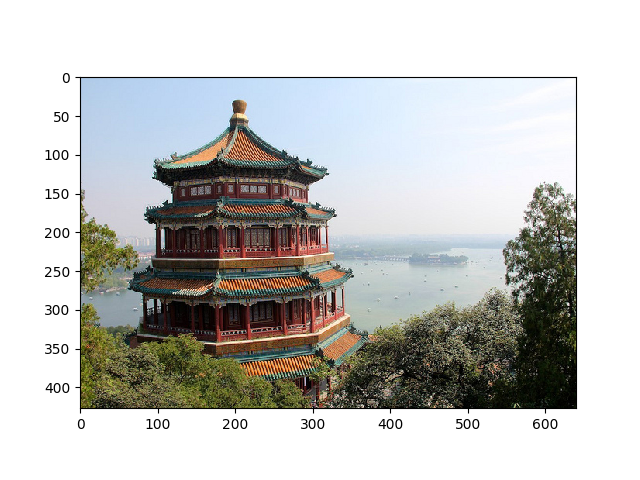
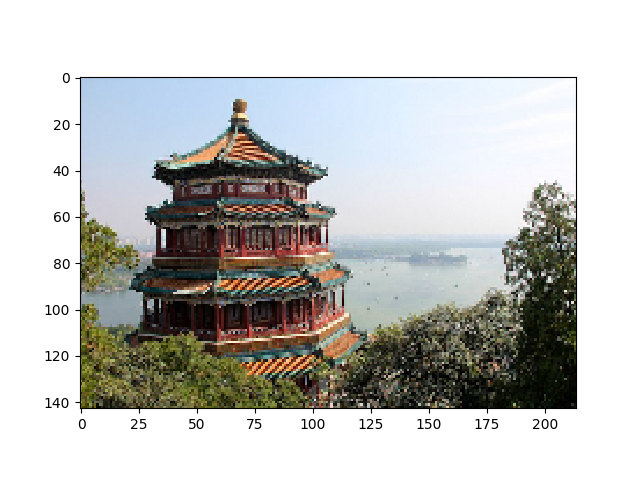
压缩前后的对比



 浙公网安备 33010602011771号