
Mysql8.0.18安装流程及踩坑合集
一、mysql下载链接:https://pan.baidu.com/s/1fPq8ZWP0cz7GFyD01e2i7w
提取码:bzi4
二、安装可视化流程图:
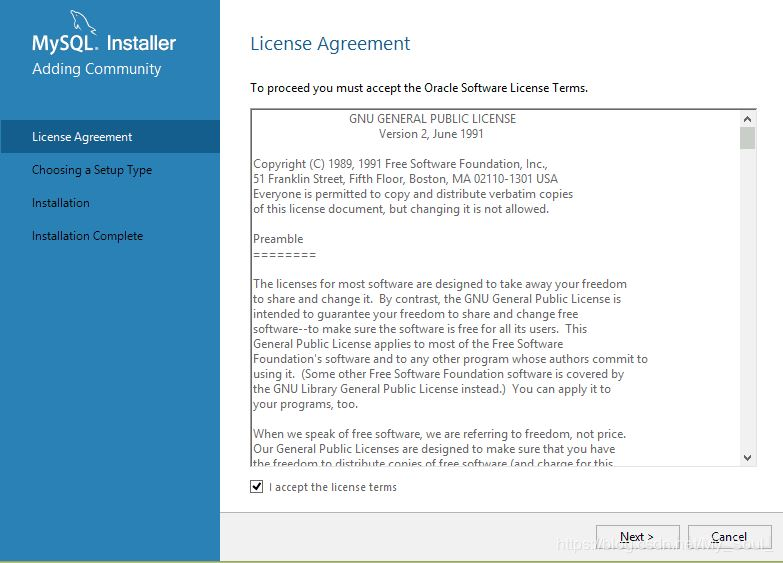
①点击运行exe,勾选同意点击next
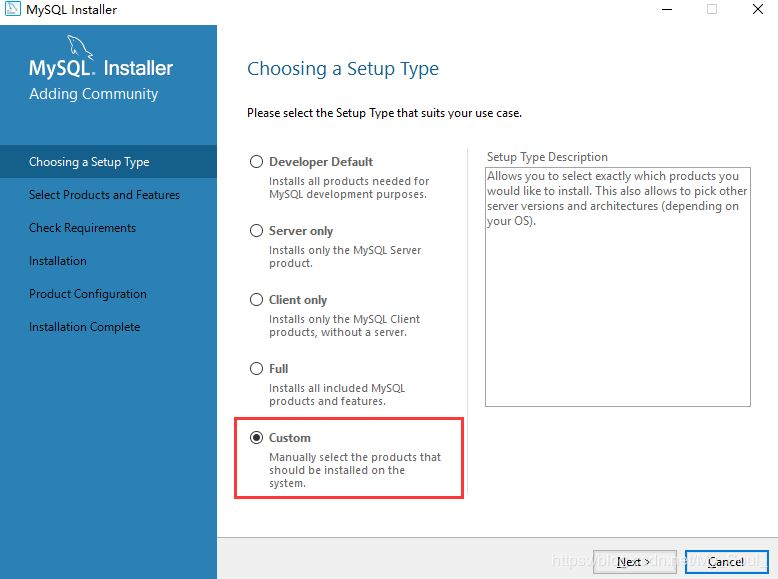
②勾选Custom自定义,点击next
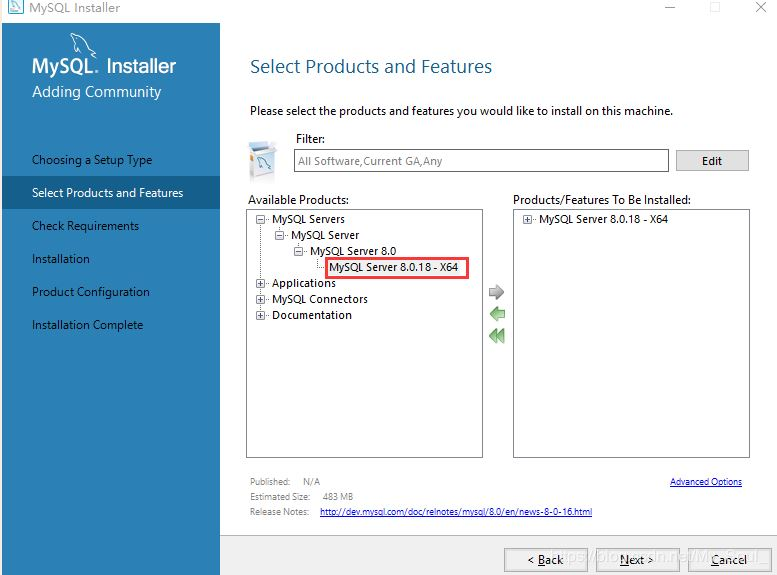
③选择MySQL Servers >MySQL Server>MySQL Server 8.0.18 - X64 到右侧,点击next
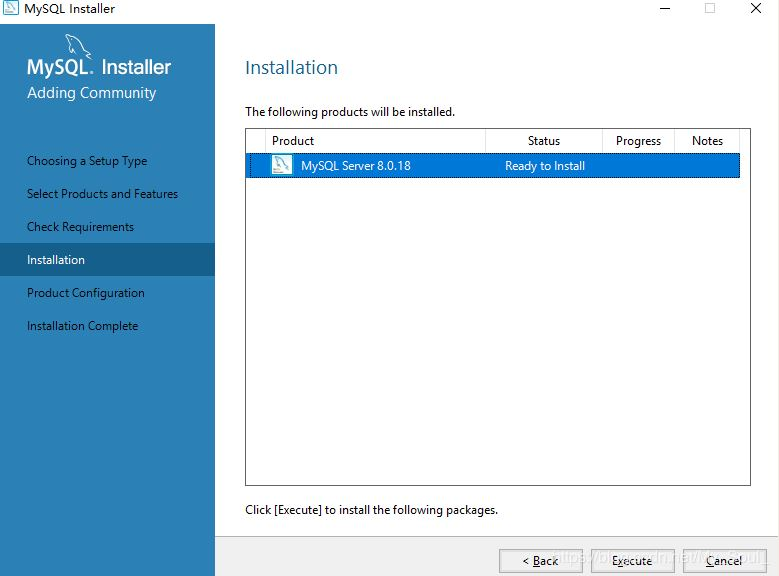
④点击Execute ,点击next

⑤点击Execute
⑥点击next
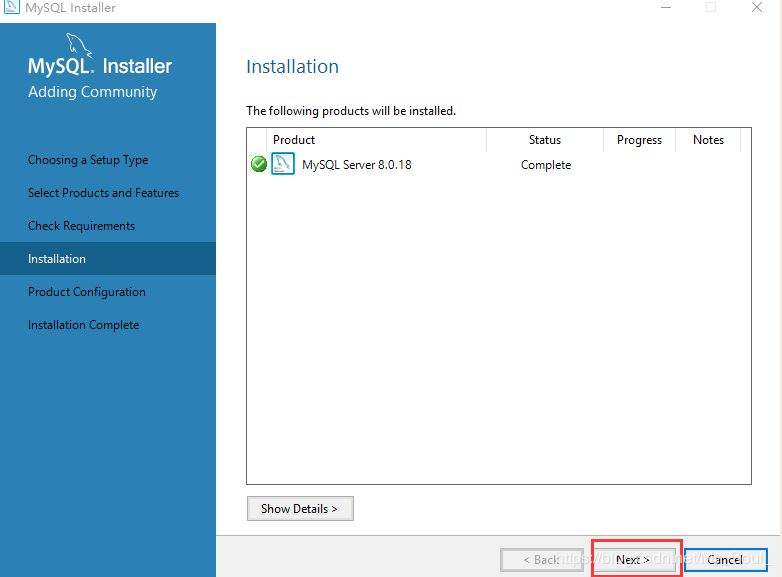
⑦点击next
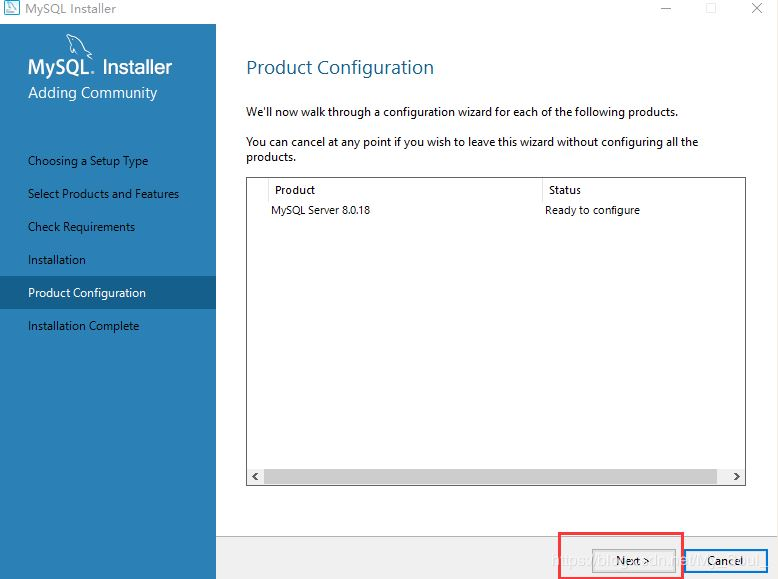
⑧点击next
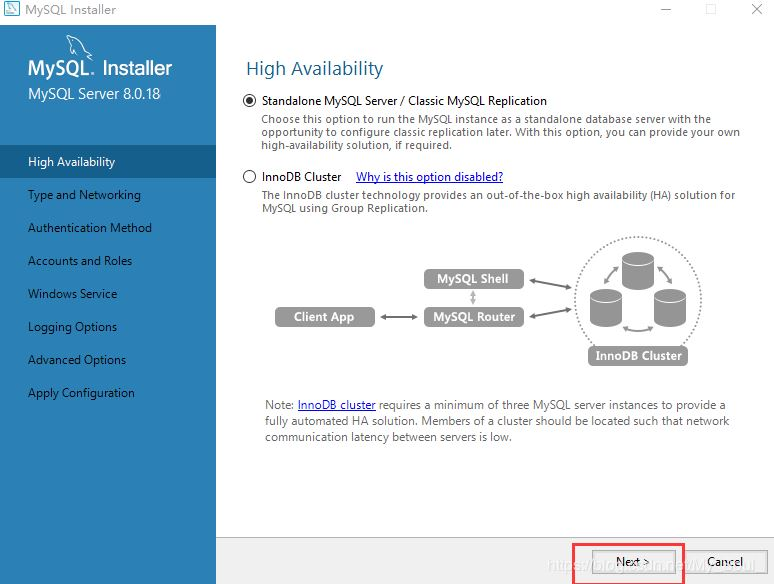
⑨点击next
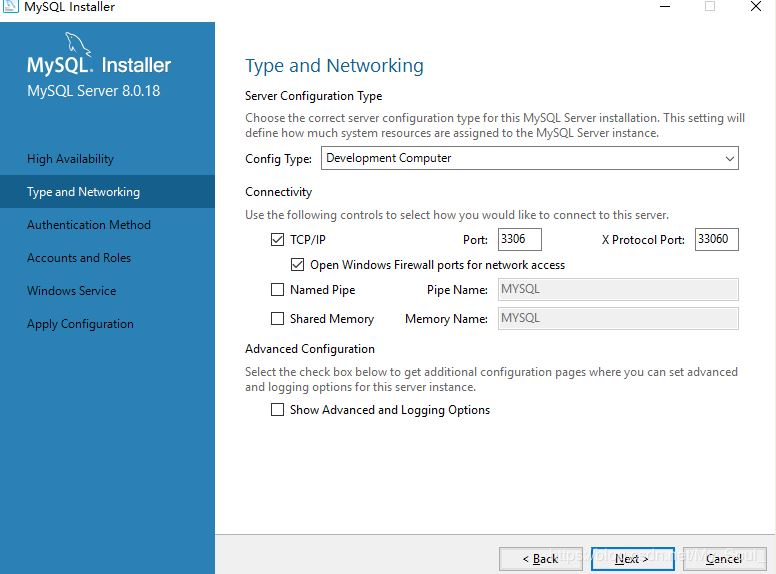
⑩点击next
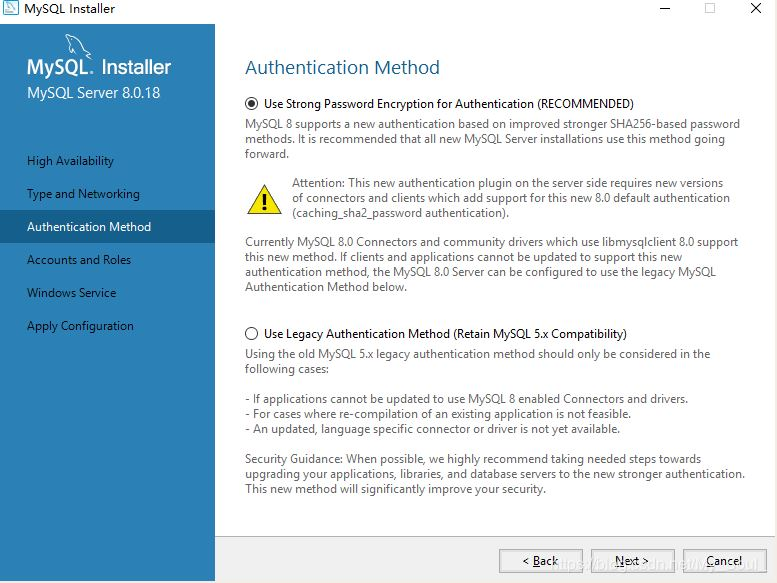
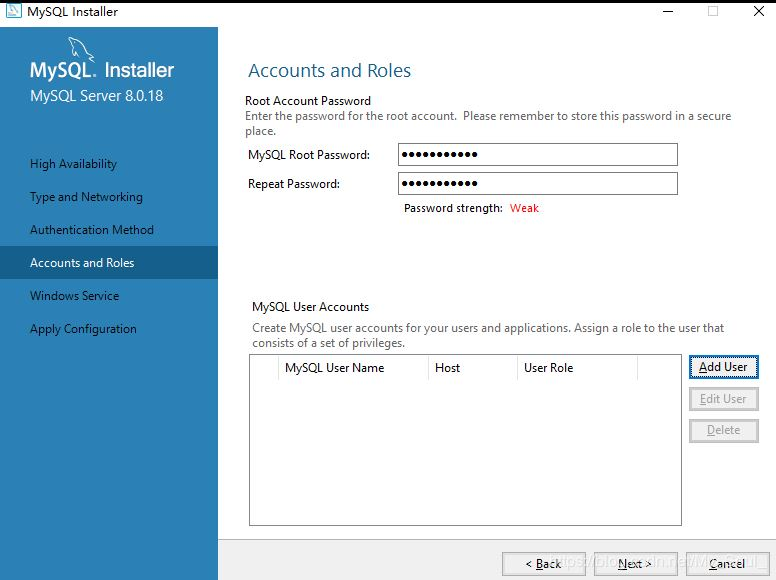
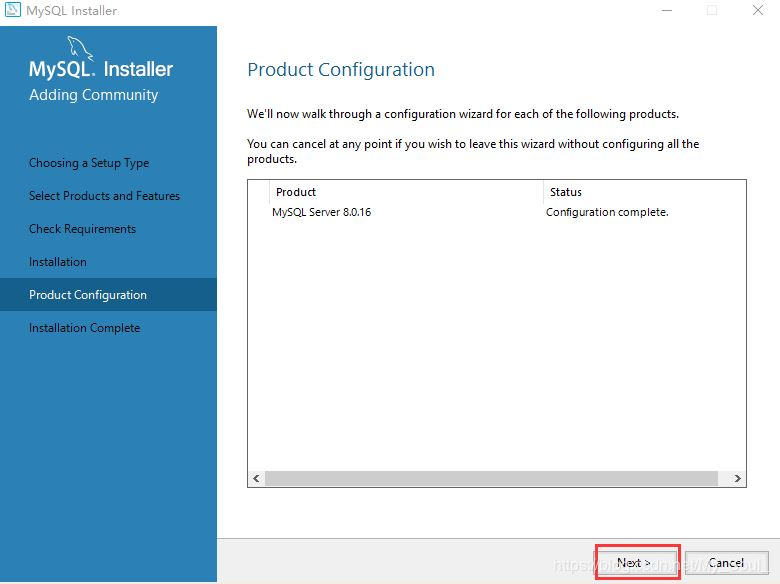
设置root密码(一定要记住此密码)设置完成后点击next
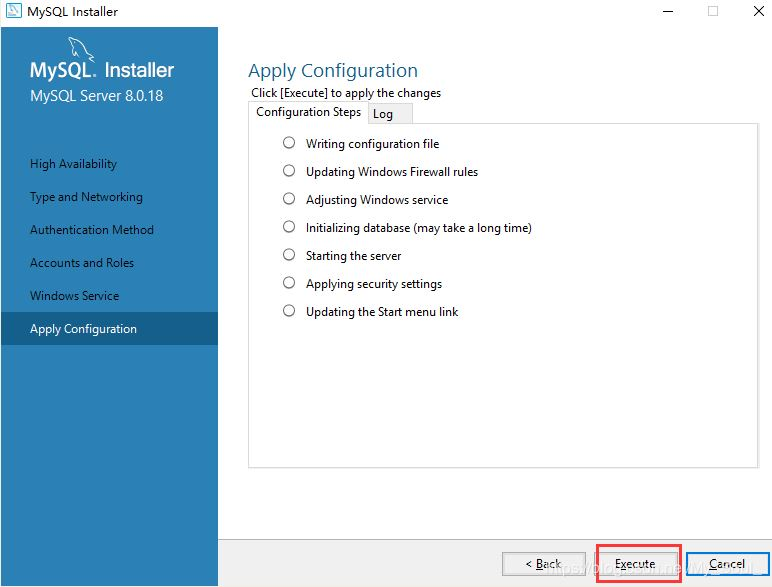
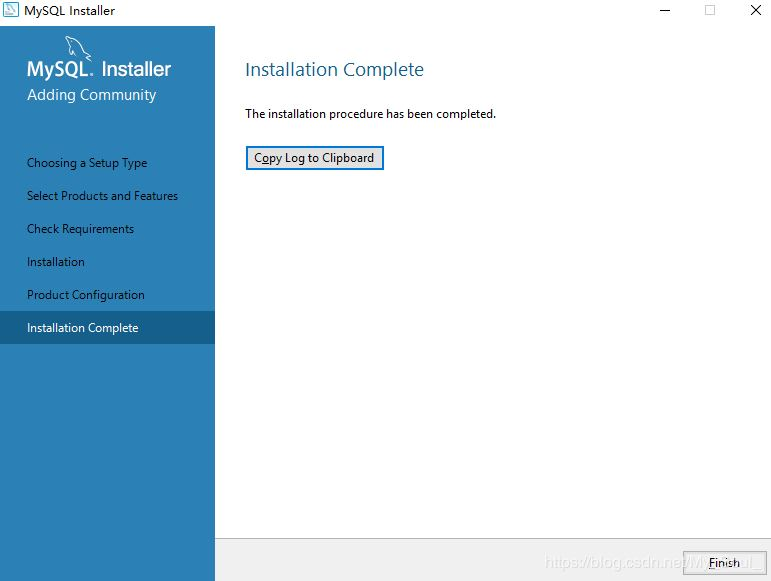
点击next

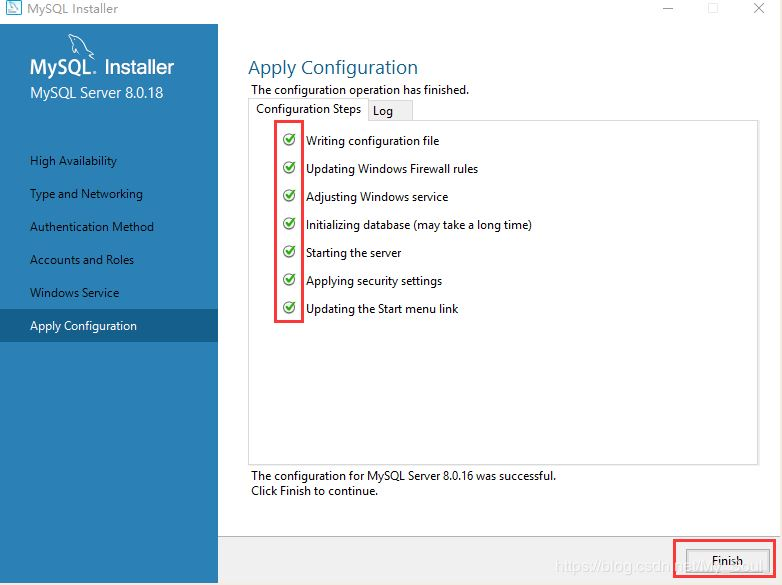
三、配置环境变量
(1)选择系统变量中的Path(路径)点击编辑
选择安装好的MySQL bin目录,系统默认目录一般为(C:\Program Files\MySQL\MySQL Server 8.0\bin)点击确定环境变量设置完成
四、启动mysql服务
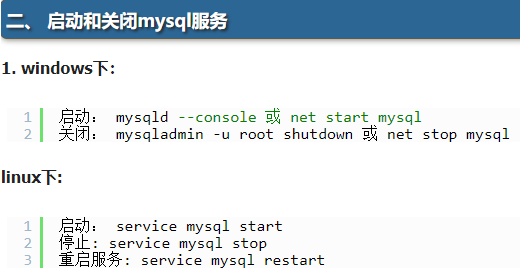
cmd:net start mysql

五、踩坑
(1)忘记密码:
①去mysql所在文件夹找err结尾的文件,点击编辑查找临时密码(如下:THEw0Isl7s-3)

②接着使用命令:mysql -u root -p
③在命令行窗口改密码:alter user 'root'@'localhost' identified by 'youpassword';
④show databases;
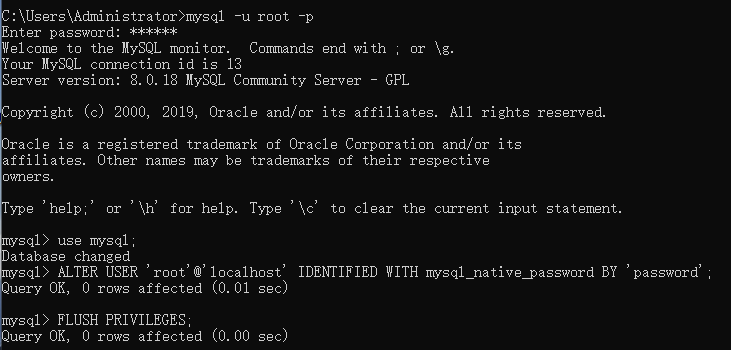
(2)navicat 连接mysql显示1251 Client does not support authentication protocol requested by server
USE mysql;
ALTER USER 'root'@'localhost' IDENTIFIED WITH mysql_native_password BY 'password';(password:是密码)
FLUSH PRIVILEGES;

 浙公网安备 33010602011771号