
如何将自己的Python包上传到pypi
将自己开发的Python包上传到Pypi
如何将自己开发的Python包上传到Pypi,可供他人pip install安装呢?本文将介绍如何打包Python包,并且将其上传到pypi。
1. 注册Pypi账号
2. Python包目录结构
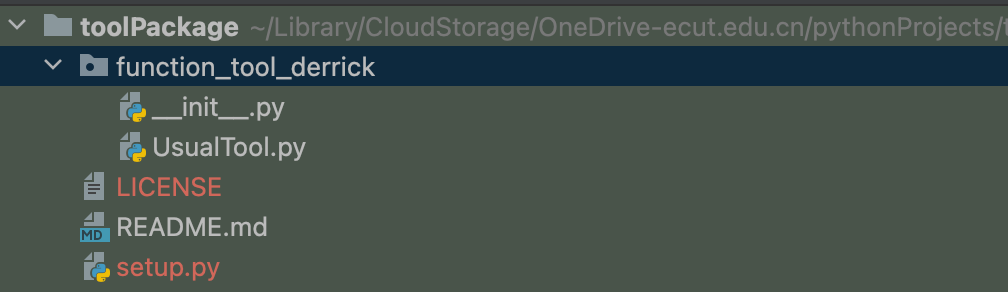
如图所示,function_tool_derrick为包的代码,外层再套一层目录,一般使用相同的名称(我这里用了不同名称)
另外,还有几个重要文件,以下重点介绍
2.1 LICENSE
许可证文件,我这里用的是MIT的许可证。一般情况下直接将文件内容复制粘贴即可:
MIT License

Copyright (c) 2023 The Python Packaging Authority

Permission is hereby granted, free of charge, to any person obtaining a copy
of this software and associated documentation files (the "Software"), to deal
in the Software without restriction, including without limitation the rights
to use, copy, modify, merge, publish, distribute, sublicense, and/or sell
copies of the Software, and to permit persons to whom the Software is
furnished to do so, subject to the following conditions:

The above copyright notice and this permission notice shall be included in all
copies or substantial portions of the Software.

THE SOFTWARE IS PROVIDED "AS IS", WITHOUT WARRANTY OF ANY KIND, EXPRESS OR
IMPLIED, INCLUDING BUT NOT LIMITED TO THE WARRANTIES OF MERCHANTABILITY,
FITNESS FOR A PARTICULAR PURPOSE AND NONINFRINGEMENT. IN NO EVENT SHALL THE
AUTHORS OR COPYRIGHT HOLDERS BE LIABLE FOR ANY CLAIM, DAMAGES OR OTHER
LIABILITY, WHETHER IN AN ACTION OF CONTRACT, TORT OR OTHERWISE, ARISING FROM,
OUT OF OR IN CONNECTION WITH THE SOFTWARE OR THE USE OR OTHER DEALINGS IN THE
SOFTWARE.
2.2 README.md文件
类似于git的README.md
2.3 setup.py文件
这是最重要的一个文件,配置包如何安装:
from __future__ import print_function
from setuptools import setup, find_packages

with open("README.md", "r", encoding='utf-8') as fh:
    long_description = fh.read()

setup(
    name="function_tool",
    version='0.0.2',
    author="DerrickChiu",
    author_email="chiull@foxmail.com",
    description="some usual tool with class",
    long_description=long_description,
    long_description_content_type="text/markdown",
    license="MIT",
    url="https://gitee.com/DerrickChiu/function_tool.git",
    packages=find_packages(),
    install_requires=[

        ],
    classifiers=[
        "Topic :: Scientific/Engineering",
        'Topic :: Scientific/Engineering :: GIS',
        "Programming Language :: Python",
        "Programming Language :: Python :: 3",
        "Programming Language :: Python :: 3.6",
        "Programming Language :: Python :: 3.7",
        "Programming Language :: Python :: 3.8",
        "Programming Language :: Python :: 3.9",
        "Programming Language :: Python :: 3.10",
        "Programming Language :: Python :: 3.11",
        "Programming Language :: Python :: 3.12",
        'Programming Language :: Python :: Implementation :: CPython',
    ],
)
- install_requires配置包的依赖
- classifiers配置包所属类别,类别见:Pypi类别
3. 构建
- 检查setup.py文件是否有误:
python setup.py check
- 构建
python setup.py sdist bdist_wheel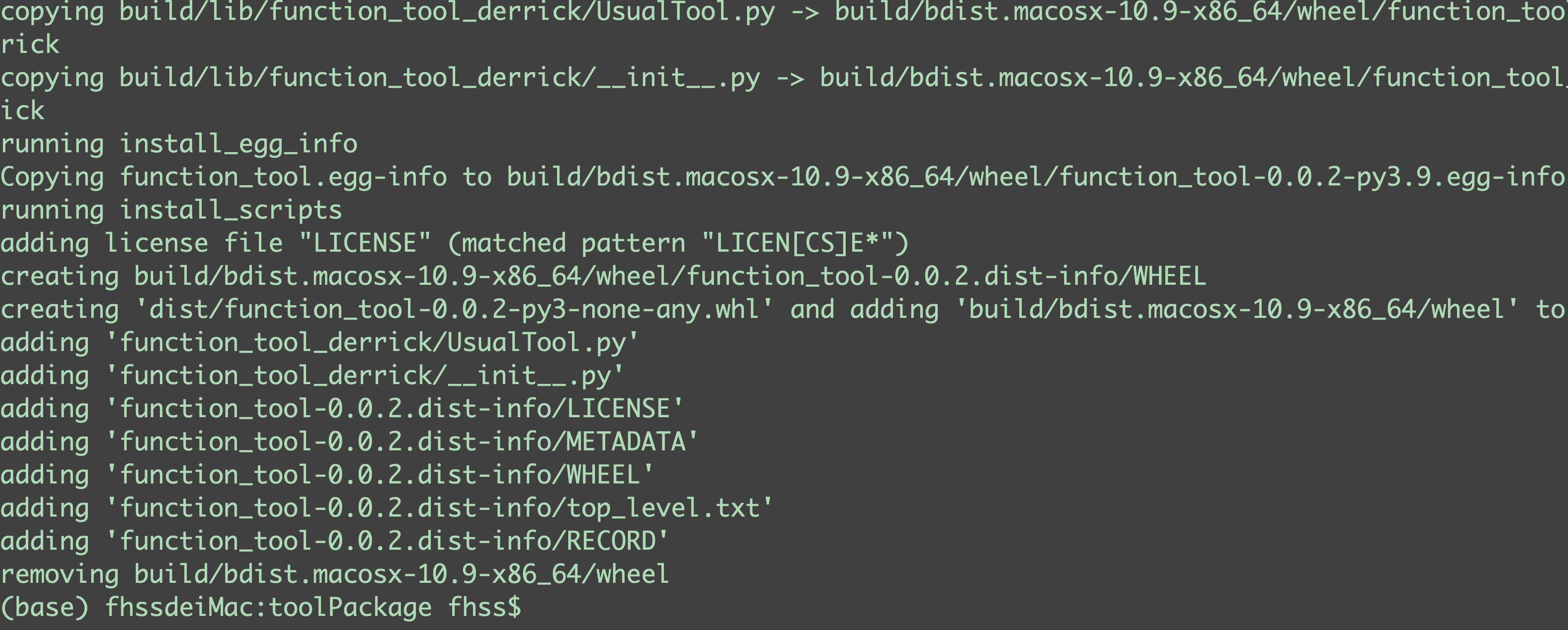
构建完成后包目录结构:
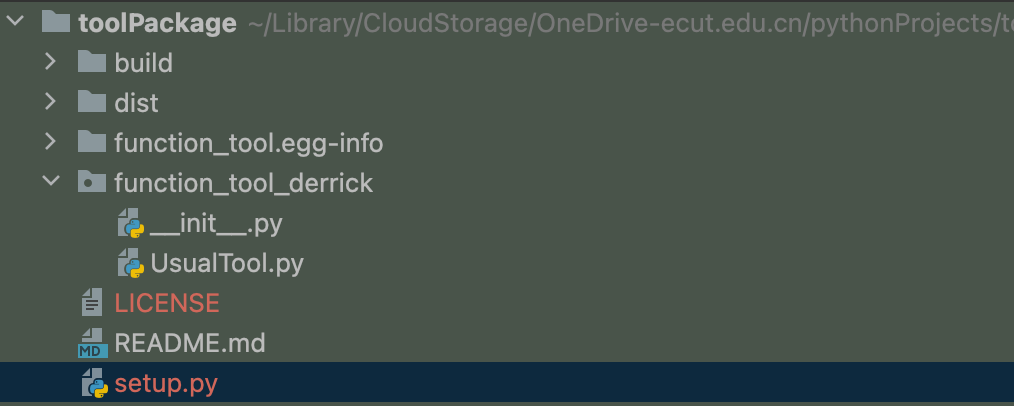
多出build、dist以及function_tool.egg-info三个目录,其中,构建的可安装包在dist目录下
4. 上传
通过twine将dist目录下的包上传到Pypi,若没有twine包,可以通过以下命令安装:
pip install twine
上传:
python3 -m twine upload dist/*
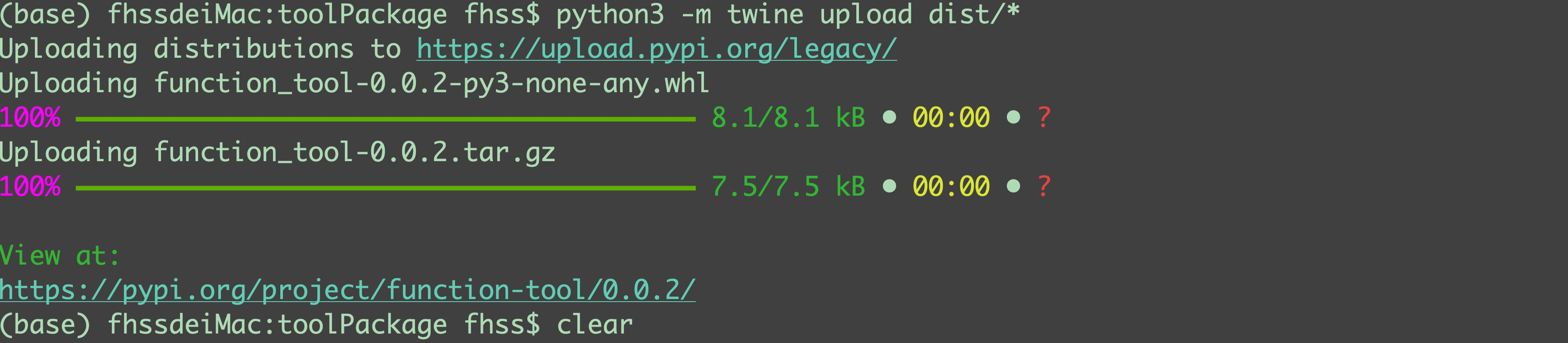
上传过程中会要求输入Pypi的账号和密码,也可以通过在用户主目录下新建一个文件.pypirc来保存账户Pypi信息:
[distutils]
index-servers=pypi

[pypi]
repository = https://upload.pypi.org/legacy/
username= Pypi账号
password= 密码
注意:Pypi有两个库,上述的是正式的库,是可以通过pip直接安装的,还有一个test库,上传时使用命令python3 -m twine upload --repository testpypi dist/*,在使用pip安装时需要制定test的地址:Pypi测试环境包地址。此外,如果使用的国内pip源,则需要待其更新后才能找到包(清华源是没5分钟从Pypi官网上更新一次)。
最后,可以在Pypi包下载统计网站上查看自己包的下载情况。

 浙公网安备 33010602011771号