
moment获取今天以后的一月数据
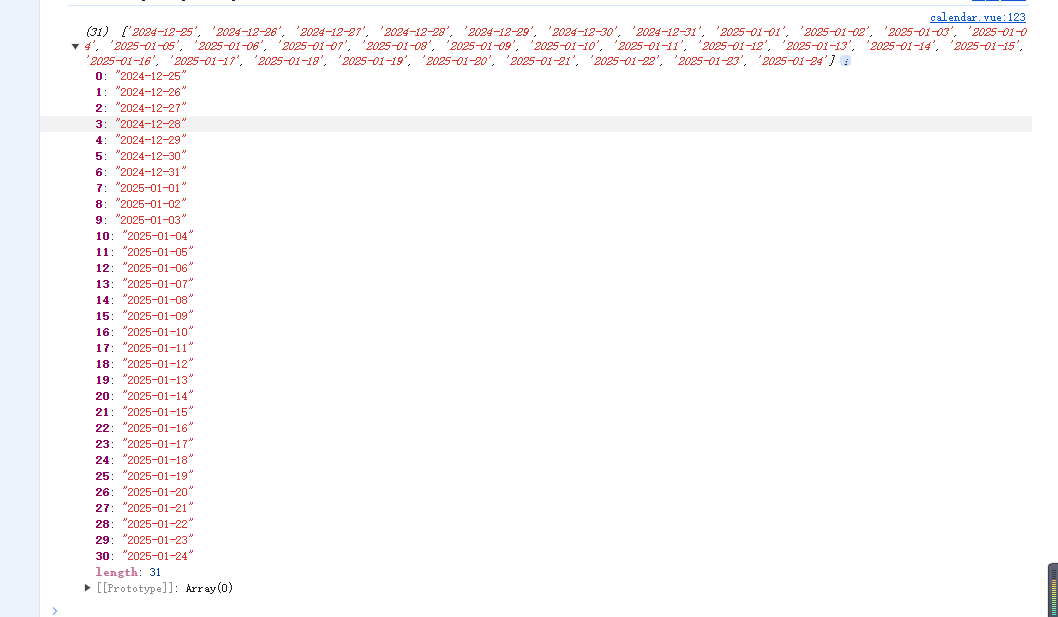
获取今天以后一月内的日期数组
-
效果图
![]()
// 获取今天
const today = this.$moment(new Date());
// 获取一个月后的日期
const nextMonth = today.clone().add(1, "months");
// 初始化日期变量
const currentDate = today.clone();// 循环获取从今天开始到下个月的每一天
const datesInMonth = [];
while (currentDate.isBefore(nextMonth)) {
datesInMonth.push(currentDate.clone());
currentDate.add(1, "days");
}// 打印结果
const newData = datesInMonth.map(date => date.format("YYYY-MM-DD"));
-
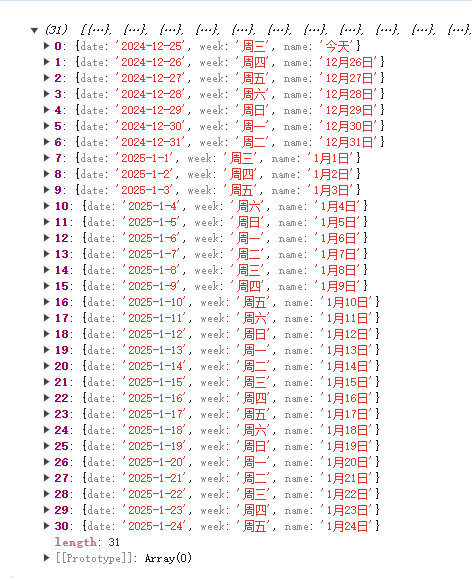
效果图
![]()
// 获取今天
const today = this.$moment(new Date());// 获取一个月后的日期
const nextMonth = today.clone().add(1, "months");// 初始化日期变量
const currentDate = today.clone();// 循环获取从今天开始到下个月的每一天
const datesInMonth = [];
while (currentDate.isBefore(nextMonth)) {
const list = {
date: currentDate.format("YYYY-M-D"),
week: currentDate.format("ddd"),
name: currentDate.isSame(today) ? "今天" : currentDate.format("M月D日"),
};
datesInMonth.push(list);
currentDate.add(1, "days");
}console.log(datesInMonth);
获取小时,不能选择今天已过的小时,只能选未来小时
-
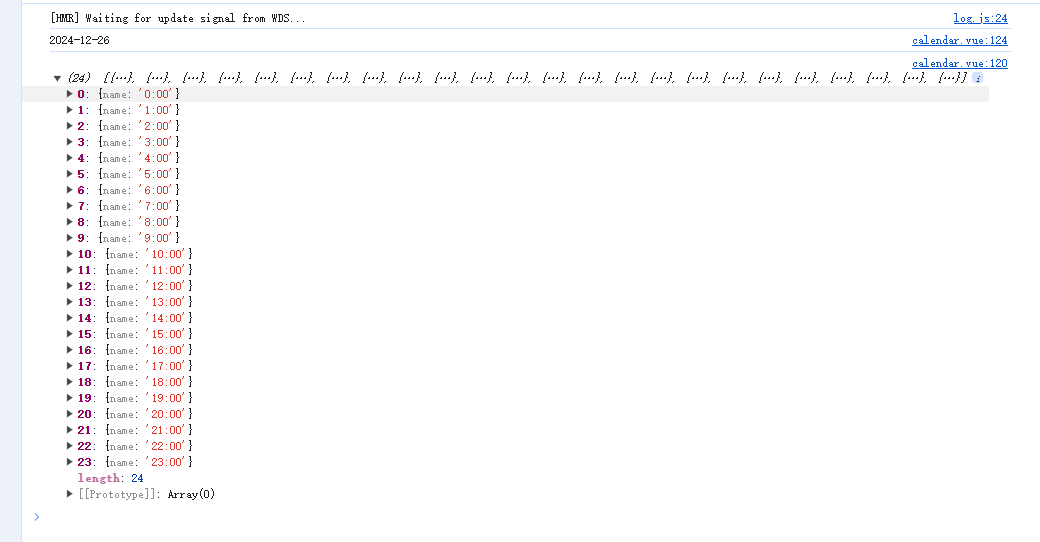
效果图
![]()
gethoursList(date) {
const hours = [];
for (let i = 0; i < 24; i++) {
if (this.$moment().isBefore(date.clone().hour(i))) {
const list = {
name: i + ":00",
};
hours.push(list);
}
}
console.log(hours);
}
created() {
// 打印今天可选小时
this.gethoursList(this.$moment(new Date()));
}

-
效果图
![]()
created() {
// 打印明天可选时间
console.log(this.$moment(new Date()).add(1, "days").format("YYYY-MM-D"));
this.gethoursList(this.$moment(new Date()).add(1, "days"));
}

 浙公网安备 33010602011771号