
微信小程序上实现图片拖拽排序
微信小程序上实现图片拖拽排序
- 效果图
![]()
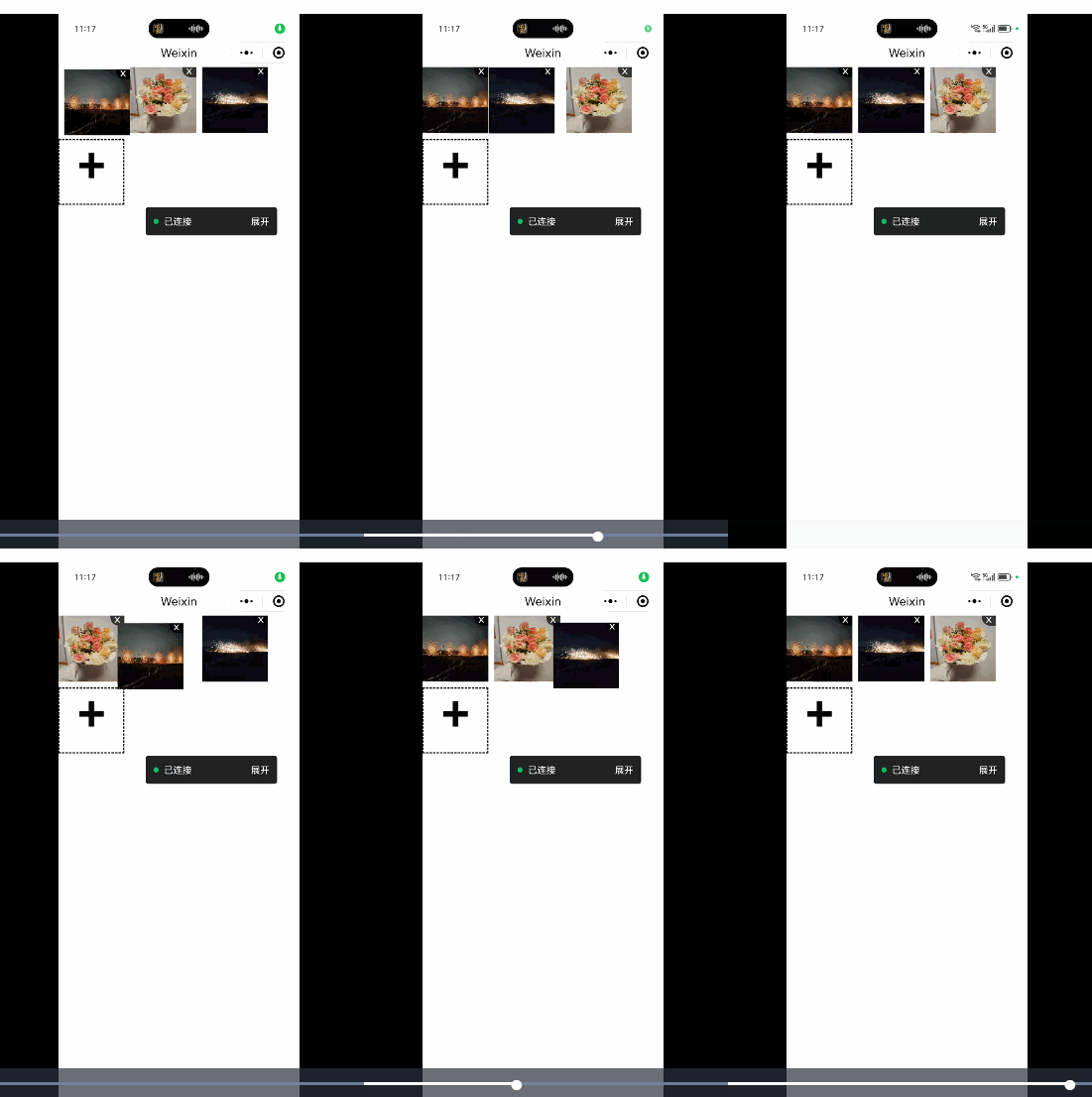
- 使用组件 wx-drag-img
- npm 地址: https://www.npmjs.com/package/wx-drag-img
组件
-
1、通过 npm 安装:npm i wx-drag-img
-
2、点击微信开发者工具 -> 工具 -> 构建 npm
-
3、修改页面 json 文件
{
"usingComponents": {
"WxDragImg": "wx-drag-img"
}
} -
4、接着就可以在 wxml 中直接使用组件
...
-
源码
-
wx-drag-img\index.wxml
x
+
-
wx-drag-img\index.js
Component({
options:{
multipleSlots:!0},
properties:{
previewSize:{type:Number,value:100},
defaultImgList:{type:Array,value:[],
observer(t){if(t?.length&&!this.data.dragImgList.length){const e=this.getDragImgList(t);this.setUploaPosition(e.length),this.setData({dragImgList:e})}}},maxCount:{type:Number,value:9},columns:{type:Number,value:3},gap:{type:Number,value:9},deleteStyle:{type:String,value:""}},data:{dragImgList:[],containerRes:{top:0,left:0,width:0,height:0},currentKey:-1,currentIndex:-1,tranX:0,tranY:0,uploadPosition:{tranX:0,tranY:0}},lifetimes:{ready(){this.createSelectorQuery().select(".drag-container").boundingClientRect((({top:t,left:e})=>{this.setData({"containerRes.top":t,"containerRes.left":e})})).exec()}},methods:{longPress(t){const e=t.mark.index,{pageX:a,pageY:i}=t.touches[0],{previewSize:s,containerRes:{top:n,left:r}}=this.data;this.setData({currentIndex:e,tranX:a-s/2-r,tranY:i-s/2-n})},touchMove(t){if(this.data.currentIndex<0)return;const{pageX:e,pageY:a}=t.touches[0],{previewSize:i,containerRes:{top:s,left:n}}=this.data,r=e-i/2-n,o=a-i/2-s;this.setData({tranX:r,tranY:o});const h=t.mark.key,g=this.getMoveKey(r,o);h!g&&this.data.currentKey!h&&(this.data.currentKey=h,this.replace(h,g))},getMoveKey(t,e){const{dragImgList:a,previewSize:i,columns:s}=this.data,n=(t,e)=>{const a=Math.round(t/i);return a>=e?e-1:a<0?0:a},r=sn(e,Math.ceil(a.length/s))+n(t,s);return r>=a.length?a.length-1:r},replace(t,e){const a=this.data.dragImgList;a.forEach((a=>{t<e?a.key>t&&a.key<=e?a.key--:a.key=t&&(a.key=e):t>e&&(a.key>=e&&a.key<t?a.key++:a.key=t&&(a.key=e))})),this.getListPosition(a)},getListPosition(t){const{previewSize:e,columns:a,gap:i}=this.data,s=t.map((t=>(t.tranX=(e+i)(t.key%a),t.tranY=Math.floor(t.key/a)(e+i),t)));this.setData({dragImgList:s}),this.updateEvent(s)},touchEnd(){this.setData({tranX:0,tranY:0,currentIndex:-1}),this.data.currentKey=-1},updateEvent(t){const e=[...t].sort(((t,e)=>t.key-e.key)).map((t=>t.src));this.triggerEvent("updateImageList",{list:e})},async uploadImage(){let{dragImgList:t,maxCount:e}=this.data;try{const a=await wx.chooseMedia({count:e-t.length,mediaType:["image"]}),i=this.getDragImgList(a?.tempFiles?.map((({tempFilePath:t})=>t))||[],!1);t=t.concat(i),this.setUploaPosition(t.length),this.setData({dragImgList:t}),this.updateEvent(t)}catch(t){console.log(t)}},getContainerRect(t){const{columns:e,previewSize:a,maxCount:i,gap:s}=this.data,n=t===i?t:t+1,r=Math.ceil(n/e);return{width:ea+(e-1)s,height:ra+s(r-1)}},getDragImgList(t,e=!0){let{dragImgList:a,previewSize:i,columns:s,gap:n}=this.data;return t.map(((t,r)=>{const o=(e?0:a.length)+r;return{tranX:(i+n)(o%s),tranY:Math.floor(o/s)(i+n),src:t,id:o,key:o}}))},setUploaPosition(t){const{previewSize:e,columns:a,gap:i}=this.data,s={tranX:t%a(e+i),tranY:Math.floor(t/a)*(e+i)},{width:n,height:r}=this.getContainerRect(t);this.setData({uploadPosition:s,"containerRes.width":n,"containerRes.height":r})},deleteImg(t){const e=t.mark.key,a=this.data.dragImgList.filter((t=>t.key!==e));a.forEach((t=>{t.key>e&&t.key--})),this.getListPosition(a),this.setUploaPosition(a.length)}}}); -
wx-drag-img\index.json
{"component": true,"usingComponents":
-
wx-drag-img\index.wxss
.drag-container {position: relative;}.drag-item {position: absolute;top: 0;left: 0;}.drag-item-transition {transition: transform 0.1s }.drag-item-img {width: 100%;height: 100%;}.drag-item-delete {position: absolute;top: 0;right: 0;}.drag-item-delete_default {display: flex;width: 21px;height: 15px;line-height: 10px;justify-content: center;background-color: rgba(0, 0, 0, 0.7);border-radius: 0 0 0 12px;color: #FEFEFE;}.drag-upload .drag-upload_solt:empty + .drag-upload_default {display: block;border: 2px dashed;width: 100%;height: 100%;box-sizing: border-box;text-align: center;font-size: 70px;font-weight: bold;line-height: 100%;}.drag-upload .drag-upload_default
-
项目上实际遇到的问题,使用 WxDragImg 的话区分不出是新增还是删除,所以拿源码进行调整。

 浙公网安备 33010602011771号