
组件之间的通信方式
第一种采用,props和$emit
父组件
<template>
<div class="home">
<img alt="Vue logo" src="../assets/logo.png">
<HelloWorld msg="Welcome to Your Vue.js App"/>
<HelloWorld :users='users'/>
<hr>
<!--@msg是指的子组件中$emit('msg','需要传递的值')第一个参数定义的事件-->
<HelloWorld @msg="updata" style="color: red;"/>
<h3 >{{ getMsg }}</h3>
</div>
</template>
<script>
// @ is an alias to /src
import HelloWorld from '@/components/HelloWorld.vue'
export default {
name: 'Home',
components: {
HelloWorld
},
data(){
return{
users:['aaa','bbbb','cccccc'],
getMsg:'1111'
}
},methods:{
updata(e){
this.getMsg=e
}
}
}
</script>
第一步在父组件种定义需要传递的数据
第二步将需要传递的数据以绑定的形式绑在子组件中
子组件
<template>
<div class="hello">
<h1>{{ msg }}</h1>
<h3>{{ users }}</h3>
<h3 v-for="item in users">{{ item }}</h3>
<hr>
<h4 @click='send'> {{ title }}</h4>
</div>
</template>
<script>
export default {
name: 'HelloWorld',
props: {
msg: String,
users:{
type:Array,
required:true
}
},
//子传父
data(){
return{
childMsg:'我来自于子组件',
title:'我是子组件'
}
},
methods:{
send(){
this.$emit("msg",this.childMsg)
}
}
}
</script>
在组件的props中定义,父组件需要传递过来的值并使用;
效果如下
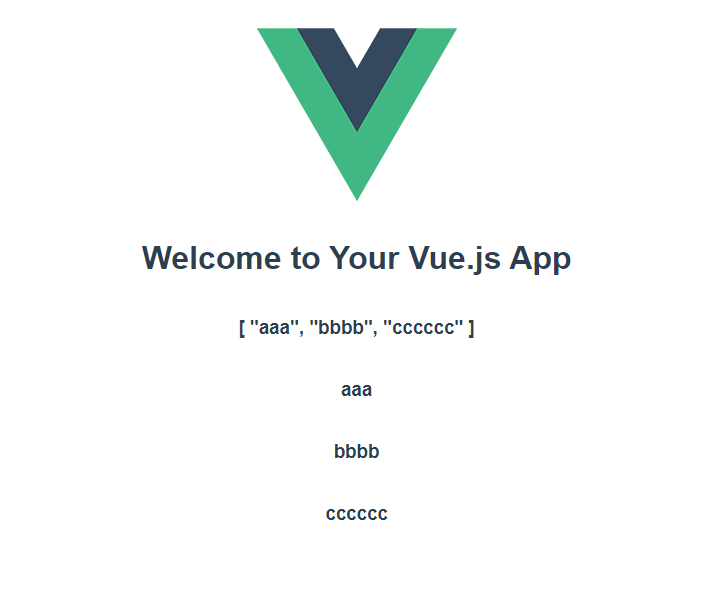
子传父效果

点击我是子组件


 浙公网安备 33010602011771号