实验5:开源控制器实践——POX
一、基本要求
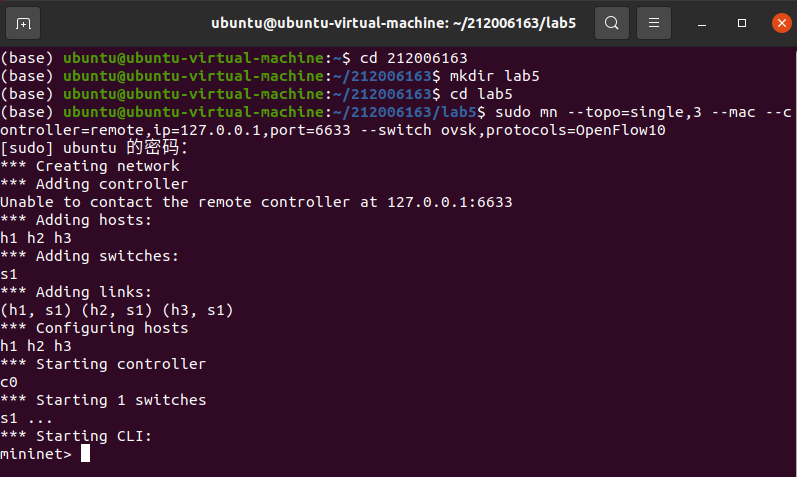
1.搭建下图所示SDN拓扑,协议使用Open Flow 1.0,控制器使用部署于本地的POX(默认监听6633端口)
创建拓扑
点击查看代码
sudo mn --topo=single,3 --mac --controller=remote,ip=127.0.0.1,port=6633 --switch ovsk,protocols=OpenFlow10
2.阅读Hub模块代码,使用 tcpdump 验证Hub模块;
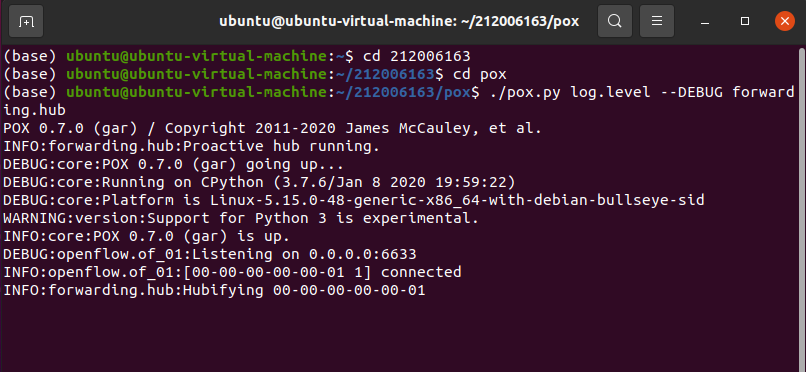
打开POX-Hub
点击查看代码
./pox.py log.level --DEBUG forwarding.hub
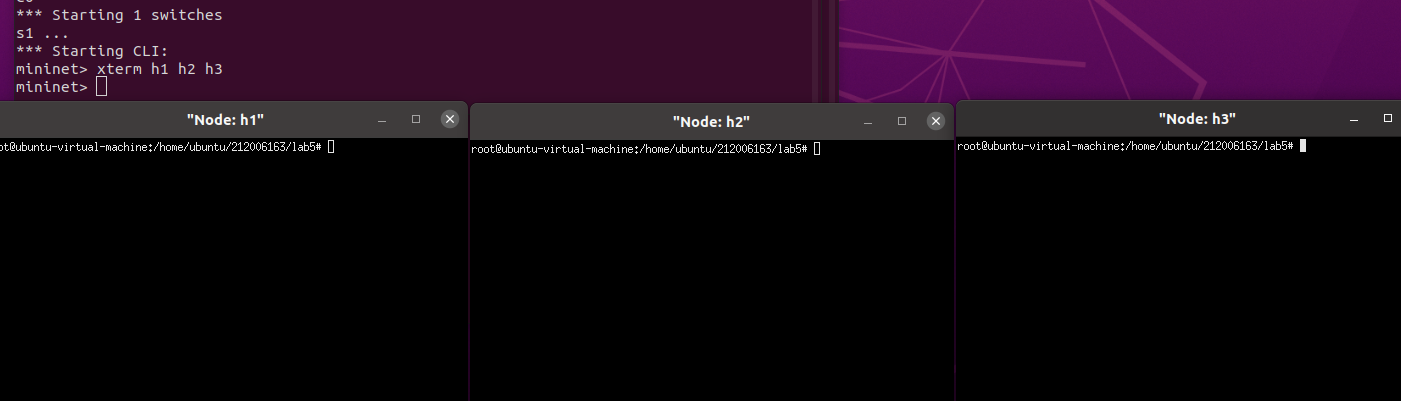
打开h1 h2 h3终端
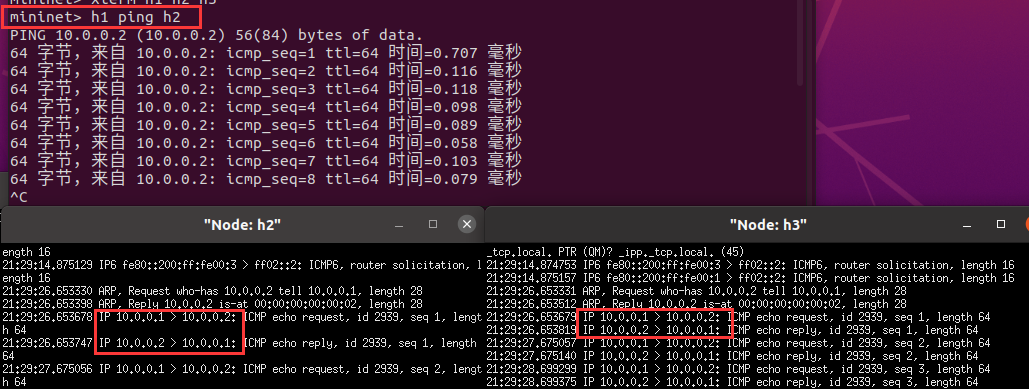
开始抓包

h1 ping h2
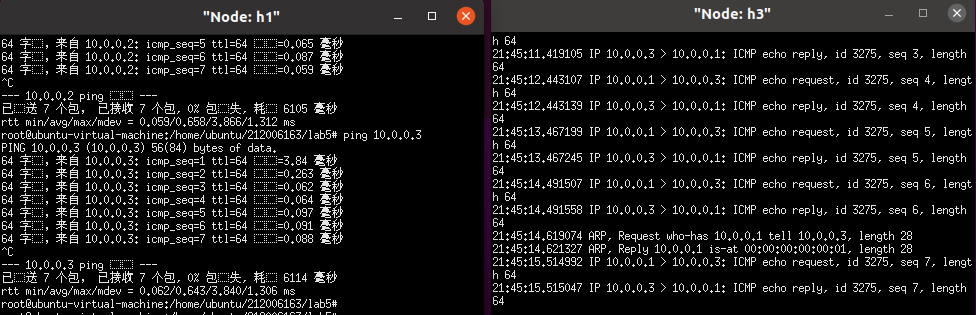
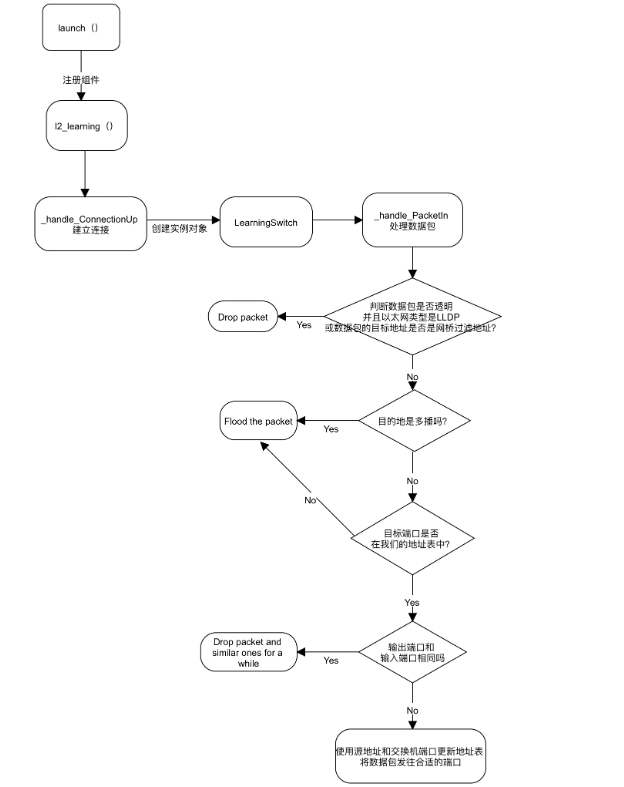
3.阅读L2_learning模块代码,画出程序流程图,使用 tcpdump 验证Switch模块。
打开POX-switch
点击查看代码
./pox.py log.level --DEBUG forwarding.l2_learning
开始抓包
点击查看代码
tcpdump -nn -i h2-eth0
tcpdump -nn -i h3-eth0
h1 ping h2
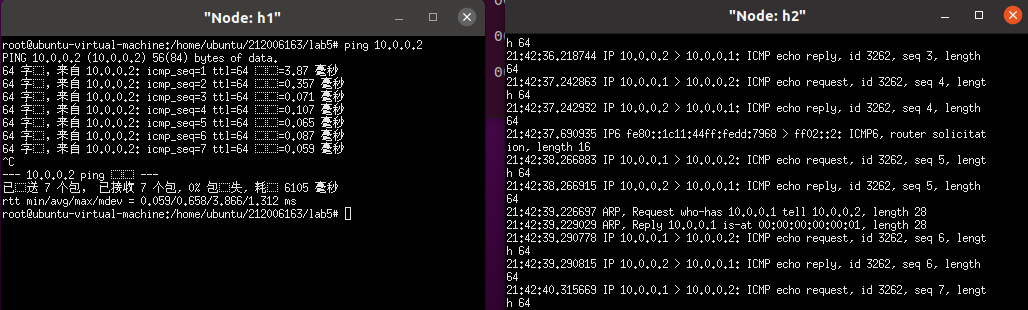
h1 ping h3
L2_learning模块代码流程图
二、进阶要求
1.重新搭建(一)的拓扑,此时交换机内无流表规则,拓扑内主机互不相通;编写Python程序自定义一个POX模块SendFlowInSingle3,并且将拓扑连接至SendFlowInSingle3(默认端口6633),实现向s1发送流表规则使得所有主机两两互通。
SendFlowInSingle3
点击查看代码
from pox.core import core
import pox.openflow.libopenflow_01 as of
class SendFlowInSingle3(object):
   def __init__(self):
          core.openflow.addListeners(self)
   def _handle_ConnectionUp(self, event):

          #设置数据包从端口1进,从端口2和3出
          msg = of.ofp_flow_mod()  # 使用ofp_flow_mod()方法向交换机下发流表
          msg.priority = 1        #设置msg优先级
          msg.match.in_port = 1  #在端口1接收数据包
          msg.actions.append(of.ofp_action_output(port=2))  #设置数据包从端口2转发
          msg.actions.append(of.ofp_action_output(port=3))  # 设置数据包从端口3转发
          event.connection.send(msg) #通过send函数向交换机发送设定的消息


          #设置数据包从端口2进,从端口1和3出
          msg = of.ofp_flow_mod()  # 使用ofp_flow_mod()方法向交换机下发流表
          msg.priority = 1        #设置msg优先级
          msg.match.in_port = 2  # 在端口2接收数据包
          msg.actions.append(of.ofp_action_output(port=1))  # 设置数据包从端口1转发
          msg.actions.append(of.ofp_action_output(port=3))  # 设置数据包从端口3转发
          event.connection.send(msg) #通过send函数向交换机发送设定的消息

          #设置数据包从端口3进,从端口1和2出
          msg = of.ofp_flow_mod()  #使用ofp_flow_mod()方法向交换机下发流表
          msg.priority = 1        #设置msg优先级
          msg.match.in_port = 3  # 使数据包进入端口3
          msg.actions.append(of.ofp_action_output(port=1))  # 设置数据包从端口1转发
          msg.actions.append(of.ofp_action_output(port=2))  # 设置数据包从端口2转发
          event.connection.send(msg)  #通过send函数向交换机发送设定的消息

def launch():
    core.registerNew(SendFlowInSingle3) #注册SendFlowInSingle3组件
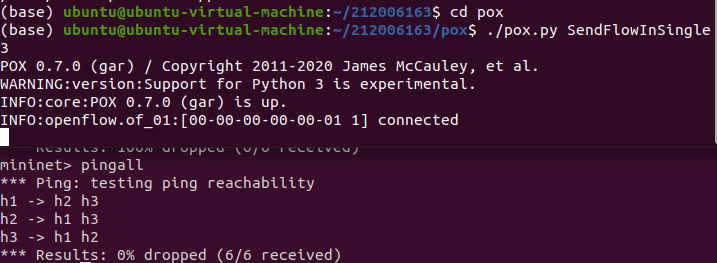
重新创建拓扑并测试连通性,拓扑内主机互不相通
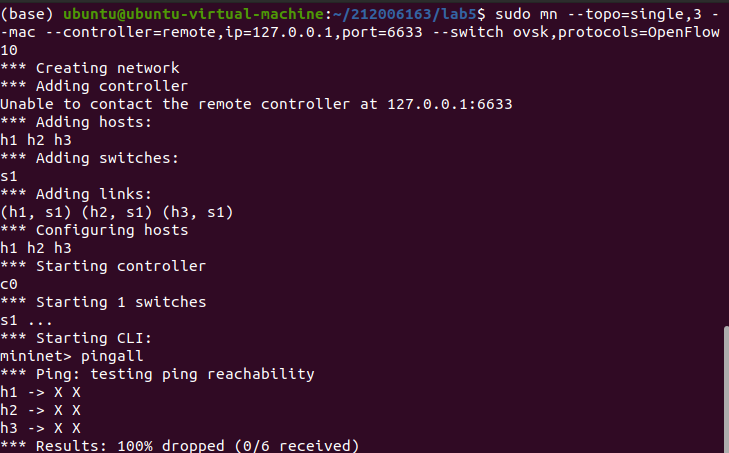
运行SendFlowSingle3,并测试连通性
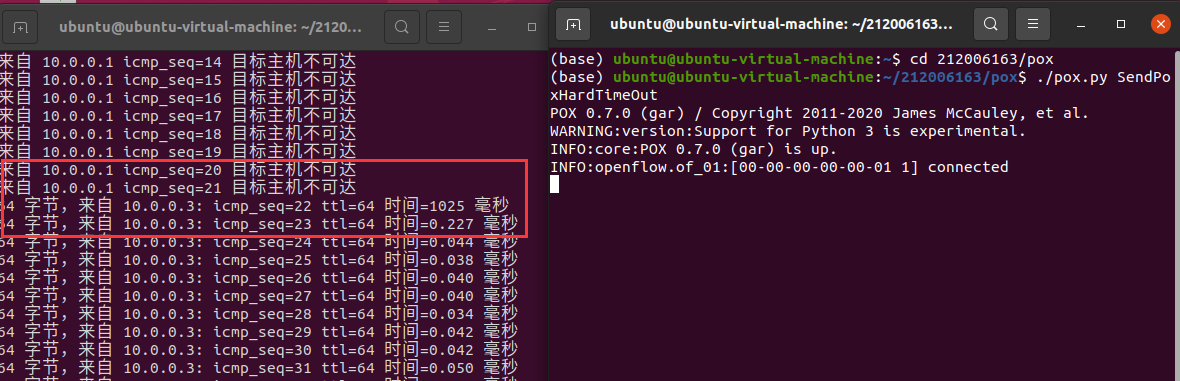
2.基于进阶1的代码,完成ODL实验的硬超时功能。
点击查看代码
import pox.openflow.libopenflow_01 as of

class SendPoxHardTimeOut(object):
    def __init__(self):
        core.openflow.addListeners(self)
    def _handle_ConnectionUp(self, event):


        msg = of.ofp_flow_mod()
        msg.priority = 3
        msg.match.in_port = 1
        msg.hard_timeout = 10  #硬超时10秒
        event.connection.send(msg)

        msg = of.ofp_flow_mod()
        msg.priority = 1
        msg.match.in_port = 1
        msg.actions.append(of.ofp_action_output(port = of.OFPP_ALL))
        event.connection.send(msg)


        msg = of.ofp_flow_mod()
        msg.priority = 3
        msg.match.in_port = 3
        msg.hard_timeout = 10 #硬超时10秒
        event.connection.send(msg)

        msg = of.ofp_flow_mod()
        msg.priority = 1
        msg.match.in_port = 3
        msg.actions.append(of.ofp_action_output(port = of.OFPP_ALL))
        event.connection.send(msg)

def launch():
    core.registerNew(SendPoxHardTimeOut)
三、个人总结
本次实验相较于之前几次的实验会更困难些,通过本次实验了解到了POX控制器的工作原理,通过验证POX的forwarding.hub和forwarding.l2_learning模块,初步掌握POX控制器的使用方法。能够运用 POX控制器编写自定义网络应用程序,进一步熟悉POX控制器流表下发的方法。
在实验中要在学号/pox目录下创建SendFlowInSingle3和SendPoxHardTimeOut前要加sudo或者可以在外面创建后cp复制到学号/pox目录下,进阶部分会比较困难代码参考了些别人的。后续要加强对POX控制器使用方法和相关代码应用的知识。

 浙公网安备 33010602011771号