
SpringBoot实现电子文件签字+盖章系统


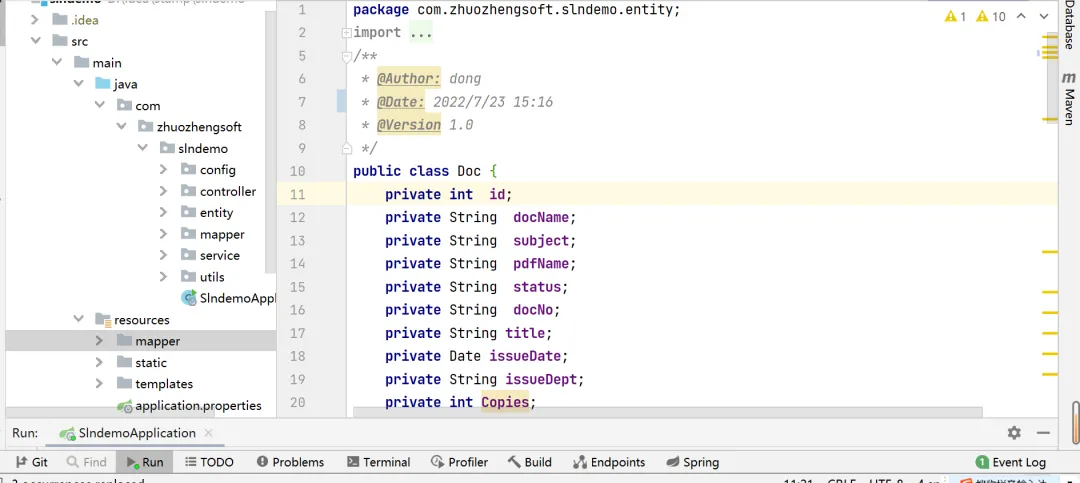
-
控制层
@Controller
@RequestMapping("/mobile")
publicclass MobileOfficeController {

    @Value("${docpath}")
    private  String docPath;

    @Value("${moblicpath}")
    private  String moblicpath;

    @Autowired
    DocService m_docService;

    /**
     * 添加MobOffice的服务器端授权程序Servlet(必须)
     *
     */
    @RequestMapping("/opendoc")
    public void opendoc(HttpServletRequest request, HttpServletResponse response, HttpSession session,String type,String userName)throws  Exception {
        String fileName = "";
        userName= URLDecoder.decode(userName,"utf-8");

        Doc doc=m_docService.getDocById(1);
        if(type.equals("word")){
            fileName = doc.getDocName();
        }else{
            fileName = doc.getPdfName();
        }
        OpenModeType openModeType = OpenModeType.docNormalEdit;

        if (fileName.endsWith(".doc")) {
            openModeType = OpenModeType.docNormalEdit;
        } elseif (fileName.endsWith(".pdf")) {
            String mode = request.getParameter("mode");
            if (mode.equals("normal")) {
                openModeType = OpenModeType.pdfNormal;
            } else {
                openModeType = OpenModeType.pdfReadOnly;
            }
        }

        MobOfficeCtrl mobCtrl = new MobOfficeCtrl(request,response);
        mobCtrl.setSysPath(moblicpath);
        mobCtrl.setServerPage("/mobserver.zz");
        //mobCtrl.setZoomSealServer("http://xxx.xxx.xxx.xxx:8080/ZoomSealEnt/enserver.zz");
        mobCtrl.setSaveFilePage("/mobile/savedoc?testid="+Math.random());
        mobCtrl.webOpen("file://"+docPath+fileName,  openModeType , userName);
    }

    @RequestMapping("/savedoc")
    public  void  savedoc(HttpServletRequest request,  HttpServletResponse response){
        FileSaver fs = new FileSaver(request, response);
        fs.saveToFile(docPath+fs.getFileName());
        fs.close();
    }
}-
项目业务层源码
@Service
publicclass DocServiceImpl implements DocService {
    @Autowired
    DocMapper docMapper;
    @Override
    public Doc getDocById(int id) throws Exception {
        Doc  doc=docMapper.getDocById(id);
        //如果doc为null的话,页面所有doc.属性都报错
        if(doc==null) {
            doc=new Doc();
        }
        return doc;
    }

    @Override
    public Integer addDoc(Doc doc) throws Exception {
       int id=docMapper.addDoc(doc);
        return id;
    }

    @Override
    public Integer updateStatusForDocById(Doc doc) throws Exception {
        int id=docMapper.updateStatusForDocById(doc);
        return id;
    }

    @Override
    public Integer updateDocNameForDocById(Doc doc) throws Exception {
        int id=docMapper.updateDocNameForDocById(doc);
        return id;
    }

    @Override
    public Integer updatePdfNameForDocById(Doc doc) throws Exception {
        int id=docMapper.updatePdfNameForDocById(doc);
        return id;
    }
}-
拷贝文件
public class CopyFileUtil {
        //拷贝文件
        public static boolean copyFile(String oldPath, String newPath) throws Exception {
            boolean copyStatus=false;

            int bytesum = 0;
            int byteread = 0;
            File oldfile = new File(oldPath);
            if (oldfile.exists()) { //文件存在时
                InputStream inStream = new FileInputStream(oldPath); //读入原文件
                FileOutputStream fs = new FileOutputStream(newPath);

                byte[] buffer = newbyte[1444];
                int length;
                while ((byteread = inStream.read(buffer)) != -1) {
                    bytesum += byteread; //字节数 文件大小
                    //System.out.println(bytesum);
                    fs.write(buffer, 0, byteread);
                }
                fs.close();
                inStream.close();
                copyStatus=true;
            }else{
                copyStatus=false;
            }
            return copyStatus;
        }

}-
二维码源码
public class QRCodeUtil {
    private String codeText;//二维码内容
    private BarcodeFormat barcodeFormat;//二维码类型
    privateint width;//图片宽度
    privateint height;//图片高度
    private String imageformat;//图片格式
    privateint backColorRGB;//背景色,颜色RGB的数值既可以用十进制表示,也可以用十六进制表示
    privateint codeColorRGB;//二维码颜色
    private ErrorCorrectionLevel errorCorrectionLevel;//二维码纠错能力
    private String encodeType;

    public QRCodeUtil() {
        codeText = "www.zhuozhengsoft.com";
        barcodeFormat = BarcodeFormat.PDF_417;
        width = 400;
        height = 400;
        imageformat = "png";
        backColorRGB = 0xFFFFFFFF;
        codeColorRGB = 0xFF000000;
        errorCorrectionLevel = ErrorCorrectionLevel.H;
        encodeType = "UTF-8";
    }
    public QRCodeUtil(String text) {
        codeText = text;
        barcodeFormat = BarcodeFormat.PDF_417;
        width = 400;
        height = 400;
        imageformat = "png";
        backColorRGB = 0xFFFFFFFF;
        codeColorRGB = 0xFF000000;
        errorCorrectionLevel = ErrorCorrectionLevel.H;
        encodeType = "UTF-8";
    }

    public String getCodeText() {
        return codeText;
    }

    public void setCodeText(String codeText) {
        this.codeText = codeText;
    }

    public BarcodeFormat getBarcodeFormat() {
        return barcodeFormat;
    }

    public void setBarcodeFormat(BarcodeFormat barcodeFormat) {
        this.barcodeFormat = barcodeFormat;
    }

    public int getWidth() {
        return width;
    }

    public void setWidth(int width) {
        this.width = width;
    }

    public int getHeight() {
        return height;
    }

    public void setHeight(int height) {
        this.height = height;
    }

    public String getImageformat() {
        return imageformat;
    }

    public void setImageformat(String imageformat) {
        this.imageformat = imageformat;
    }

    public int getBackColorRGB() {
        return backColorRGB;
    }

    public void setBackColorRGB(int backColorRGB) {
        this.backColorRGB = backColorRGB;
    }

    public int getCodeColorRGB() {
        return codeColorRGB;
    }

    public void setCodeColorRGB(int codeColorRGB) {
        this.codeColorRGB = codeColorRGB;
    }

    public ErrorCorrectionLevel getErrorCorrectionLevel() {
        return errorCorrectionLevel;
    }

    public void setErrorCorrectionLevel(ErrorCorrectionLevel errorCorrectionLevel) {
        this.errorCorrectionLevel = errorCorrectionLevel;
    }

    private BufferedImage toBufferedImage(BitMatrix bitMatrix) {
        int width = bitMatrix.getWidth();
        int height = bitMatrix.getHeight();
        BufferedImage image = new BufferedImage(width, height, BufferedImage.TYPE_INT_RGB);
        for (int x = 0; x < width; x++) {
            for (int y = 0; y < height; y++) {
                image.setRGB(x, y, bitMatrix.get(x, y) ? this.codeColorRGB: this.backColorRGB);
            }
        }
        return image;
    }

    privatebyte[] writeToBytes(BitMatrix bitMatrix)
            throws IOException {

        try {
            BufferedImage bufferedimage = toBufferedImage(bitMatrix);

            //将图片保存到临时路径中
            File file = java.io.File.createTempFile("~pic","."+ this.imageformat);
            //System.out.println("临时图片路径:"+file.getPath());
            ImageIO.write(bufferedimage,this.imageformat,file);

            //获取图片转换成的二进制数组
            FileInputStream fis = new FileInputStream(file);
            int fileSize = fis.available();
            byte[] imageBytes = newbyte[fileSize];
            fis.read(imageBytes);
            fis.close();

            //删除临时文件
            if (file.exists()) {
                file.delete();
            }

            return imageBytes;
        } catch (Exception e) {
            System.out.println(" Image err :" + e.getMessage());
            returnnull;
        }

    }


    //获取二维码图片的字节数组
    publicbyte[] getQRCodeBytes()
            throws IOException {

        try {
            MultiFormatWriter multiFormatWriter = new MultiFormatWriter();

            //设置二维码参数
            Map hints = new HashMap();
            if (this.errorCorrectionLevel != null) {
                //设置二维码的纠错级别
                hints.put(EncodeHintType.ERROR_CORRECTION, this.errorCorrectionLevel);
            }

            if (this.encodeType!=null && this.encodeType.trim().length() > 0) {
                //设置编码方式
                hints.put(EncodeHintType.CHARACTER_SET, this.encodeType);
            }

            BitMatrix bitMatrix = multiFormatWriter.encode(this.codeText, BarcodeFormat.QR_CODE, this.width, this.height, hints);
            byte[] bytes = writeToBytes(bitMatrix);

            return bytes;
        } catch (Exception e) {
            e.printStackTrace();
            returnnull;
        }

    }

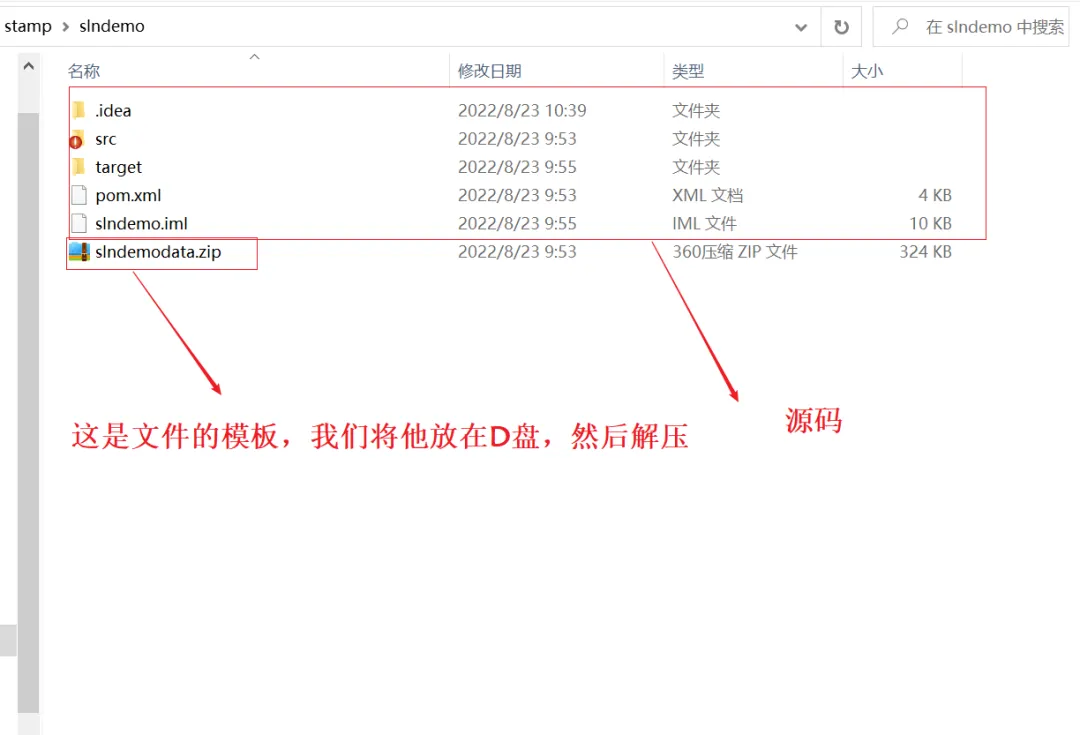
}
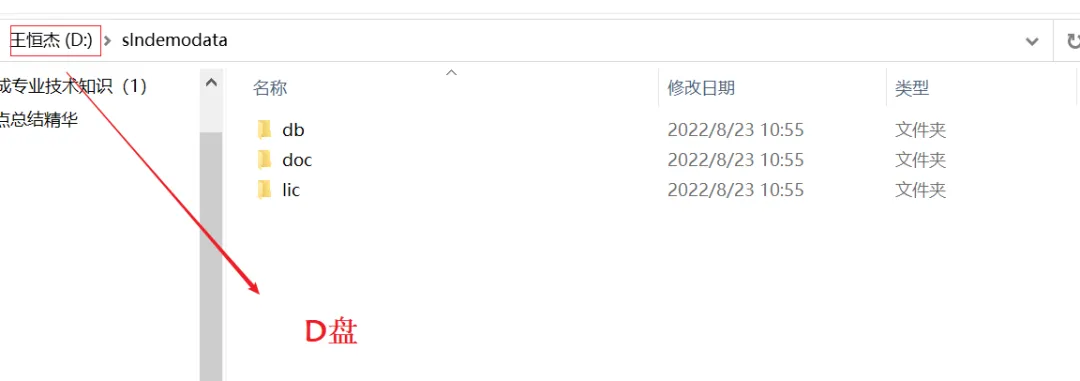
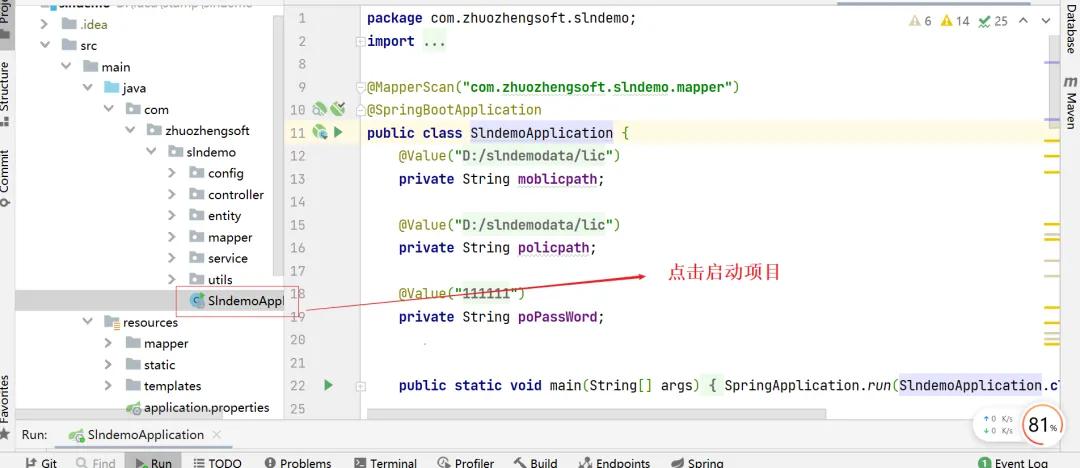


正在找工作,欢迎发 JD 到我邮箱,坐标上海浦东新区。

 浙公网安备 33010602011771号