
winform 确认操作需要解锁
winform中一些操作需要特定权限才能执行,为了方便限制增加密码确认功能,输入正确密码才能执行相应的操作
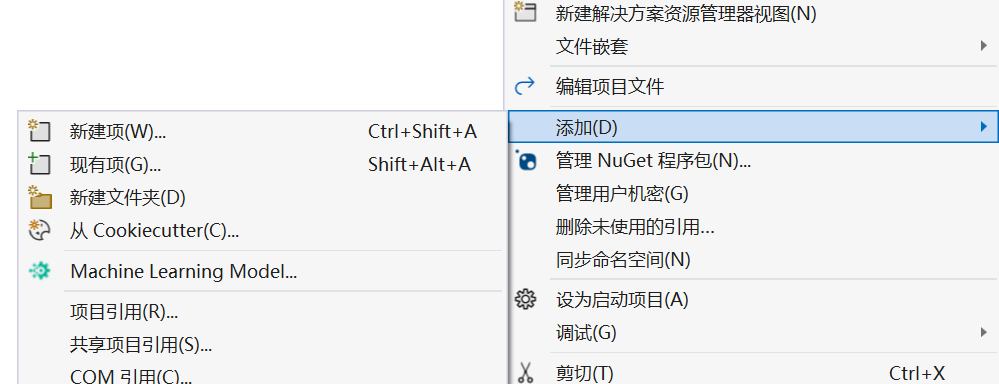
1、在主窗体外添加一个新的窗体,用来作为密码输入框。
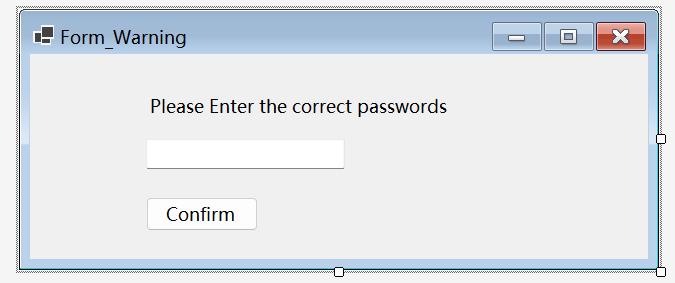
2、窗体布局见下图;
代码如下:
 1 namespace XML_Read_and_Write
 2 {
 3     public partial class Form_Enter : Form
 4     {
 5         private string password = "qwe123!@#";//XML upload passwords
 6         public Form_Enter()
 7         {
 8             InitializeComponent();
 9         }
10
11         private void button_confirm_Click(object sender, EventArgs e)
12         {
13             if (this.textBox_pass.Text.Trim().Equals(this.password))
14             {
15                 this.DialogResult = DialogResult.OK;
16             }
17             else
18             {
19                 this.DialogResult= DialogResult.Cancel;
20             }
21         }
22     }
23 }
3、Confirm为确认按钮,在该按钮的点击事件中验证密码是否正确,从而确定窗体返回的结果。
4、主窗体代码见下图:
 1             try
 2             {
 3
 4                 Form_Enter form_Warning = new Form_Enter();
 5                 form_Warning.StartPosition = FormStartPosition.CenterScreen;//弹框居中显示
 6                 form_Warning.ShowDialog();
 7                 if (form_Warning.DialogResult == DialogResult.OK)
 8                 {
 9                     MessageBox.Show("OK","MessageShow",MessageBoxButtons.OK,MessageBoxIcon.Warning);
10                     if (comboBox1.Text != "" && textBox_android.Text != "" && textBox_efuse.Text != "" && textBox_ethernet.Text != "" &&
11                         textBox_pn.Text != "" && textBox_qnx.Text != "" && textBox_scc.Text != "" && textBox_sccapp.Text != "" && textBox_sccbl.Text != "" &&
12                         textBox_sccboot.Text != "" && textBox_soc.Text != "")
13                     {
14                         GenerateXMLFile(comboBox1.SelectedItem.ToString(), textBox_scc.Text, textBox_soc.Text, textBox_pn.Text, textBox_qnx.Text,
15                             textBox_android.Text, textBox_sccbl.Text, textBox_sccapp.Text, textBox_ethernet.Text, textBox_efuse.Text, textBox_sccboot.Text);
16
17                     }
18                     else
19                     {
20                         MessageBox.Show("确保 'Product Type' 被选中!确保上传数据不为空!", "MessageShow", MessageBoxButtons.OK, MessageBoxIcon.Exclamation);
21                     }
22
23                 }
24                 else
25                 {
26                     MessageBox.Show("NO","MessageShow", MessageBoxButtons.OK, MessageBoxIcon.Error);
27                 }
28             }
29             catch (Exception ex)
30             {
31
32                 MessageBox.Show(ex.Message);
33             }
5、在主窗体的相关操作中因为返回结果不同来执行相关操作,只有密码确认正确才能执行对应操作。

 浙公网安备 33010602011771号