手机ADB调试命令及方法
1.adb环境配置
platform-tool的文件路径需要配置到系统环境变量
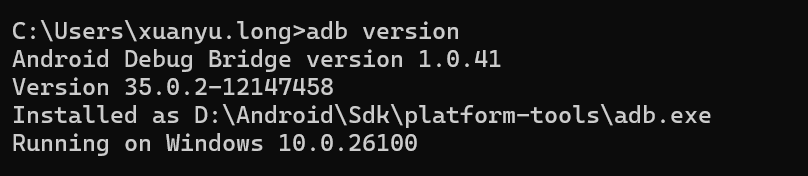
配置好以后,打开cmd,输入 adb version 确认。
手机配置为开发者、文件传输模式
运行授权脚本 authorize.bat
点击查看代码
::@echo off
adb root
adb remount
adb shell chmod 777 /dev/ndt
adb shell chmod 777 /dev/ndt2
adb shell setenforce 0
echo success!
echo.
@REM adb kill-server
pause
2.adb command
//进入手机内核文件系统
adb shell
ls
//进入查看IIC设备文件
cd /sys/bus/i2c/
ls
//荣耀手机自研压感驱动节点
cd sys/side_press_button
cat fw_info
//荣耀手机芯海压感驱动节点
cd /dev
ls ndt
//demo apk Debug/假相机界面 0x24
导log:
adb pull /sdcard/android/data/com.ndt.demo.debug/files/data
adb pull /sdcard/Android/data/com.ndt.demo.debug/files/Data
删log:
adb shell "rm -rf /sdcard/android/data/com.ndt.demo.debug/files/data"
adb shell "rm -rf /sdcard/Android/data/com.ndt.demo.debug/files/Data"
//校准测试apk计数界面
导log:
adb pull /sdcard/android/data/com.ndt.sidekey.debug/files/SideKey
删log:
adb shell "rm -rf /sdcard/android/data/com.ndt.sidekey.debug/files/Si
deKey"
//345校准测试apk计数界面
导log:
adb pull /sdcard/android/data/com.ndt.sidekey.debug/files/data
删log:
adb shell "rm -rf /sdcard/android/data/com.ndt.sidekey.debug/files/data"
//工模校准测试apk计数界面log路径 0x24
导log:
adb pull /sdcard/Android/data/com.oplus.engineermode/files/SideKey
删log:
adb shell "rm -rf /sdcard/Android/data/com.oplus.engineermode/files/SideKey"
//debug apk
导log:
adb pull /sdcard/Android/data/com.ndt.main.debug/files
删log:
adb shell "rm -rf /sdcard/Android/data/com.ndt.main.debug/files"
//导自检log
adb pull sdcard/Android/data/com.ndt.sidekey/files
//删自检log
adb shell "rm -rf sdcard/Android/data/com.ndt.sidekey/files"
//查看驱动INT中断信息log指令
adb shell "dmesg -w | grep spb"
//修改阈值参数
adb shell "echo 200,180,200,180,20,15,20,15,50,100,500,300 > proc/cs_press/camera_key_config"
//打印NDT中断信息
adb shell "dmesg -w | grep SPB"
//初始化老化测试
adb shell setprop persist.sys.rt.para true
//终止老化流程
adb shell rm -fr data/data/com.hihonor.runningtestii/shared_prefs
adb -s BBNE01251N000697 reboot
adb -s BBWC012527000334 reboot
//固件周期100Hz->10Hz自动切换
adb shell "echo 1 > sys/side_press_button/scan_freq"
//固件周期固定100Hz
adb shell "echo 2 > sys/side_press_button/scan_freq"
//固件周期固定10Hz
adb shell "echo 3 > sys/side_press_button/scan_freq"
adb shell "dmesg -w | grep cs_press"
//导log: NdtDebug APP
adb pull /storage/emulated/0/Android/data/com.ndt.main.debug/files
//导log: 产线测试APP
adb pull /sdcard/android/data/com.ndt.sidekey/files

 浙公网安备 33010602011771号